How to use Persona Mode
1. Function introduction
When training a deep learning model, in order to increase the diversity and robustness of the data, data enhancement technology can be used. Mask mode is a special data enhancement method that adds real textures to the surface of real data/synthetic data, and then uses it to train the model to simulate different scenes and interference situations, so that the model can better adapt to various actual scenes.
Notice
Sacks are trained using real data and cartons are trained using synthetic data.
2. Applicable Scene
The incoming materials in the destacking scene are relatively orderly and have complex textures or various types, which may lead to situations where it is easy to be unrecognized, the bbox is framed to multiple instances, or the frame is not full of one instance (such as a pill box).
Currently, only the depalletizing Scene supports mask mode training through PickWiz on the terminal side (industrial computer), and other Scenes are not yet supported.
3. Use operations
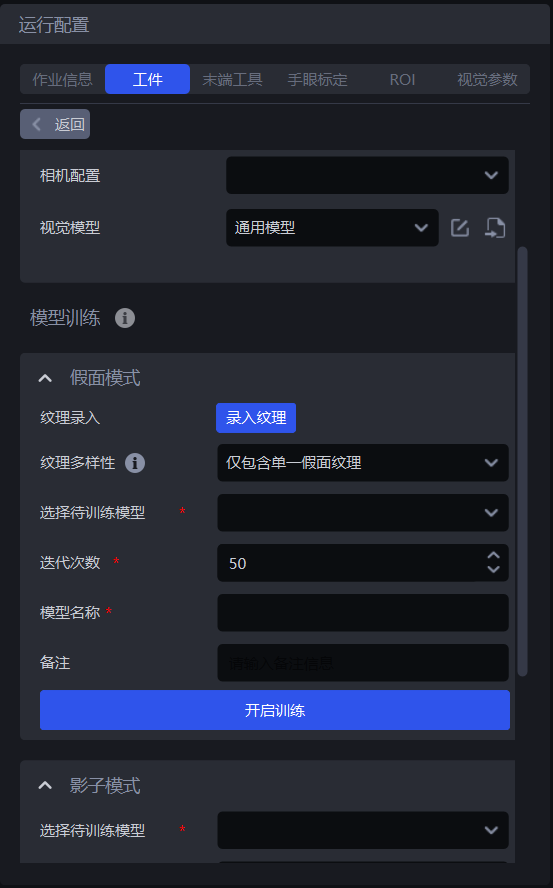
- In the Target interface, click
Input texture
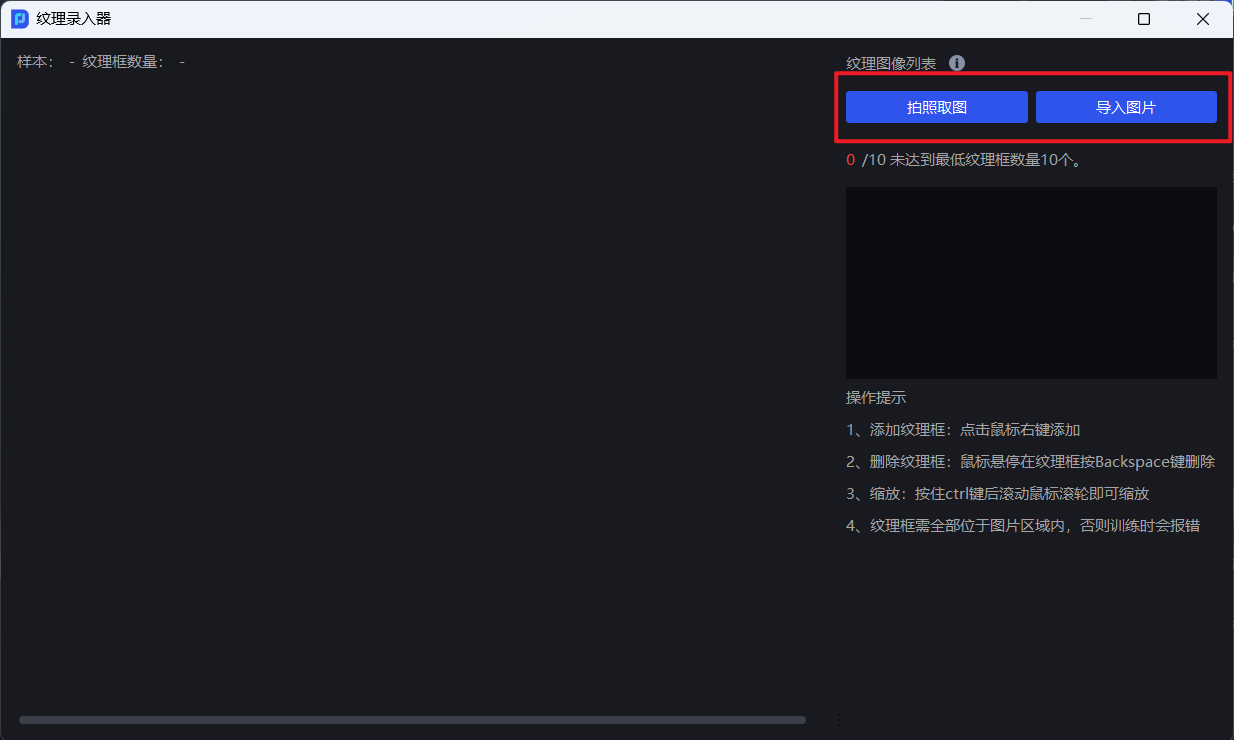
- To add an image of the object to be captured, you can choose to take a photo or import an image
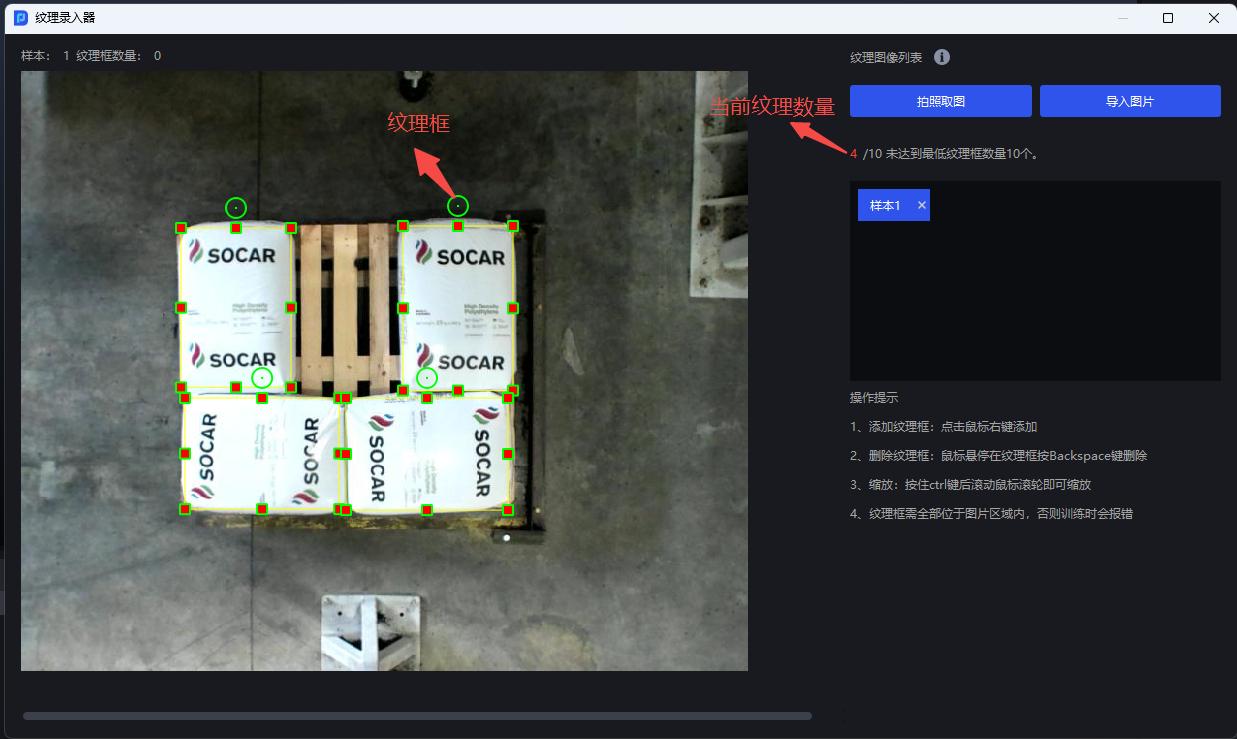
- Right-click on the image of the object to be captured to add a texture frame to frame the texture of the object. The number of textures cannot be less than 10. Each picture can draw multiple texture frames.
It is recommended to add 2-3 or more samples for each texture of each image to help ensure the effect of mask training.
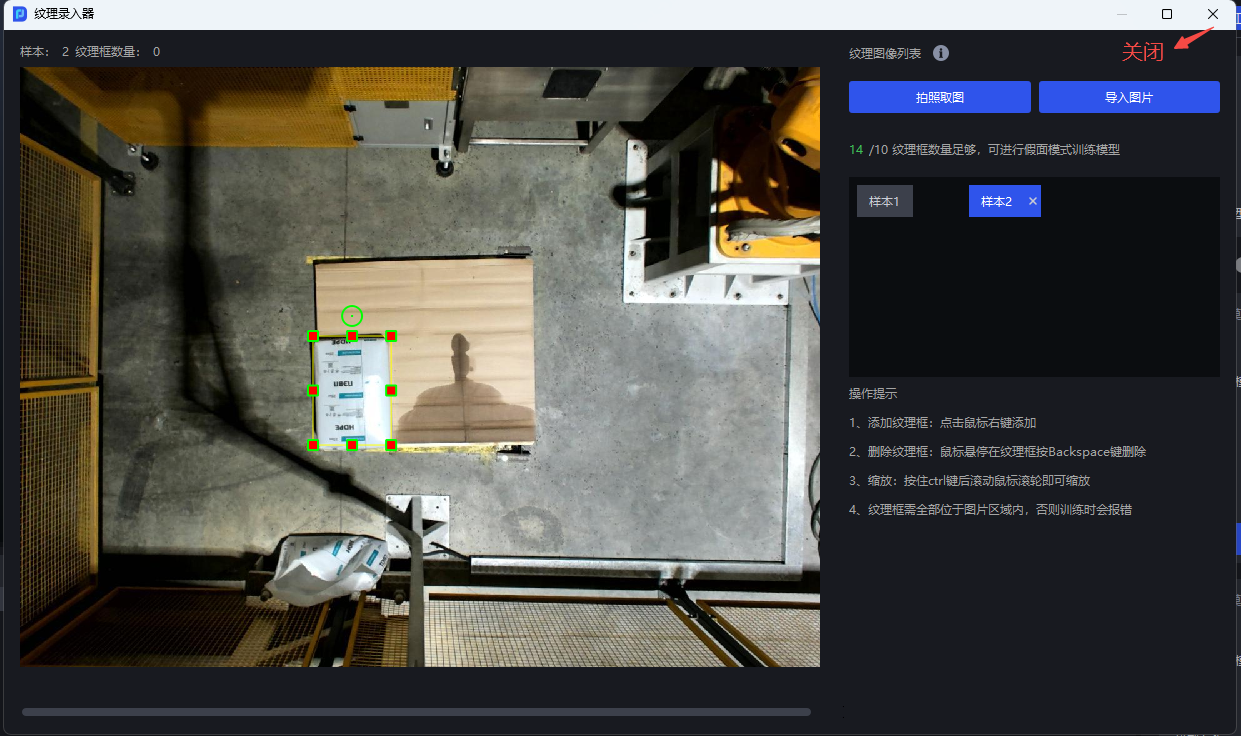
- After entering the texture of the object to be grabbed and the number is greater than or equal to 10, close the texture recorder
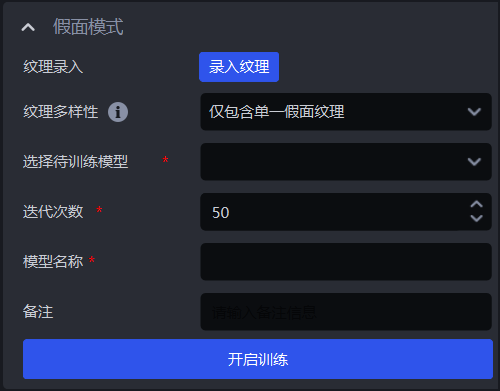
Texture Diversity Optional
Contain Only Single Mask TextureandContain Multiple Mask Textures. If there is only one framed texture, selectInclude only a single mask texture; if there are multiple framed textures, selectInclude multiple mask textures.Select the model to be trained,Number of iterationsKeep the default value, setModel name, and finally clickStart training
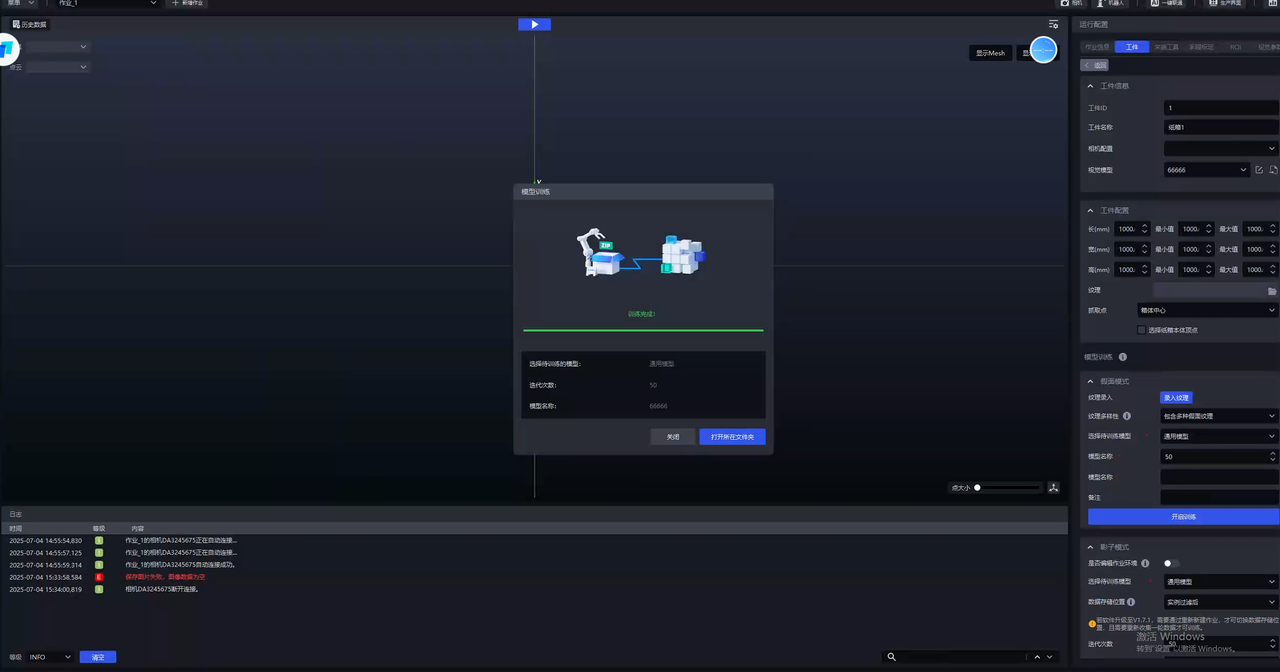
- After training is completed, click
Open the folderand replaceTarget Information-Visual Modelwith the new model after training.
4. FAQ
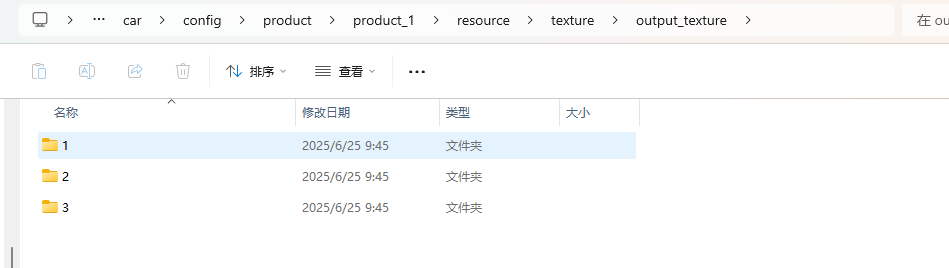
- Where can I view the texture data saved for each training session?
The texture data set is saved in the corresponding project configuration, and the texture frame on each picture is saved in a separate directory.
However, it should be noted that every time a new mask mode training is initiated, the texture data exported from the previous training will be cleared.
- The captured image of the object to be grasped is deformed. Can this image be used for Mask Mode training?
Slight deformation does not affect use, but the phone should be kept as parallel to the Target Object as possible when shooting.
- How big should the texture frame be?
It is necessary to fully frame a single object to avoid other interference objects.
- If a new texture is added, does the model support iteration? Whether the textures previously used for training need to be deleted
Support model iteration. Textures previously used for training need to be deleted. The initial model during training should be a model trained in Mask mode.
If all textures can be obtained at one time, it is recommended that all textures be used for training together
- The trained model does not perform well, what should I do?
Check whether the detected materials and the materials used during Mask Mode training are of the same category
In the Target interface, check whether the Visual Model has been replaced with the latest trained deep learning model
On the Target interface, click Input Texture and check in the texture importer whether the framed texture includes all situations, such as the front and back of the pill box.
In the Visual Parameter interface, try to adjust the Scale Ratio in 2D Recognition-Instance Segmentation.
When a single scaling ratio cannot satisfy the actual Scene (for example, the optimal scaling ratios of the top and bottom objects in the destacking Scene may be different), check the Auto Enhance function on the Visual Parameter interface and set multiple Auto Enhance-Scaling Ratios. For details, see [Destacking Visual Parameter Adjustment Guide] (../视觉参数/拆垛视觉参数调整指南.md)
- After training in Persona mode, the error message "Failed to train Persona model" is reported. How to solve it?
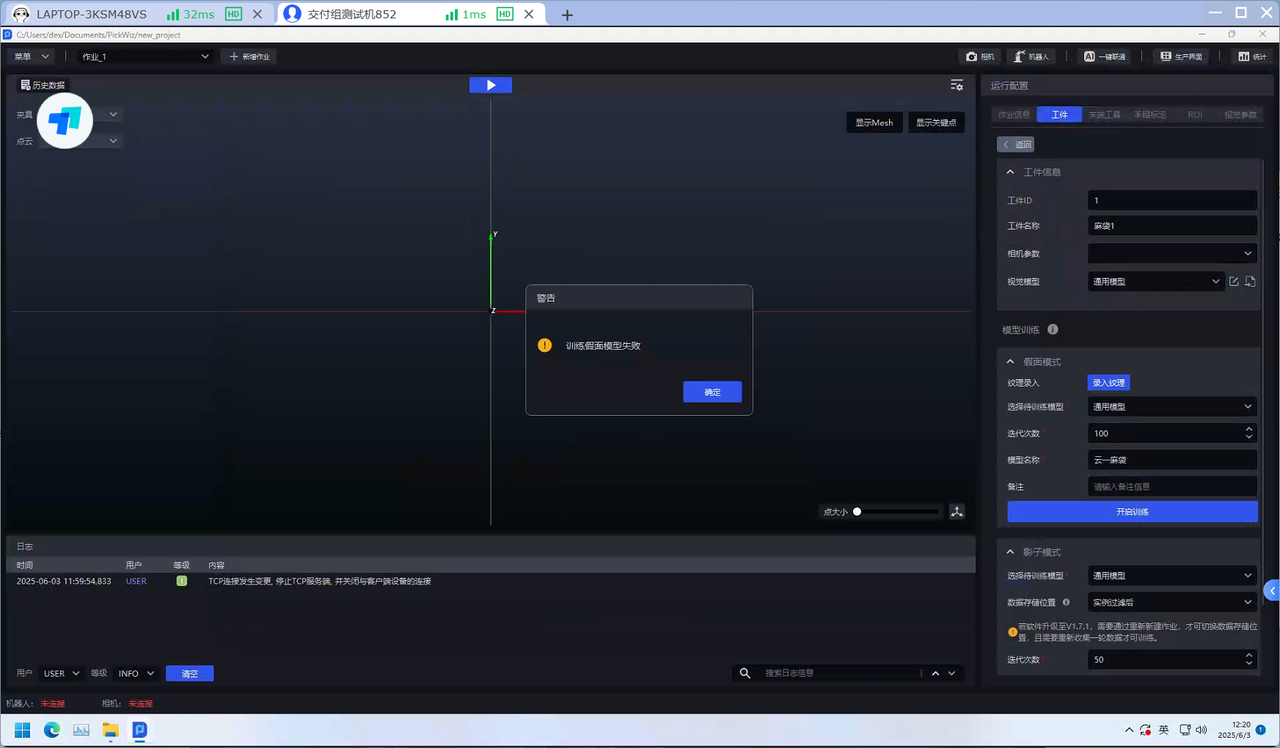
The minimum requirement for an industrial computer graphics card is GTX 3050. Otherwise, the training of the Mask mode may fail. If the error "Training the Mask model failed" is reported, the graphics card needs to be replaced.