Partition and Pallet Detection User Guide
The Partition and Pallet Detection function is mainly used in orderly scenes. There are partitions under each layer of Target. After grabbing the Target, you need to grab the partitions and bottom brackets. This article mainly introduces how to set up and use Partition and Pallet Detection after turning it on.
1. Operation Guide
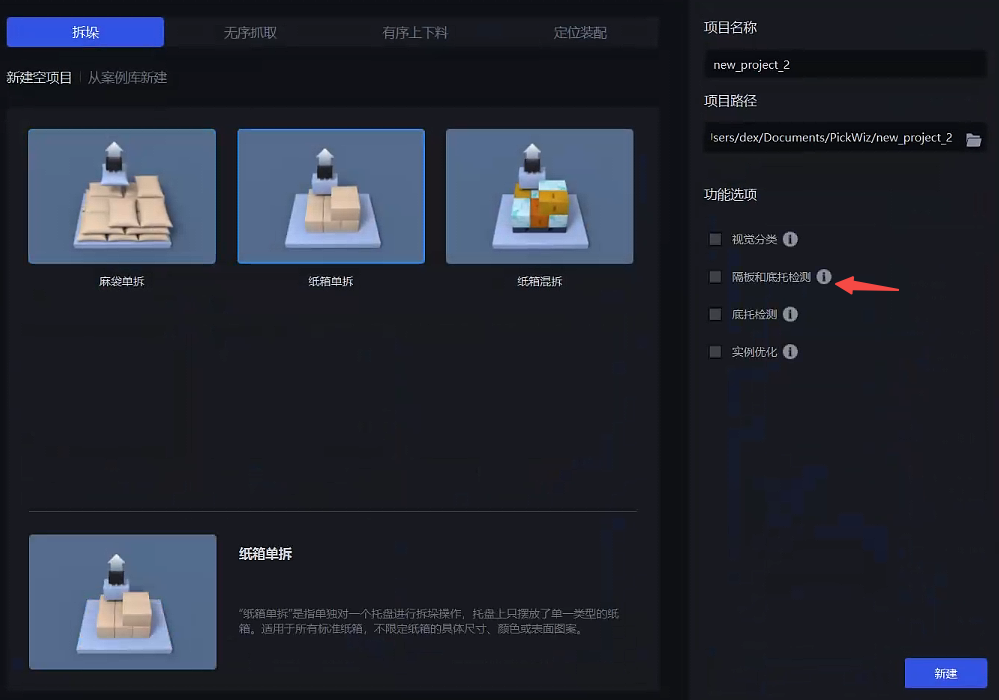
When there are partitions under each layer of Target in the actual Scene, when creating a new project or creating a new Task, check the Partition and Pallet Detection function; if it is not checked when creating a new project or create a new Task, in the Task Information Interface, click Edit on the lower right, and then check Partition and Pallet Detection
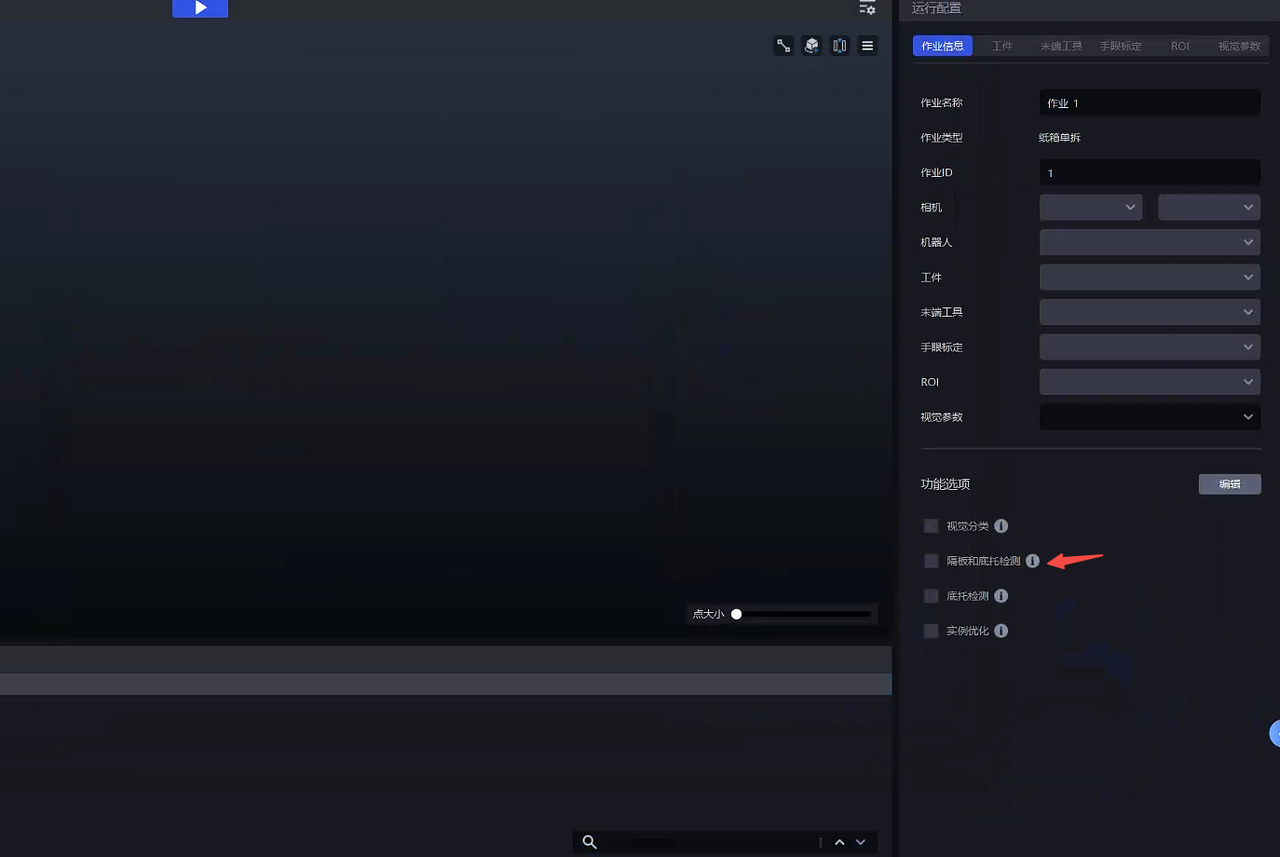
After adding the plug-in, add a new Target in the Target interface, click the Enter Type button of Target Information-Visual Classification, and enter the types for Target, partition and bottom bracket respectively.
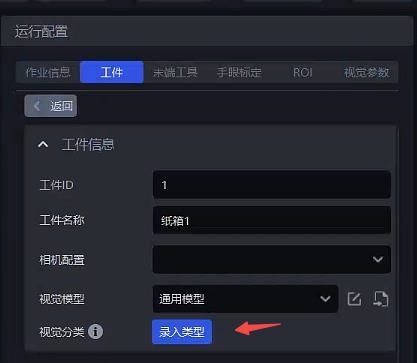
Entry type
Specific reference: Visual Classification User Guide
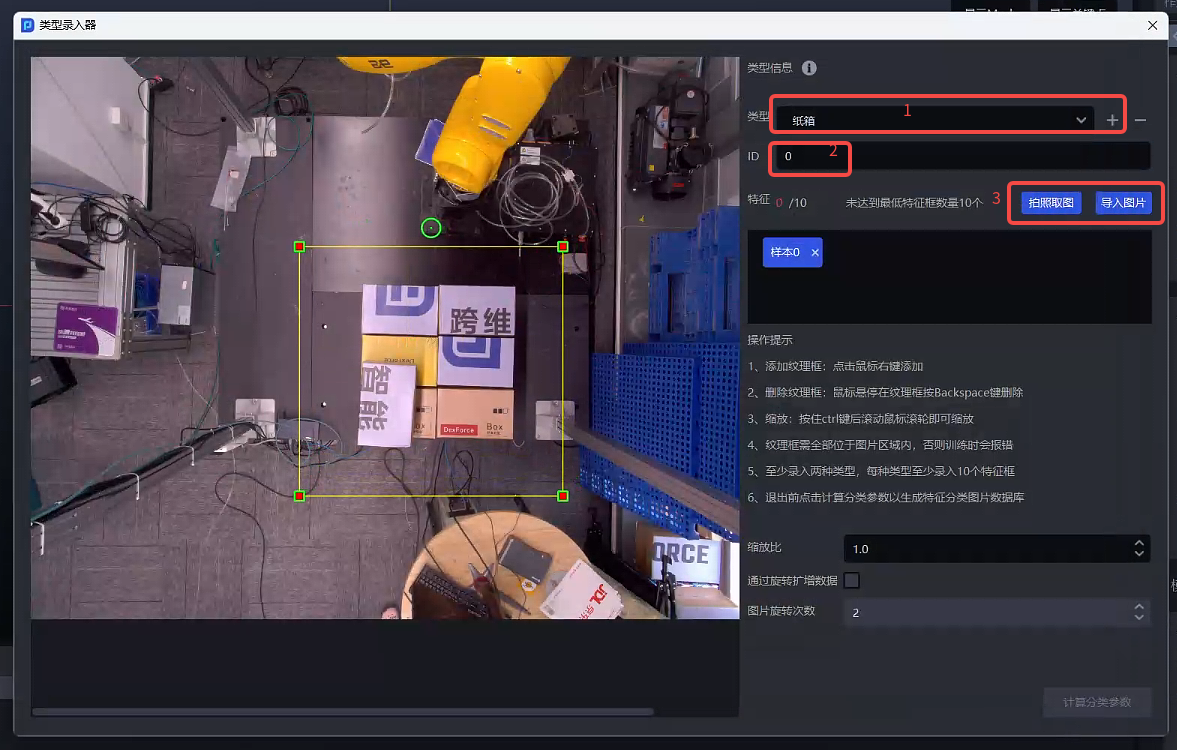
Click + Add Type
Fill in the type id
Take a photo or import a picture
Frame the corresponding image area in the picture. The frame selection area needs to be consistent with the roi2d area. At least 10 samples of each type must be entered.
Adjust Parameter
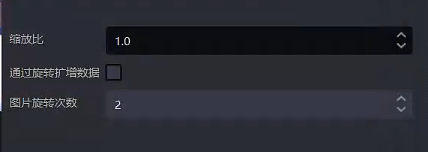
| Parameter | Description | Default value | value range | Parameter adjustment recommendation |
|---|---|---|---|---|
| scaling ratio | scales the entered type database images and extracts image features. The smaller the scaling ratio, the faster the category information is calculated. | 1.0 | 0.1 - 2.0 | 1.0 |
| Amplified data by rotation | Rotate the entered type pictures to expand the number of pictures in the type database | Check | / | / |
| Number of image rotations | After checking to amplify the data by rotation, the number of pictures in the database 4, then the picture is rotated 90° counterclockwise each time (360°) | 2 | [1,360] | The larger the value, the more angles of the amplified image |
Finally click Calculate Classification Parameter and close the Type Entry
After the test is entered, open Robot configuration and add the Target type command character ‘{cid}’ to the visual inspection sending command.
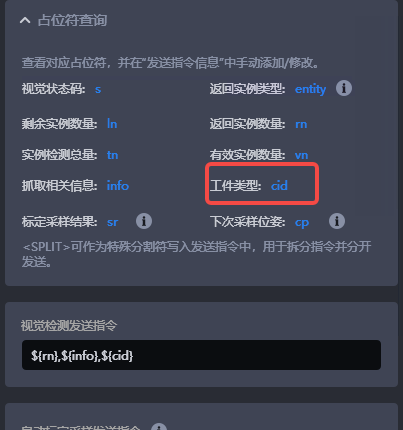
2. Parameter adjustment guide
By adjusting the visual parameters, the visual system can better distinguish and identify partitions and bottom brackets based on the entered classification data.
Partition and Pallet Detection use the top texture extraction function by default, so most of the Parameters are consistent with the [Extract top texture] (../视觉参数/拆垛视觉参数调整指南.md#119-提取最上层纹理) Parameter.
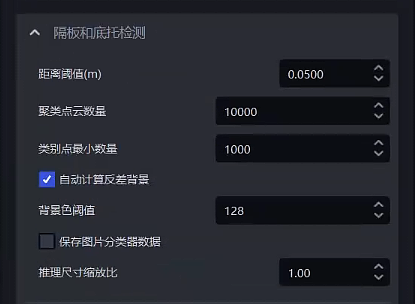
| Parameter | Description | Default value | value range | Parameter adjustment recommendation |
|---|---|---|---|---|
| distance Threshold(m) | The upper limit of the distance extracted by0.05 | 0.0001-1 | adjusts the distance Threshold according to the Target height, usually 1/2 of the height | |
| Clustering Point Cloud Number | The number of points expected to participate in clustering | 10000 | 1-10000000 | The greater the number of clustering Point Clouds, the model inference speed will decrease and the accuracy will increase; the smaller the number of clustering Point Clouds, the model inference speed will increase and the accuracy will decrease |
| Minimum number of category points | Minimum number of points used to filter categories | 1000 | 1-10000000 | / |
| automatically calculates the contrast background | After checking, it will automatically calculate the black or white color that differs greatly from the current instance according to the color tone | Check | / | / |
| Background ColorThreshold | XQZ PZ00000128 | 0-255 | / | |
| Save image classifier data | Save image classifier data when checked | Uncheck | / | After checked, the data will be saved, which will increase the time consumption; when it is necessary to supplement the classification data in the early stage, it is recommended to turn on |
| Inference size scaling ratio | Image ClassificationInference scaling ratio | 1.0 | 0.01-1.0 | is consistent with the scaling ratio in the entry type 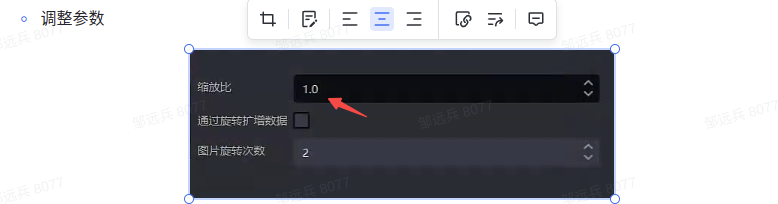 |