Instance Optimization User Guide
Instance Optimization is mainly used to optimize the instance mask produced by Visual ModelInference. It corrects the problems that may exist in the first Inference result of a general model or a model trained by one-click connection, such as incomplete mask and deviation from reality, so that the instance mask is closer to the complete outline of the actual Target and solves the problem of poor Visual ModelInference results.
1. Operation Guide
- When the instance mask output by Visual ModelInference is incomplete or deviates from the actual Target, click
Editin the function options module of the main interface, checkInstance Optimization, and then clickSave.
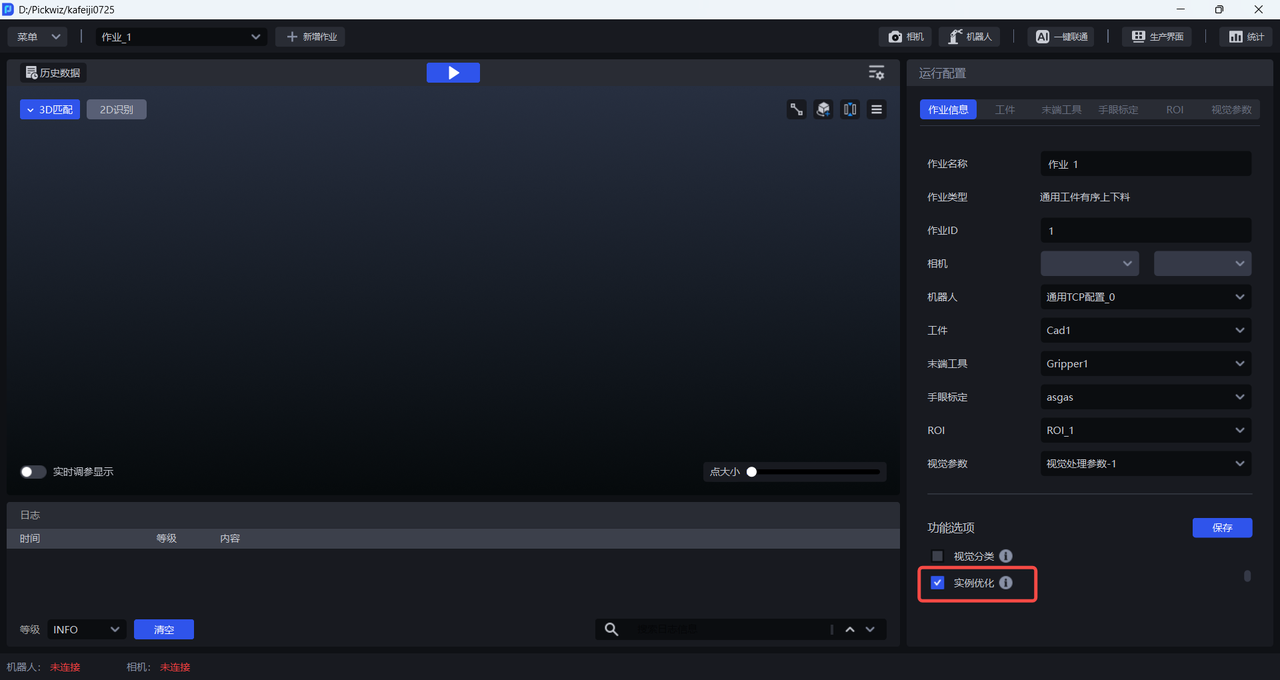
- After checking
Instance Optimization, Parameters related to Instance Optimization will appear in the visual Parameter-2D recognition, as shown in the figure below.
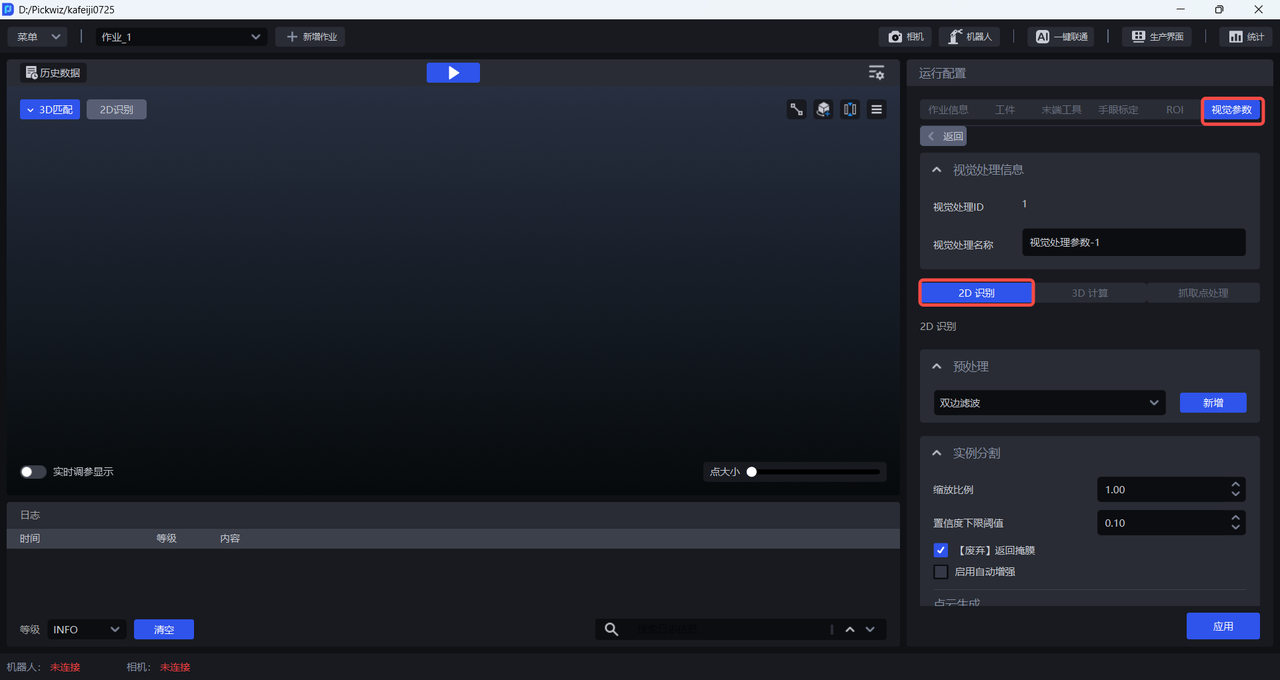
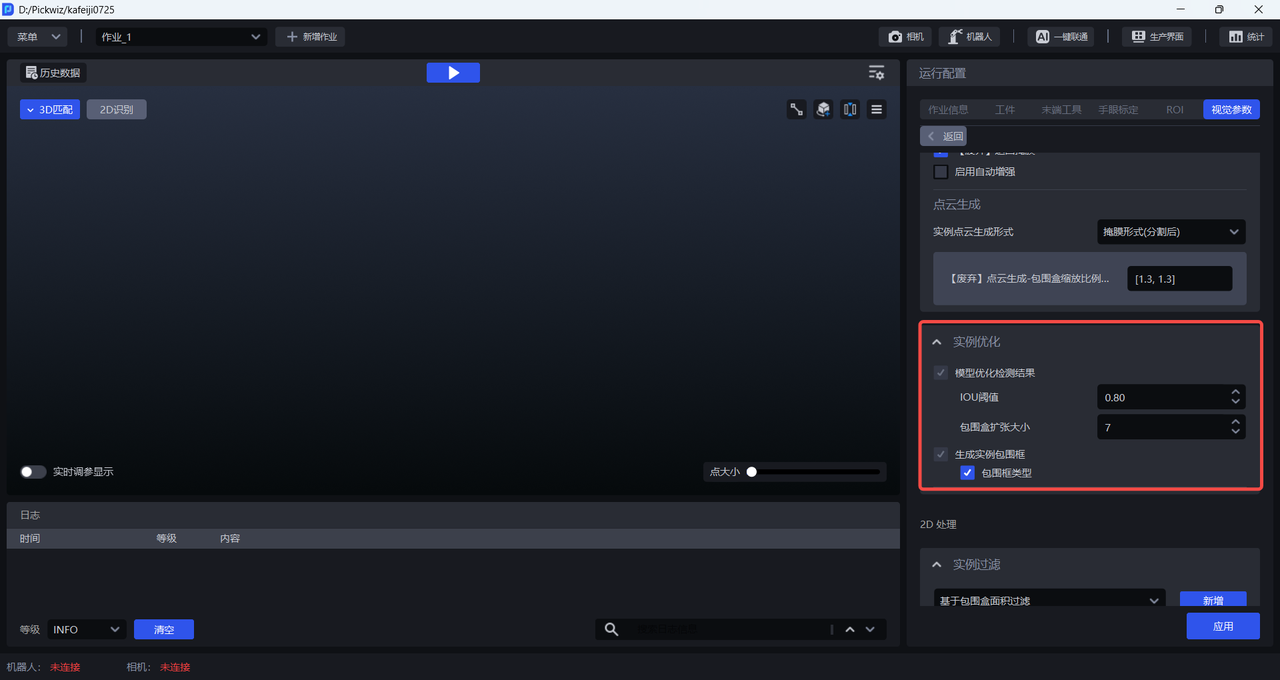
2. Parameter adjustment guide
Adjust the Parameter related to Instance Optimization based on the current detection results.
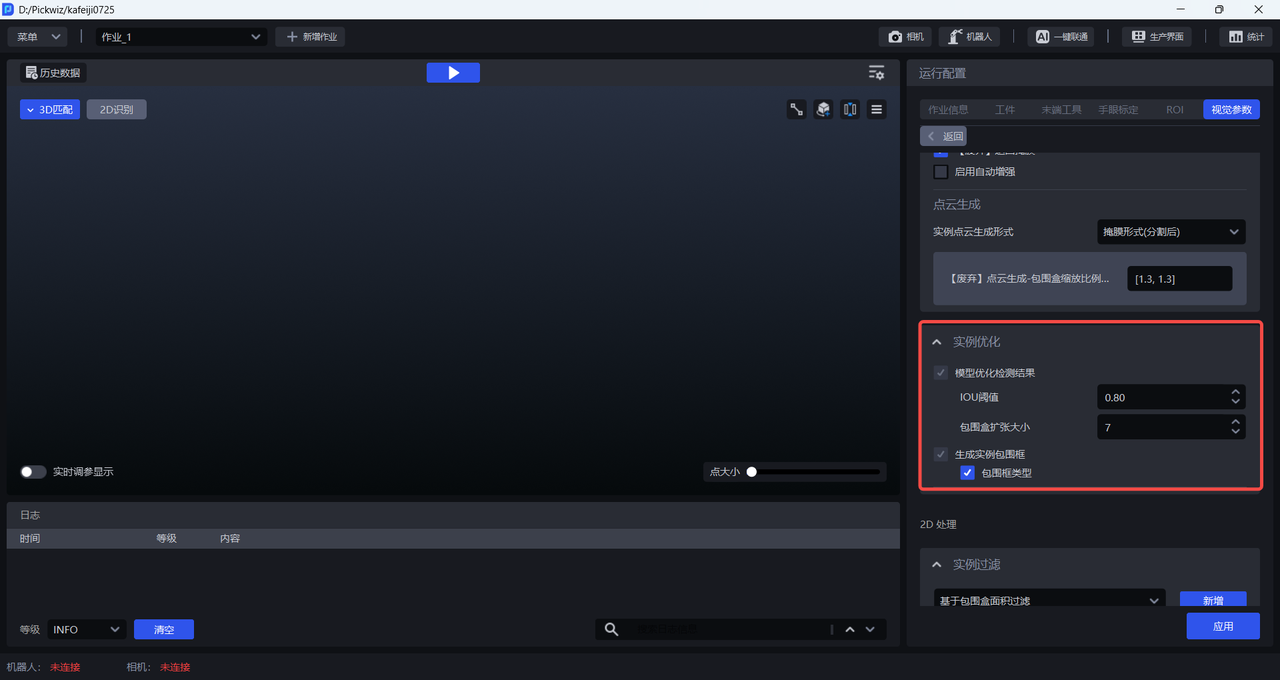
| function | Parameter | Description | Default value | value range | Parameter adjustment recommendation |
|---|---|---|---|---|---|
| model optimization detection result | IOUThreshold | When Visual Model detects Target, it generates a bounding box - an initial bounding box. The SAM model segments the instance mask within this initial bounding box, and then generates a minimum bounding box based on the instance mask. If the overlap of the two bounding boxes is greater than IOUThreshold, it means that the instance mask segmentation is good and should be retained; if the overlap of the two bounding boxes is less than IOUThreshold, it means that the instance mask segmentation is not good and should be discarded. | 0.8 | [0, 1.0] | XQZ PZ00000 |
| bounding box expansion size | expands or shrinks the initial bounding box, the bounding box generated when Visual Model detects Target. A positive value means that the length and width of the initial bounding box are expanded by a certain pixel; a negative value means that the length and width of the initial bounding box are reduced by a certain pixel. | 7 | [-100, 100] | If the instance mask exceeds the Target range, you can reduce this Parameter to reduce the size of the initial bounding box; if the instance mask segmentation is incomplete, you can increase this Parameter to expand the size of the initial bounding box. | |
| generates instance bounding box | bounding box type | The SAM model segments the instance mask within the initial bounding box, and then generates a minimum bounding box based on the instance mask. There are two types of minimum bounding boxes available - AABB (axis-aligned bounding box) and OBB (oriented bounding box). Check the bounding box type to generate an AABB type bounding box, and uncheck it to generate an OBB type bounding box. | Check | / | AABB (axis-aligned bounding box) is a rectangle with sides parallel to the X-axis and Y-axis of the image, and is suitable for Scenes where the Target is placed horizontally/vertically; |