V1.8.3 Release Notes
V1.8.3 Release Notes
Preface
| 版本号 | Camera SDK | ||
|---|---|---|---|
| PickWiz: | 1.8.3 | Xema: | 1.5.5 |
| PickLight: | 1.8.3 | Finch: | 1.3.1.2 |
| GLIA: | 0.5.3 | Sparrow: | 3.5.4 |
| RLIA: | 0.3.4 | Stereo: | 4.3.4 |
| MixedAI: | 0.6.2 | Enumerate: | 1.0 |
PickWiz 1.8.3 is an optimized version based on PickWiz 1.8.2.1.
The main optimization directions of this version include system function completeness, ease of use, and system stability.
The specific updates in this version are as follows:
New Features
1. Camera
Added the KINGFISHER-S-602 binocular camera. It supports a compact eye-in-hand visual solution that further reduces on-site space requirements and supports the implementation of small-space eye-in-hand scenarios such as robot picking with AGVs.
- Camera Overview
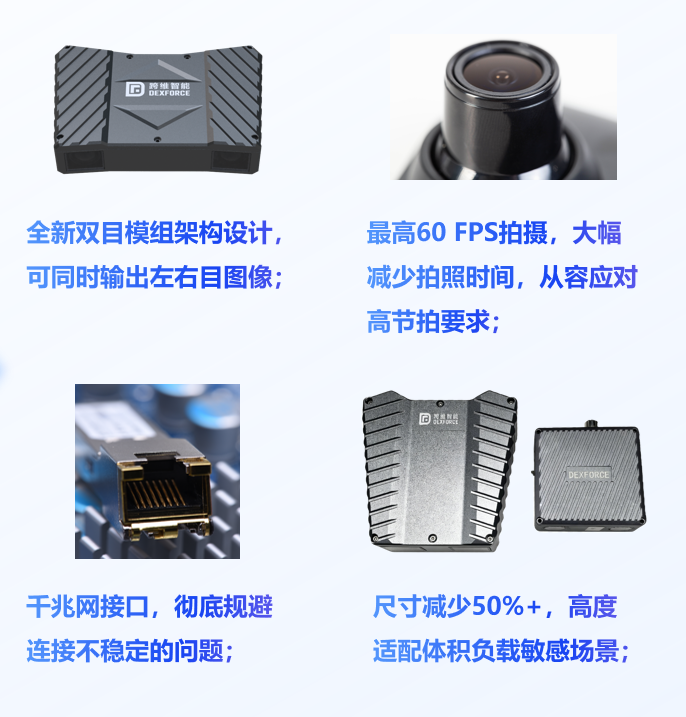
KINGFISHER-S-602 binocular camera advantages
- Camera Specifications
| Parameter Item | Parameter Content |
|---|---|
| Camera Model | KINGFISHER-S-602 |
| Recommended Working Distance (mm) | 200 ~ 1000 |
| Camera Field of View (mm) | Near-end field of view: 186×134, far-end field of view: 1171×674; |
| Resolution | 1920 × 1080 |
| Camera Dimensions (mm) | 100 × 52 × 52 |
| Installation Method | Eye in hand |
| Imaging Effect in Typical Scenes | Medicine Box (300mm):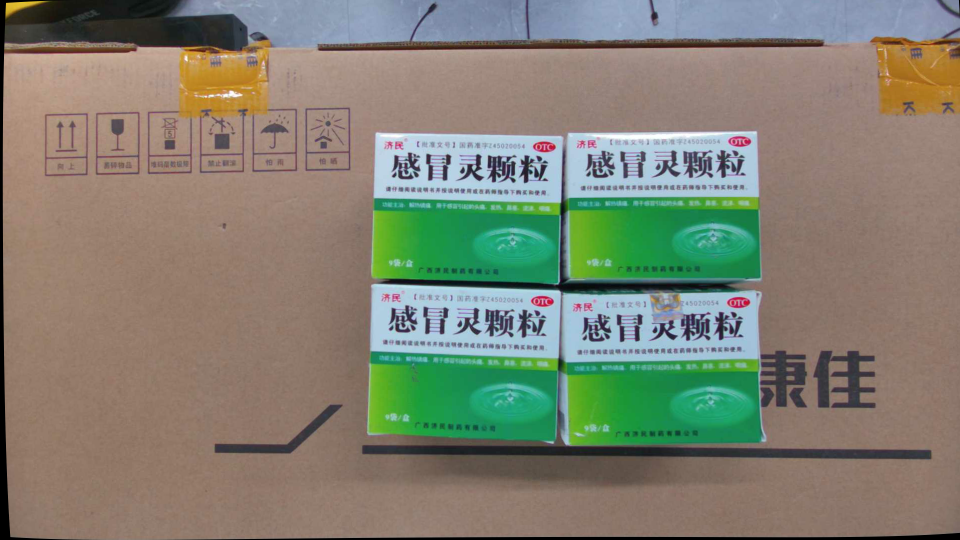 Left Camera Left Camera 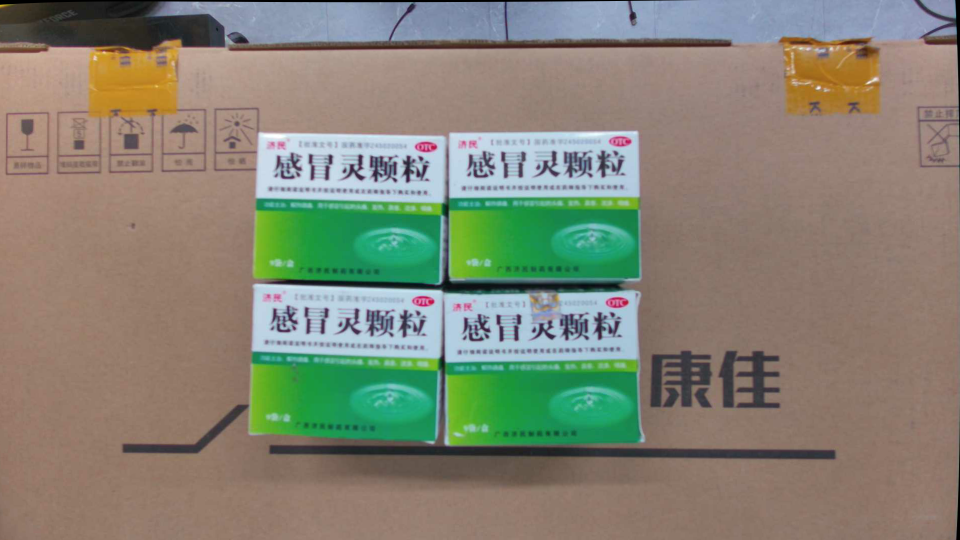 Right Camera Right Camera 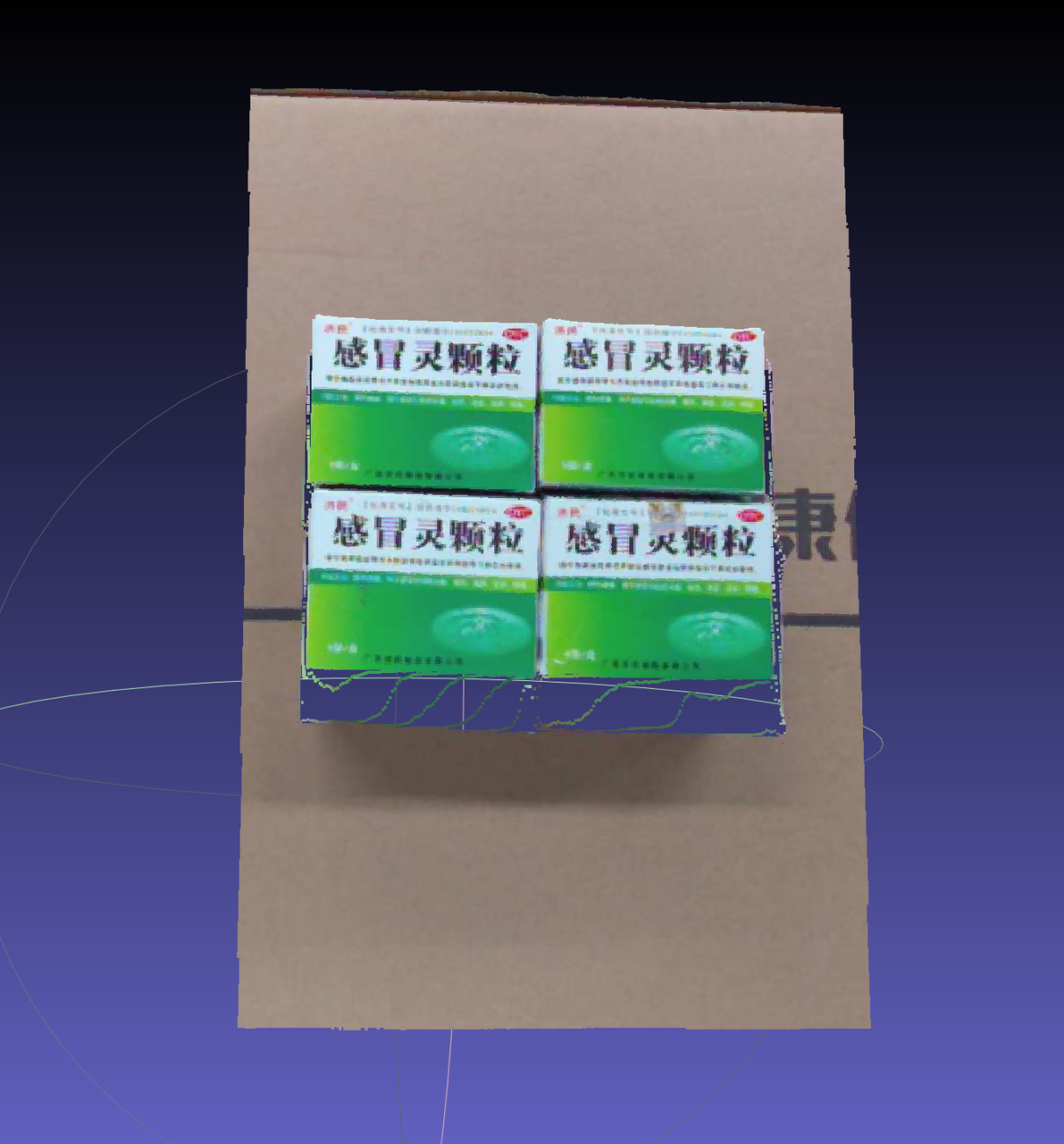 Point Cloud Image Point Cloud Image Three-way Pipe (500mm): 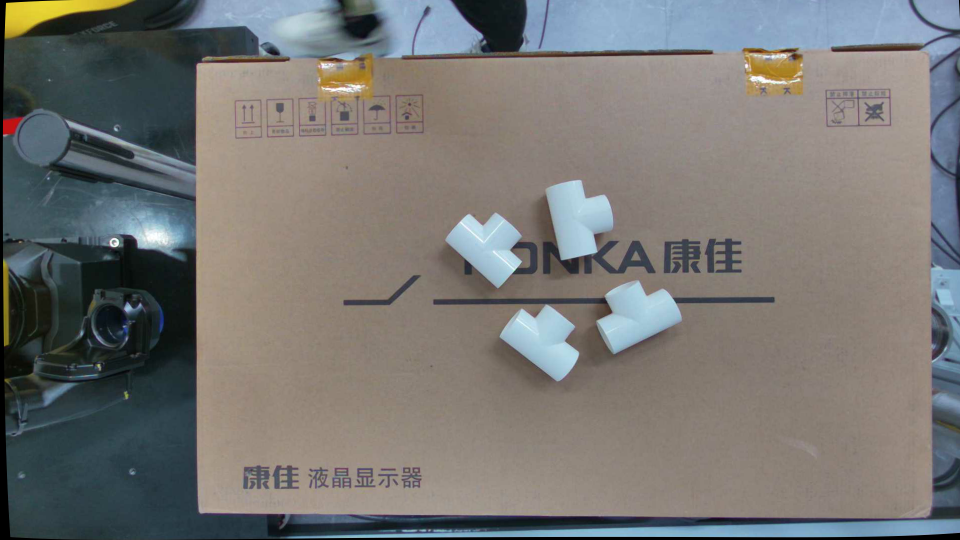 Left Camera Left Camera 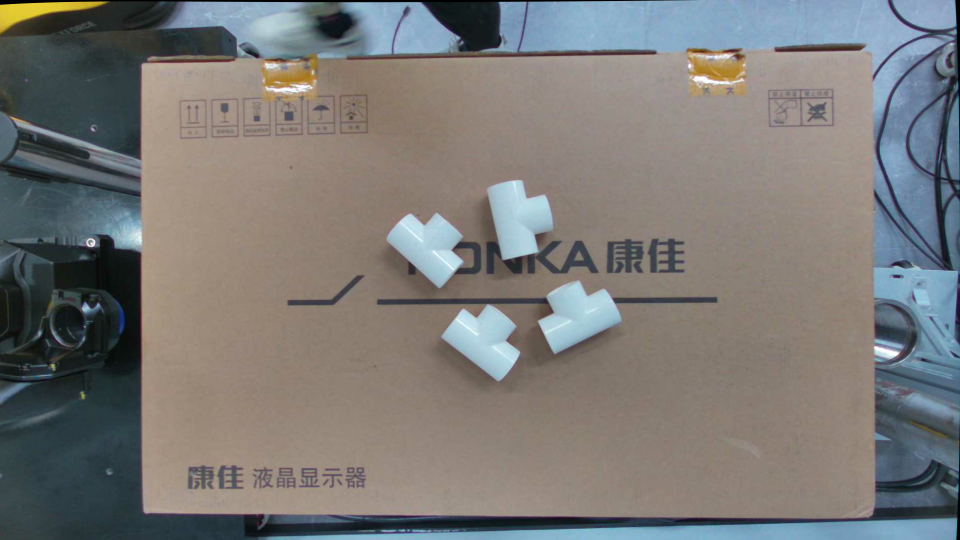 Right Camera Right Camera 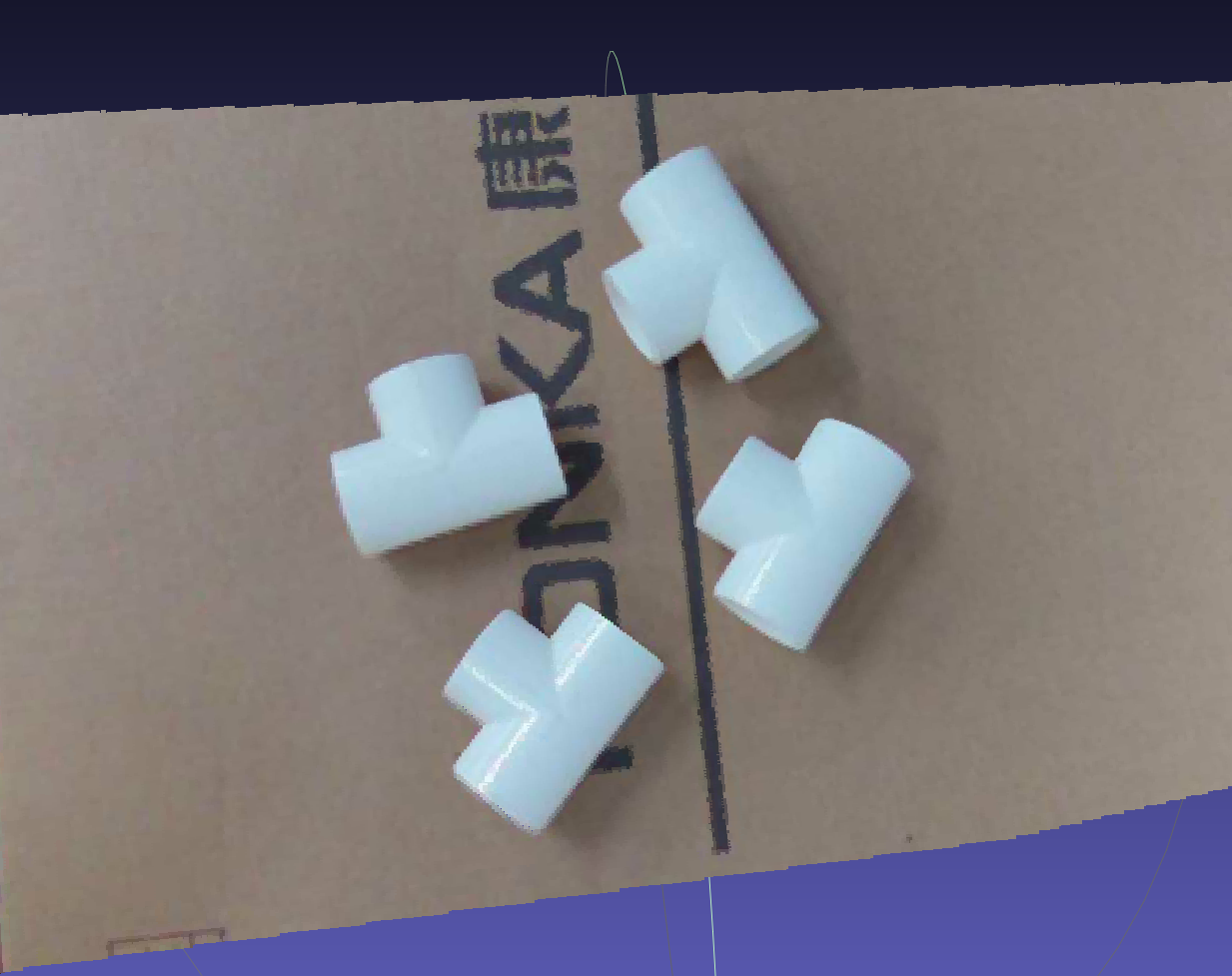 Point Cloud Image Point Cloud Image Football (500mm): 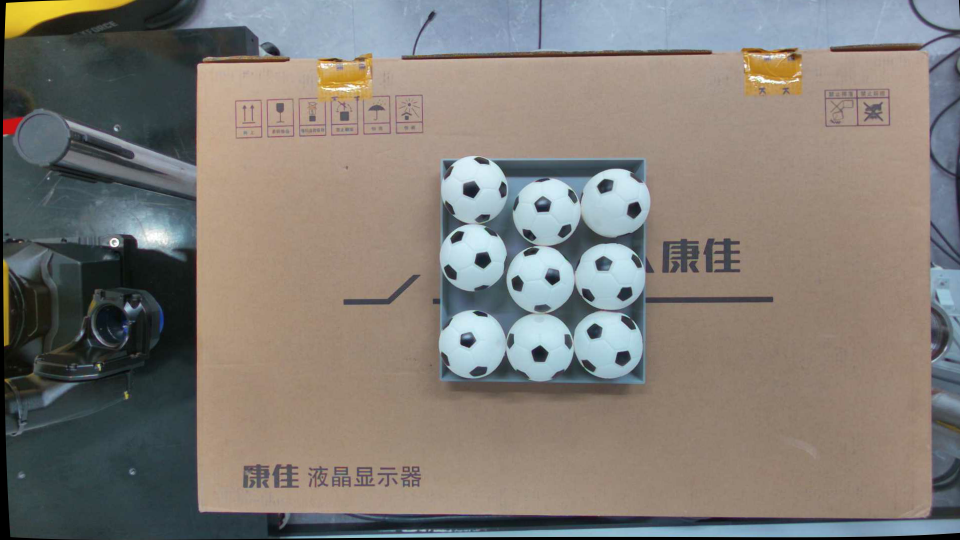 Left Camera Left Camera 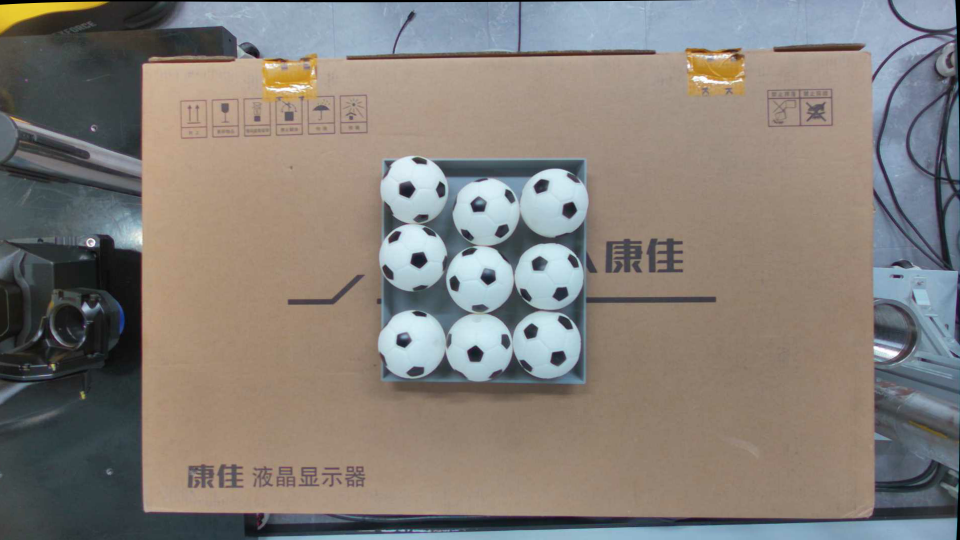 Right Camera Right Camera 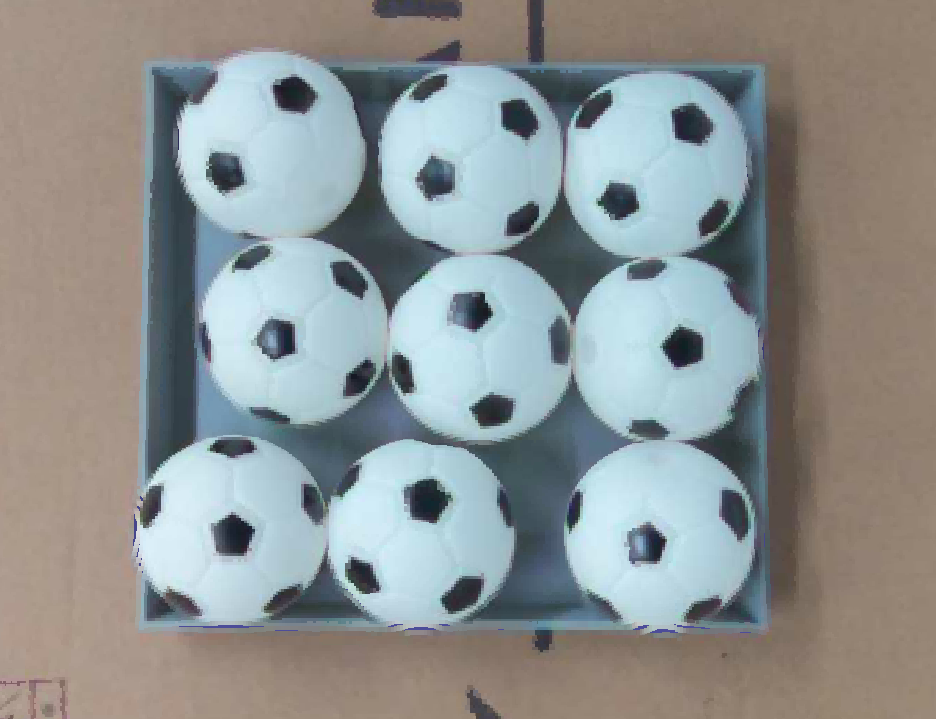 Point Cloud Image Point Cloud Image |
| Calibration Accuracy | 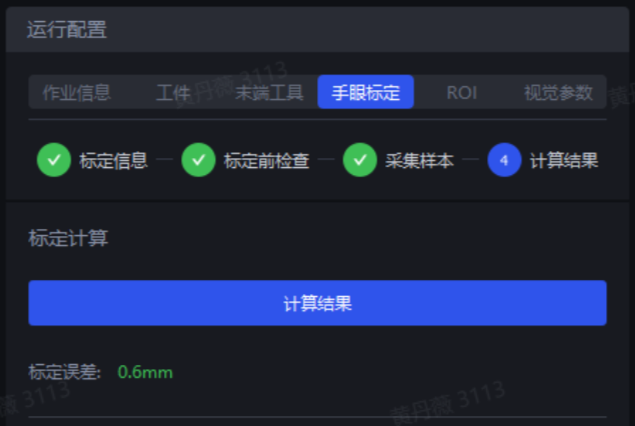 |
| Calibration Verification | A5 Calibration Board (600mm):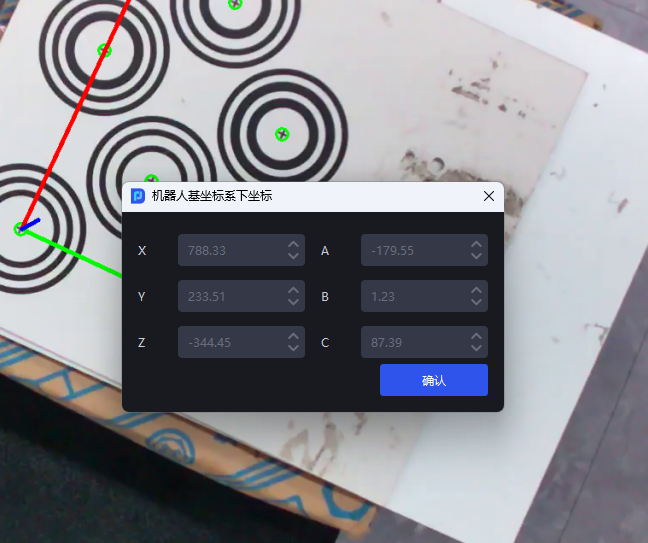 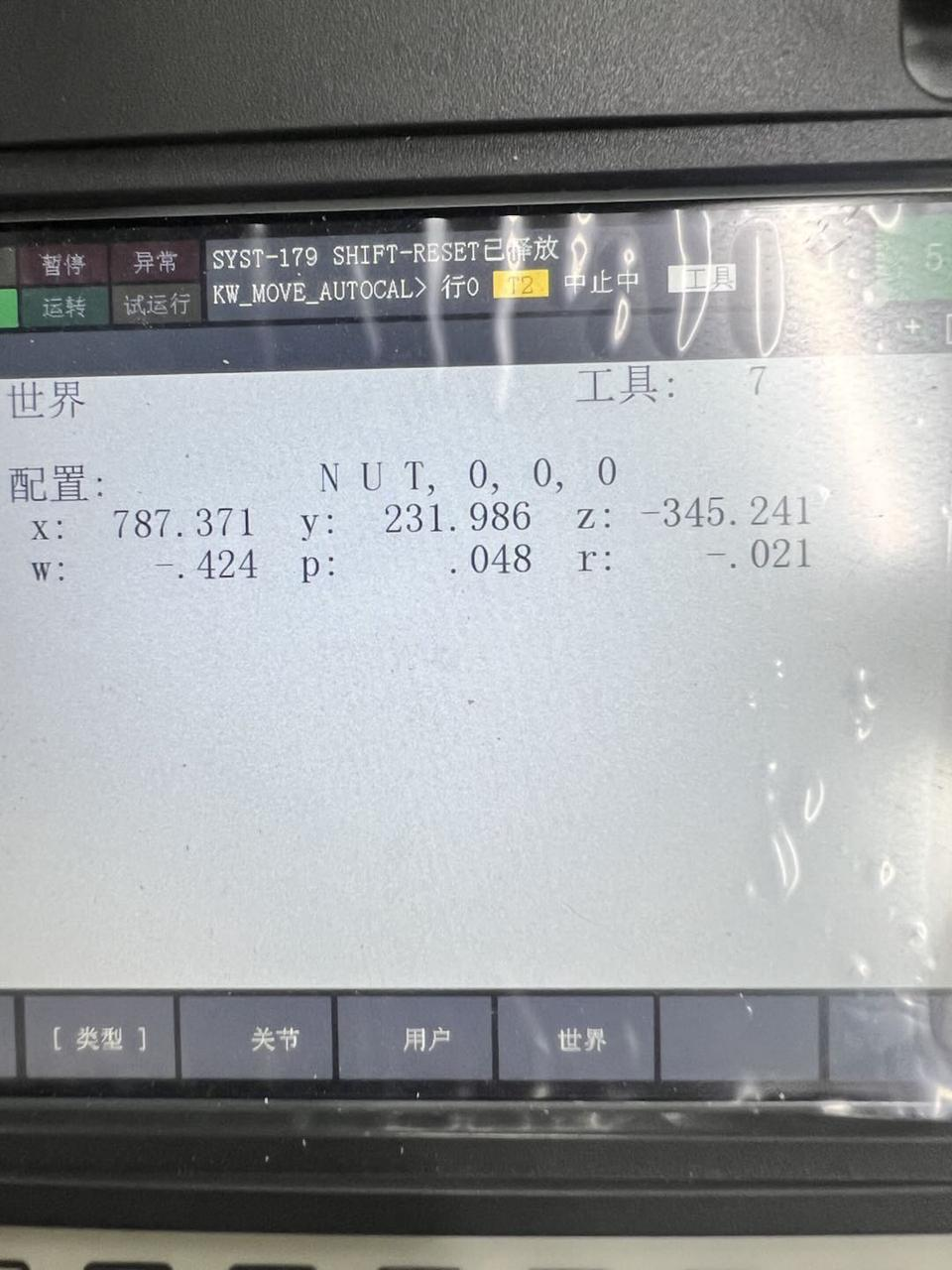 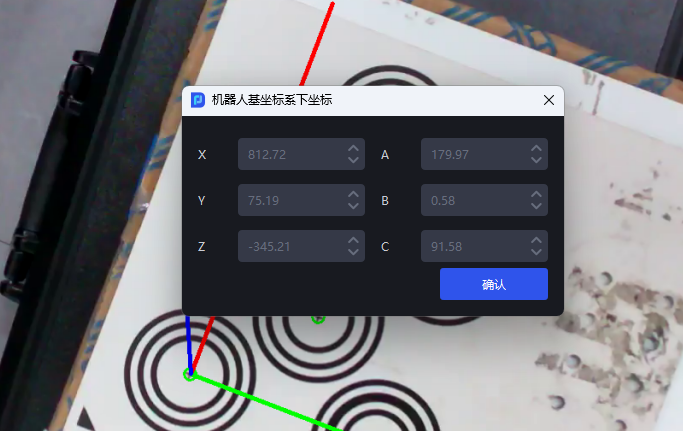 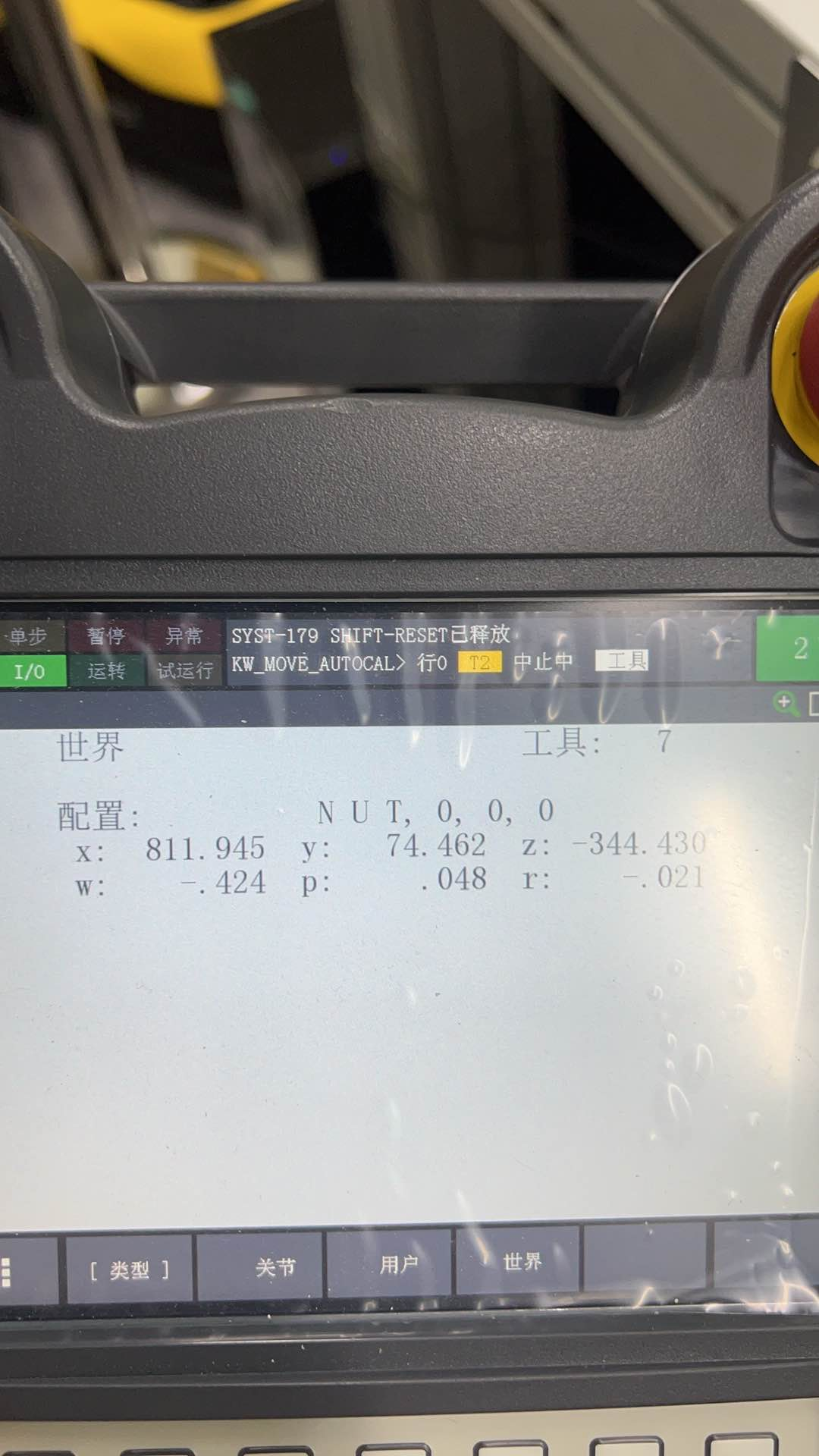 A5 Calibration Board (400mm): 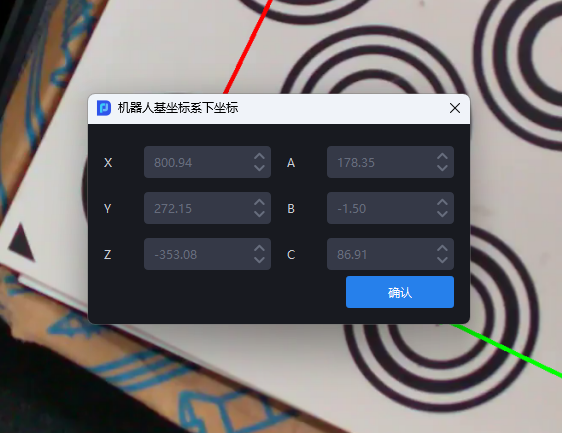 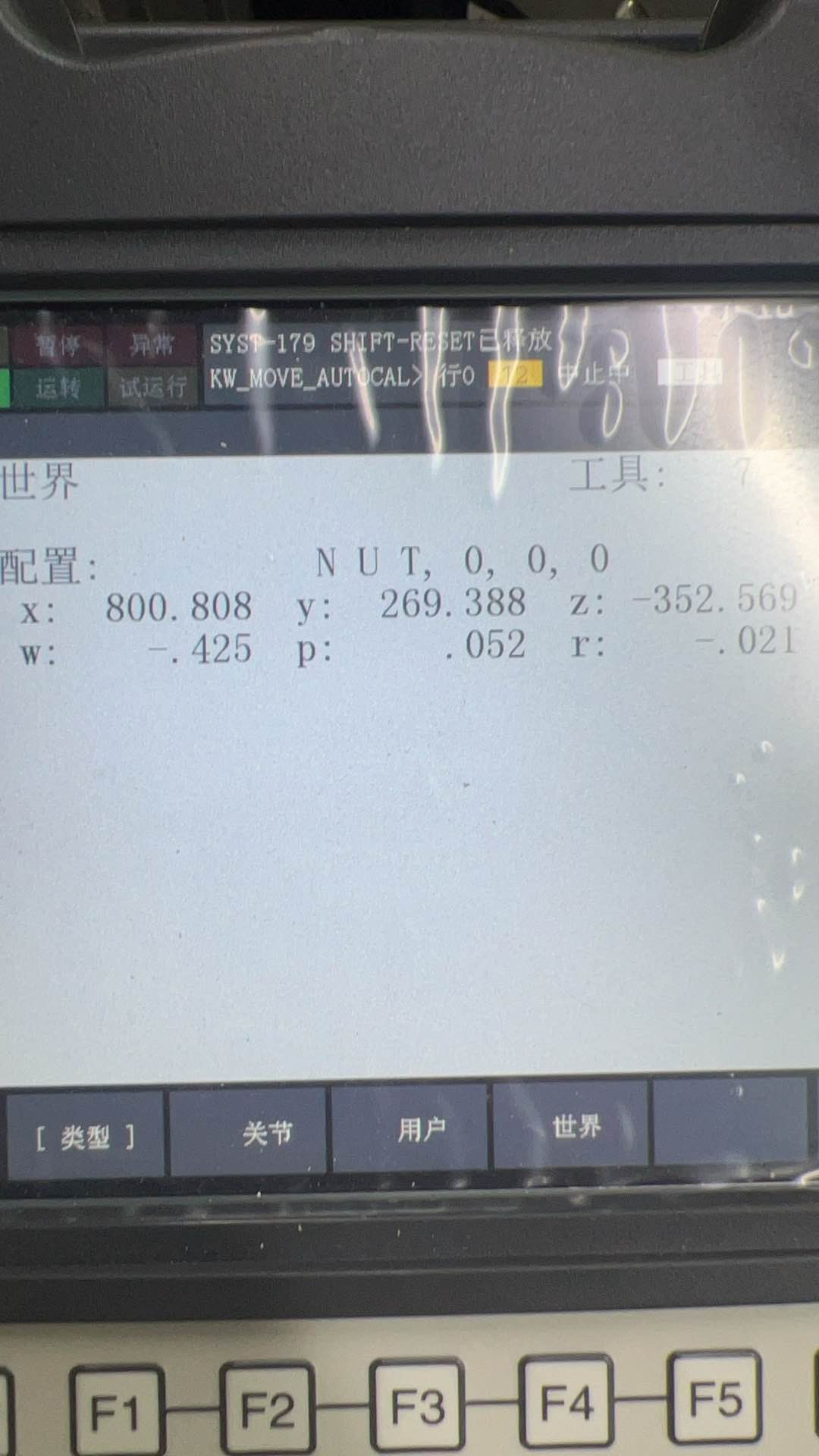 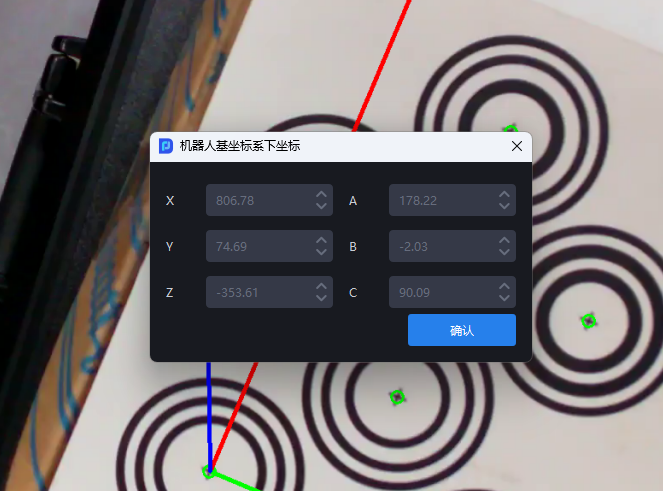 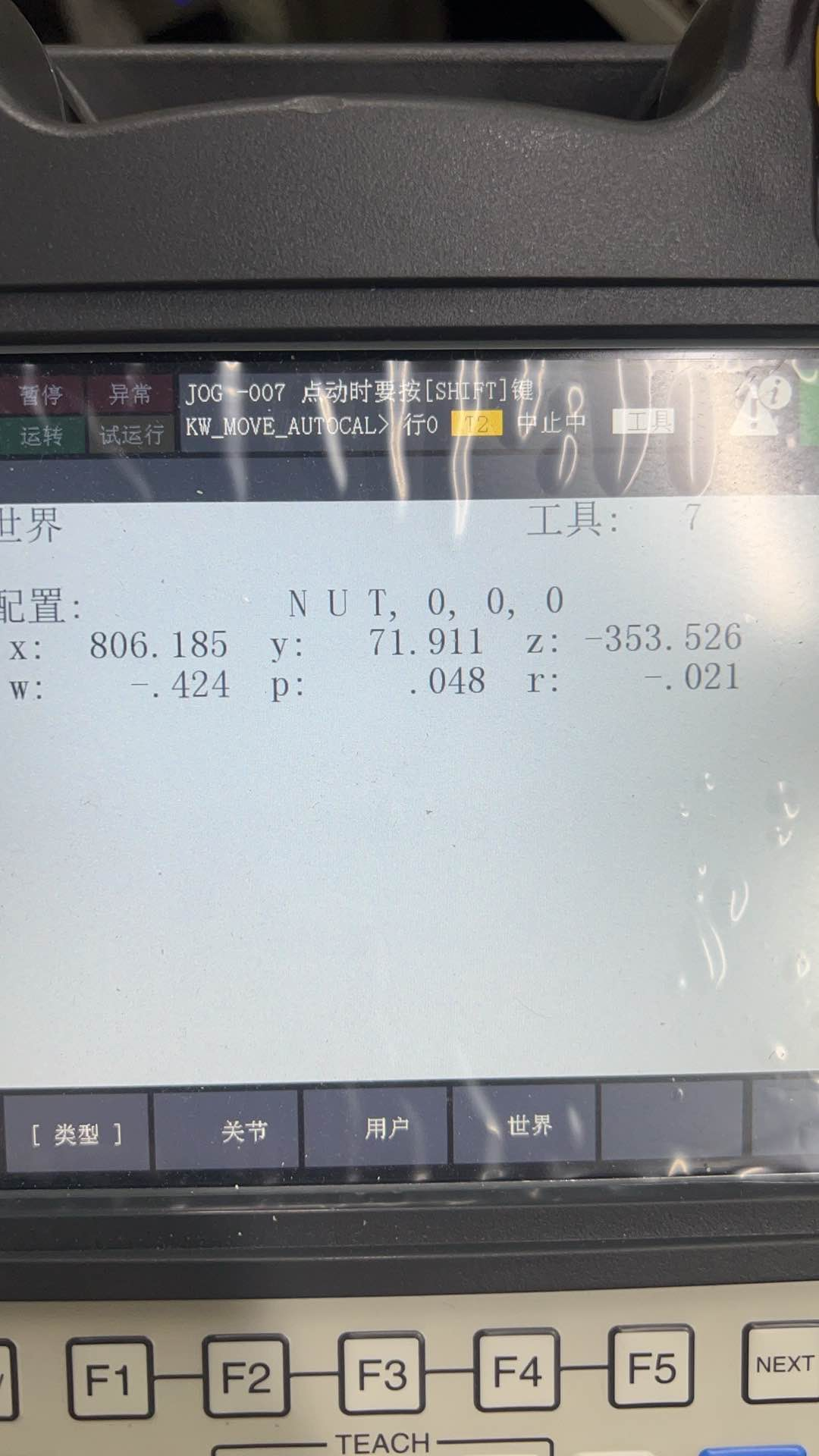 |
2. Point Cloud Template Creation
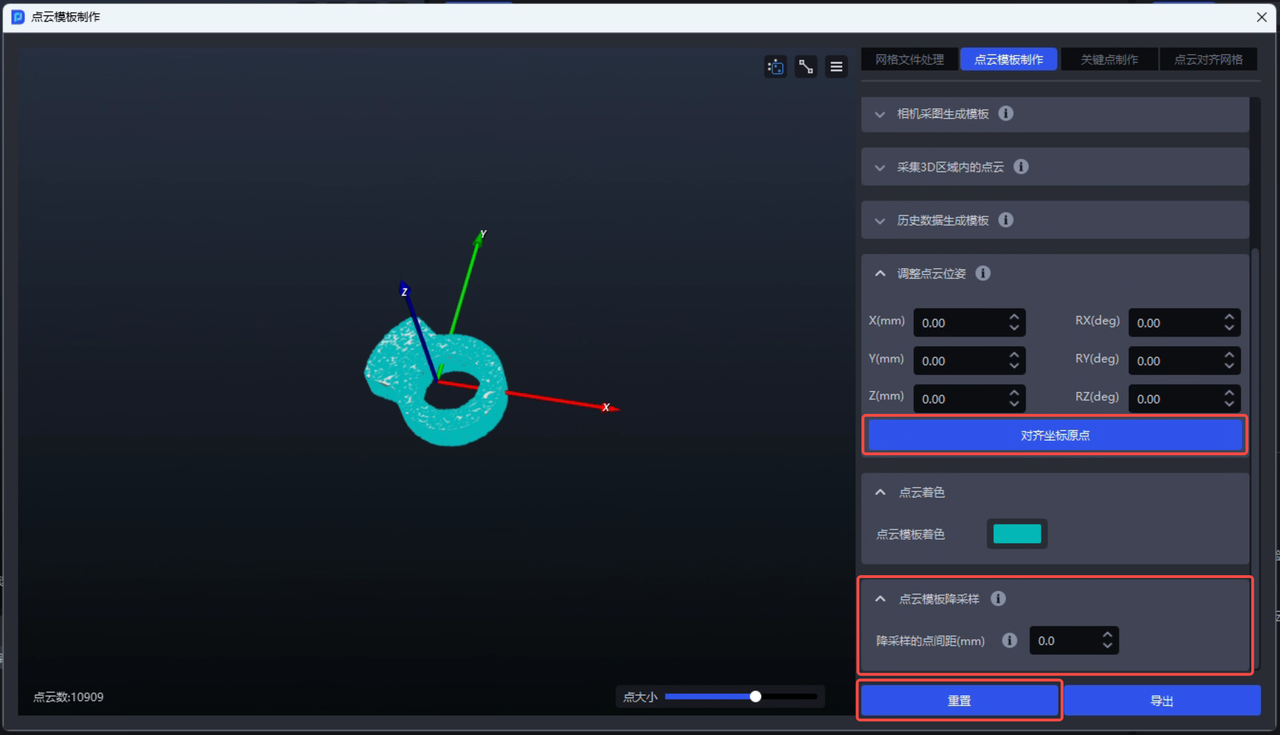
Point Cloud template creation adds the "Downsampling", "Align Coordinate Origin", and "Reset" functions:
Supports downsampling the generated Point Cloud template to reduce the number of points in the Point Cloud template and improve Point Cloud matching speed
Supports one-click alignment of the Point Cloud template center to the coordinate system origin, improving Target pick point setup efficiency
Supports one-click reset of the Point Cloud template to its initial state, allowing the Point Cloud template to be operated on or processed again
3. One-click Connection
- The one-click connection function for training Imaging Models now supports four Task types: planar Target ordered loading/unloading (image matching), planar Target loading/unloading (isolated materials), planar Target positioning and assembly (Point Cloud matching only), and planar Target positioning and assembly (image matching only). At this point, all Task types related to general Targets/planar Targets support one-click connection training for Imaging Models.
Planar Target ordered loading/unloading (image matching): 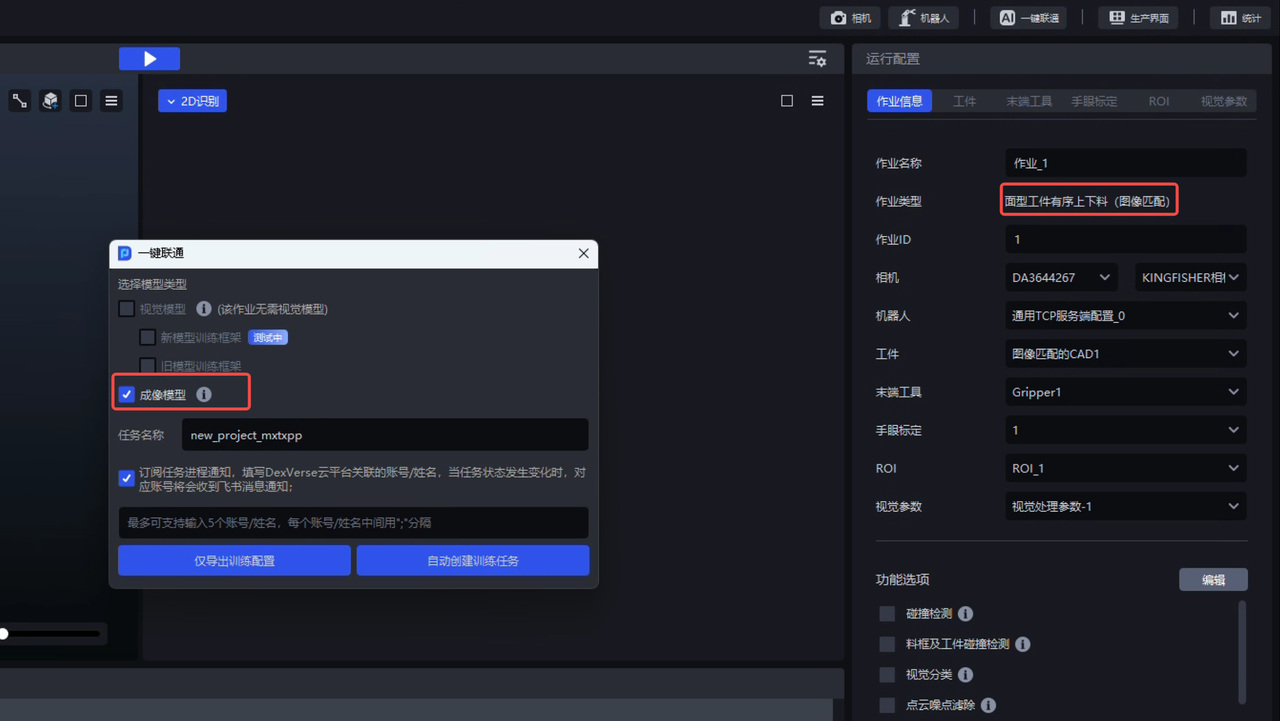
Planar Target loading/unloading (isolated materials): 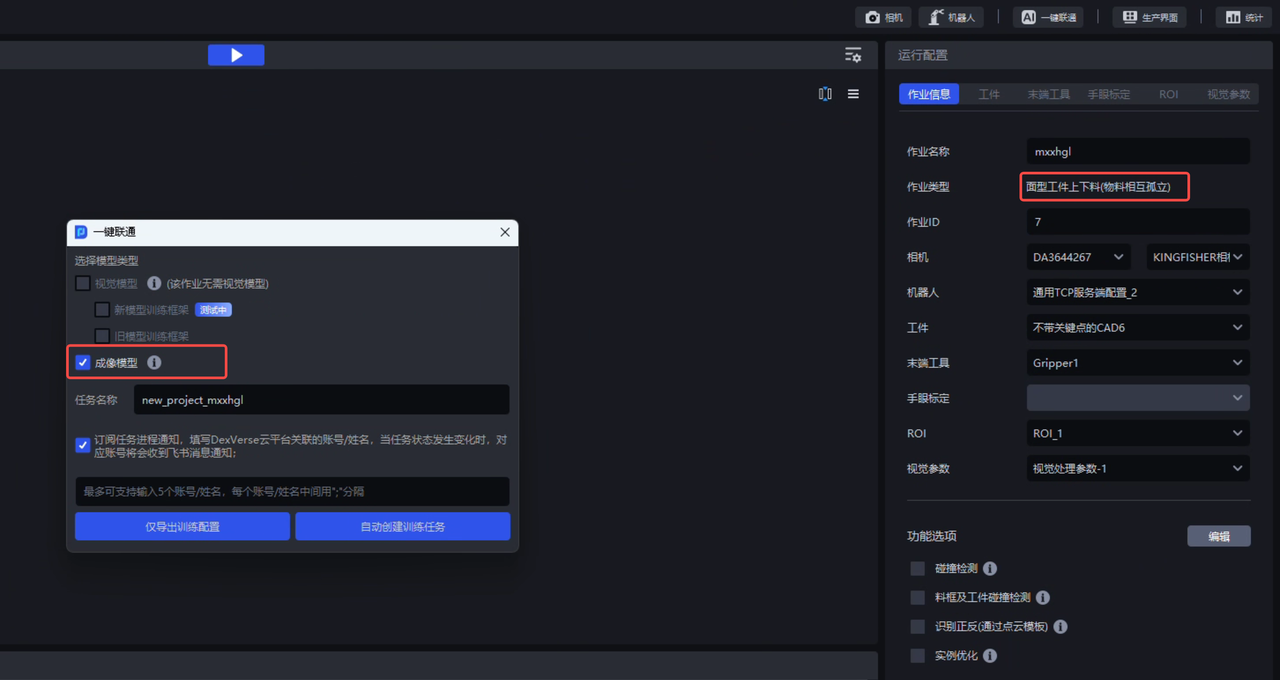
Planar Target positioning and assembly (Point Cloud matching only): 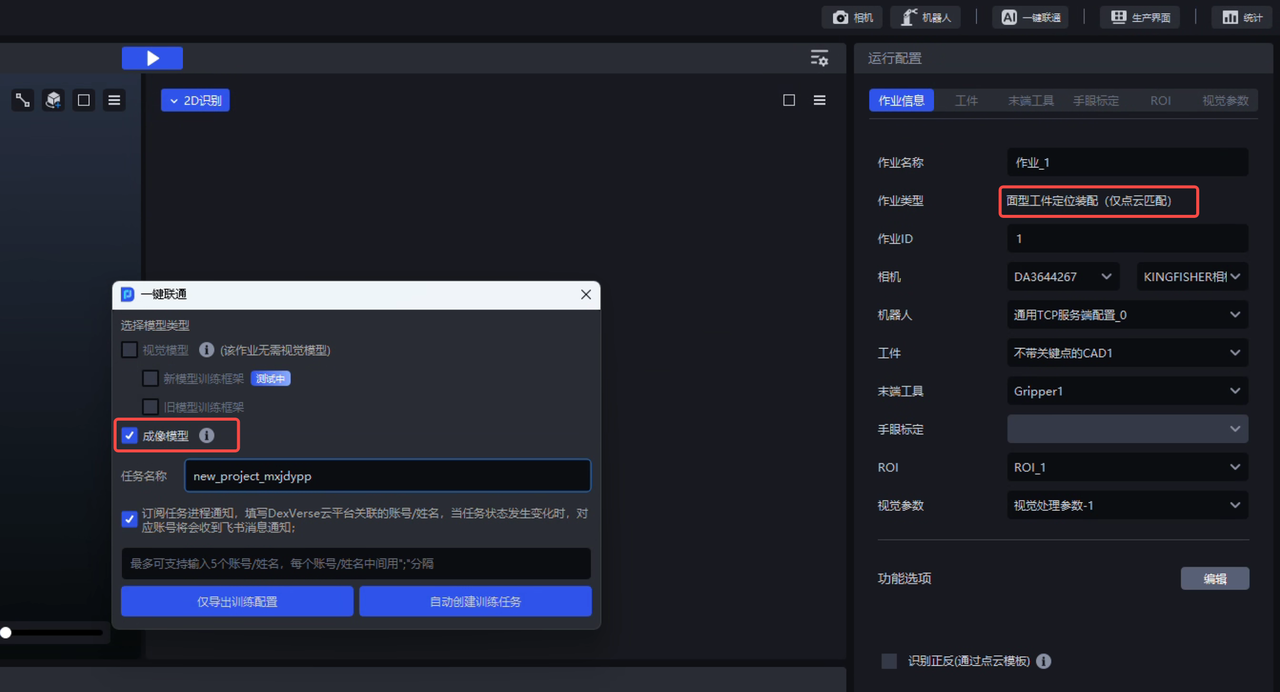
Planar Target positioning and assembly (image matching only): 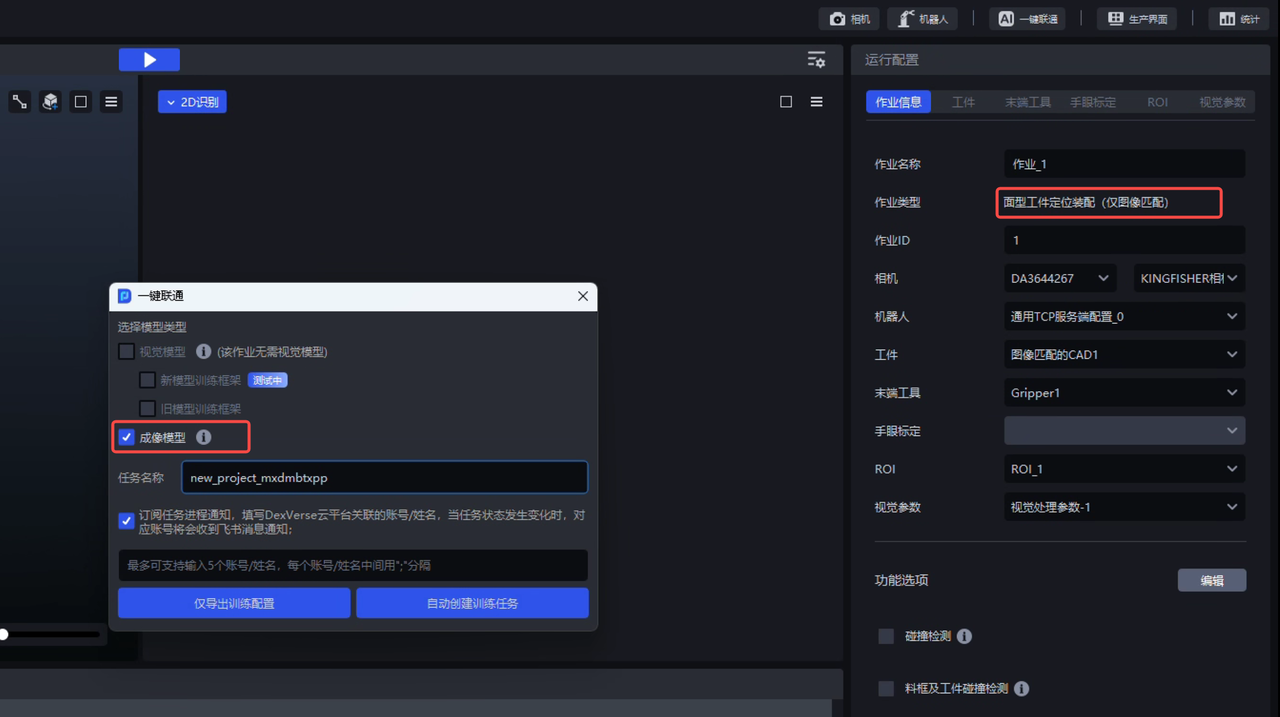
After the "Recognition Type" function option is selected for general Target ordered loading/unloading and general Target unordered picking Tasks, one-click connection Tasks can also be started normally to train Imaging Models.
- When creating a one-click connection training Task, a new Task progress notification function is added. It supports entering the Chinese name of a Feishu account with DexVerse cloud platform permissions. When the status of the one-click connection training Task changes, the corresponding Feishu account will receive a Feishu message notification, helping users stay informed of the progress or status of the one-click connection training Task in time.
New one-click connection Task progress notification function: 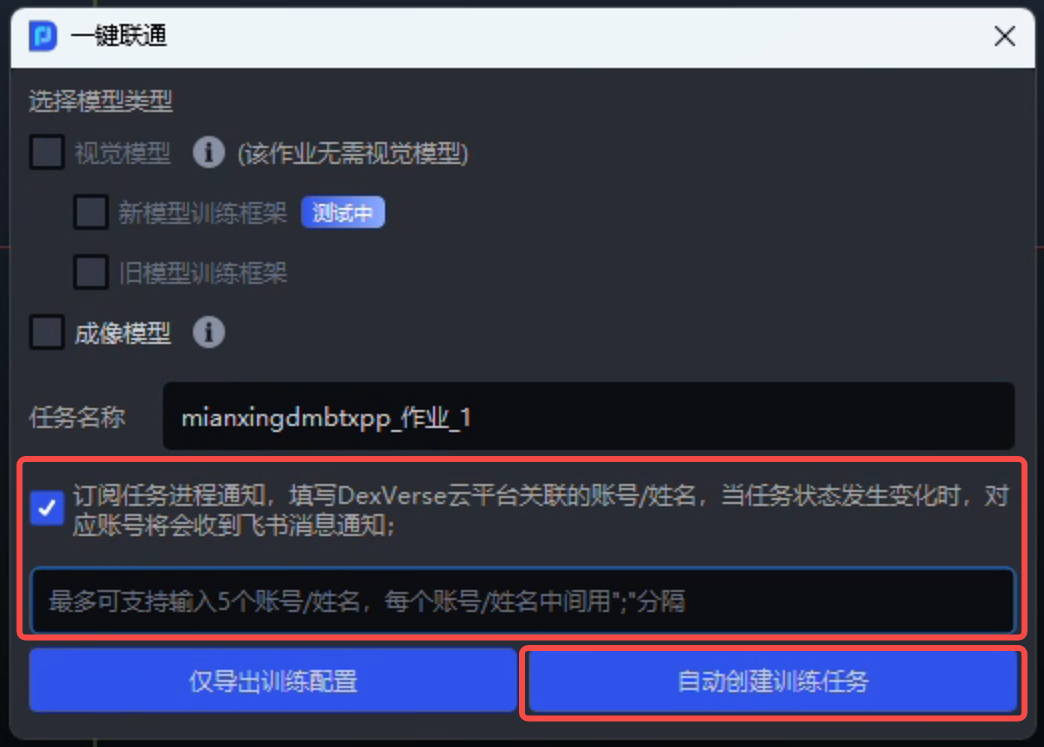
The Feishu account receives the corresponding message notification: 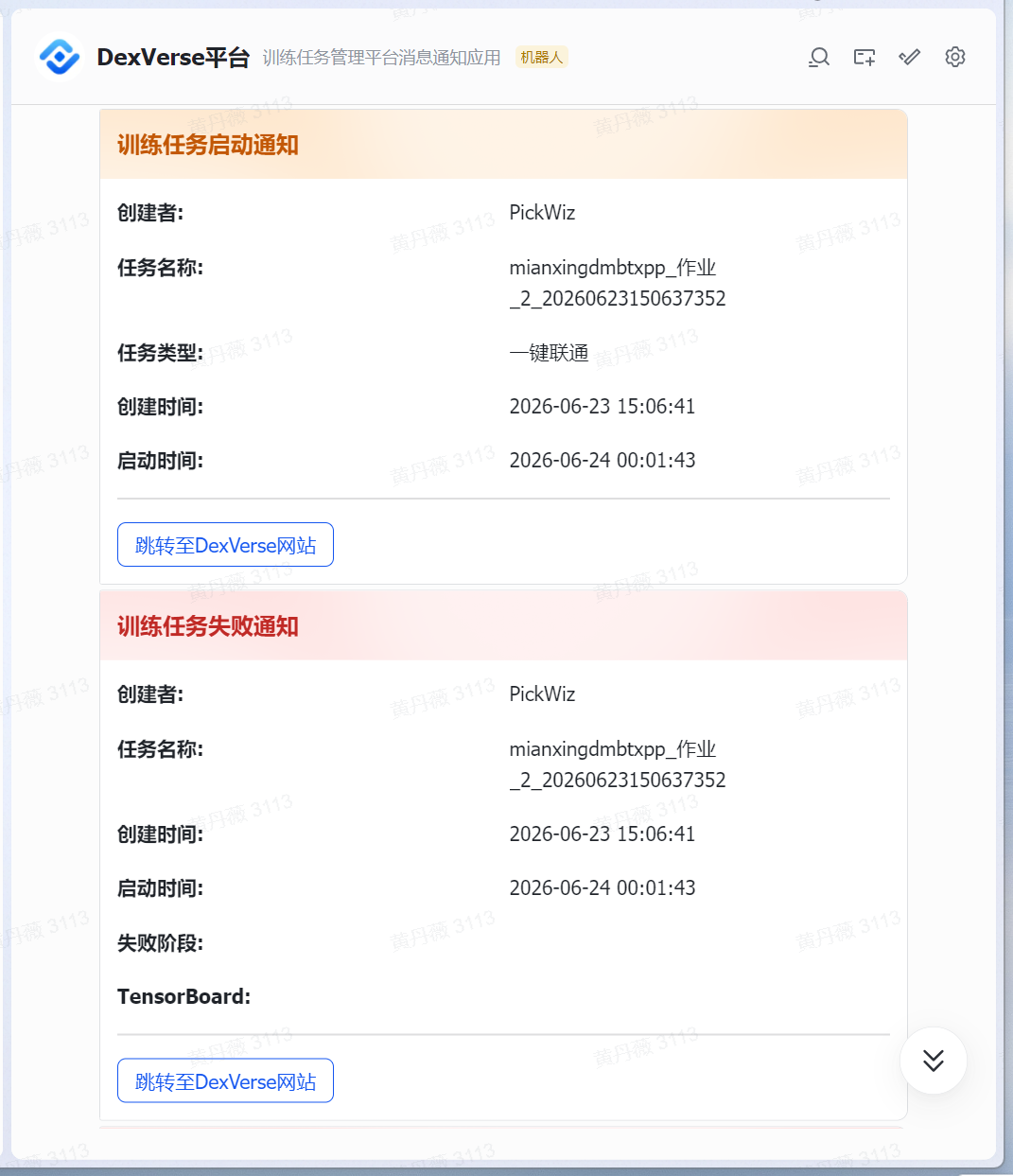
The "Export Training Configuration Only" function does not currently support subscribing to Task progress notifications.
4. Visual Parameters
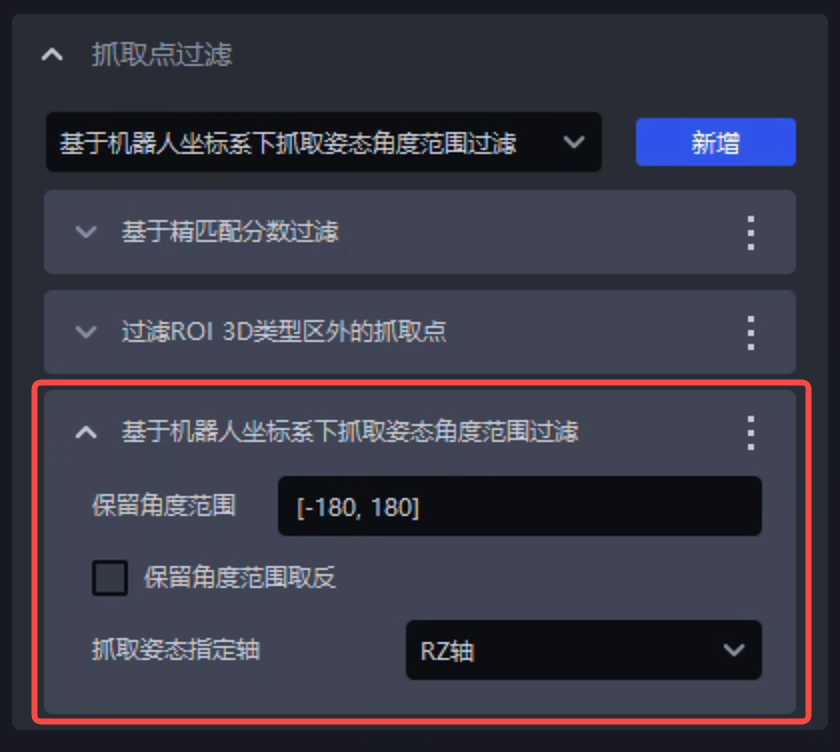
- Added the "Filter by Grasp Pose Angle Range in Robot Coordinate System" function to the "Pick Point Filtering" module. It supports directly setting the angle range to retain for a specified rotation axis of the grasp pose in the Robot coordinate system. The system automatically converts the output grasp poses to the Robot coordinate system. If the angle of the specified rotation axis is outside the configured angle range, the pick point will be filtered out.
Feature Optimizations
1. Camera
- The general binocular Imaging Model is updated to the latest version, and the preloaded "general depalletizing binocular model" defaults to the TRT type. This mainly improves the imaging effect and inference speed of the general depalletizing binocular model, as well as the imaging effect of the general cylinder binocular model.
Imaging effect of the general depalletizing binocular model (old version): 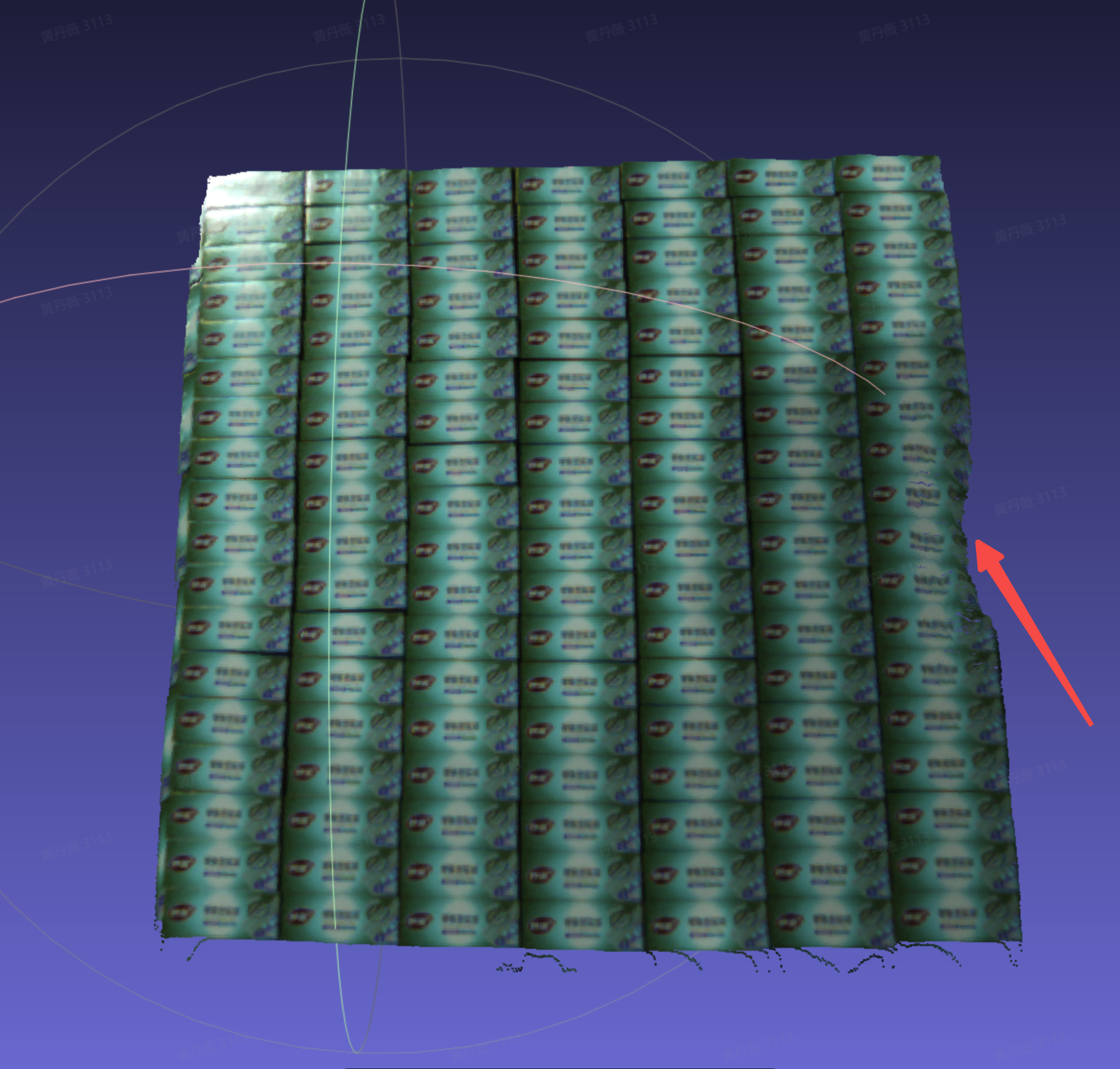
Imaging effect of the general depalletizing binocular model (new version): 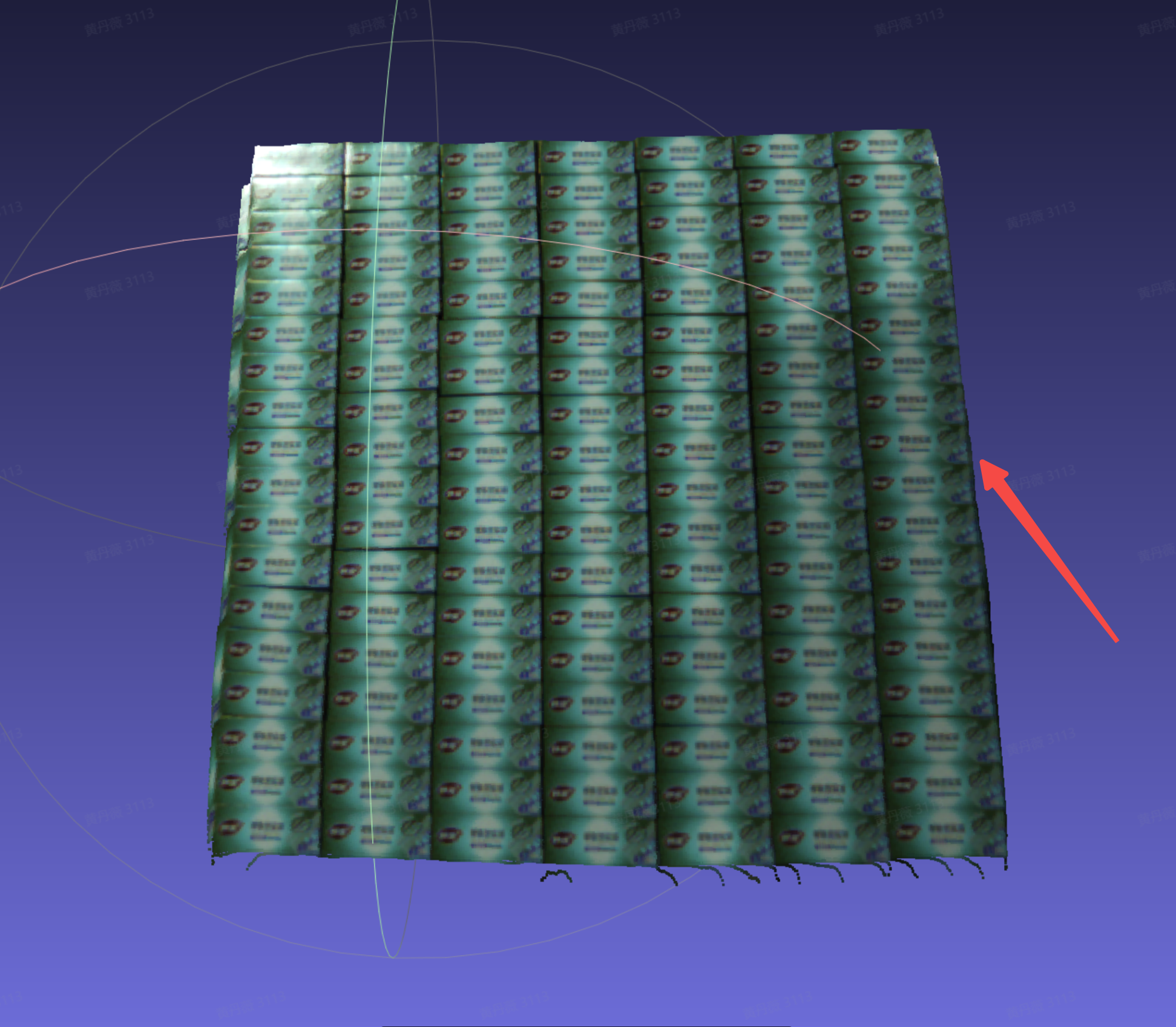
Imaging effect of the general cylinder binocular model (old version): 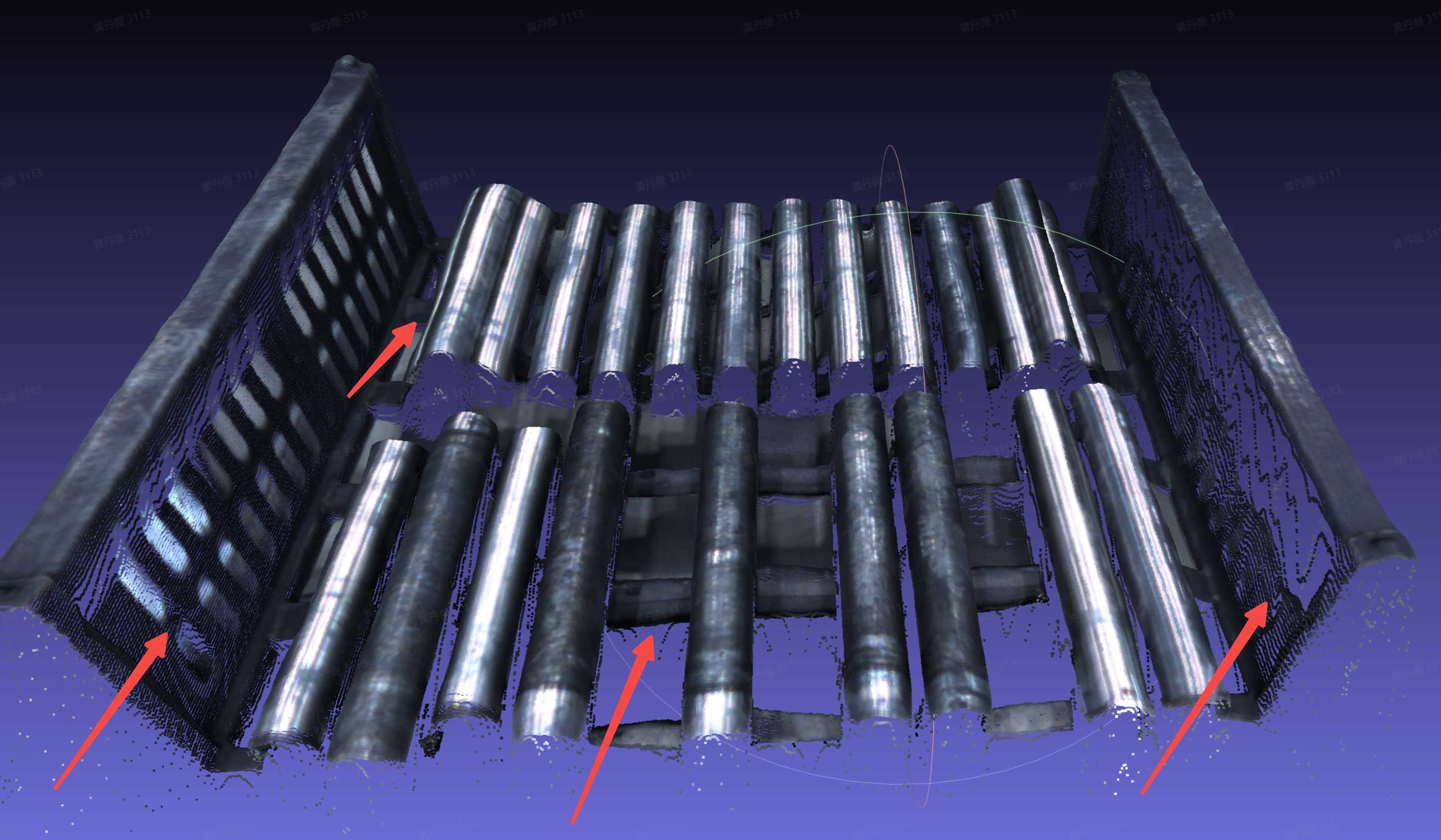
Imaging effect of the general cylinder binocular model (new version): 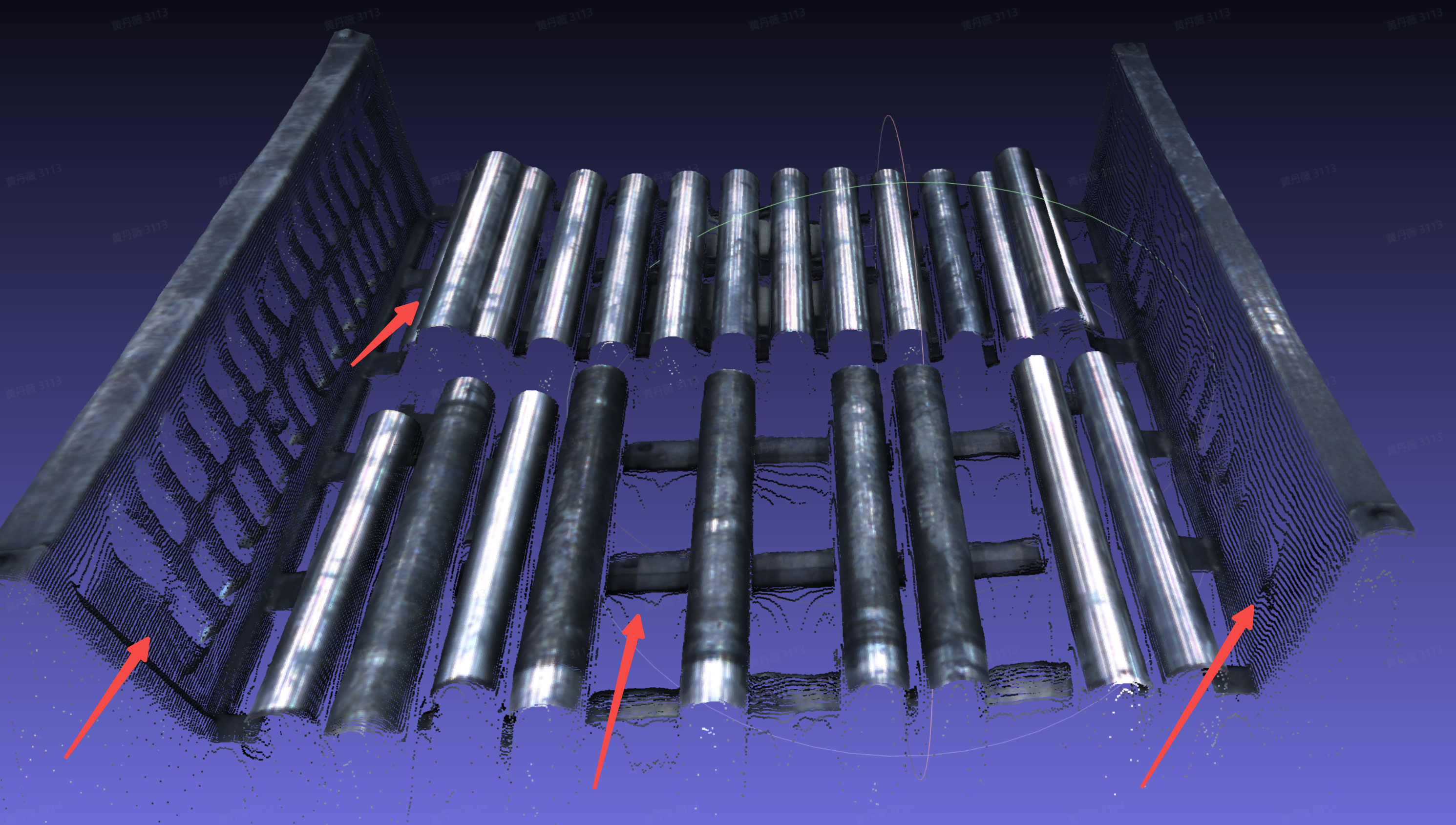
- Optimized the "Correct Camera Accuracy" function for binocular Cameras. The calibration board recognition algorithm and Camera accuracy correction algorithm are optimized, and the sample collection quantity requirement is reduced from 25 to 10, greatly improving the success rate of calibration board recognition and sample collection, and reducing the operation difficulty and complexity of correcting Camera accuracy.
Binocular Camera "Correct Camera Accuracy" function: 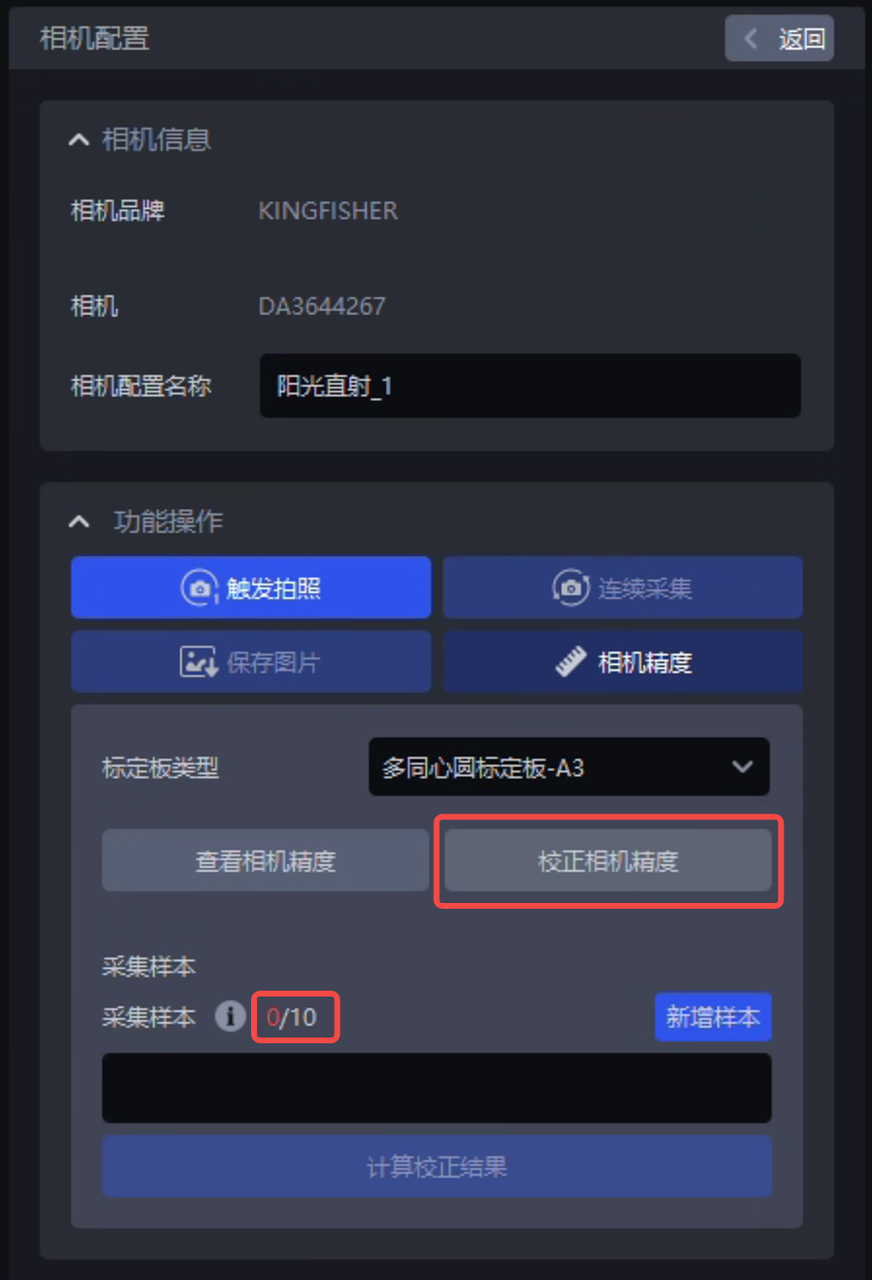
"Correct Camera Accuracy" sample collection requirement: 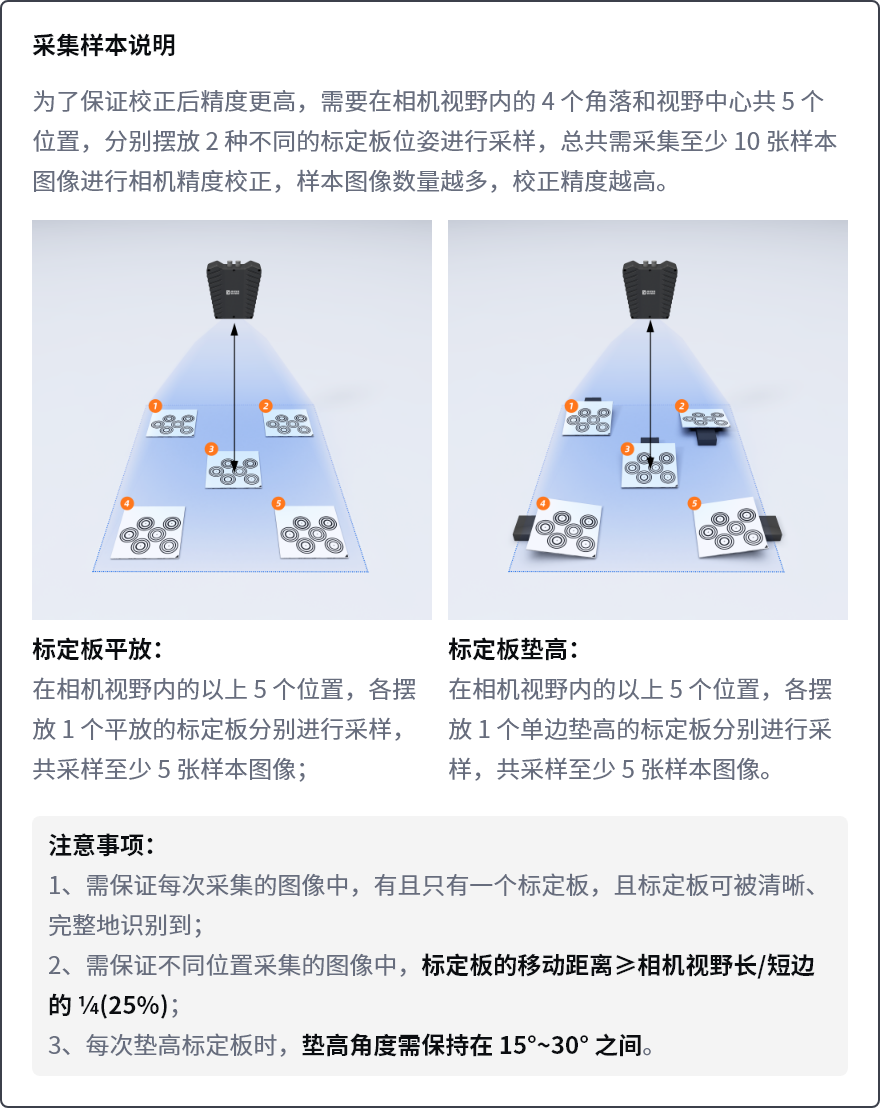
When clicking the "Correct Camera Accuracy" button and expanding the "Correct Camera Accuracy" function page, the system automatically enables the "Show Overexposed Area" function, disables the "Continuous Capture" button, selects the "Single Exposure" exposure type, and disables the "2D Image Overlay Exposure" function by default. When the "Correct Camera Accuracy" function page is collapsed, the previous configuration is automatically restored.
Parameter configuration required when correcting Camera accuracy: 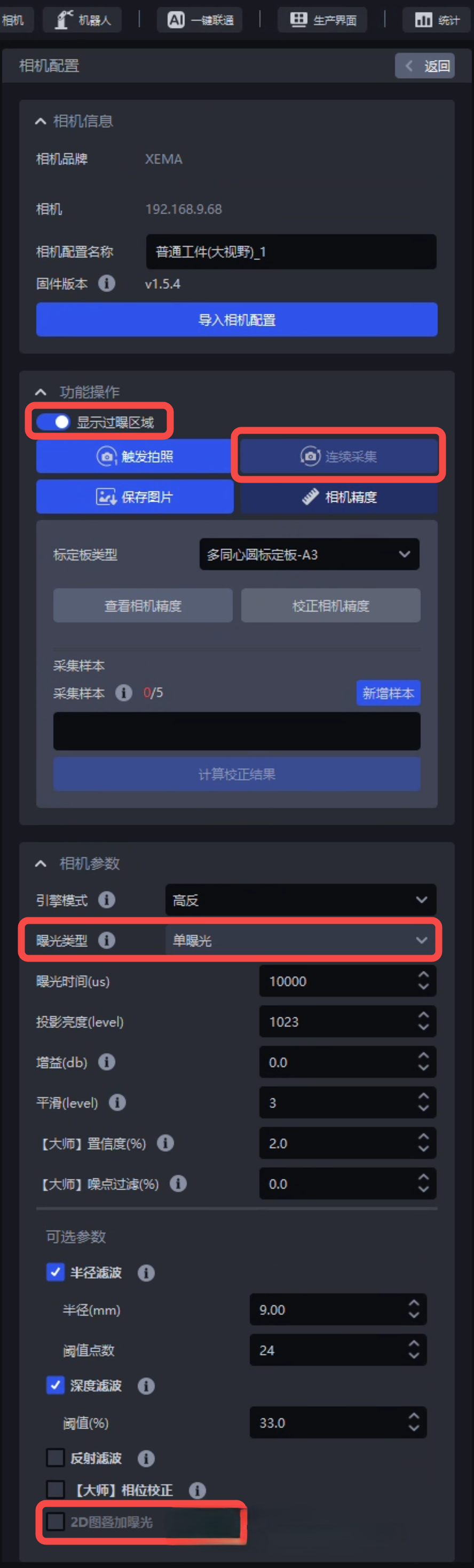
- When connecting the binocular KINGFISHER-S-1201W Camera, the "Camera Configuration" page adds the "Resolution Mode" field, supporting switching the Camera working resolution between full-resolution mode and half-resolution mode. Tests show that when the binocular KINGFISHER-S-1201W Camera is in half-resolution mode, the Camera image acquisition time can be reduced to a little over 1 second.
The binocular KINGFISHER-S-1201W Camera adds the "Resolution Mode" field: 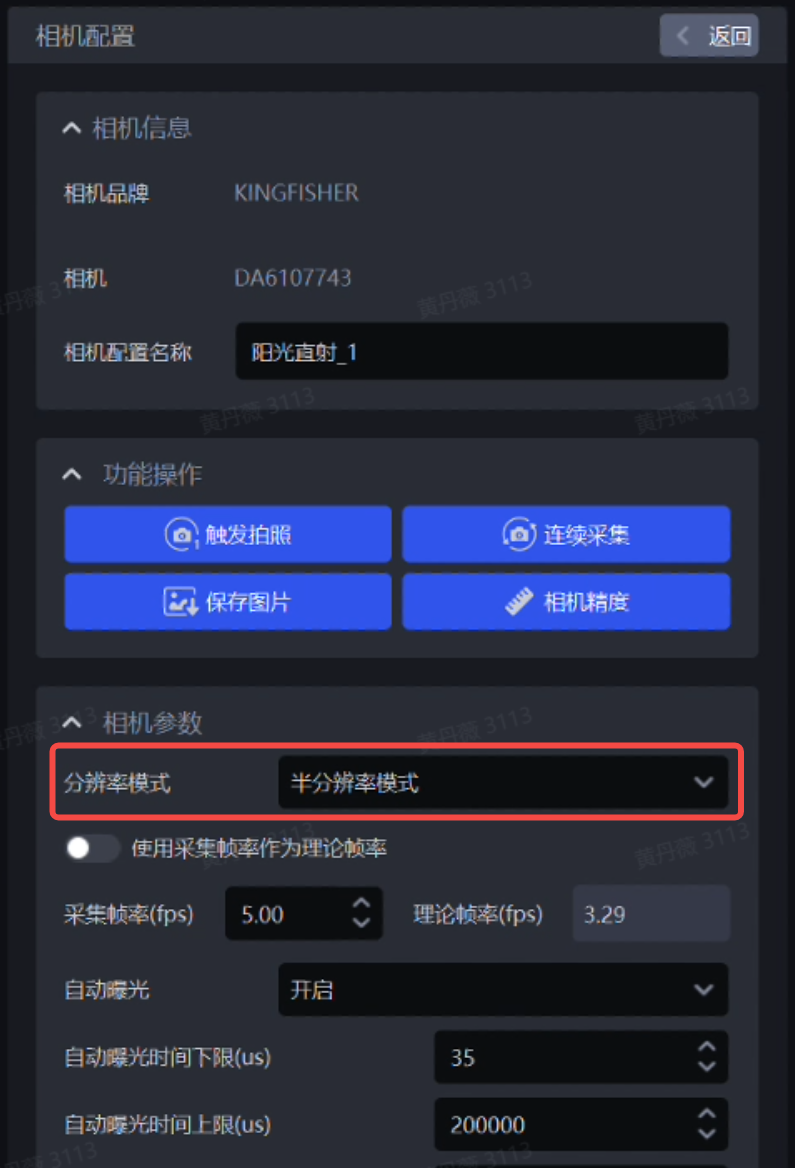
2. Target
- Updated the general carton Visual Model to improve the model's generalization capability in mixed carton depalletizing Scenes, thereby improving the visual accuracy of carton depalletizing Tasks.
Old model recognition effect: 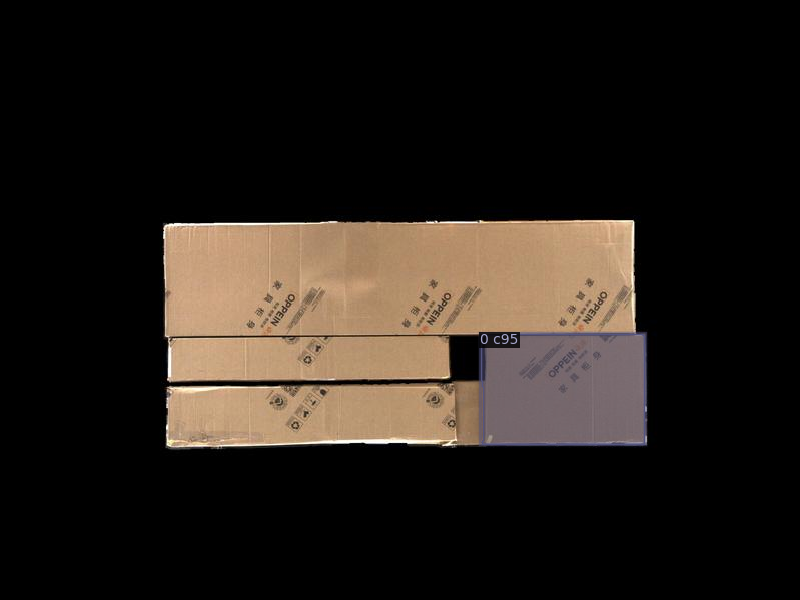
New model recognition effect: 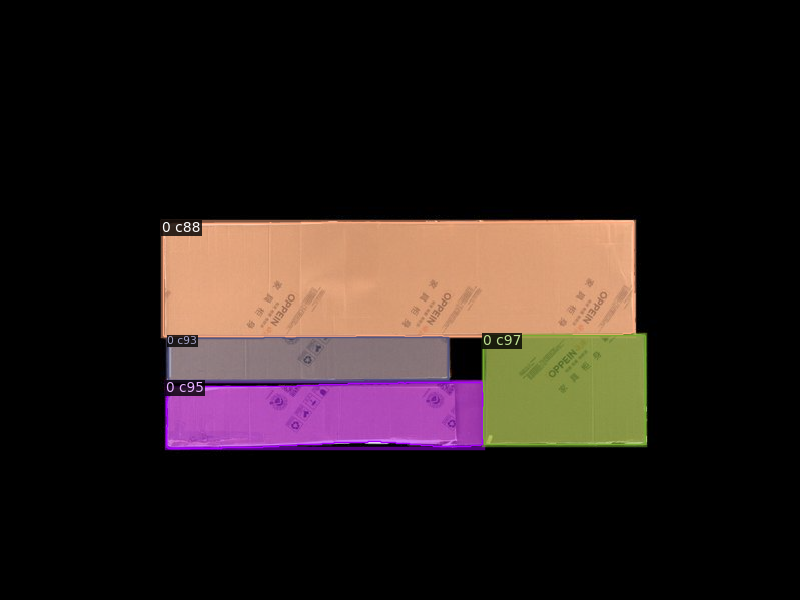
- Added the "Mesh File Size Unit" field, supporting selection of the size unit corresponding to the mesh file (such as meters m or millimeters mm). When the system standardizes the mesh file, it will process it according to the selected size unit, avoiding one-click connection Task training failures caused by the mesh file being too large or too small after standardization.
The Target configuration page adds the "Mesh File Size Unit" field: 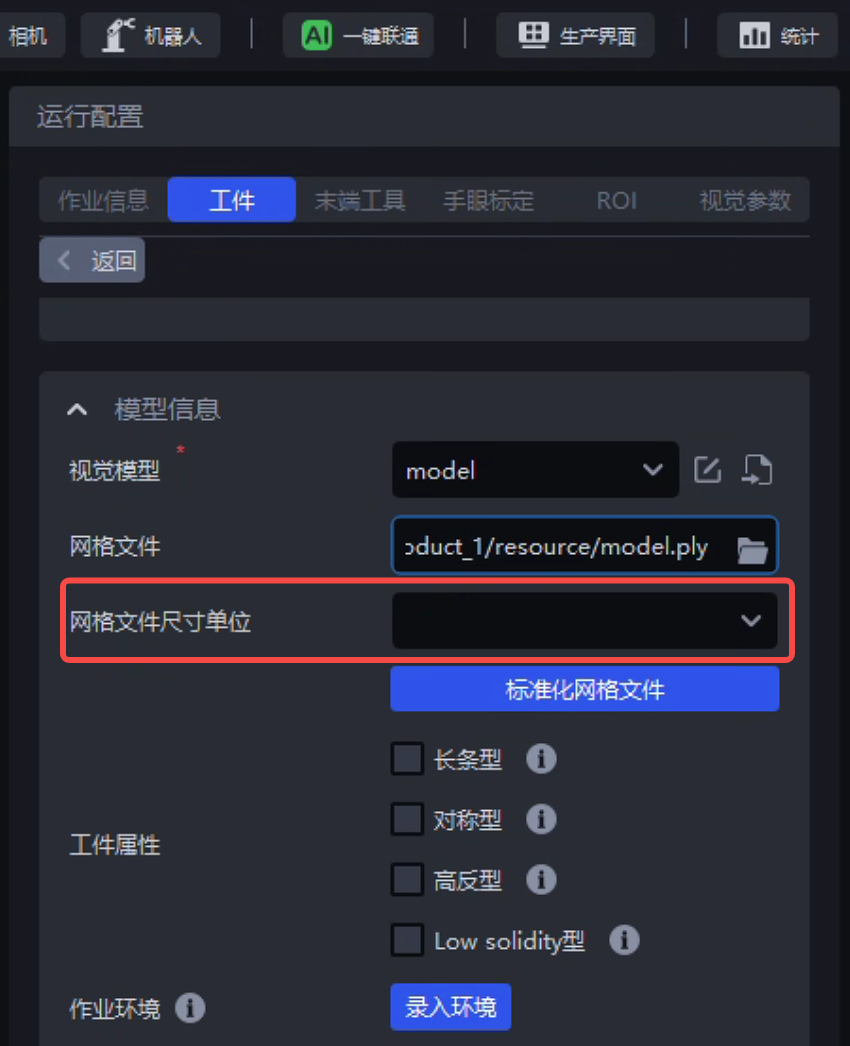
The Point Cloud template creation window adds the "Mesh File Size Unit" field: 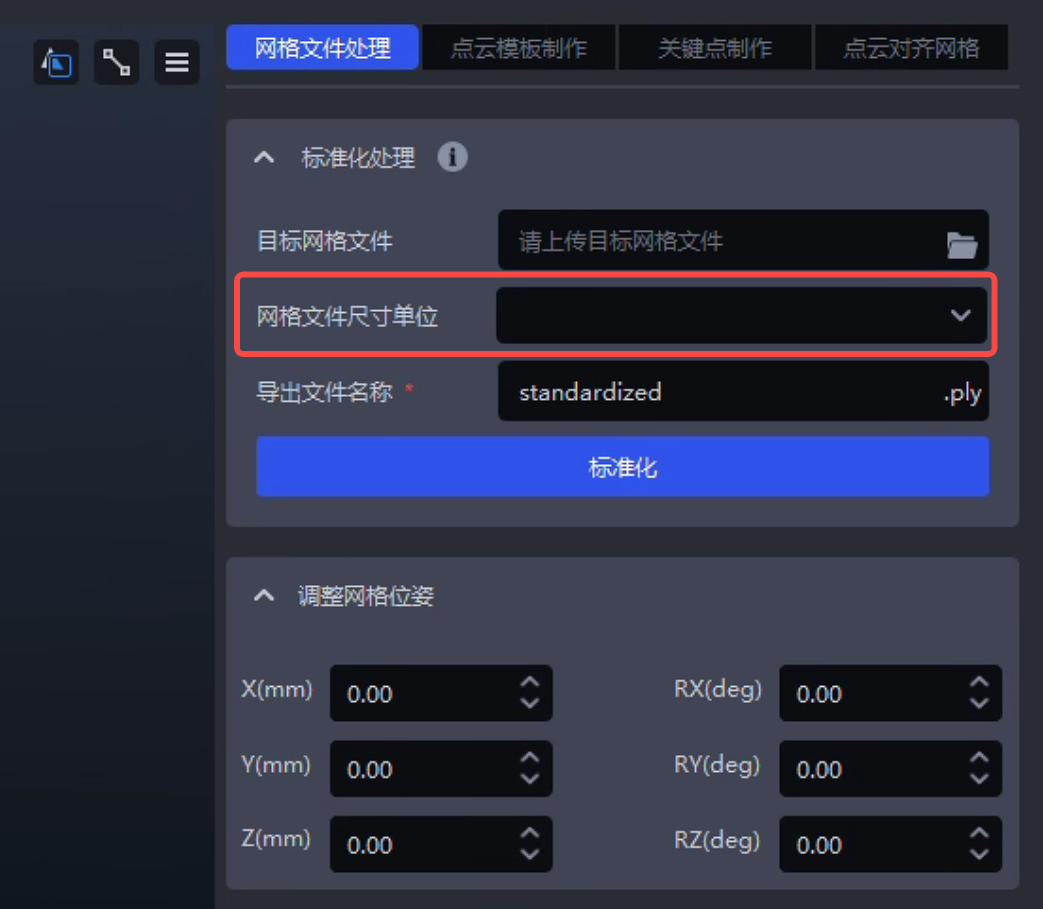
- Added the "Height Range from Camera to Target" field, supporting input of the minimum/maximum height from the Camera to the Target. When the system starts a one-click connection training Task, it will generate simulation data and train the corresponding model according to the entered height range, thereby improving the model's imaging effect/recognition accuracy under on-site working conditions.
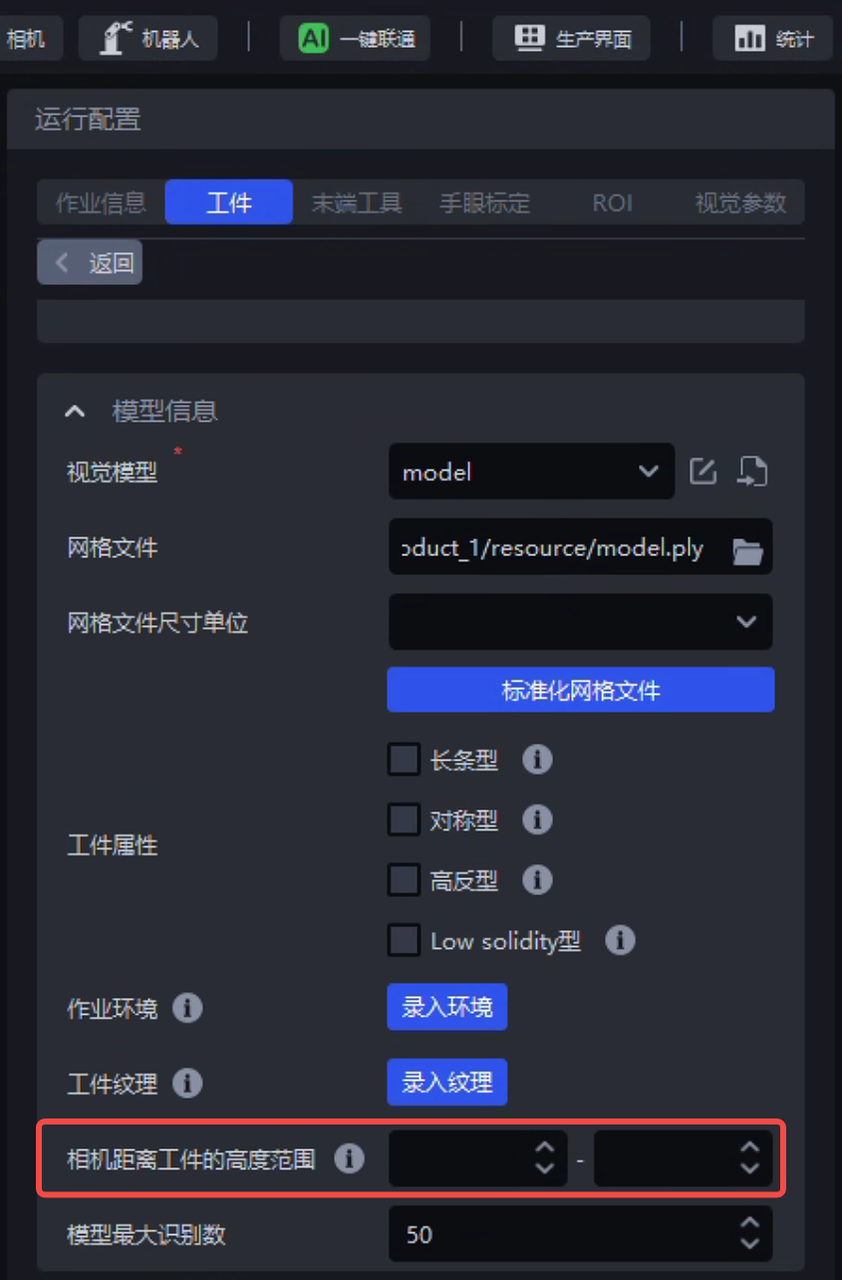
The Target configuration page adds the "Height Range from Camera to Target" field
- When entering the Target incoming material form in ordered Tasks and positioning and assembly Tasks, the "Number of Object Stacking Layers" is limited to a maximum of 5 layers, and the incoming material form restricts scaling of the Target size. This keeps the rules consistent with simulation data generation in one-click connection training Tasks and improves the success rate of one-click connection training Tasks.
"Number of Object Stacking Layers" can be set to a maximum of 5 layers: 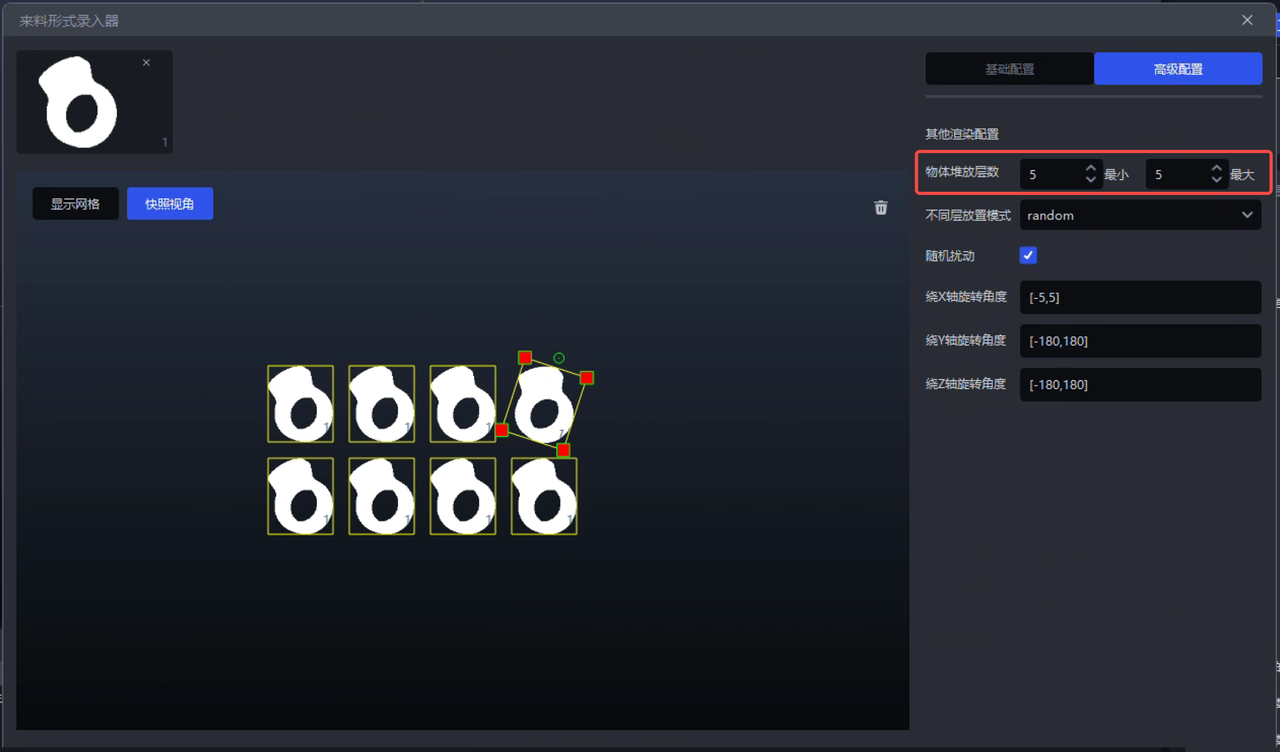
The incoming material form restricts scaling of the Target size: 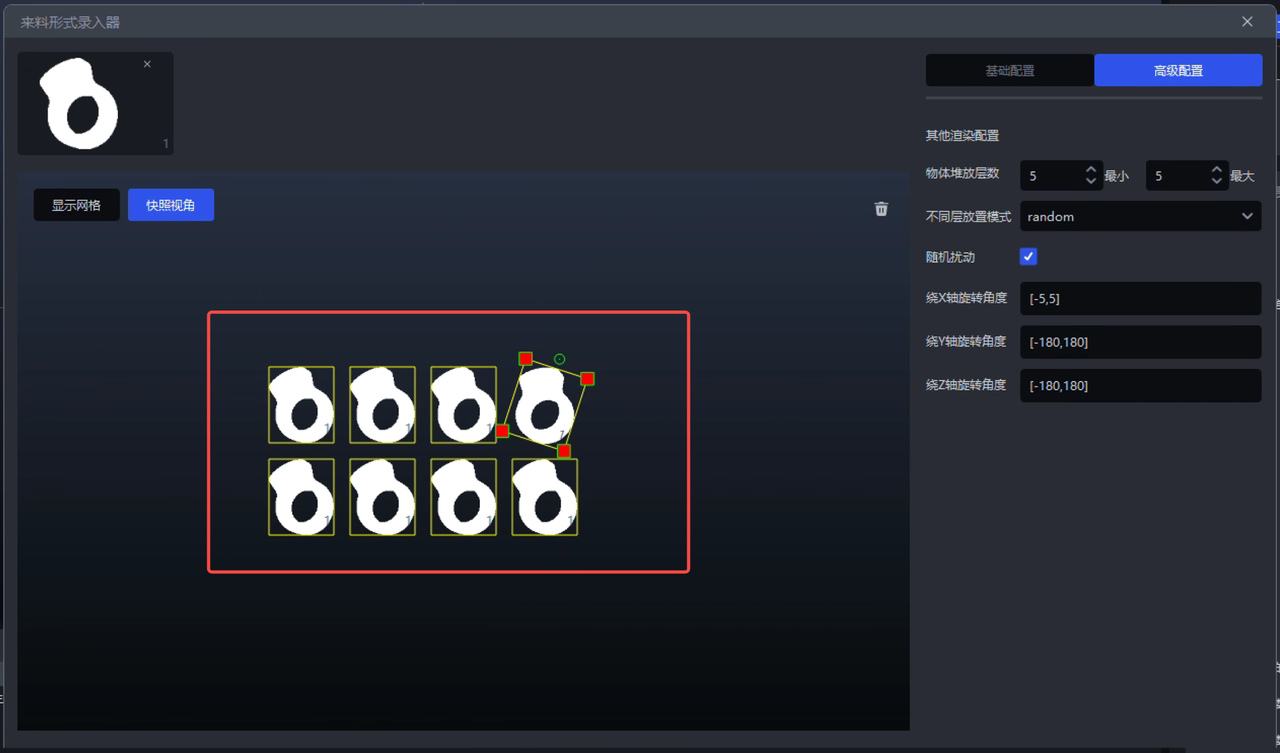
3. Shadow Mode
- Supports setting the saving strategy and saving upper limit for Shadow Mode training data. At the same time, the training data collection switch for Visual Model Shadow Mode is moved from the "Visual Calculation Configuration" window to the Target configuration page, avoiding abnormal system operation caused by an excessive amount of saved Shadow Mode data.
Shadow Mode page for Imaging Models: 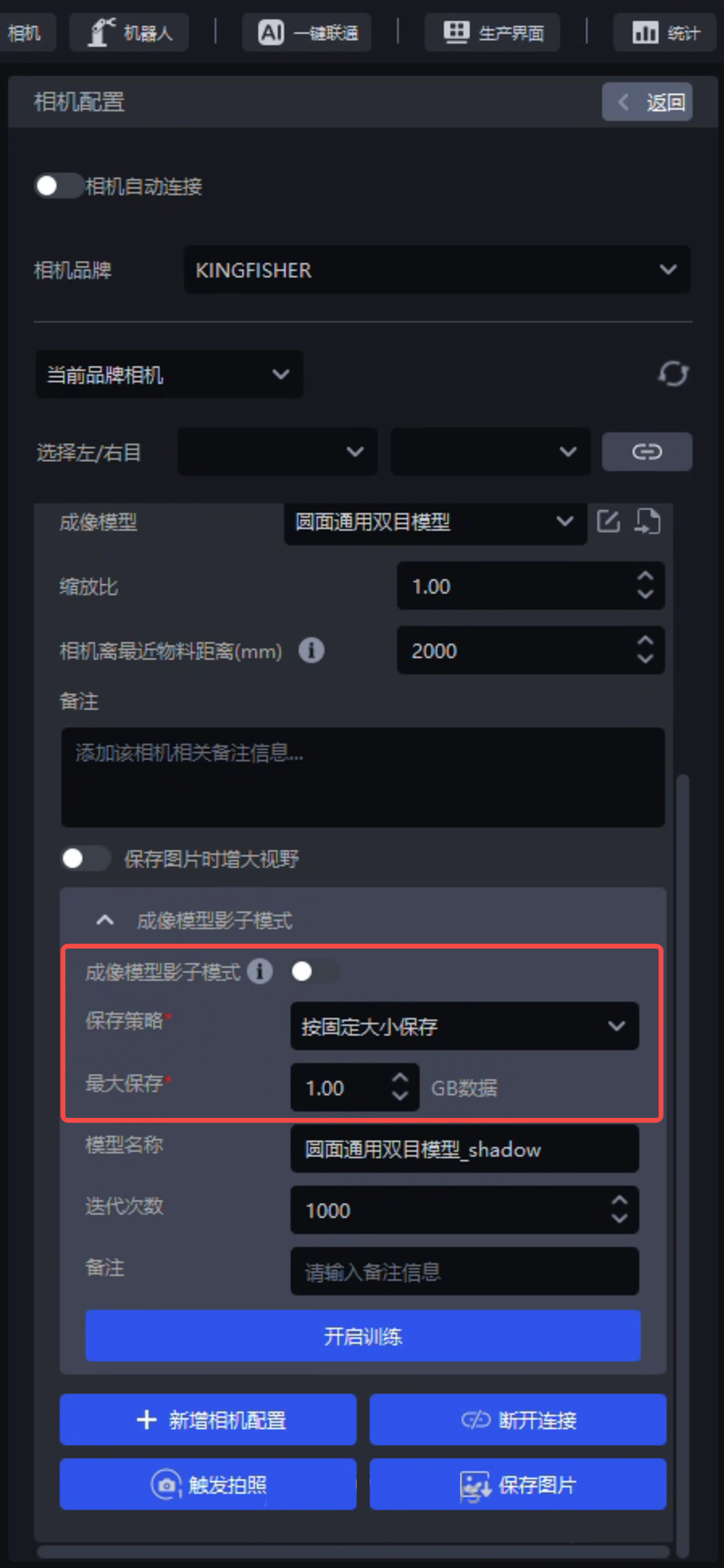
Shadow Mode page for Visual Models: 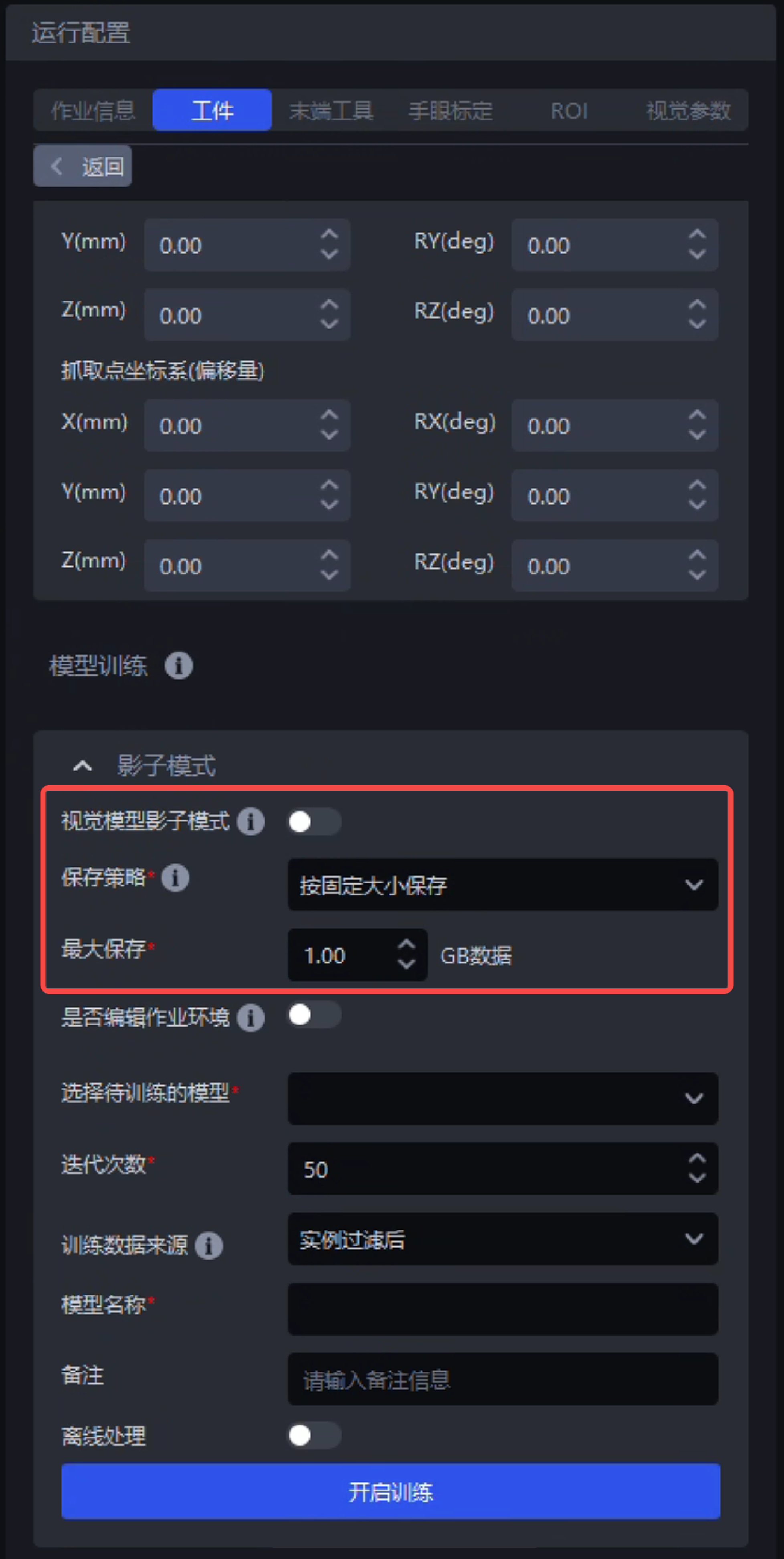
The default save path for Shadow Mode training data remains unchanged.
- Because the two Task types general Target unordered picking and planar Target unordered picking do not support Shadow Mode training for Visual Models, the Shadow Mode function is removed from the frontend pages of these two Task types to avoid user misunderstanding.
Note:
Currently, all Task types support the Shadow Mode training function for Imaging Models.
Except for the four Task types general Target unordered picking, planar Target unordered picking, planar Target ordered loading/unloading (image matching), and planar Target positioning and assembly (image matching only), all other Task types support the Shadow Mode training function for Visual Models.
4. Visual Parameters
- Optimized the rectangle fitting algorithm to improve rectangle fitting capability for "long-strip" Targets, normally output rectangle fitting results and grasp poses for "long-strip" Targets, and thereby improve system visual calculation accuracy.
Before optimization, grasp poses could not be output and the system reported an error: 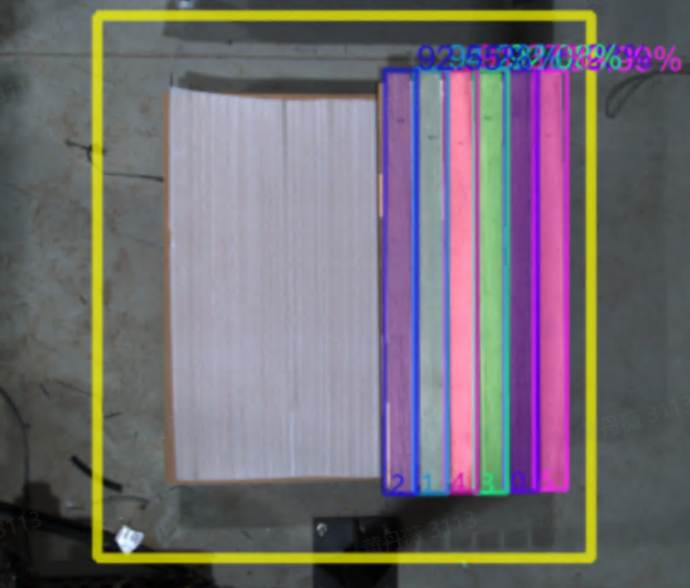
After optimization, the system normally outputs grasp poses: 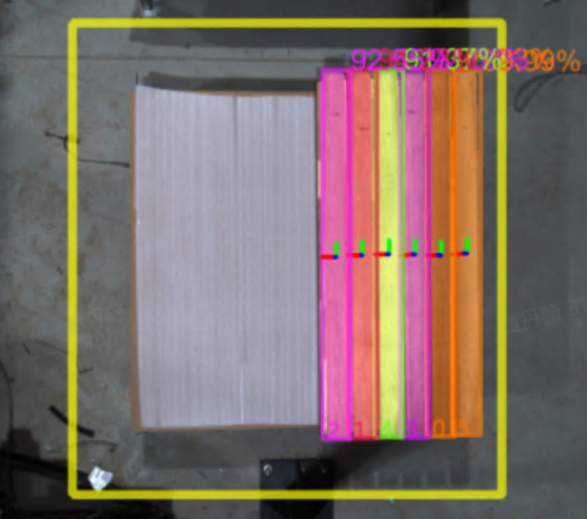
- Because the two Task types planar Target positioning and assembly (Point Cloud matching only) and planar Target positioning and assembly (image matching only) do not include a 2D recognition step, the 2D recognition module is removed from the Visual Parameters pages of these two Task types to avoid user misunderstanding.
Planar Target positioning and assembly (Point Cloud matching only) does not include a 2D recognition step: 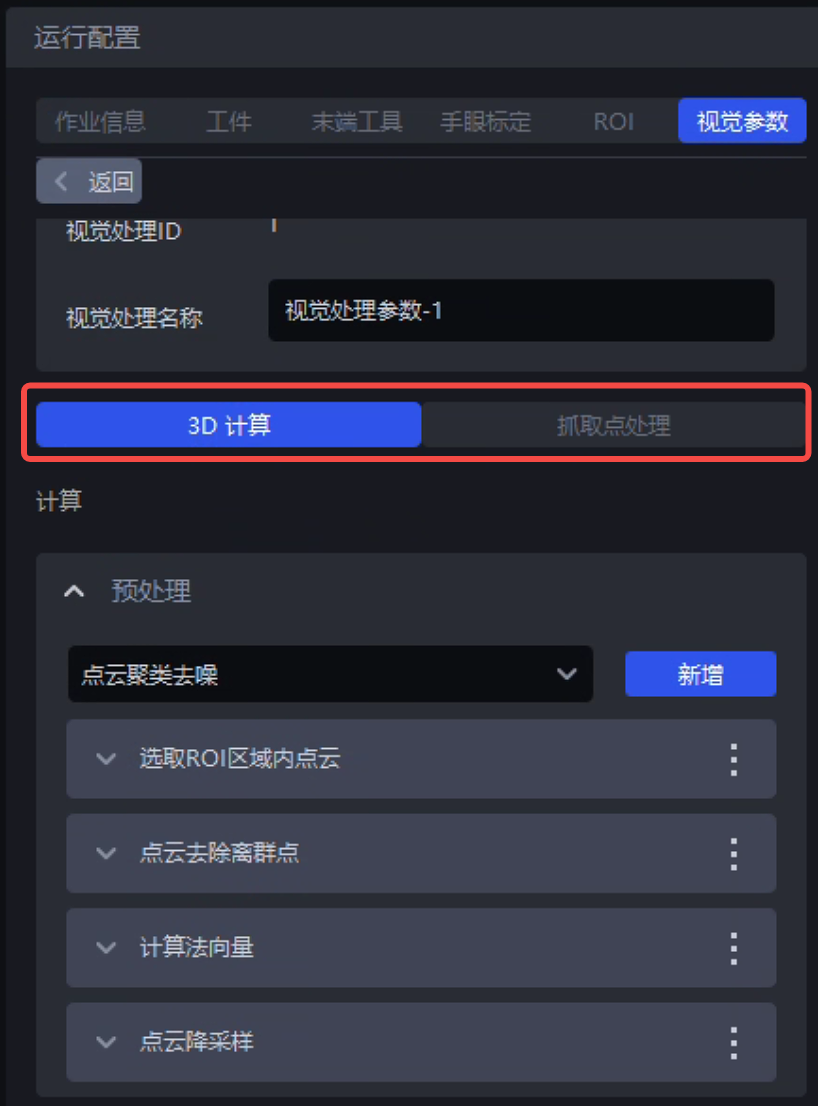
Planar Target positioning and assembly (image matching only) does not include a 2D recognition step: 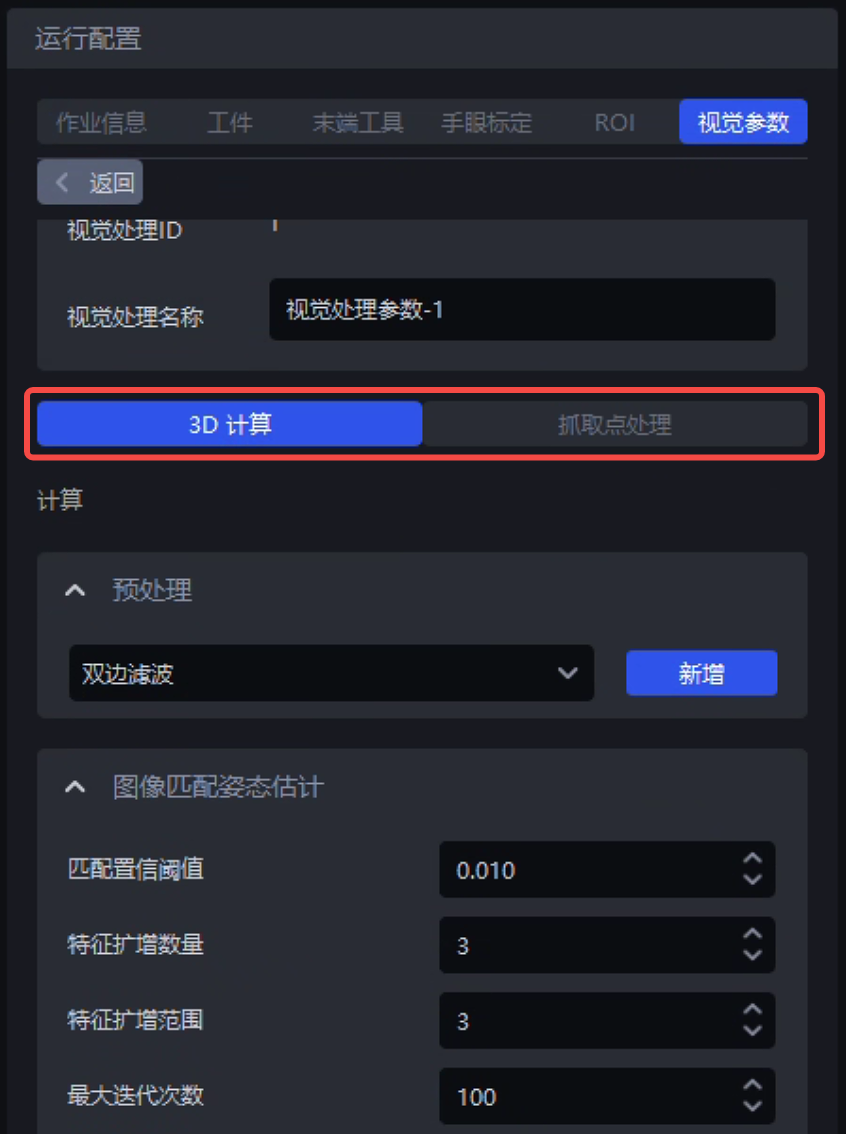
5. Function Parallelization
Further optimized the function parallelization processing function, resolving most inconsistencies between output results from function serial/parallel processing. It can effectively support projects with high system time consumption requirements and a large number of instances.
Tests show that under the premise of the same Scene and same hardware:
The visual calculation accuracy and GPU memory usage of function serial/parallel processing are basically the same.
When there are 5 instances in the field of view, the system time consumption of function parallel processing begins to show an advantage. The more instances there are in the field of view, the more obvious the system time consumption advantage of function parallelization becomes.
When there are 20 instances in the field of view, the system time consumption of function parallelization processing is approximately 50%~60% of the serial processing time.
For test details, see PickWiz 1.8.3 Function Serial/Parallel Workflow Run Result Consistency Test
Carton single-depalletizing Task: 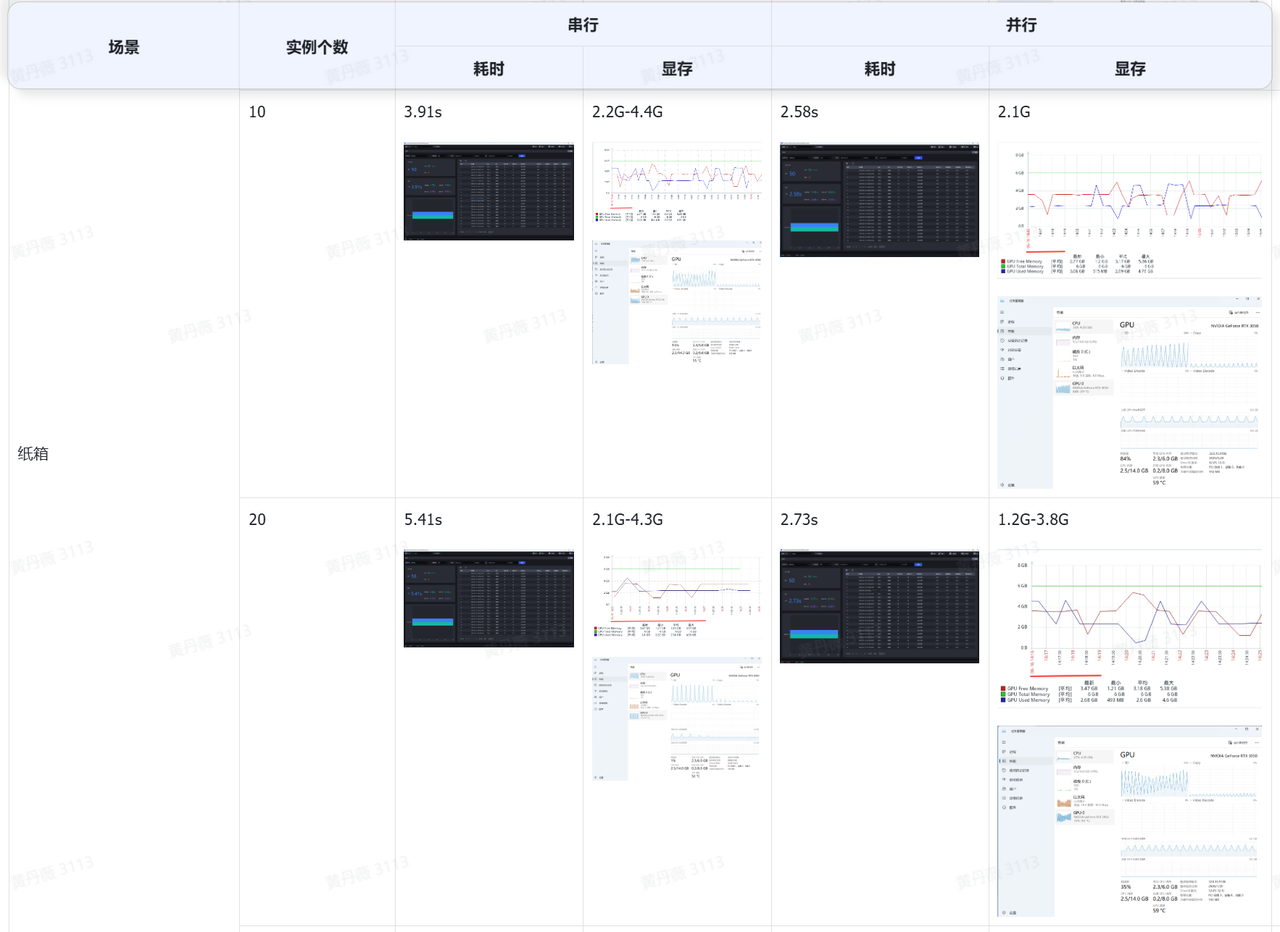
General Target ordered loading/unloading Task: 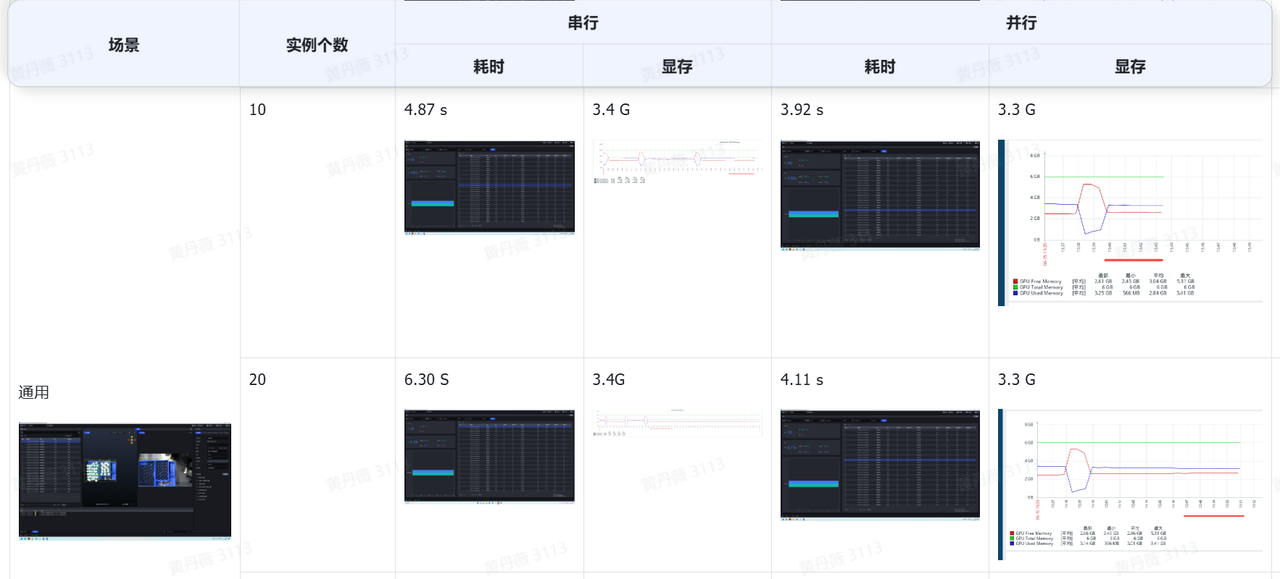
Ordered loading/unloading Task based on circular surfaces: 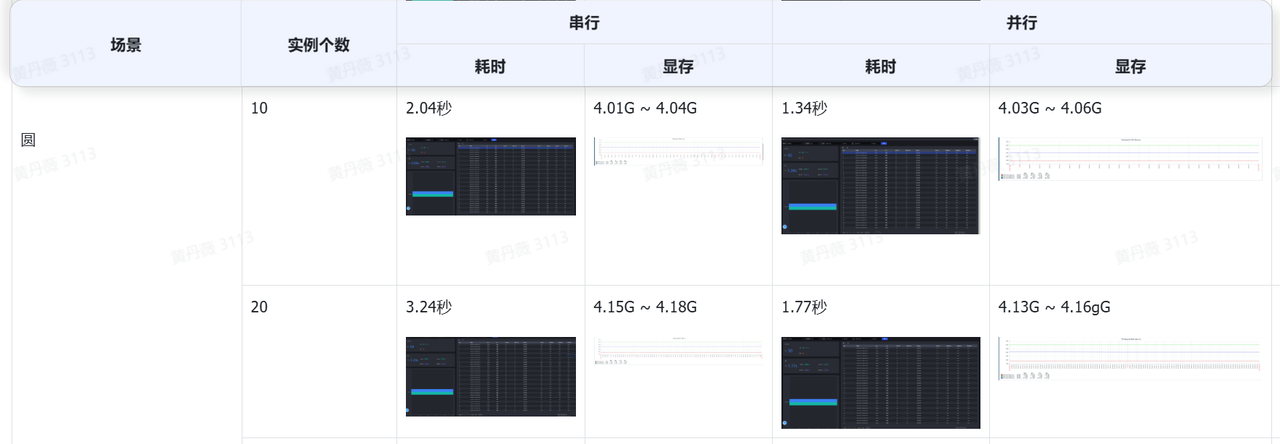
Ordered loading/unloading Task based on cylinders: 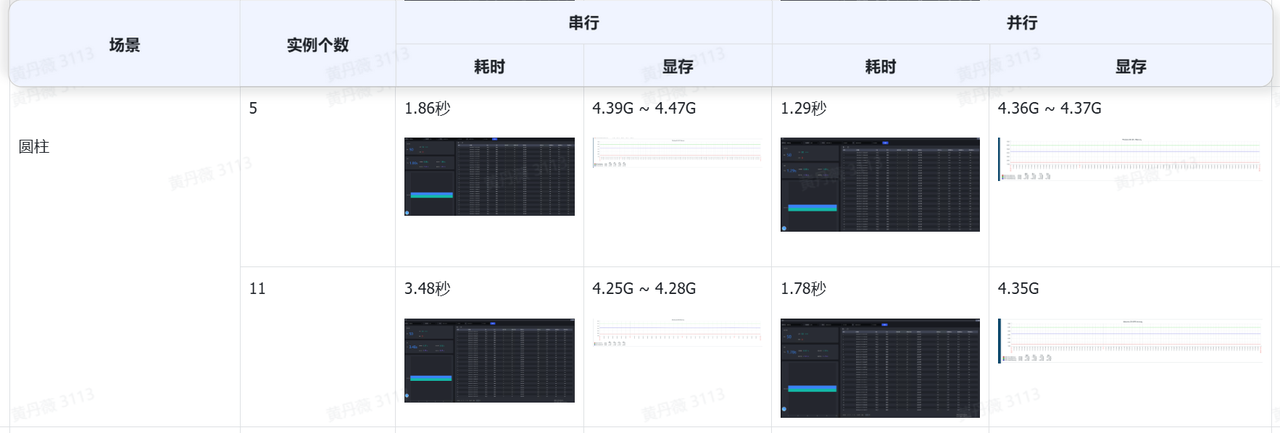
Ordered loading/unloading Task based on quadrilaterals: 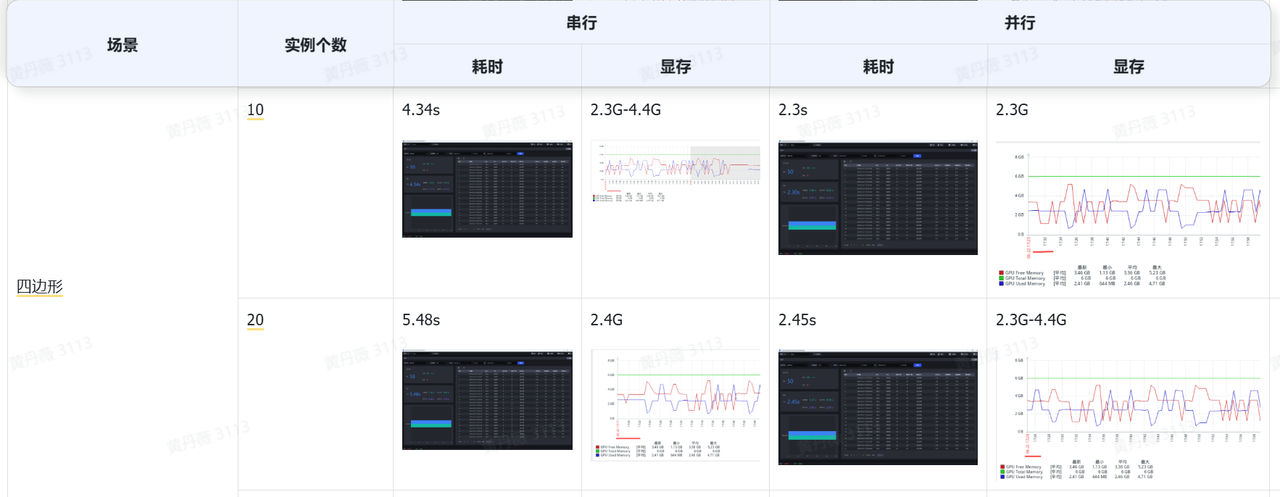
6. Others
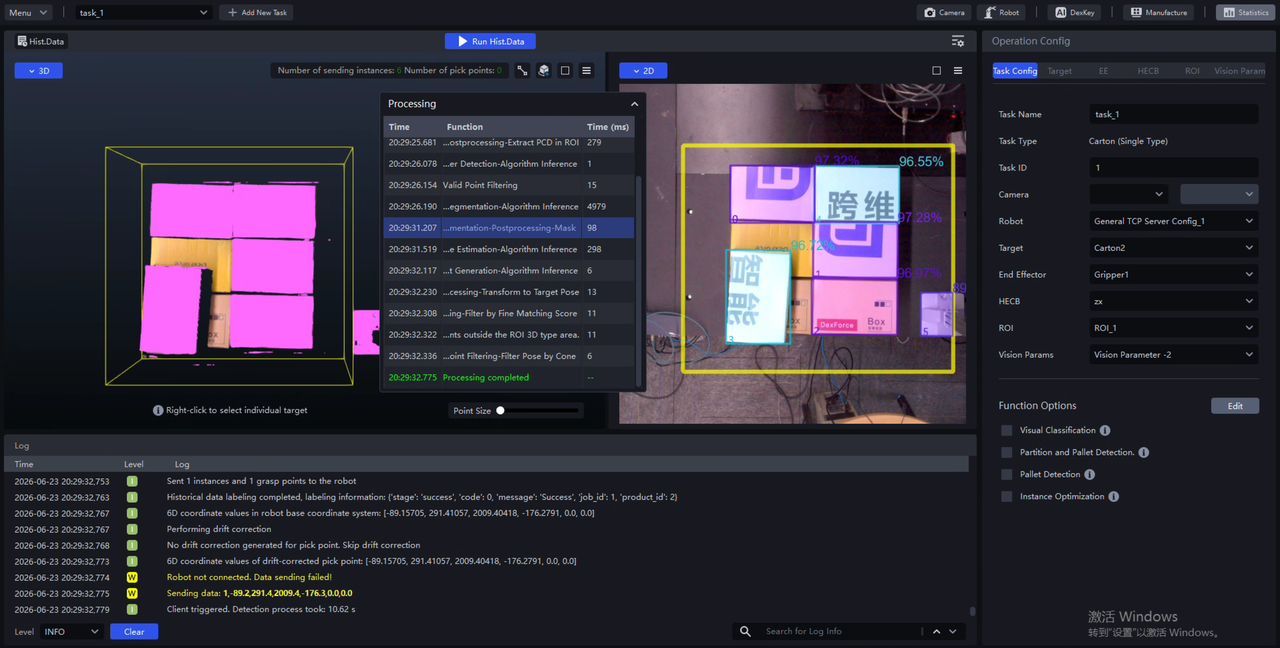
- Updated the English version of the software to the latest version to support overseas market expansion requirements.
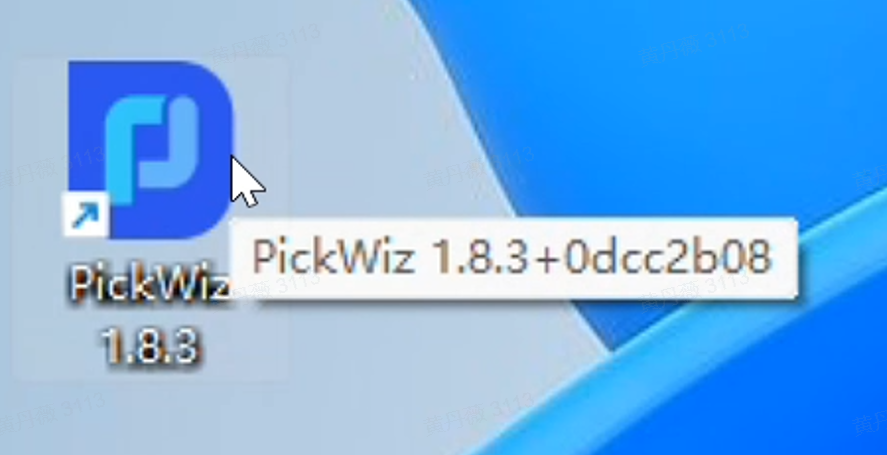
- Supports quickly viewing system version number information when hovering over or left-clicking the "PickWiz Shortcut", reducing the difficulty of system issue feedback.
- Hid the "Send Pick Point Count" field in the "Visual Calculation Configuration" window to avoid user misunderstanding.
Bug Fixes
- Fixed the issue where the system reported an abnormal error after function parallelization mode was enabled because all valid instances were normally filtered out.
Source: [Issue Collection] In parallelization, when there are no valid instances, it does not report no valid instances but reports an error instead; serial mode can normally report no valid instances
- Fixed the issue where the keypoint file exported after one-click connection model training changed, causing an error when it was uploaded again to the system Target configuration page.
Source: [Requirement] [Optimization] [One-click Connection] Keep the keypoint files generated by the system unified
- Fixed the issue where positioning and assembly Tasks did not support custom entry of incoming material forms.
Source: [Issue Collection] When general Target positioning and assembly selects more than 1/3 field of view, the directory uploaded to one-click connection does not contain snapshots
- Fixed the issue where one-click connection training Tasks failed because the incoming material form was not entered on the Target configuration page, or necessary files were missing from the one-click connection exported configuration.
Source: [Defect]<Productization> One-click connection - create a general ordered recognition type Scene, enter the corresponding environment in the Target, start one-click connection new/old model training, and both fail in the rendering stage
[Issue Collection] One-click connection training reports an error.
[Defect]<Productization> Frontend bug - incoming material form cannot be deleted
[Defect]<Productization> One-click connection - general ordered Scene, enter incoming material form, templ_pose.yaml and other files are missing from the one-click connection exported configuration, causing one-click connection training to fail
- Fixed the issue where the system frontend page did not report an error in time when Visual Model Shadow Mode training failed.
Source: [Issue Collection] Shadow Mode training with keypoints fails
- Fixed the issue where Visual Model Shadow Mode training prompted that dependent files were missing due to an internal algorithm bug.
Source: [Issue Collection] Visual Shadow training reports a missing dependent file error
- Fixed the issue where Shadow Mode training for binocular Imaging Models failed when an off-site industrial computer was not connected to the company intranet.
Source: [Defect]<PickWiz> When an off-site industrial computer is not connected to the company NAS, Shadow Mode training for binocular Imaging Models fails.
- Fixed the issue where the training configuration file was not modified accordingly after changing the texture diversity option in mask mode training.
Source: [Issue Collection] The model effect of mask mode training is poor; one product is recognized and segmented into two
[Defect]<PickWiz> Mask mode: after changing the texture diversity option, the training configuration appears not to change accordingly
- Fixed the issue where system functions became abnormal when frequently switching between PTH model Tasks and TRT model Tasks while connected to a binocular Camera.
Source: [Defect]<PickWiz> Camera - connect binocular Camera, operate pth image capture multiple times, then switch to trt; image capture becomes abnormal again and the software backend starts abnormally
[Defect]<Productization> Common - frequently switching between onnx and trt models causes the program to crash
[Issue Collection] PickWiz 1.6.1 occasionally freezes and reports an error during software operation, prompting a software restart
- Fixed the issue where, due to an internal system bug, the left/right Camera image was completely black when the left and right Cameras of a binocular Camera were not connected at the same time.
Source: [Issue Collection] Camera displays intrinsic parameter acquisition failure; the left Camera cannot capture images and there is no Point Cloud
- Fixed the issue where the 2D ROI size did not adapt to the new resolution in time when switching Camera resolution.
Source: [Issue Collection] During PickWiz software operation, the 2D ROI shrinks and moves by itself, causing instances not to be detected
- Fixed the issue where the system reported an error when connecting a monochrome Camera because the image channel count of the monochrome Camera was not converted in time.
Source: [Issue Collection] Xema-L monochrome Camera uses Camera data to run + enabling instance optimization causes an exception
- Fixed the issue where "unable to recognize calibration board" was frequently reported when viewing/correcting Camera accuracy due to a bug in calibration board segmentation.
Source: [Issue Collection] Verify Camera accuracy: unable to recognize calibration board; adjusting exposure and calibration board position is ineffective
- Fixed the issue where, due to an internal bug in the "Bin and Target Collision Detection" algorithm, the collision detection result was incorrect or the collision detection output result was inconsistent for the same data.
Source: [Issue Collection] New fixture collision detection filtered out pick points that were not colliding
[Issue Collection] An error occurs for a certain data record during running; running the same historical data again can output results normally
[Defect] [Issue Collection to bug] Inconsistent fixture collision sphere issue
- Fixed the issue where the bounding box displayed abnormally in the planar Target loading/unloading (isolated materials) Task when "Use Original Point Cloud" was not selected in the "Instance Segmentation 3D" module.
Source: [Issue Collection] When Use Original Point Cloud is unchecked in Instance Segmentation 3D, the bounding box displayed in 2D is incorrect
- Fixed the issue where the image matching template generated in the template folder data was split in the middle when using the "Generate Template from Historical Data" function in "Point Cloud Template Creation".
Source: [Issue Collection] Single-target image matching template creation is abnormal; the generated template is split in the middle
[Defect] [Issue Collection to bug] Single-target image matching template creation is abnormal; the generated template is split in the middle
- Fixed the issue where a new Target could not be created after modifying model training configuration Parameters.
Source: [Issue Collection] On the test machine with software version 1.8.2.1, carton depalletizing Tasks cannot add new Targets and the function does not take effect
- Fixed the issue where abnormal historical data could not be deleted due to an unreasonable abnormal historical data storage and deletion mechanism.
Source: [Defect]<Productization> Historical data - create any Scene; there are multiple abnormal-status data records in historical data. After selecting and deleting all abnormal data, the abnormal data is not completely deleted and one record remains
Known Issues
- For cases in the case library, the preloaded models are no longer the latest versions, and Shadow Mode training may fail.
Source: [Defect]<PickWiz> Shadow Mode - load the ordered loading/unloading project for compressor covers from the case library, start Shadow Mode training, and a popup prompts an exception
- Regarding the function serial/parallel processing mechanism, output results may still be incompletely consistent in the "quadrilateral-based ordered loading/unloading" Task, or when the "Instance Optimization" function option is selected in any Task, or when pick points are cached in any Task. This is planned to be further resolved in subsequent versions.
Source: [Defect]<PickWiz> Parallelization - quadrilateral-based ordered loading/unloading Task, enable parallelization and run multiple times; results are inconsistent, fine matching scores for the same instance pick point fluctuate greatly, causing the number of output instances to differ when running the same historical data multiple times
[Defect]<PickWiz> Parallelization - circular surface Task, add the [Instance Optimization] plugin; fitting scores are inconsistent between serial and parallel runs
[Defect]<PickWiz> Parallelization - add the [Filter Target poses similar to the previous N Target poses] function; serial and parallel results are inconsistent
[Defect]<PickWiz> Parallelization - add [Filter pick points similar to the previous N pick points]; filtering results for the same instance are inconsistent between serial and parallel runs