Pallet Detection User Guide
The Pallet Detection function is turned on in the scene where the bottom bracket needs to be grabbed. After it is turned on, the bottom bracket can be grabbed after the normal Target grabbing is completed. This article mainly introduces how to adjust the relevant visual parameters after turning on Pallet Detection.
1. Operation Guide
Pallet Detection function is suitable for depalletizing Scene
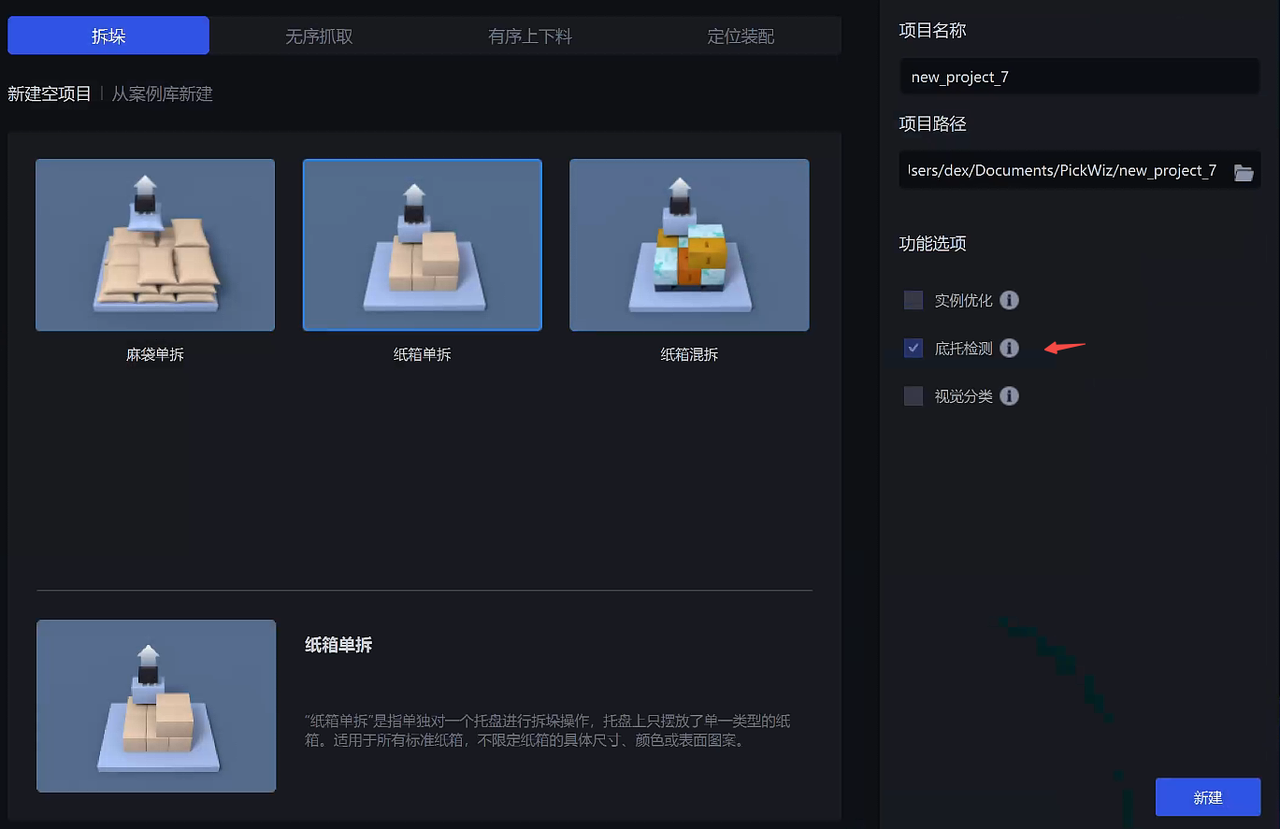
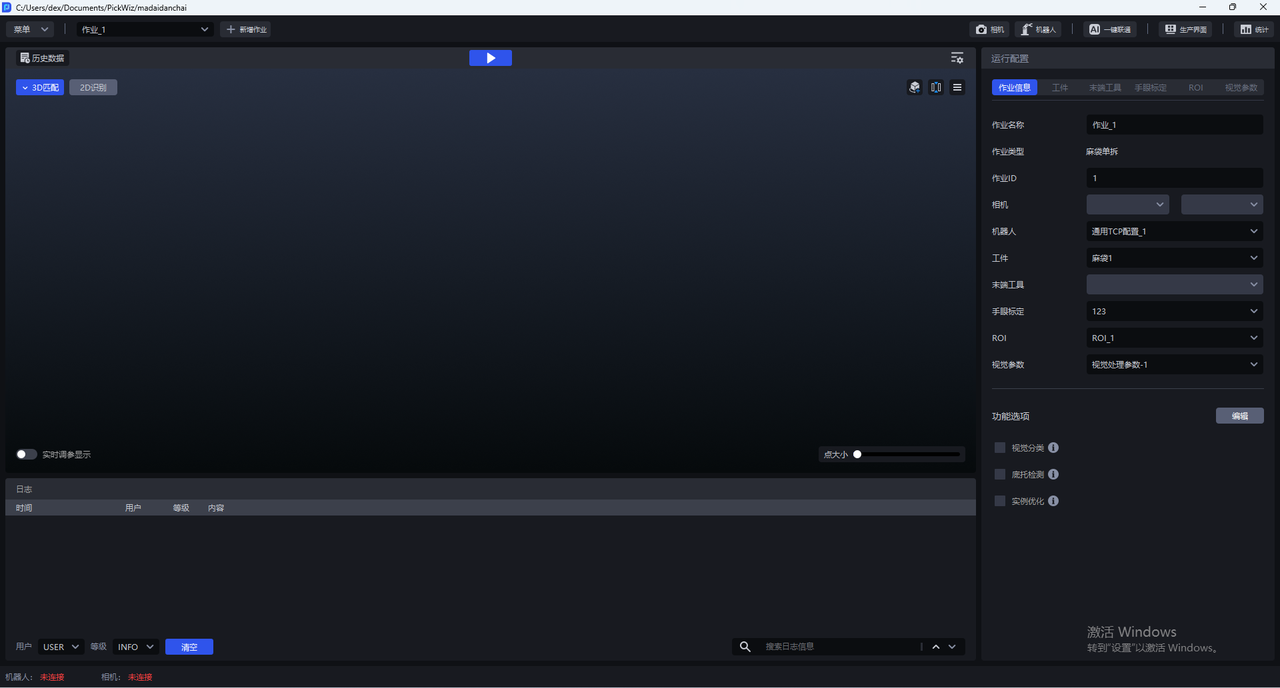
- When there is a bottom bracket in the actual Scene, when creating a new project, check the Pallet Detection function; if it is not checked when creating a new project, in the Task information interface, click Edit on the lower right, and then check Pallet Detection
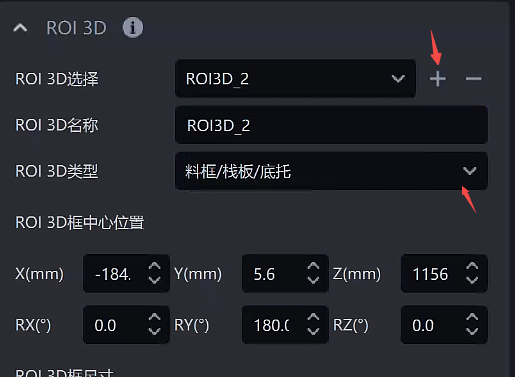
- Create a ROI on the ROI interface, adjust the ROI 3D frame to cover the Target Object, then create a new ROI3D_2, select the ROI 3D type as material frame/pallet/bottom tray
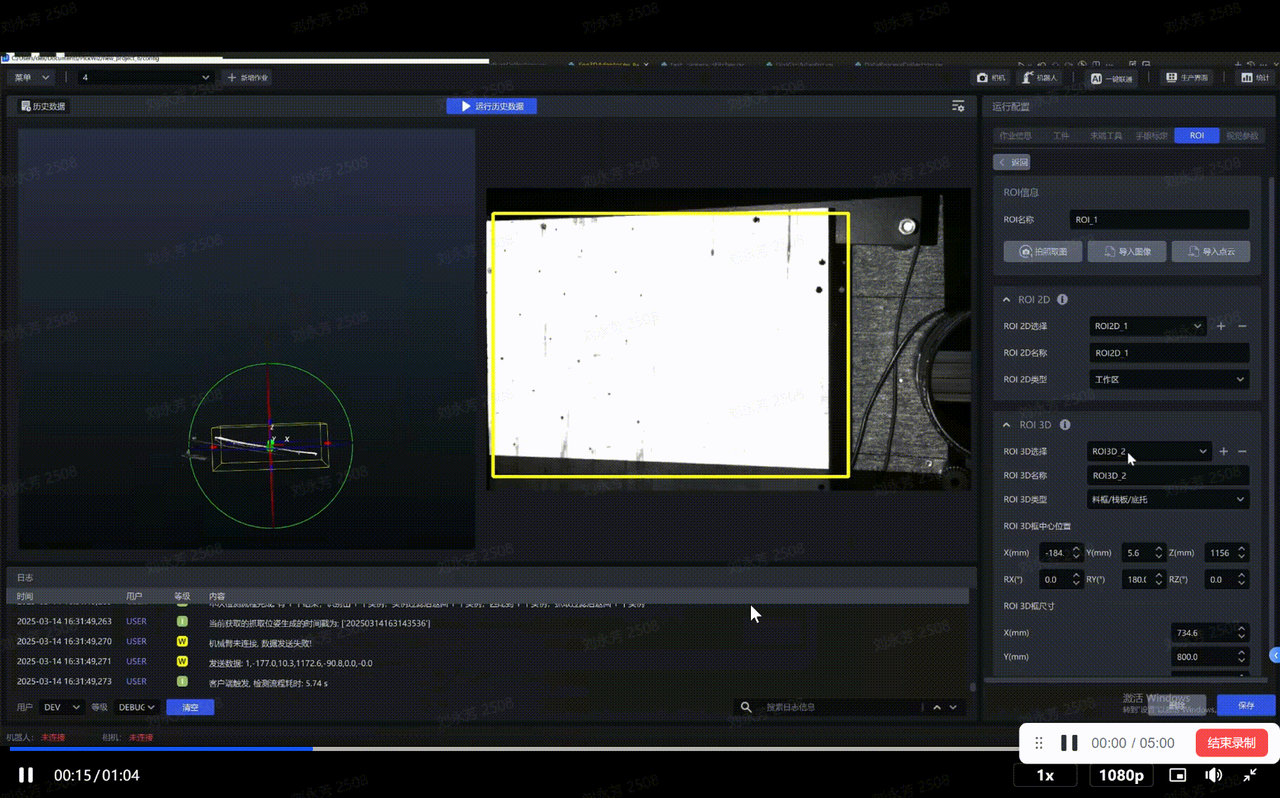
Resize ROI3D_2 to include only the base area
2. Parameter adjustment guide
After selecting each configuration item in the Task information, adjust the Parameter in Visual Parameter-3D Computing-Pallet Detection
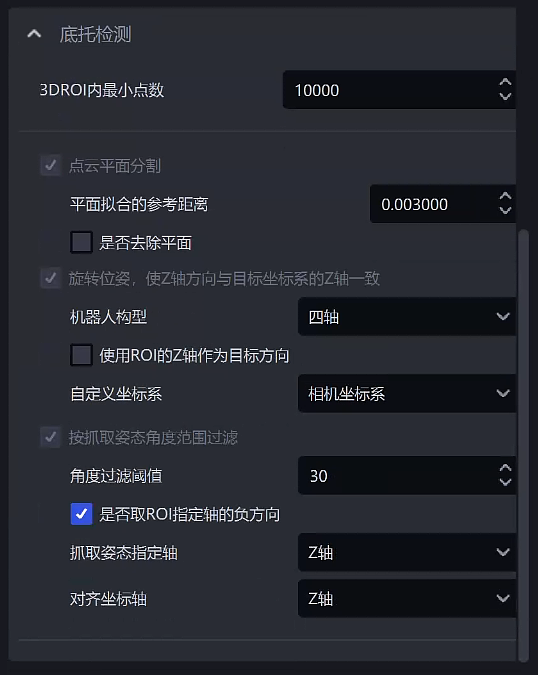
| Parameter | Description | Default value | value range | Parameter adjustment recommendation | |
|---|---|---|---|---|---|
| The minimum number of points in 3DROI | If the number of Point Clouds extracted in the ROI 3D workspace is less than this value, it means that the Target has been captured and automatically enters the Pallet Detection section | 10000 | 0-100000 | The value should be smaller than the number of Point Clouds of a single Target | |
| Point Cloud Plane Split | Reference distance for plane fitting | If the distance between the point and the plane is lower than the reference distance, it is considered to be a point in the plane and will be retained. Otherwise, it is considered to be a point outside the plane and will be filtered. The larger the value, the thicker the retained plane. | 0.003 | 1e-6 ~ 10 | This value decreases when the Point Cloud precision requirement is high, and increases when the Point Cloud precision requirement is low |
| Remove plane | If checked, the fitted plane will be removed. If not checked, the fitted plane will be retained. | Uncheck | / | usually does not require adjustment | |
| Rotate the pose so that the Z-axis direction is consistent with the Z-axis of the target coordinate system | Robot configuration | is set according to the number of robot arm axes of the on-site Robot. If the six-axis Robot is used as a four-axis Robot, it should be set to four-axis. | four-axis | four/six axes | Choose according to on-site needs |
| Use the Z axis of the ROI as the target direction | This takes effect only when the Robot configuration is set to four-axis. When selected, the Z-axis direction of the Pick Pose is consistent with the Z-axis direction of the ROI coordinate system; when not selected, the Z-axis direction of the Pick Pose is consistent with the Camera coordinate system. | Uncheck | / | usually does not require adjustment | |
| Custom coordinate system | Coordinate system of grabbing pose | Camera coordinate system | default coordinate system; Camera coordinate system; ROI coordinate system; Robot coordinate system | usually does not require adjustment | |
| Filter by grabbing attitude angle range | Angle Filter Threshold | Calculate the maximum angle between the specified axis of the grabbing pose and the specified axis of the ROI coordinate system. Pick Points with an angle greater than the angle filtering Threshold will be filtered | 30 | -360~360 | generally remains unchanged. If the incoming material has a large slope and needs to be grabbed, it is recommended to increase the Threshold. |
| Whether to take the negative direction of the ROI specified axis | If checked, the negative direction of the axis specified by the ROI coordinate system is used for angle calculation. If not checked, the positive direction of the axis specified by the ROI is used for angle calculation. | Check | / | usually does not require adjustment | |
| grab gesture specified axis | specifies a certain axis of the grabbing pose to calculate the angle | Z axis | X/Y/Z axis | usually does not require adjustment | |
| aligns the coordinate axis | specifies an axis of the ROI coordinate system to calculate the angle | Z axis | X/Y/Z axis | usually does not require adjustment | |