Point Cloud Noise Filtering User Guide
The Point Cloud noise filtering function is used to filter the Point Cloud noise of instances, provide more accurate instance bounding boxes and instance depths, and facilitate instance Z-value sorting. This article mainly introduces how to adjust the relevant Parameters after turning on Point Cloud noise filtering.
1. Operation Guide
Applicable Scene: Loading and unloading of neatly arranged general type target objects, Loading and unloading of neatly arranged plane type target objects (Parallel), Ordered loading and unloading of surface type Target (Image matching), Loading and unloading of Circle type target objects, Loading and unloading of Cylinder type target objects, Ordered loading and unloading based on quadrilateral
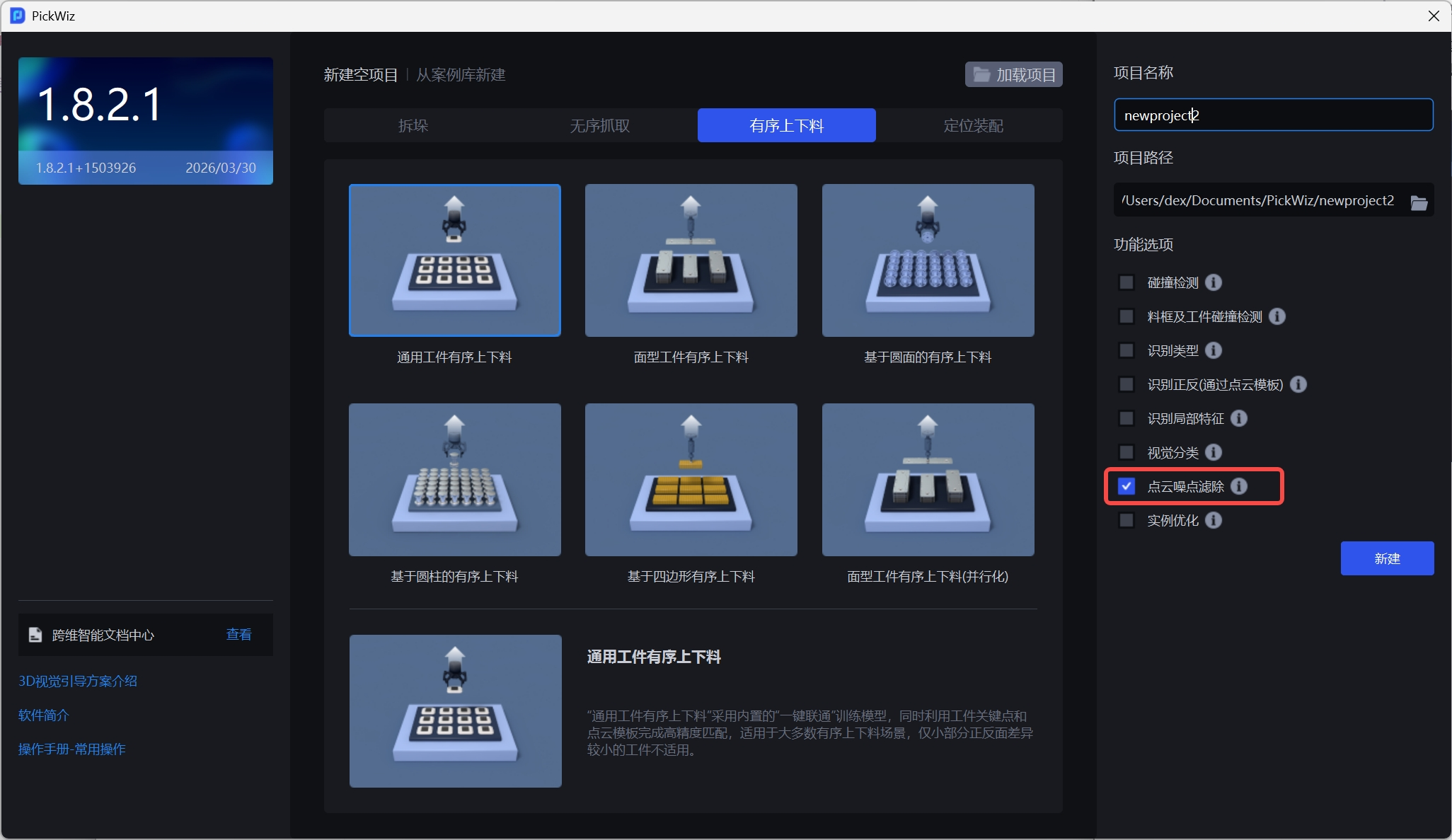
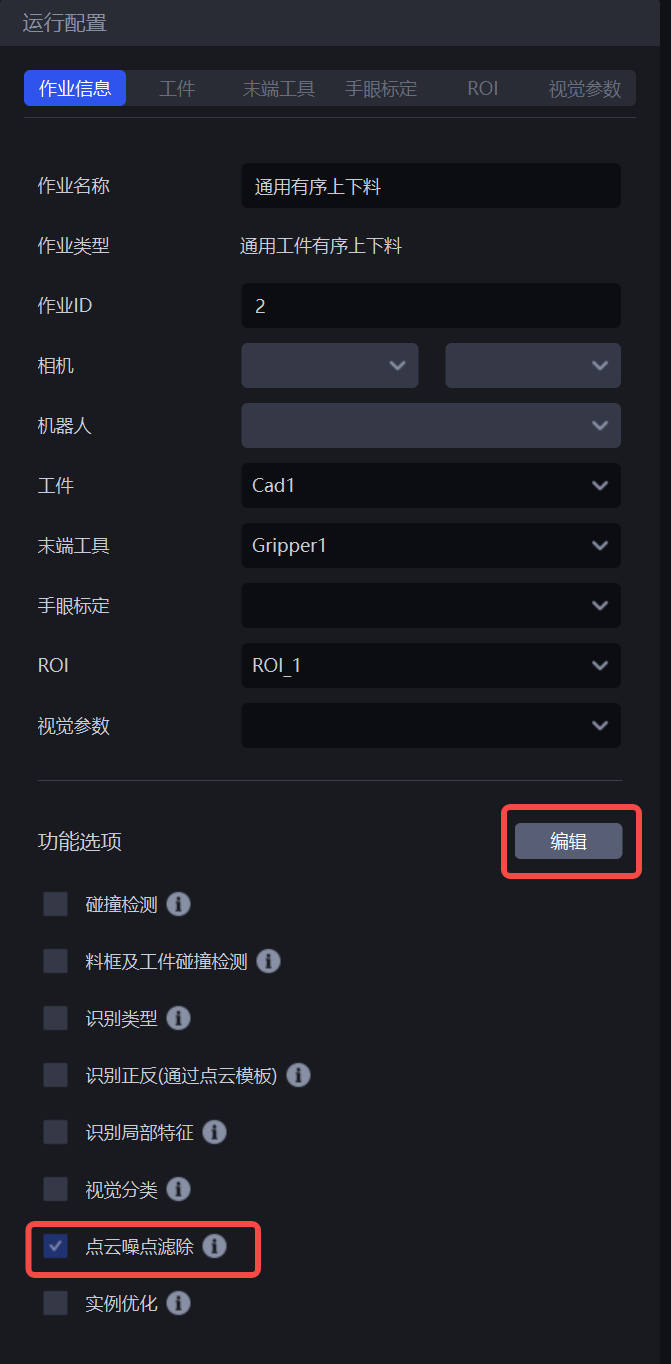
- When creating a new project, check the Point Cloud noise filtering function in the function options on the right; if it is not checked when creating a new project, click Edit on the Task information interface, check Point Cloud noise filtering and save it.
2. Parameter adjustment guide
In the visual Parameter interface, the configuration item for Point Cloud noise filtering will appear.
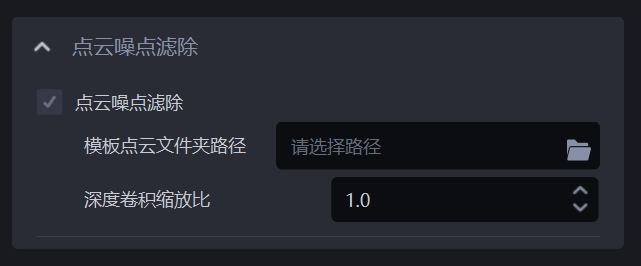
Template PCD (Point Cloud Data) folder path
- You need to specify the path of the template Point Cloud. The template Point Cloud is generally obtained from ScenePoint Cloud. You can refer to [Point Cloud Template Production Guide] (../常用操作/点云模板制作指南.md) and [Elements, Principles and Cases of Point Cloud Template Production] (../常用操作/点云模板制作的要素,原则及案例.md)
Depth convolution scaling ratio
- Used to adjust the resolution of images and templates. Generally, no adjustment is required. The default value is 1.0. Depth convolution scaling ratio Parameter. The smaller the value, the smaller the number of Point Clouds after downsampling. The visual operation speed will be faster, but the accuracy may decrease. The opposite is true when the value becomes larger. Limited range: [0.1,1.0].