
Scenario and Preconfiguration Checks
2. Scenario and preconfiguration checks
2.1 Scenario and expected results
This case applies to depalletizing a single type of carton from a multilayer stack by identifying and picking one carton at a time. When creating the task, select Depalletizing > Single Carton Depalletizing.
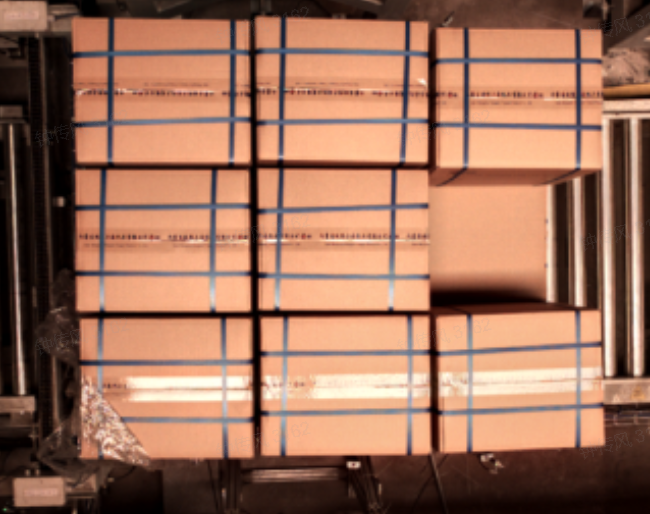
Single Carton Depalletizing uses the general carton depalletizing model by default for 2D instance recognition. A mask-based Pick Point generation method then calculates each carton's pose and Pick Point. For the underlying method, see Introduction to 3D Vision Guidance Solutions.
The incoming cartons should preferably meet these conditions:
- Carton type and main dimensions remain consistent within one task.
- Cartons are not packed so tightly that the visual model cannot distinguish individual instances.
- Large areas of highly reflective tape are avoided. If reflections, occlusions, or interleaved stacks are present, adjust the ROI and visual parameters in subsequent steps.
After configuration, the task should produce these results:
- Fully identify pickable cartons on the top layer in the 2D image without prioritizing the pallet, interlayer paper, or lower-layer cartons.
- Calculate the correct pose from carton point clouds and generate one valid Pick Point per carton.
- Prioritize upper-layer cartons according to the configured instance sorting strategy.
- Transform Pick Points into the robot coordinate system after eye–hand calibration.
- Use 2D results, 3D point clouds, and DEBUG logs to determine whether each processing stage behaves as expected.
2.2 Preconfiguration checks
Before setting up Single Carton Depalletizing, confirm that the hardware, communication, and basic configurations meet the operating requirements. The following list contains only the key checks for this case; follow the linked guides for detailed procedures.
2.2.1 Hardware and communication
- The camera, industrial PC, switch, and robot are correctly wired and powered.
- The camera field of view covers all possible carton positions and captures complete images of the topmost cartons.
- PickWiz can connect to the camera and trigger capture; the acquired 2D images and 3D point clouds have no obvious missing areas, collapse, or distortion.
- The robot or PLC and the industrial PC are on the same IP subnet, and their communication methods and port settings match.
- For TCP/IP communication, the client and server roles at the vision and robot ends are configured correctly.
For wiring, see the Hardware Installation Guide. For camera and robot setup, see the Camera Connection and Tuning Guide and Robot Configuration Guide.
2.2.2 Target and End-effector
- Measure the carton's actual length, width, and height, and confirm the carton type used in this task.
- Select a suitable End-effector based on the carton surface, weight, and pick position.
- Configure the carton Target in PickWiz and choose the box center or a box corner as the pick position according to the actual requirement.
- Configure the End-effector TCP and Pick Points correctly; the robot can safely test suction and release at a safe location.
For detailed configuration, see the Target Configuration Guide and End-effector Configuration Guide.
2.2.3 Eye–hand calibration and site conditions
- If pick coordinates must be sent to the robot, complete eye–hand calibration and inspect its result.
- Carton, pallet, and conveyor positions match their production positions.
- The camera and site lighting are mounted securely and do not shift or change brightness noticeably during operation.
- No people, cables, or other obstacles are in the robot pick path.
- Cartons on both the highest and lowest layers are within the camera's effective field of view and the robot's reach.
For the calibration procedure, see the Eye–Hand Calibration Workflow.
Coordinate safety
If eye–hand calibration is incomplete or its result has not been selected in the task, vision outputs coordinates in the camera coordinate system. At that point, inspect only recognition, point cloud, and Pick Point generation; do not command the robot to move directly to coordinates from the vision output.