
V1.9.0 Release Notes
Introduction
| Version | Camera SDK | ||
|---|---|---|---|
| PickWiz: | 1.9.0 | DexSense SDK: | 0.0.2 |
| PickLight: | 1.9.0 | Stereo: | 4.3.4 |
| GLIA: | 0.6.0 | ||
| RLIA: | 0.3.5 | ||
| MixedAI: | 0.7.0 | ||
PickWiz 1.9.0 is a major upgrade from PickWiz 1.8.4. It adds support for the KINGFISHER-W-3004 stereo camera and NVIDIA RTX 5050 (8 GB) GPU, upgrades the underlying toolchain to CUDA 12.8, and introduces AI structured light and the end-to-end pose estimation (SIPE) task run mode. It also expands and improves key features such as One-Click Connection and Shadow Mode.
For hardware compatibility, this release adds support for the new KINGFISHER-W-3004 stereo camera and NVIDIA RTX 5050 GPU (8 GB).
For system accuracy, the new AI structured-light algorithm for XEMA cameras addresses sparse or missing point clouds when imaging highly reflective targets, enabling stable, high-accuracy 3D vision guidance.
For task cycle time, the new end-to-end pose estimation (SIPE) task run mode has been added for loading and unloading of neatly arranged general targets and general target positioning and assembly and can increase the running speed of supported tasks by 50%. The preloaded general-purpose Visual Models are now in TRT format, and One-Click Connection can export Visual Models directly in TRT and other formats. These changes increase the availability of TRT models and improve Visual Model inference speed by more than 60%.
For model training, One-Click Connection and Shadow Mode can train and optimize Imaging Models for KFC series cameras. A model can undergo multiple rounds of Shadow Mode training. Shadow Mode can also optimize models produced by the older One-Click Connection training framework. Keypoints in models that use target keypoints are reordered consistently to improve model inference.
For ease of use, One-Click Connection's data augmentation strategy has been improved, and users can preview data rendering results in real time. These changes make training tasks easier to configure and more likely to succeed.
For system stability, this release fixes several known issues.
Installation and upgrade precautions for V1.9.0:
When installing V1.9.0, the system checks the installed CUDA version and automatically upgrades it to CUDA 12.8. The GPU driver version must be 591.86 or later; if it is earlier, upgrade it to 591.86 or later manually first.
CUDA 12.8 is incompatible with earlier versions, so upgrade to V1.9.0 with caution:
Once the CUDA version and CUDA driver have been installed or upgraded, they cannot be rolled back directly. Returning to an earlier version requires forcibly reflashing the industrial PC.
For loading and unloading of neatly arranged general targets and picking randomly arranged general targets, Visual Models with keypoints from earlier versions cannot be used in V1.9.0. Submit a new One-Click Connection training task in V1.9.0 to retrain them.
Visual Models without keypoints for other tasks can still be used in V1.9.0. Shadow Mode training data saved in earlier versions can also continue to be used.
Restart the industrial PC immediately after a successful upgrade to V1.9.0 so that the updated toolchain and libraries load correctly.
The changes in this release are described below.
New Features
New Stereo Camera
The new KINGFISHER-W-3004 stereo camera is supported and can be supplied through the standard process for future projects.
Camera overview
The KINGFISHER-W-3004 stereo camera improves on its predecessor:
Resolution increases from 1280 × 1024 to 1920 × 1080 for clearer images.
The field of view expands from 53° × 43° to 67°/44° (H/V) for wider coverage.
TCP communication provides a more stable connection and reduces the risk of disconnections and packet loss.
The camera is smaller and lighter and uses a single PoE Ethernet cable for power, simplifying deployment.
Camera specifications
| Camera model | KINGFISHER-W-3004 |
|---|---|
| Baseline (mm) | 400 |
| Field of view (H/V) | 67°/44° |
| Recommended working distance (mm) | 1500–3500 |
| Camera view (mm) | Near field (1500 mm): 1751 × 1231 Far field (3500 mm): 4620 × 2873 |
| Resolution | 1920 × 1080 px |
| Camera dimensions (mm) | 464 × 35 × 54 (length × width × height) |
| Mounting method | Eye to hand |
Typical scene imaging results
| Scene | Left image | Right image | Point cloud |
|---|---|---|---|
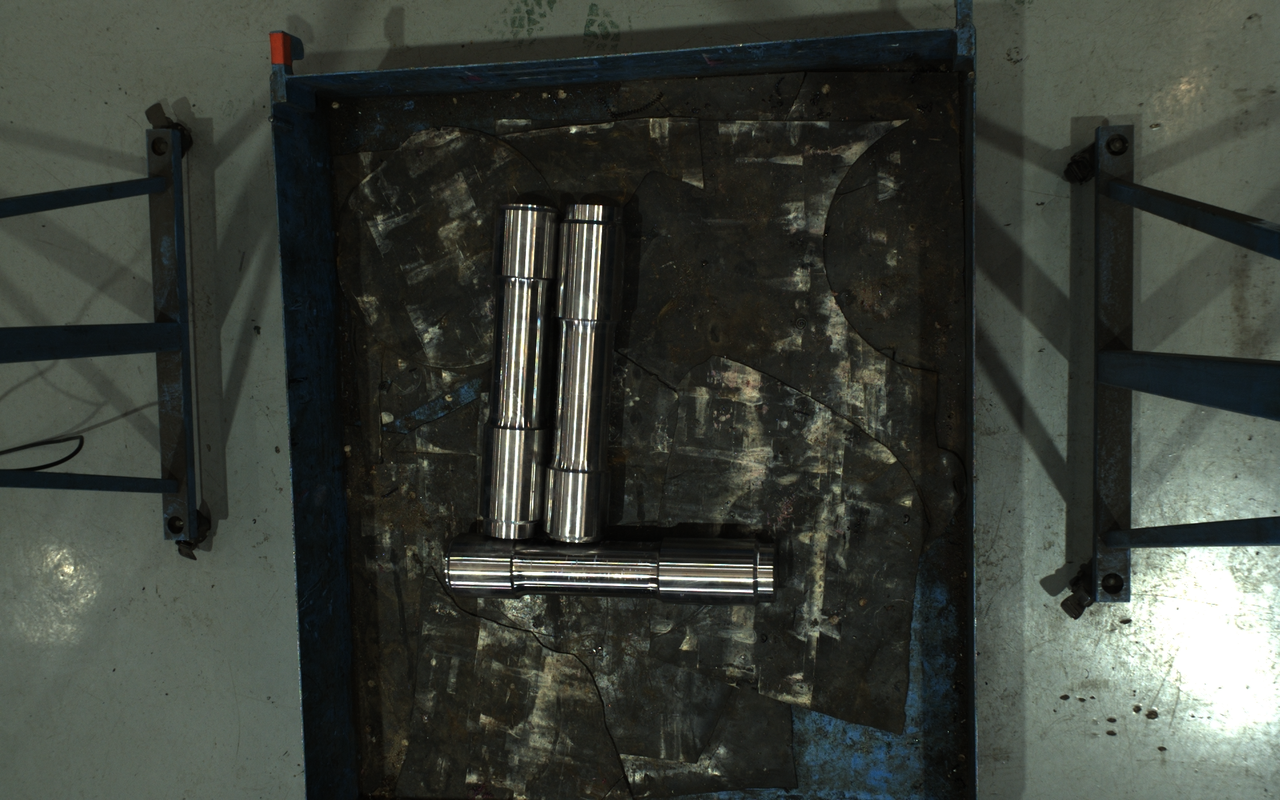
| Metal round bar (imaging distance: 1500 mm) | 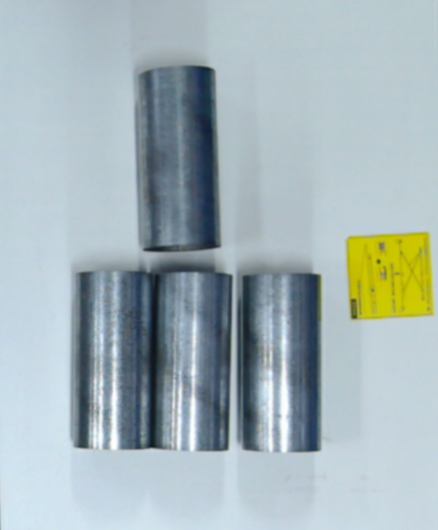 | 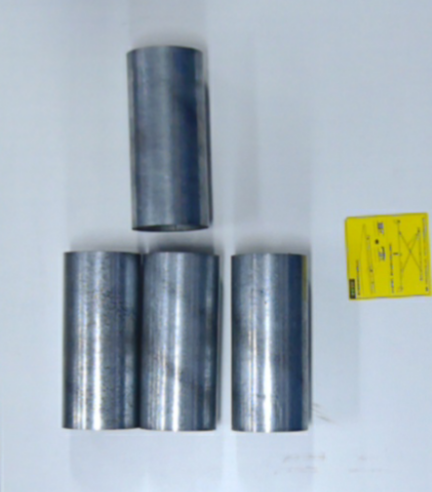 | 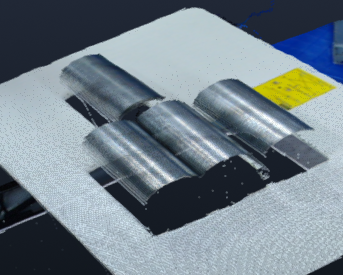 |
| Sack (imaging distance: 2000 mm) | 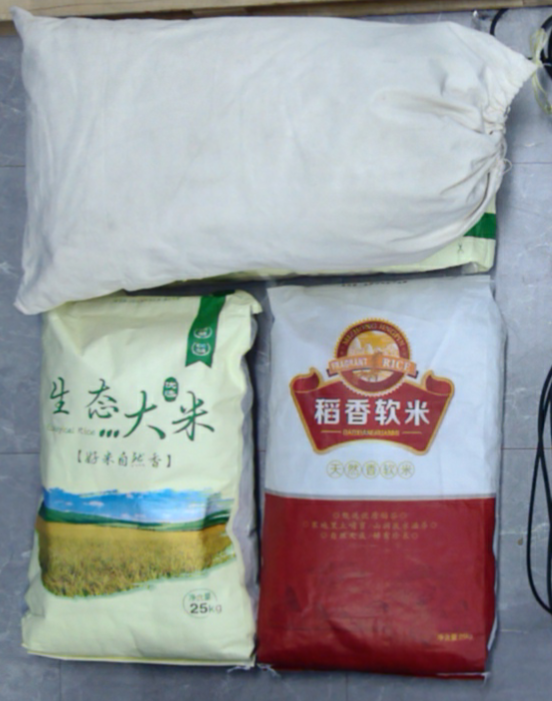 | 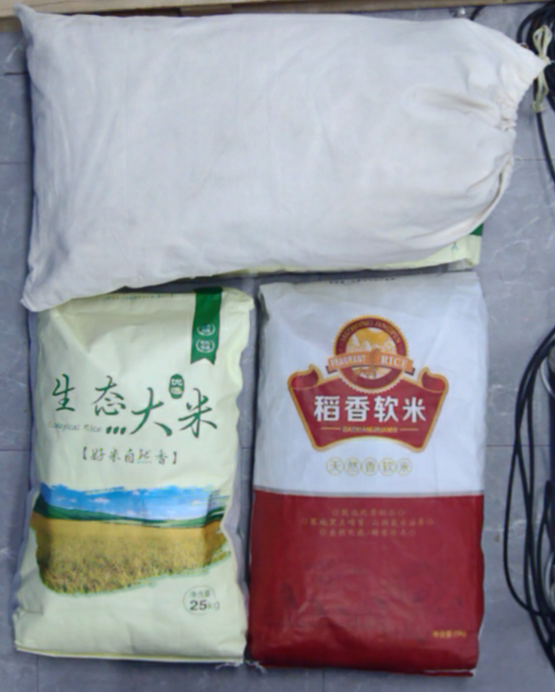 | 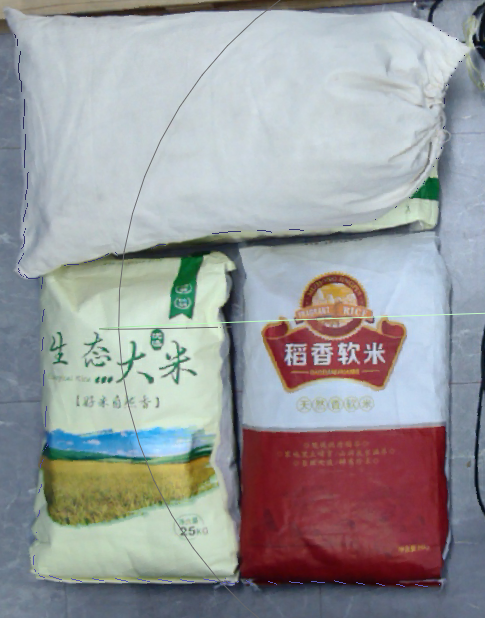 |
AI Structured-Light Mode
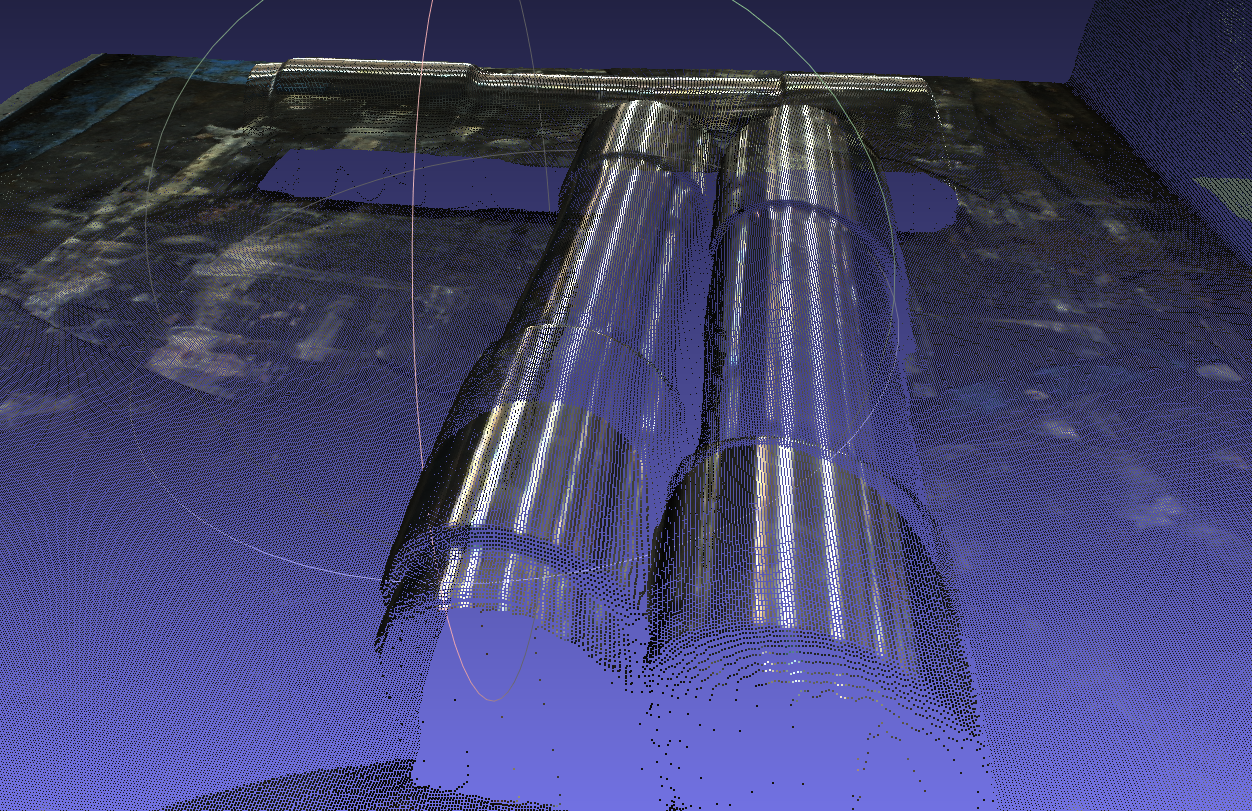
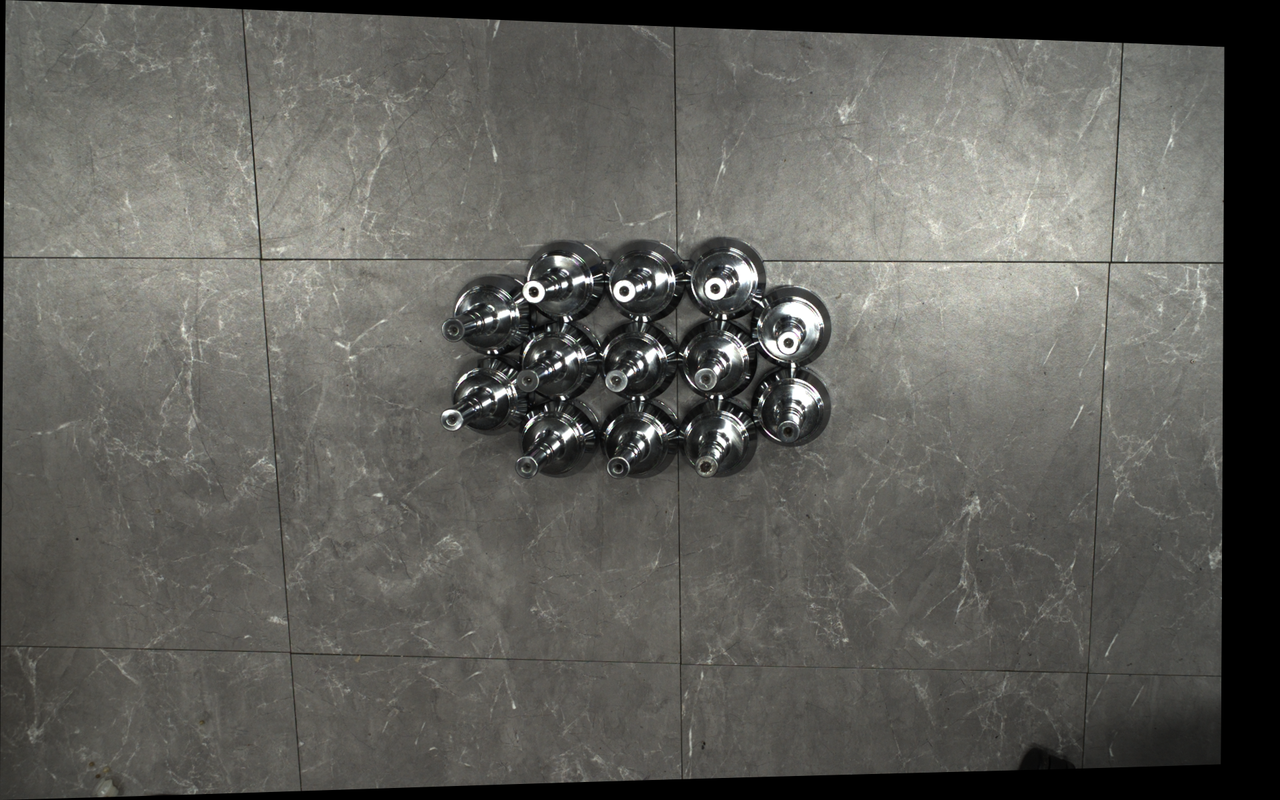
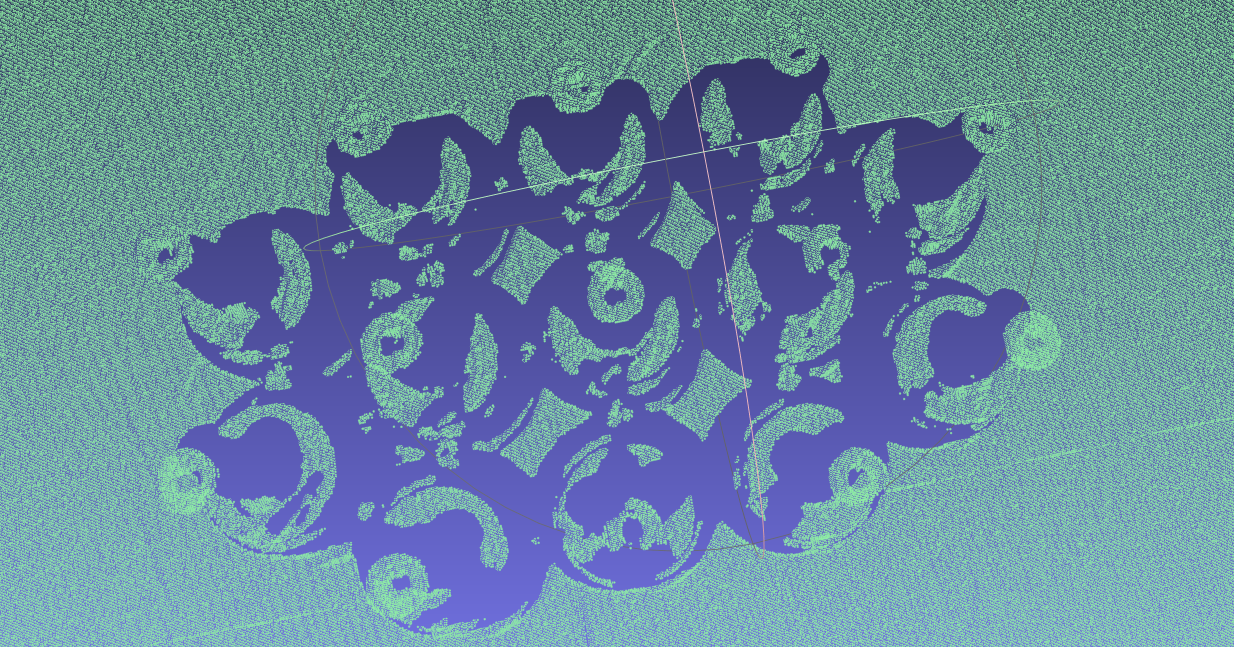
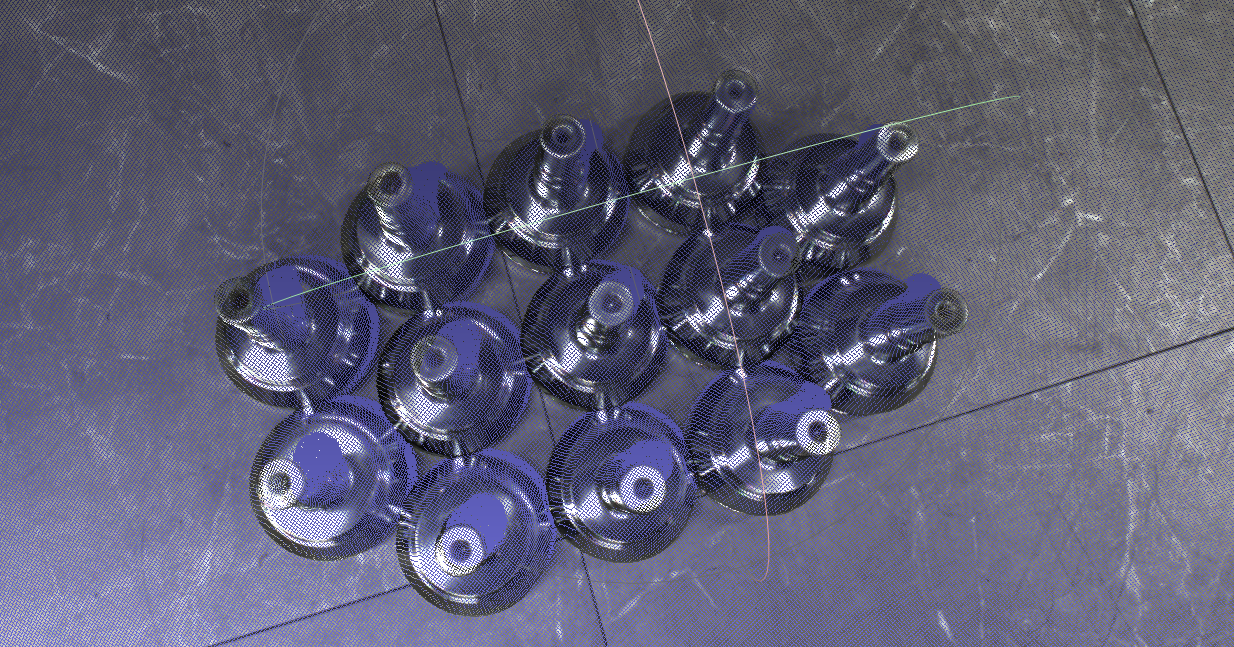
For targets with highly reflective surfaces, such as mirrored, polished, or oily surfaces, and for black targets that absorb light, this release adds an AI structured-light algorithm to XEMA cameras in addition to the existing HDR multi-exposure mode. When a XEMA camera is connected, select AI Structured Light on the camera configuration details page and upload an Imaging Model that supports the algorithm to capture point clouds in this mode.
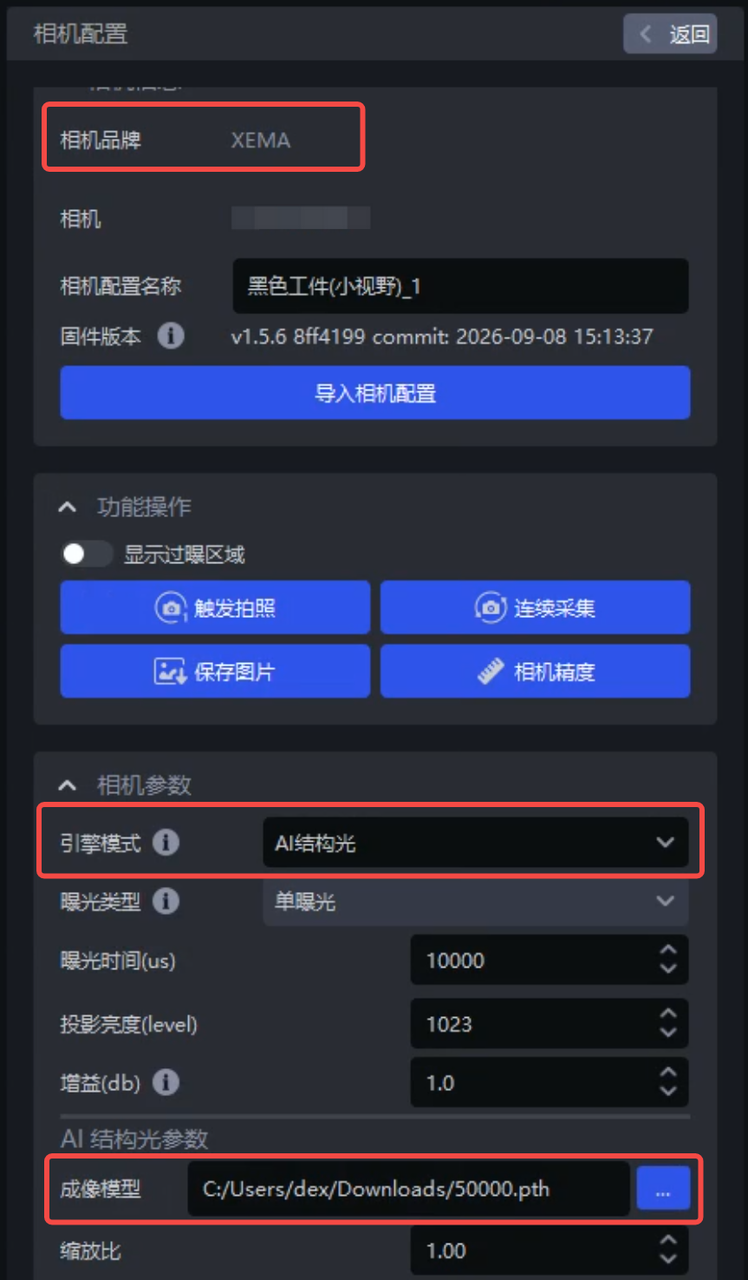
AI Structured-Light mode for XEMA cameras
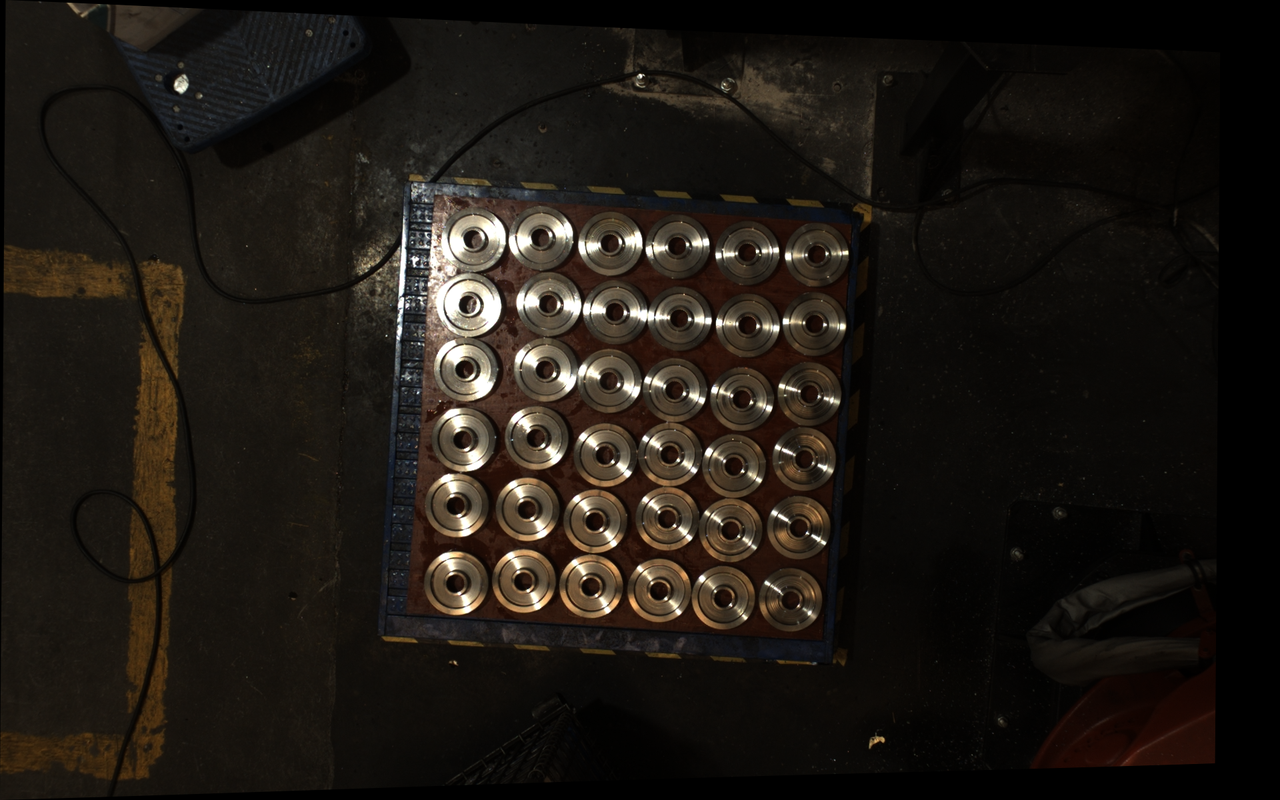
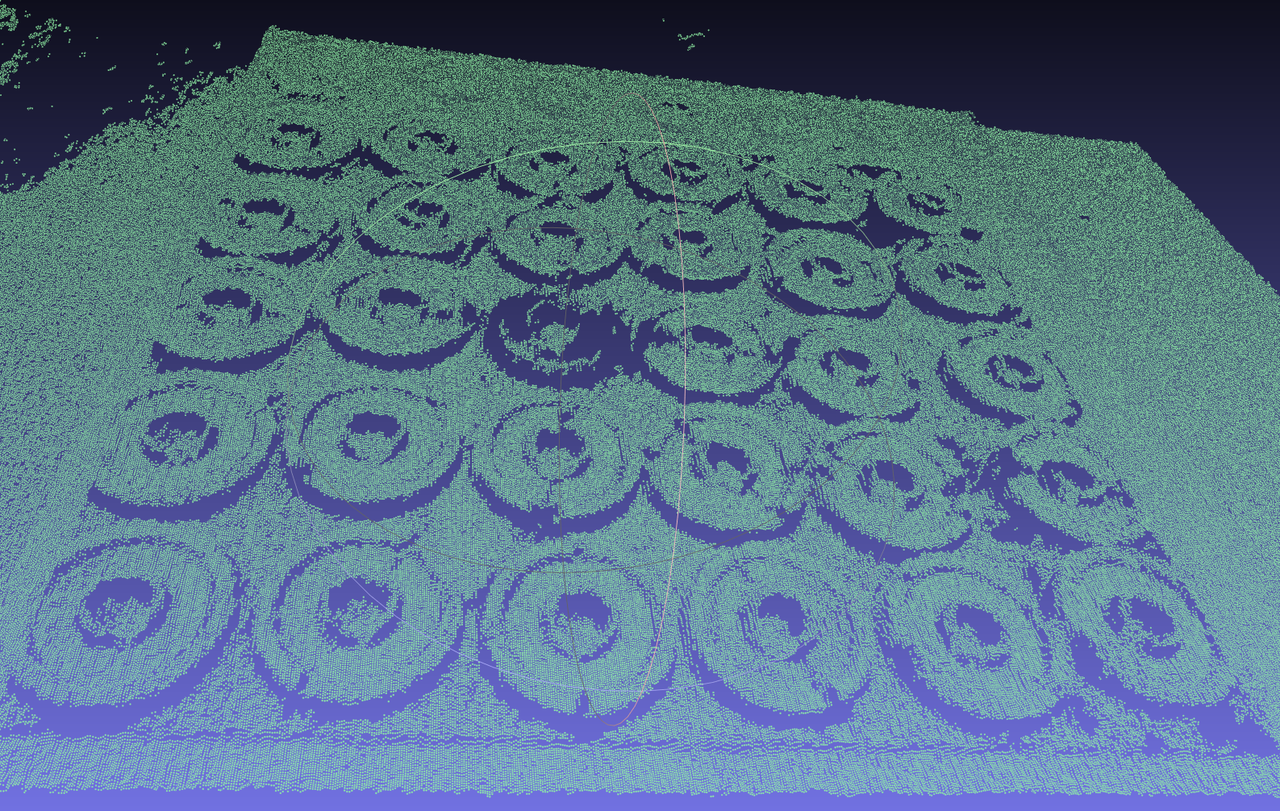
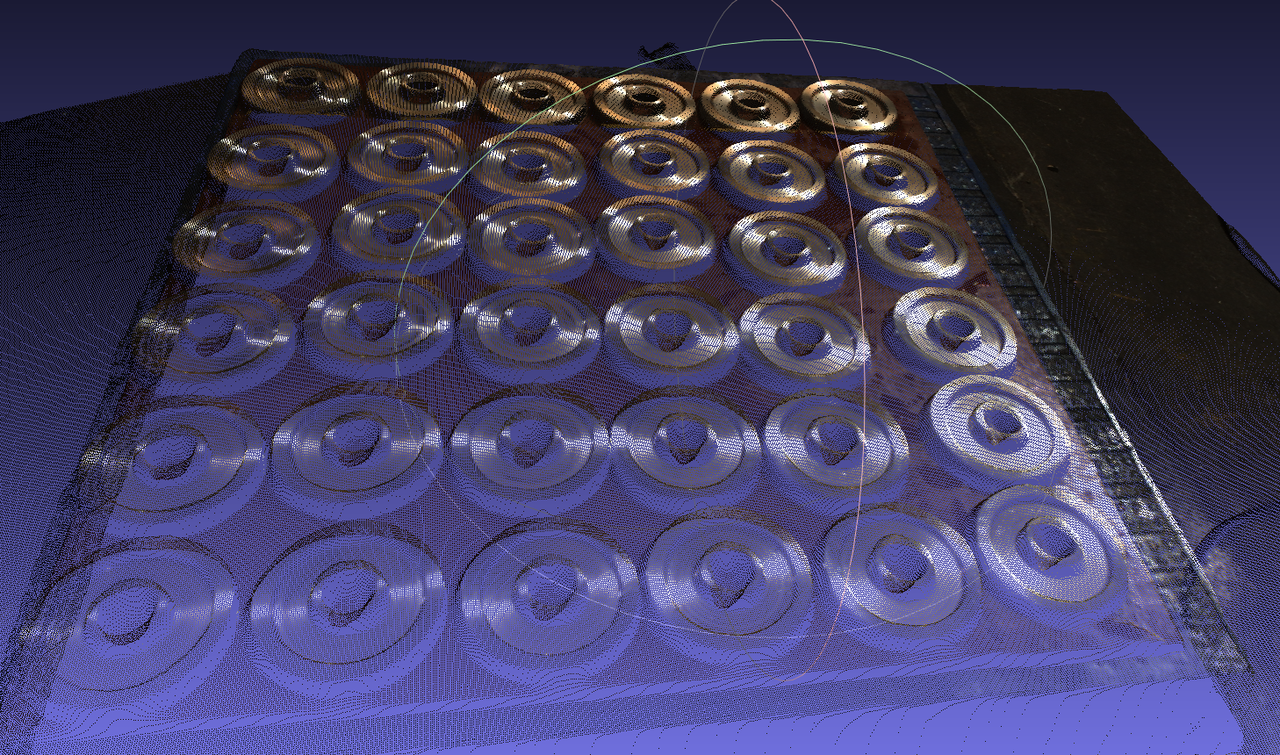
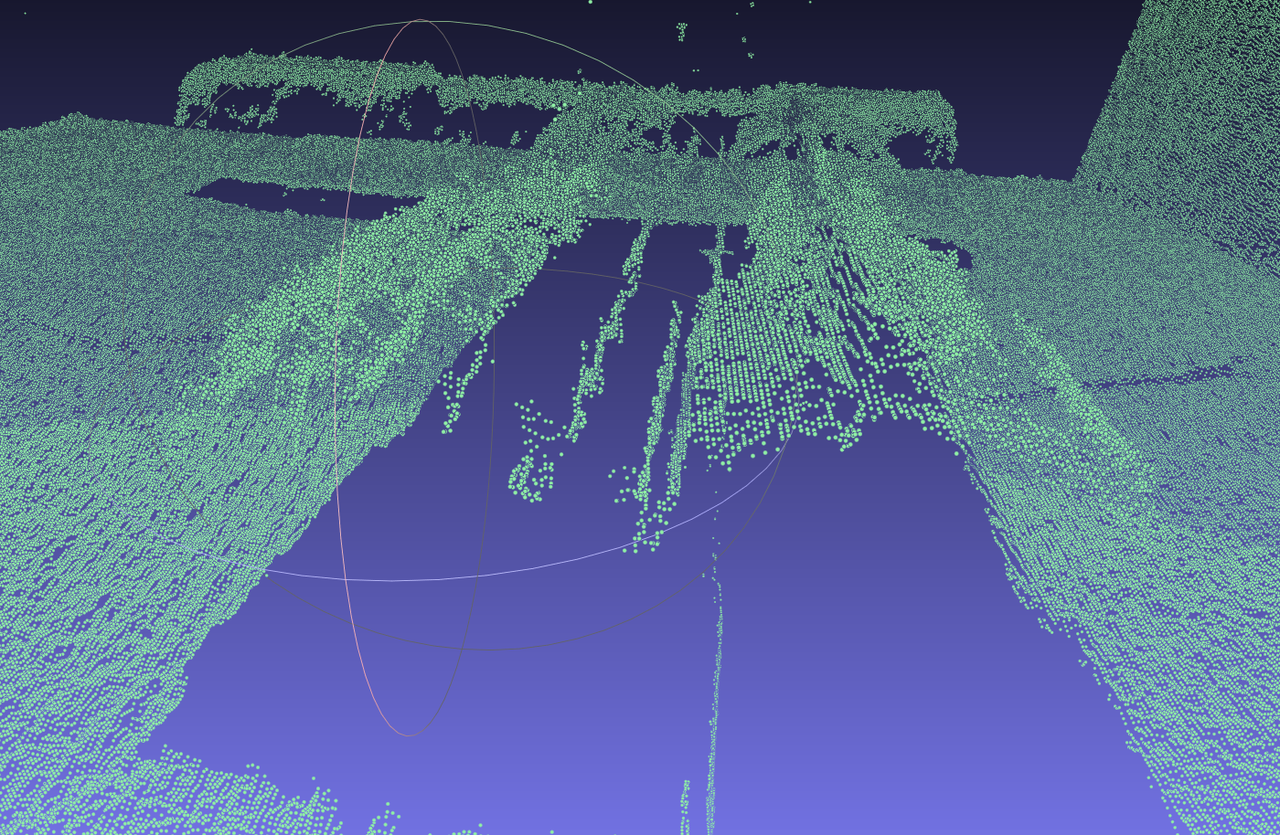
Compared with the previous HDR multi-exposure mode, the AI structured-light algorithm offers certain advantages when imaging point clouds of highly reflective targets. It can reduce missing and sparse point clouds in applications involving automotive components, machined metal parts, new-energy batteries, castings, and forgings, enabling stable and efficient 3D vision guidance.
| Target image | Previous structured-light method | AI structured-light method |
|---|---|---|
 |  |  |
 |  |  |
 |  |  |
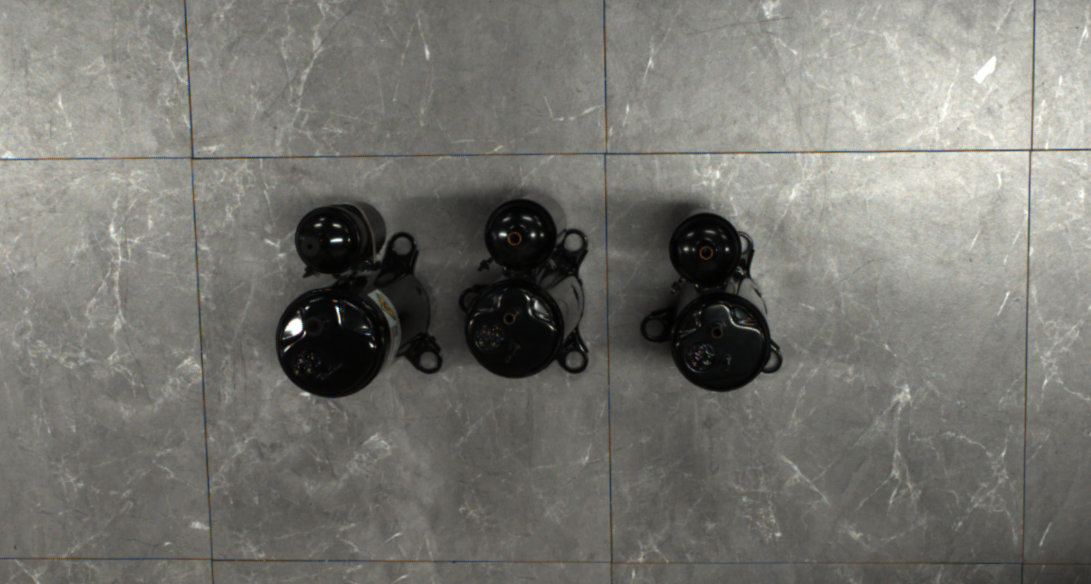 | 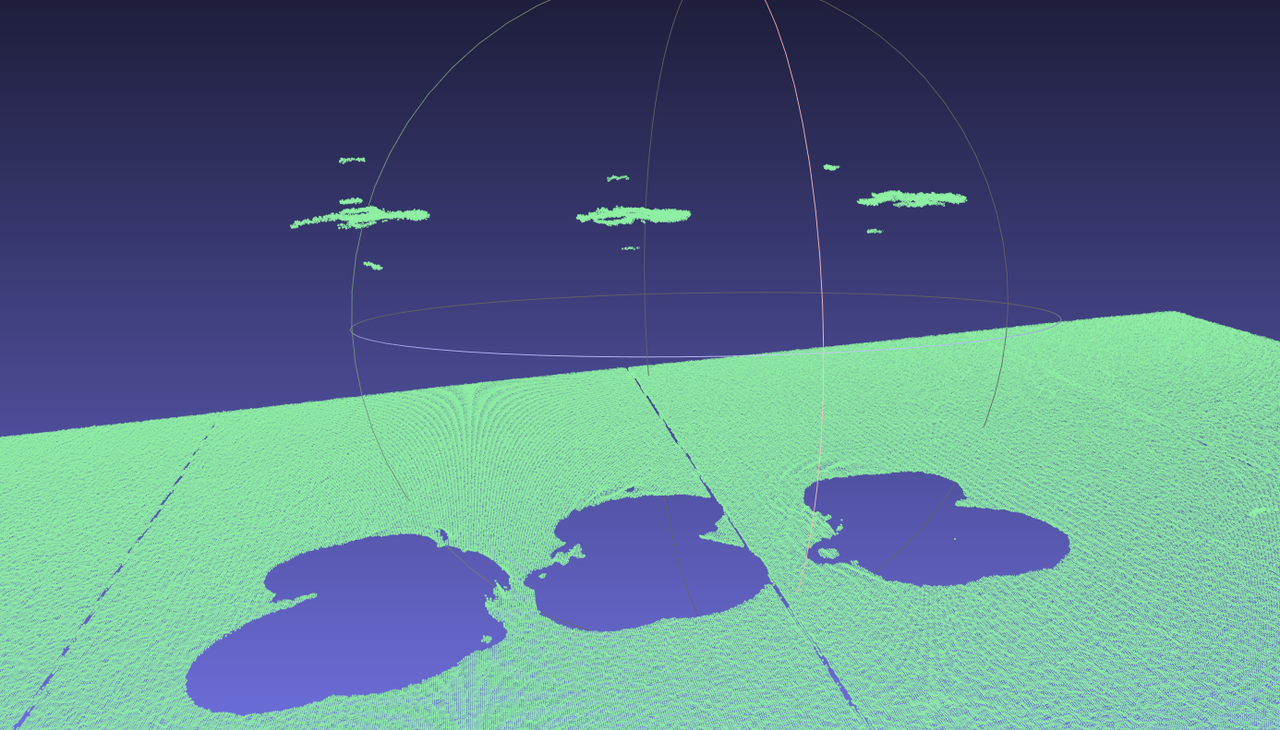 |  |
Precautions for the AI structured-light algorithm:
To use an Imaging Model that supports this algorithm, submit a model training request to the product and R&D teams so they can train and provide the model.
When performing hand-eye calibration using an imaging model that supports the AI structured light algorithm, you must first switch to non-AI structured light mode to complete the hand-eye calibration, before returning to normal use of the AI structured light mode.
Imaging Models that support this algorithm currently do not support One-Click Connection or Shadow Mode.
FINCH series cameras currently do not support the AI structured-light algorithm.
The algorithm cannot be used with standalone camera hardware that is not paired with PickWiz software.
End-to-End Pose Estimation (SIPE) Task Run Mode
Earlier stereo vision solutions typically used separate, sequential imaging and detection steps. In industrial applications, this can lead to slow point-cloud generation and longer vision cycle times.

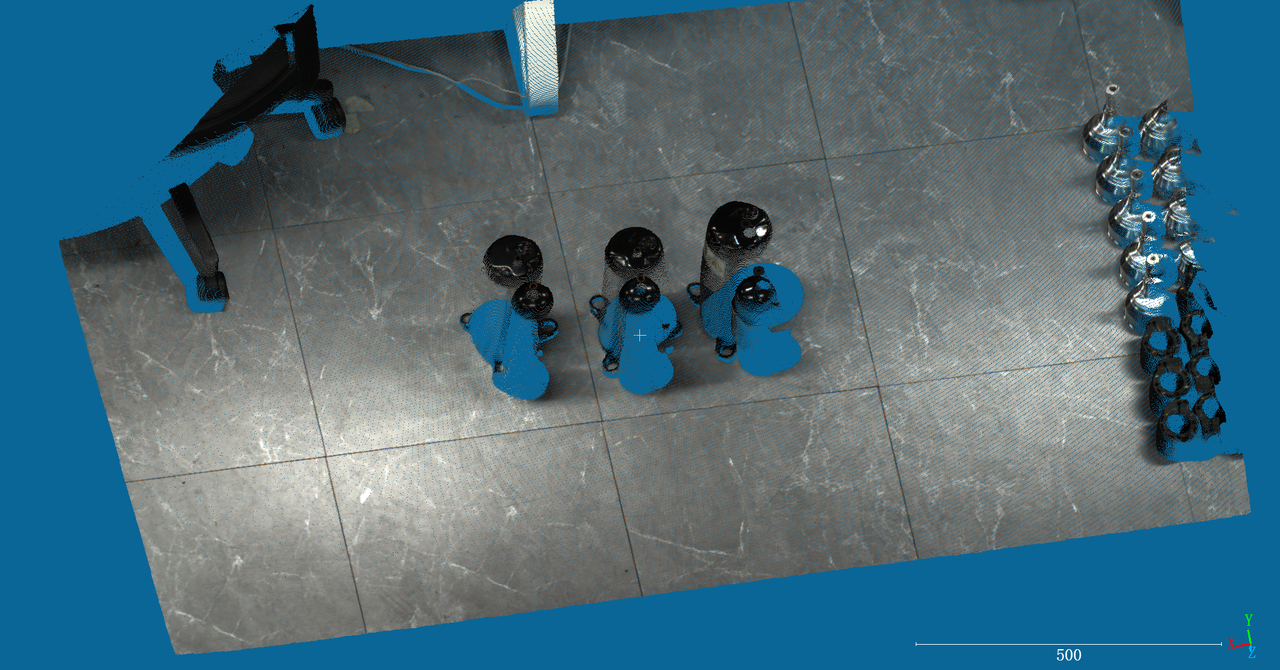
This release adds an end-to-end pose estimation (SIPE) task run mode for two task types: loading and unloading of neatly arranged general targets and general target positioning and assembly. When a KINGFISHER or KFC series camera is connected, select this mode and upload a compatible model on the Target Configuration page. During task execution, the model directly generates instance point clouds and pose estimates through an end-to-end process, reducing processing time and improving task cycle time. For details, see the SIPE End-to-End Pose Estimation User Guide.
 | 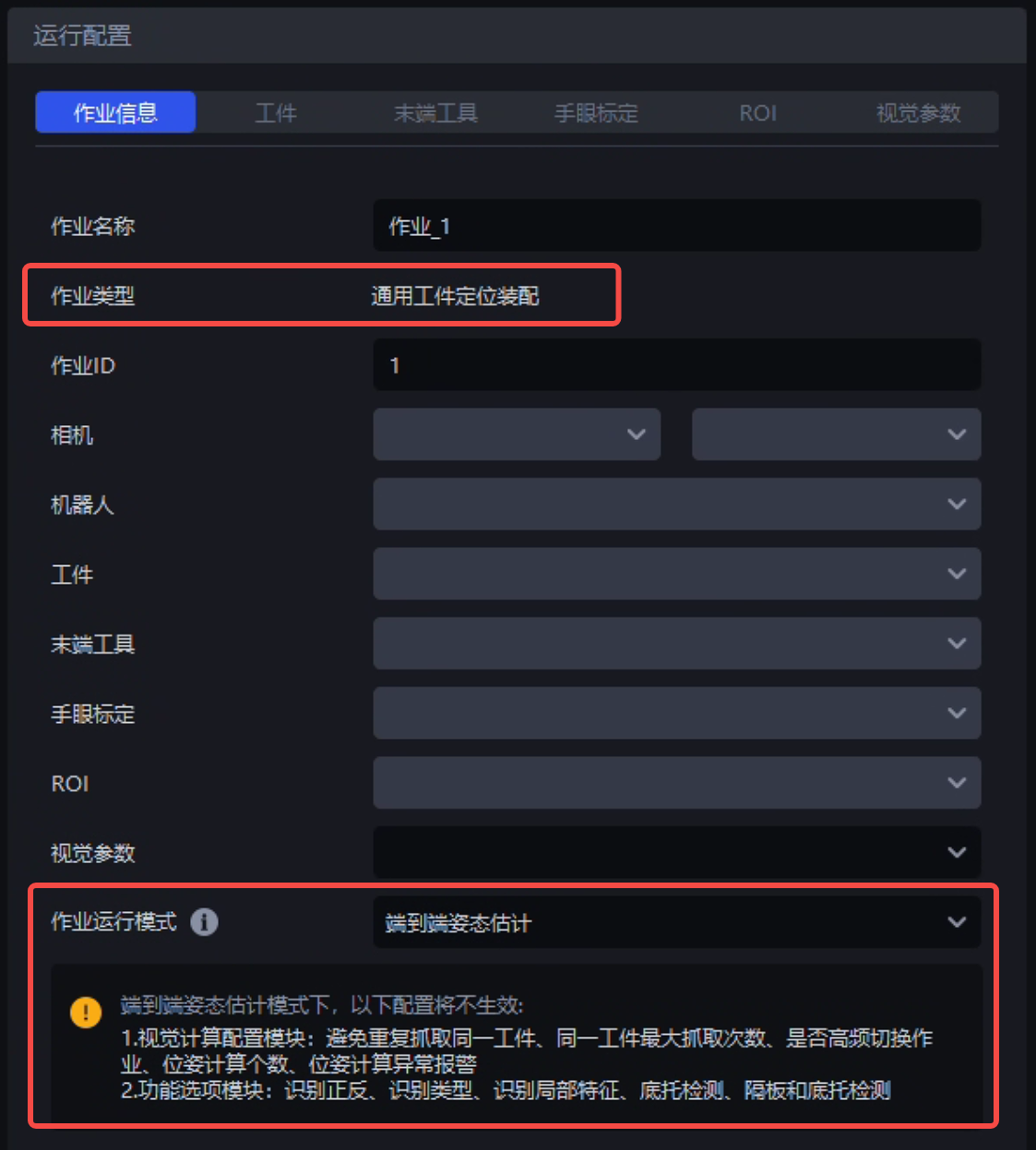 |
|---|---|
| New task run mode for neatly arranged general-target loading and unloading | New task run mode for general-target positioning and assembly |
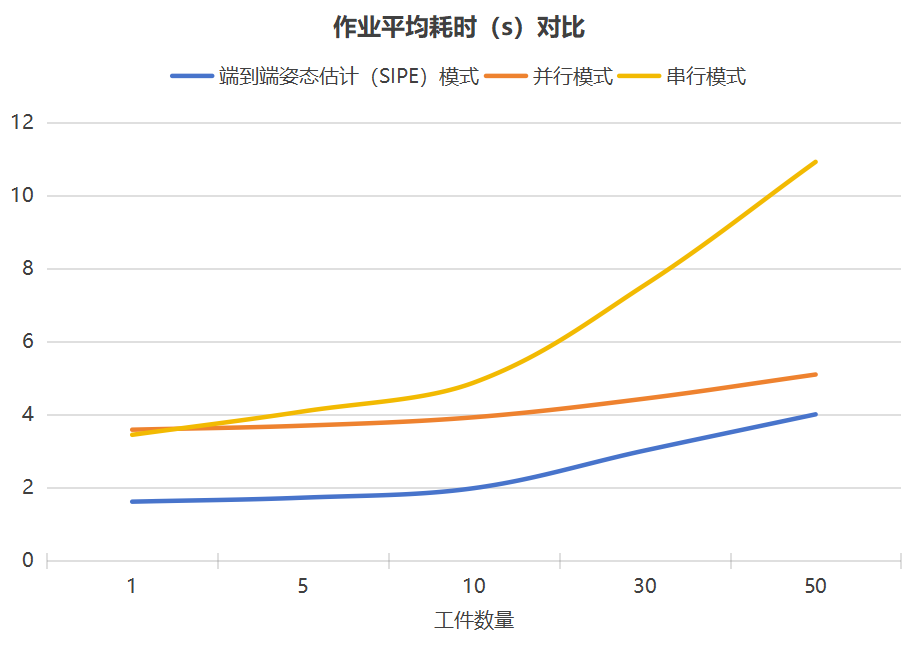
In internal tests with identical scenes, targets, task configurations, cameras, and industrial PCs, SIPE mode used approximately 50% less video memory on average and reduced average task runtime by approximately 20%–50% compared with serial or parallel modes.
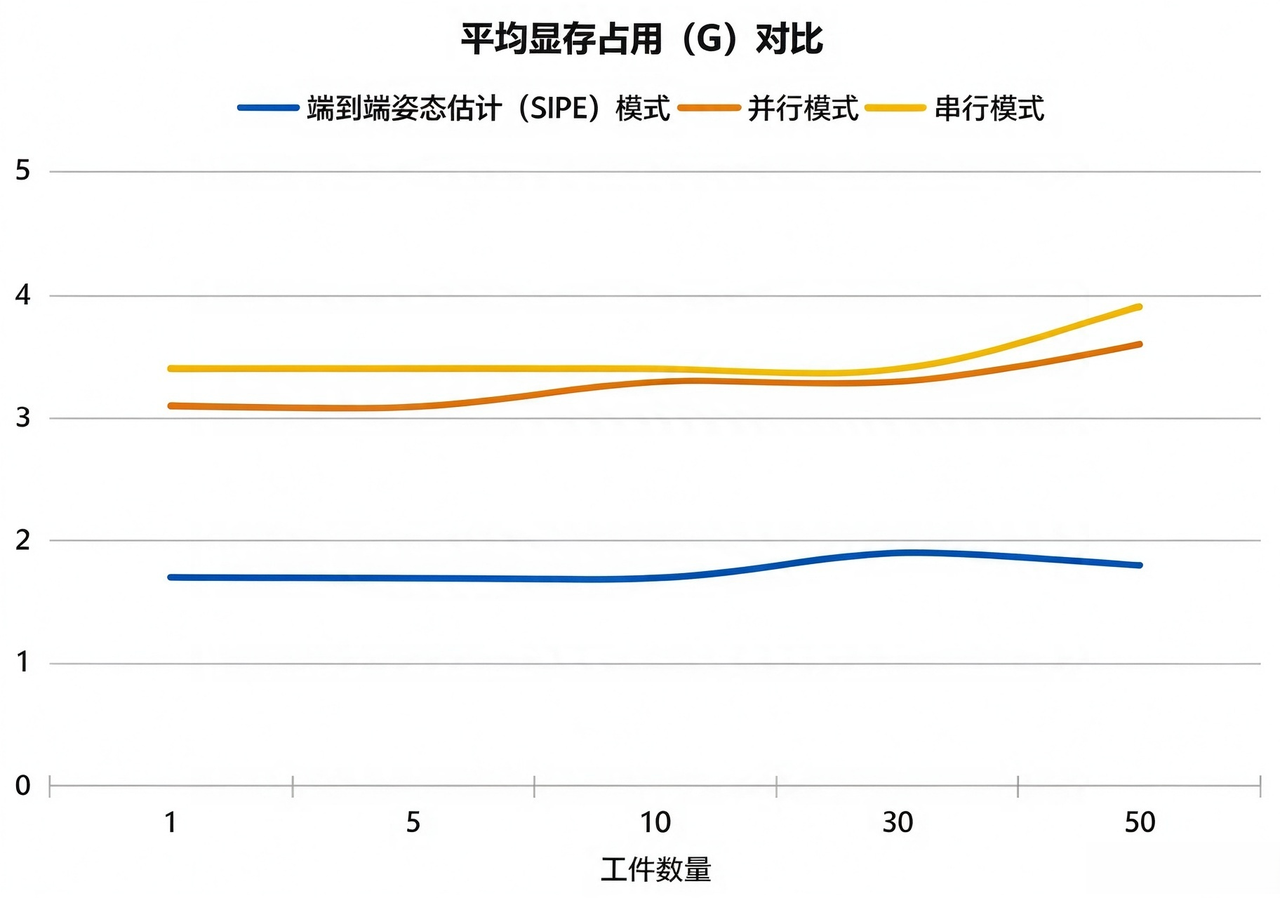
Average video memory usage (GB): SIPE mode < parallel mode ≈ serial mode
Average task runtime (s): SIPE mode < parallel mode < serial mode
Precautions for end-to-end pose estimation (SIPE) mode:
To use an end-to-end model that supports SIPE, submit a model training request to the product and R&D teams so they can train and provide the model.
SIPE currently supports only loading and unloading of neatly arranged general targets and general target positioning and assembly, and only when a KINGFISHER or KFC series camera is connected. Other task types and camera series are not yet supported.
End-to-end models that support SIPE currently do not support One-Click Connection, Shadow Mode, or Mask Mode.
One-Click Connection
- After training a Visual Model with One-Click Connection, users can export it directly in ONNX, TRT, PTH, or other formats. Models in the same format are compatible with different GPU models (3050 / 3060 / 5050), with essentially the same inference performance. Users can select the format required by a project without manually converting the model.
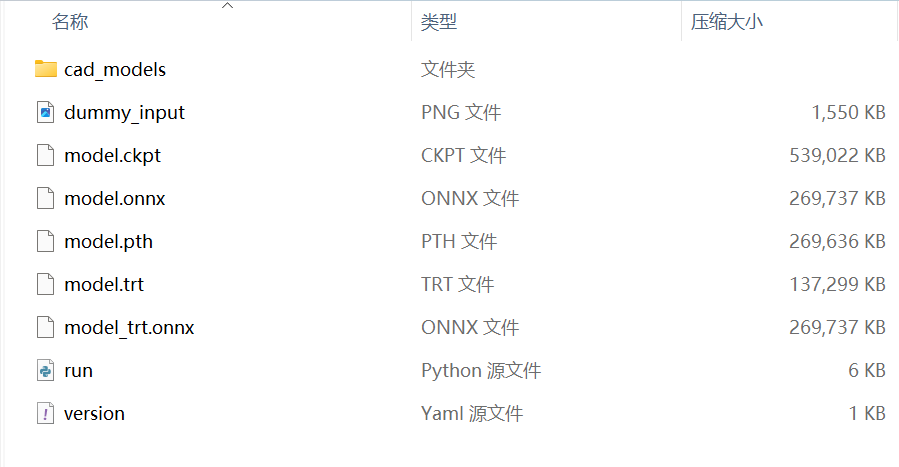
Direct export of Visual Models in different formats from One-Click Connection
Currently, only Visual Models can be exported directly in different formats. An Imaging Model still needs to be converted manually if a TRT model is required.
Industrial PC
- Support for the NVIDIA RTX 5050 GPU (8 GB) has been added to ensure a stable supply of high-configuration industrial PCs. In internal performance tests across task types, with the same scene, target count, camera hardware, and industrial PC memory, cycle time and video memory usage on the 5050 fell between those on the 3050 and 3060, while CPU usage was slightly higher than on either GPU:
System cycle time (s): 3060 < 5050 < 3050
System video memory usage (GB): 3050 ≈ 5050 < 3060
System CPU usage (%): 3060 ≤ 3050 < 5050
For the internal functional test results, see the 5050 GPU Test Report. For the internal performance test results, see the CUDA 12.8 Static Stress Test Comparison Across GPUs.
Improvements
Camera
- When KINGFISHER-S-602, KINGFISHER-W-3004, and other KFC series cameras are connected, One-Click Connection and Shadow Mode can train Imaging Models to improve imaging results.
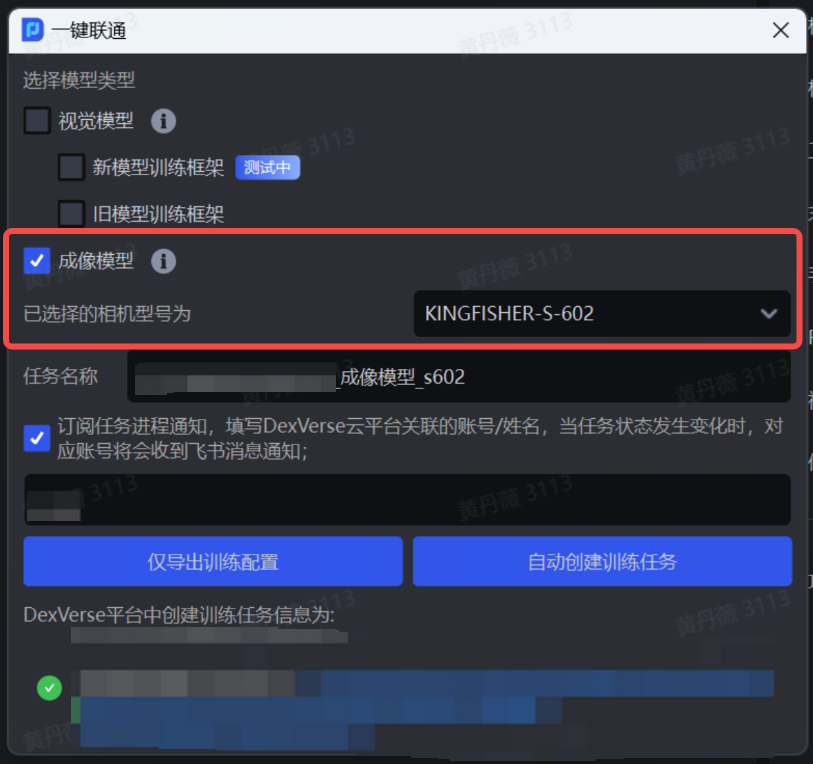
Training Imaging Models for KFC series cameras with One-Click Connection
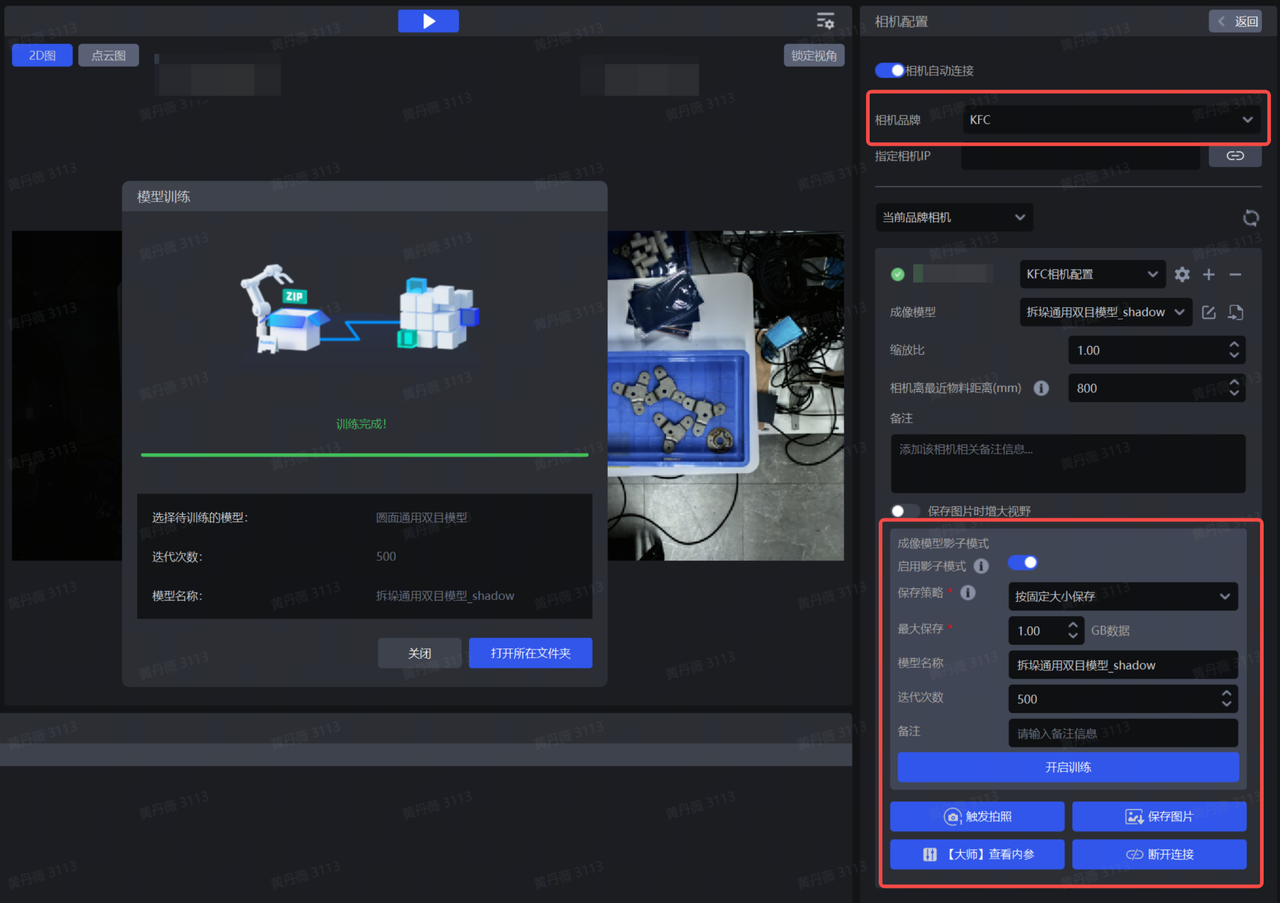
Training Imaging Models for KFC series cameras with Shadow Mode
Unified SDK integration for XEMA, KFC, FINCH, and SPARROW series cameras on Windows standardizes device discovery, connection, parameter configuration, image capture, and calibration interfaces. This improves consistency and maintainability across camera models.
Camera log storage has been improved to prevent log files from becoming too large to open.
One-Click Connection
Visual Models trained with the older One-Click Connection training framework can now be further trained through Shadow Mode, allowing users to improve these models on the edge device.
For Visual Models that use target keypoints, keypoints are reordered consistently during model training, import, and inference. This prevents inaccurate pose matching and system errors caused by incorrect keypoint order.
Task Run Mode
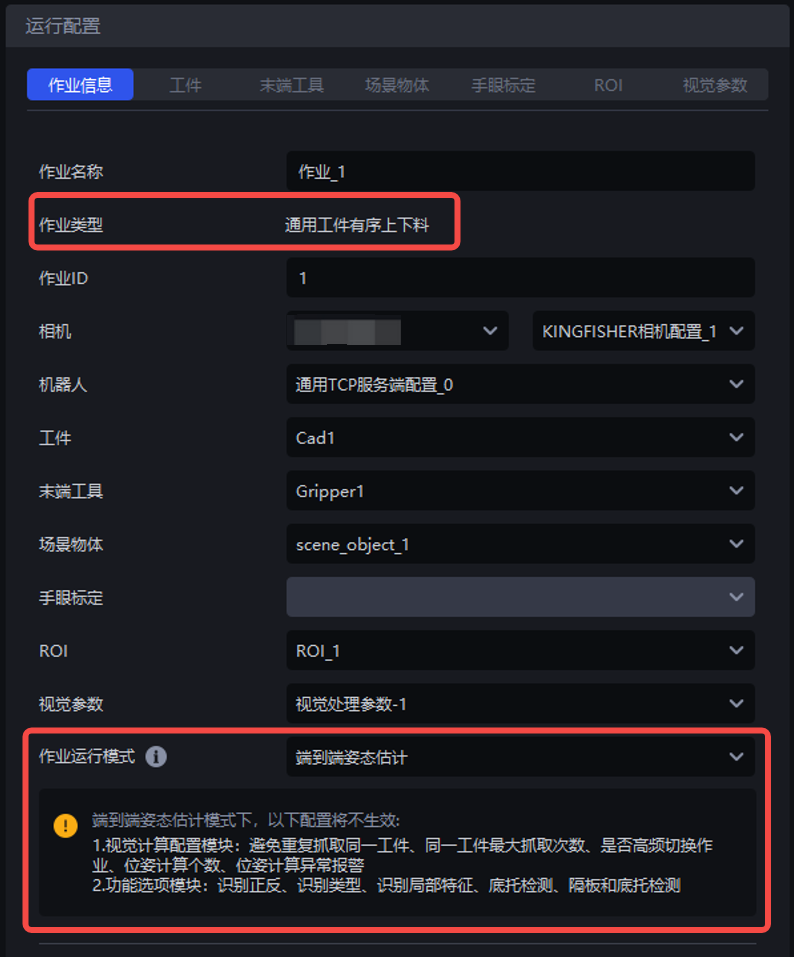
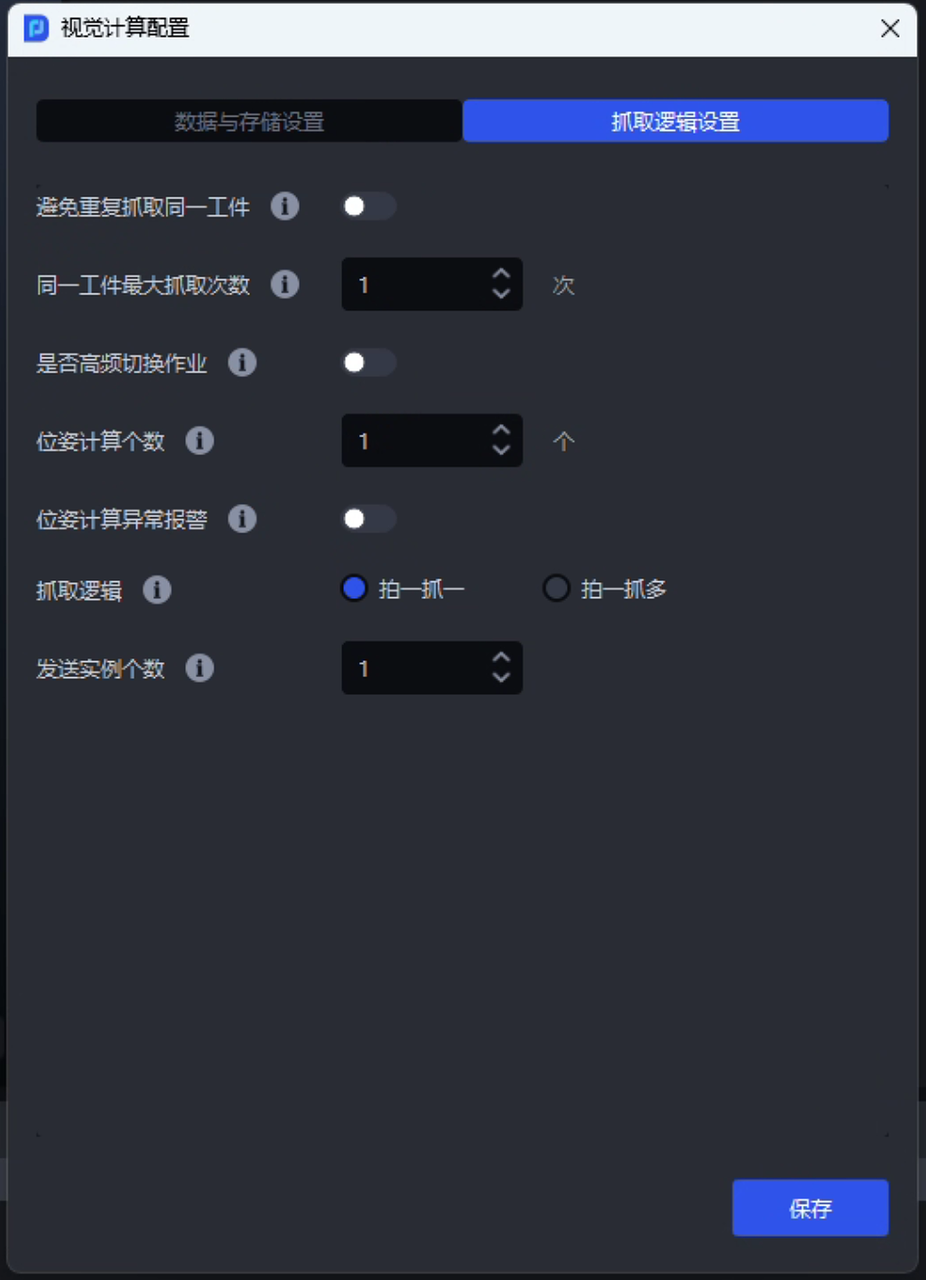
- A Task Run Mode field has been added to the Task Information page so users can view and switch between Serial, Parallel, and End-to-End Pose Estimation (SIPE) modes. The former Vision Computation Acceleration switch has been removed from Vision Computation Configuration to improve usability.
| Task Information page (end-to-end pose estimation supported) | Task Information page (end-to-end pose estimation not supported) | Vision Computation Configuration page |
|---|---|---|
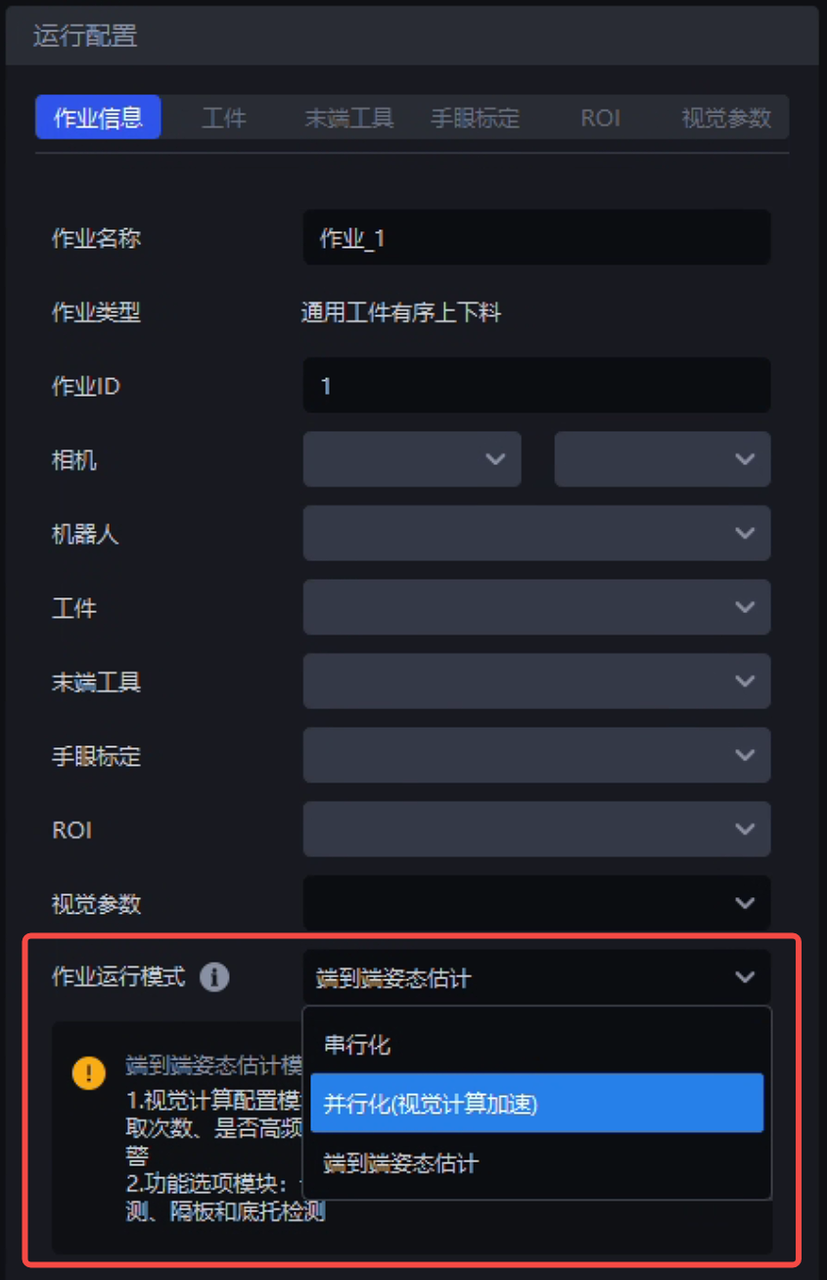 | 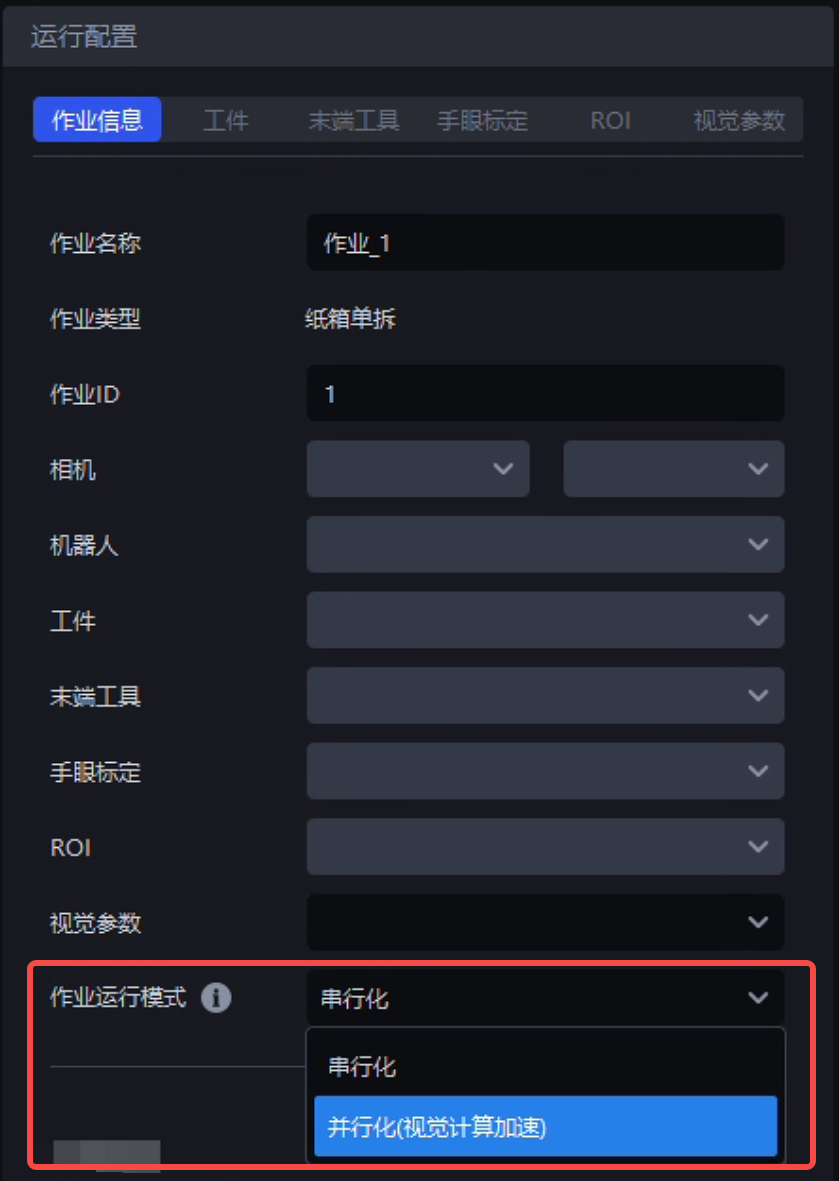 |  |
Target
- Real-time preview of One-Click Connection data rendering is now supported. When entering a camera height range on the Target Configuration page, users can preview data rendered from the current target mesh file, Pattern Mask, camera height, and other settings. After a One-Click Connection training task is submitted, the system uses the entered camera height range for rendering and training. This keeps the actual camera mounting height, the range entered on the page, and the range used for rendering and training consistent, making configuration easier and reducing training failures caused by camera height settings.
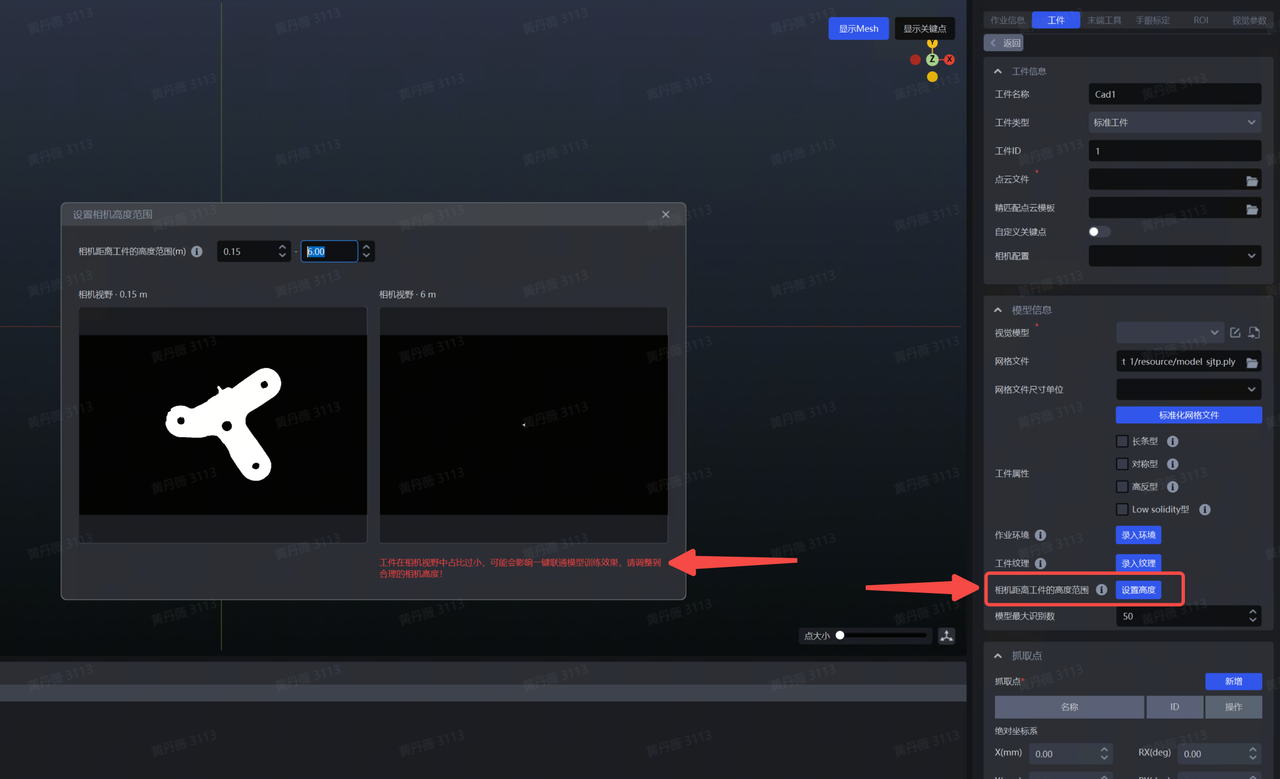
Preview of One-Click Connection data rendering on the Target Configuration page
- The preloaded general-purpose Visual Models for cartons, sacks, circular surfaces, long and short cylinders, quadrilaterals, and other targets have been replaced with TRT models. Compared with the previous models, inference is more than 60% faster and video memory usage is reduced by approximately 60%, improving model inference performance.
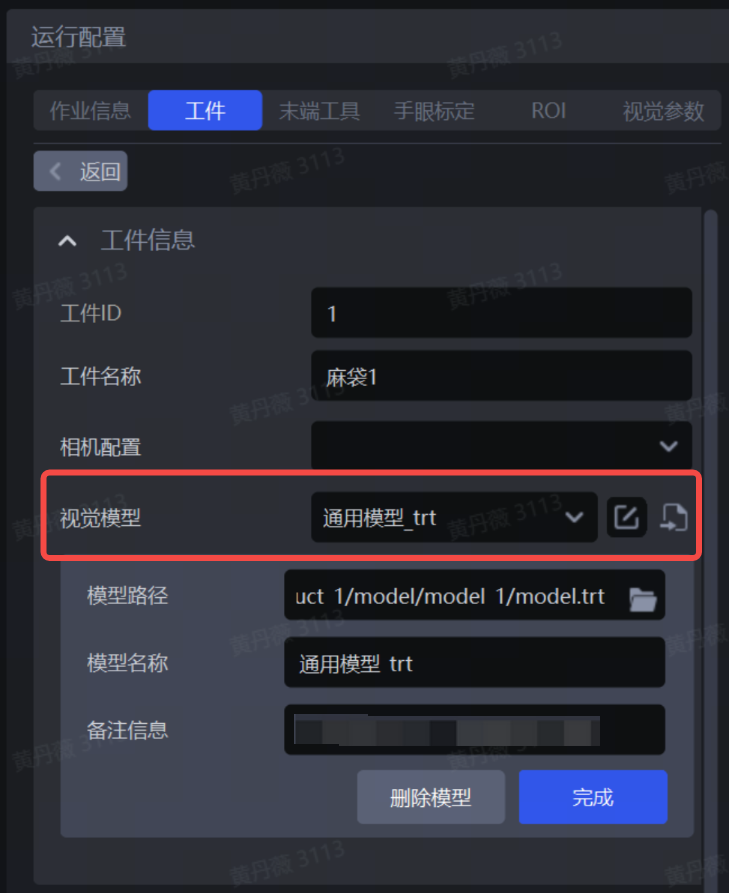
The general-purpose Visual Models on the Target Configuration page are now in TRT format
Among the models currently preloaded in the system, only the general-purpose Visual Models and the general depalletizing Imaging Model are in TRT format. Other general-purpose Imaging Models remain in ONNX / PTH format and must be converted manually if TRT is required.
Shadow Mode
The same model can undergo multiple rounds of Shadow Mode training. One-Click Connection and Shadow Mode now produce aligned data directory structures after training, allowing a model to be improved repeatedly.
The download mechanism for the files required to train a Visual Model in Shadow Mode has been improved, preventing errors or freezing when creating a target or starting Shadow Mode training.
Case Library
- Imaging Models, Visual Models, and file resources used by cases in the Case Library have been updated to the latest versions, providing up-to-date model capabilities for project and task templates.
Other
- Closing the main application window now automatically stops all background processes, preventing errors or failure to reopen the software when processes remain running.
Bug Fixes
- Fixed an issue where unsupported Vision Computation Configuration settings remained active after Vision Computation Acceleration (parallel mode) was enabled.
Source: [Requirement] [Fix] [Parallel Mode] Unsupported vision computation settings should be disabled by default when Vision Computation Acceleration is enabled.
- Fixed excessive video memory usage when Color Classification Mode was selected in the Partition and Pallet Detection plugin.
Source: [Issue Collection] The partition detection plugin reports an out-of-video-memory error in Color Classification Mode.
[Requirement converted from issue collection] [Fix] Resolve excessive video memory usage in the partition detection plugin's Color Classification Mode.
- Fixed abnormal system video memory usage caused by TRT model inference failing to clear its cache automatically.
Source: [Defect] [Issue Collection converted to bug] Video memory cache was not cleared after model inference.
[Issue Collection] In PickWiz 1.8.4, abnormal video memory usage during neatly arranged general-target loading and unloading affected cycle time.
Known Issues
Black-and-white images may show stripes when XEMA series cameras capture images in AI Structured Light mode. This is planned for a future release.
Task environment information entered in Target Configuration may not take effect. This is planned for a future release.
Source: [Defect] <PickWiz> One-Click Connection: When creating a neatly or randomly arranged recognition scene, the environment can be entered but is not exported in the configuration package.
- The Low Density target property is currently supported only by the Local Identification plugin. This is planned for improvement in a future release.
Source: [Defect] <PickWiz> One-Click Connection: Selecting Low Density for a target causes rendering to fail because a local mesh file is missing. The property is currently supported only by the Local Identification plugin and should be hidden in other scenes.
- Point-cloud imaging of material frames may be poor when the scene includes a material frame; the Imaging Model needs further training. This is planned for improvement in a future release.
Source: [Defect] <PickWiz> Camera: When training a KFC V2 Imaging Model for a scene with a material frame, the material-frame point cloud collapses.
- Converting an RCNN model to TRT format after Shadow Mode training may take a long time. This is planned for improvement in a future release.
Source: [Defect] <PickWiz> One-Click Connection: Training an older general-purpose neatly arranged model from the Case Library failed with “TRT export pipeline failed: remote TRT pipeline command did not finish before the deadline”.
- TRT Imaging Models may have different inference performance on different GPU models. This is planned for improvement in a future release.
Source: [Defect] <PickWiz> AI structured light cannot currently use an externally imported TRT model; only a TRT model exported locally works.
- Models and associated files may be lost when changing industrial PCs or deleting files. This is planned for improvement in a future release.
Source: [Defect] <PickWiz> Shadow Mode: After exporting project configuration, changing to another industrial PC, or deleting the local model folder (outside project configuration), Shadow Mode training fails because files such as
ewcare missing.