
Count Calculation and Transmission Configuration
1. Configuration Relationships
In PickWiz, settings for calculating and transmitting counts are located in Robot Configuration, Vision Calculation Configuration, and Instance Filtering:
| Setting | Location | Purpose |
|---|---|---|
| Number of instances to send | Robot Configuration → Custom Message Format | Controls the number of instances sent to the robot each time. |
| Number of pick points to send | Robot Configuration → Custom Message Format | Controls the number of pick points sent to the robot for each instance. |
| Number of poses to calculate | Visualization Window → Vision Calculation Configuration | Controls how many instances have their poses calculated after 2D recognition, sorting, and filtering. |
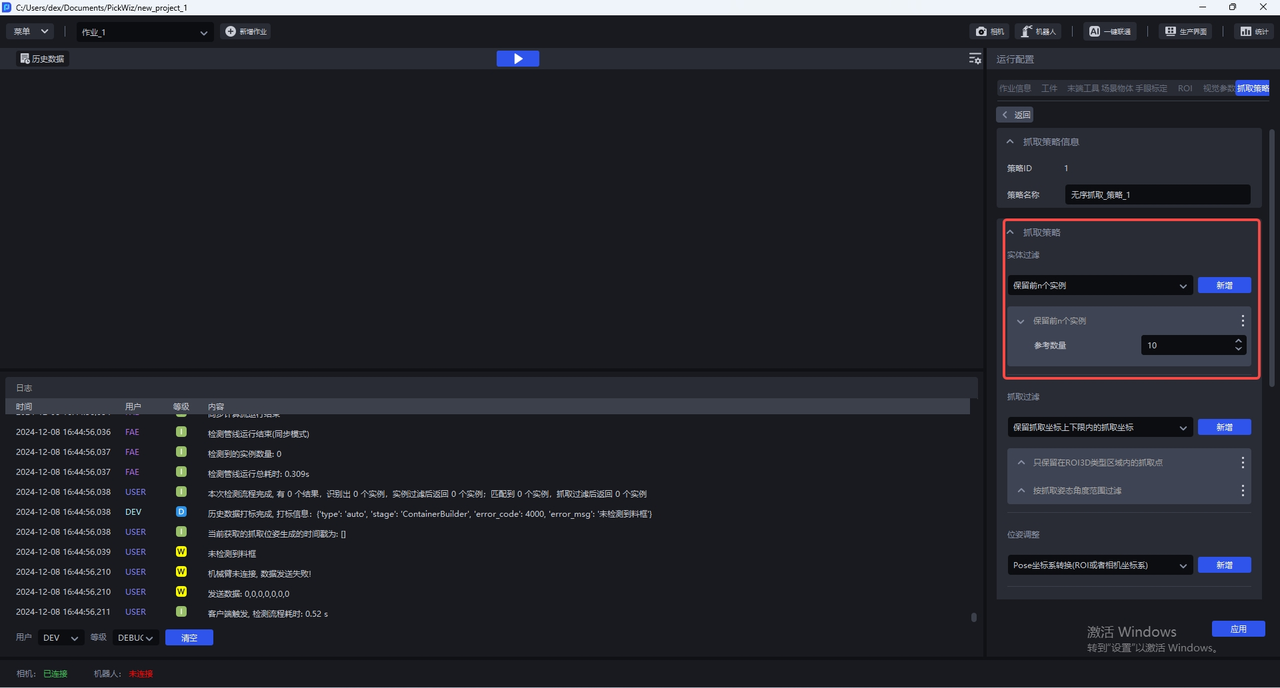
| Keep the first N instances | Pick Strategy → Instance Filtering | Keeps only the first N instances and filters out the rest. |
First determine how many instances need pose calculations. Then set the number of instances and pick points to send based on how many results the robot can process at one time.
2. Configure the Number of Results to Send
Set Number of instances to send and Number of pick points to send in Robot Configuration → Custom Message Format.
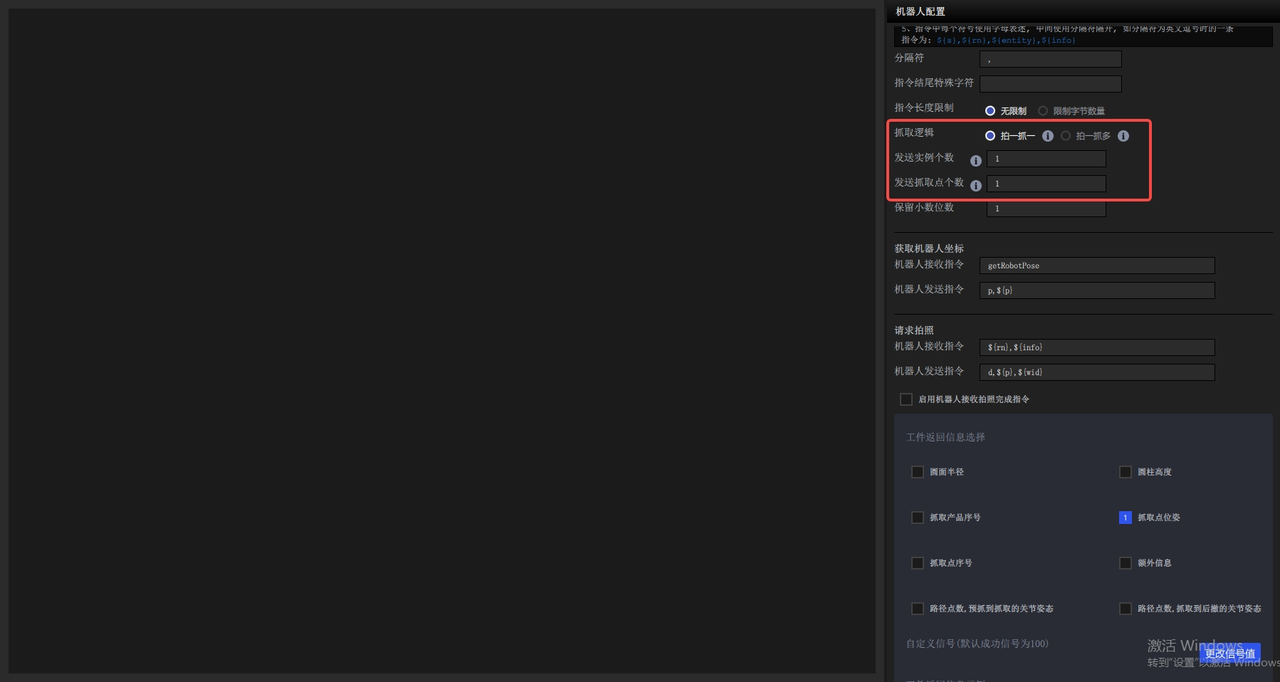
Common combinations are:
| Transmission target | Number of instances to send | Number of pick points to send | Description |
|---|---|---|---|
| 1 pick point for 1 instance | 1 | 1 | Sends one instance and one of its pick points each time. |
| 2 instances, with 1 pick point each | 2 | 1 | If only 1 instance remains, sends 1 pick point for that instance. |
| 2 pick points for 1 instance | 1 | 2 | Requires at least 2 pick points to be configured for the target. |
| 2 instances, with 2 pick points each | 2 | 2 | Sends up to 2 instances each time, with 2 pick points for each instance. |
3. Configure the Number of Poses to Calculate
Set Number of poses to calculate in Visualization Window → Vision Calculation Configuration.
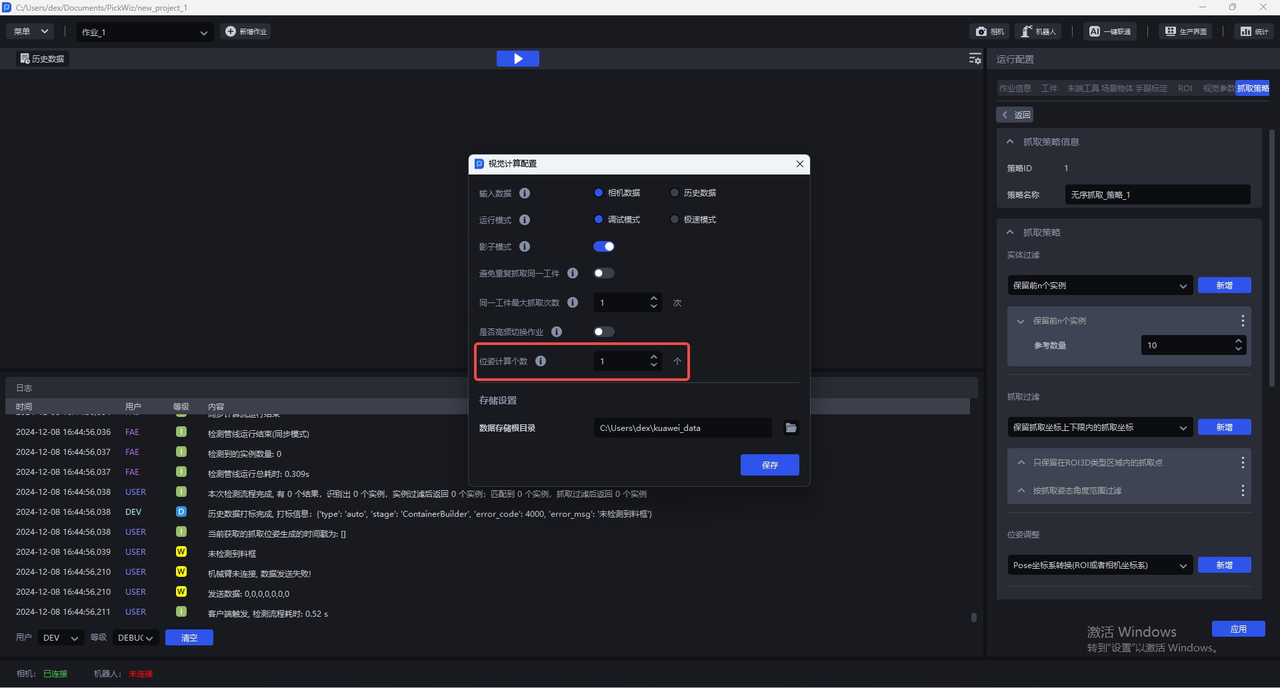
This value specifies how many instances have their poses calculated after 2D recognition, sorting, and filtering. A higher value generally increases calculation time. Recommended settings by scene are:
- Depalletizing: Set it to the number of instances in one layer.
- Neatly arranged scenes: Generally use the same value as Keep the first N instances.
- Randomly arranged scenes: Generally set it to 5–20. Higher values take longer.
- Positioning and assembly: Generally set it to 1 when the scene contains only one target.
For detailed steps, see the Vision Calculation Configuration Guide.
4. Configure the Number of Instances to Keep
You can configure Keep the first N instances in Pick Strategy → Instance Filtering. This function keeps only the first N instances and filters out any beyond that number.
Note
The Keep the first N instances function is currently not recommended and will be deprecated in the future.
5. Related Documents
Return to communication method selection and the general configuration workflow
Configure the number of poses to calculate and the vision calculation workflow
Learn how to configure the instance filtering function and understand its effects