Front/Back Recognition (Using Point Cloud Templates) Guide
Front/Back Recognition (Using Point Cloud Templates) allows you to import Point Cloud templates for the front and back sides of a Target Object to determine whether the picked Target Object is the front side or the back side. It also allows Pick Point settings to be configured separately for the front and back sides of the Target Object. This document mainly describes how to configure the front and back sides of a Target Object and adjust related vision parameters after enabling Front/Back Recognition (Using Point Cloud Templates).
The Front/Back Recognition (Using Point Cloud Templates) feature is suitable for general Target Object random picking, surface-type Target Object random picking, surface-type Target Object loading and unloading, general Target Object ordered loading and unloading, surface-type Target Object ordered loading and unloading, and positioning assembly
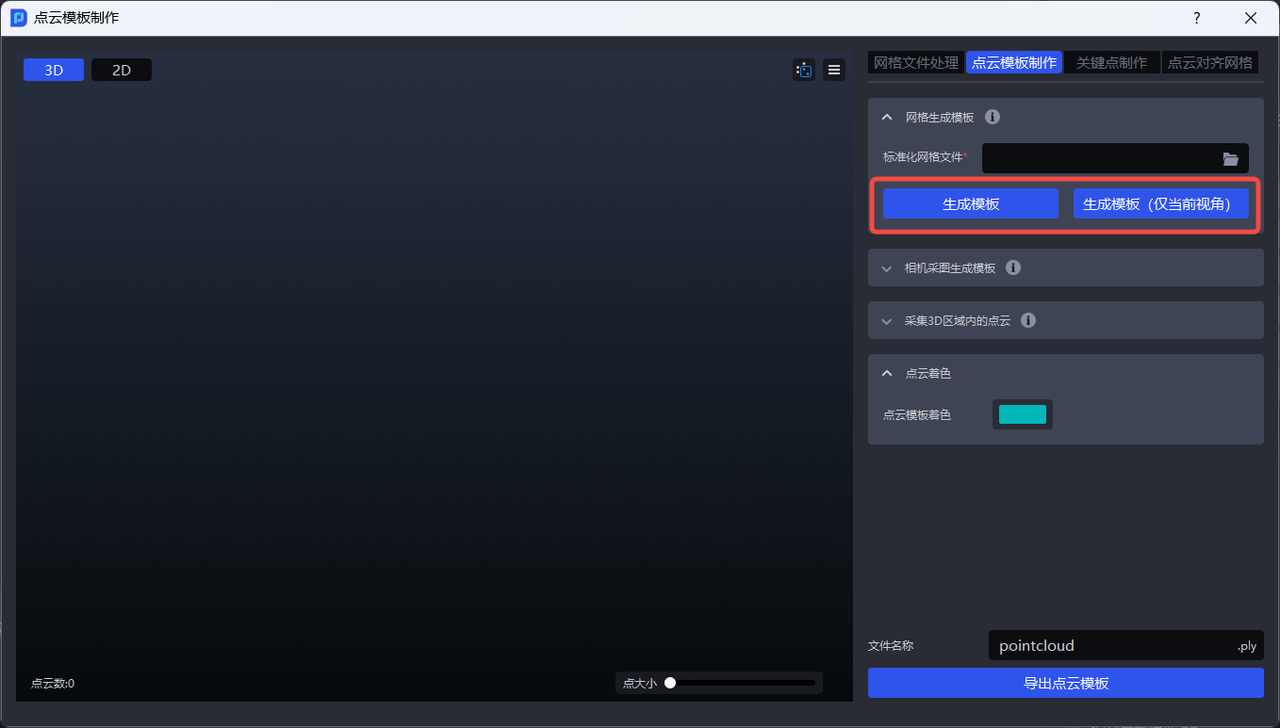
Front/back template creation: PickWiz's Point Cloud template creation feature
1. Operation Guide
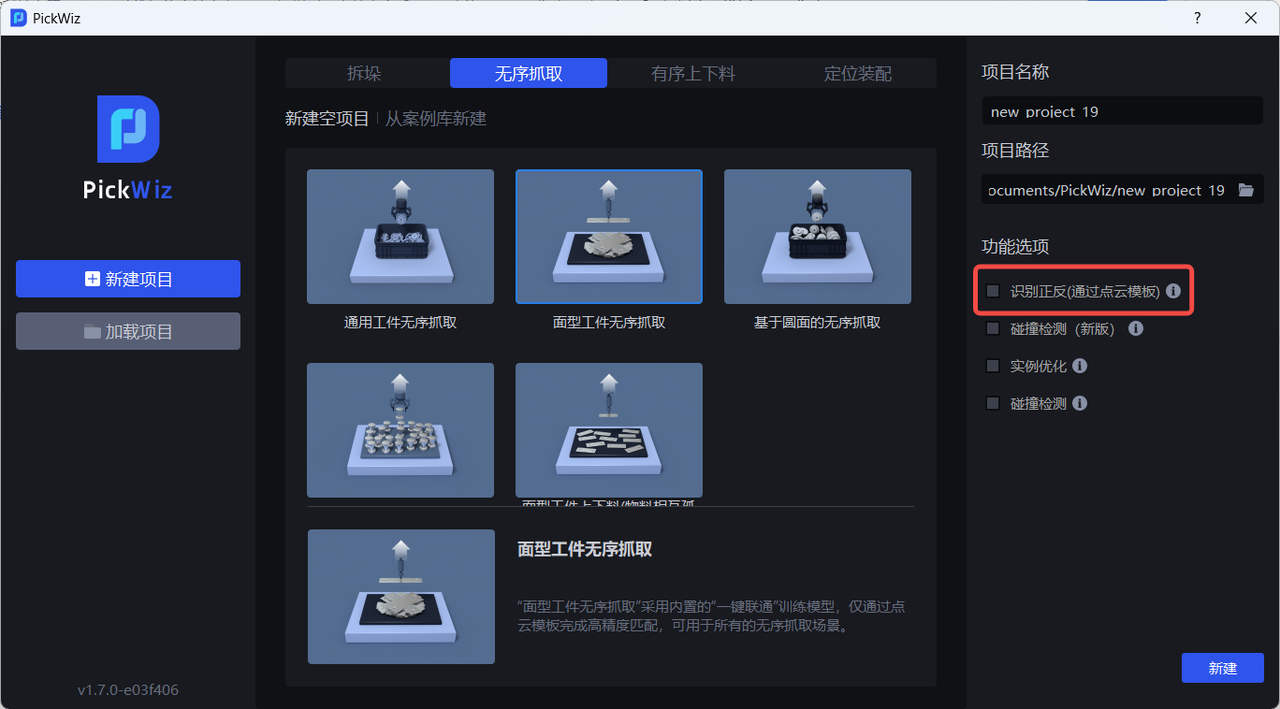
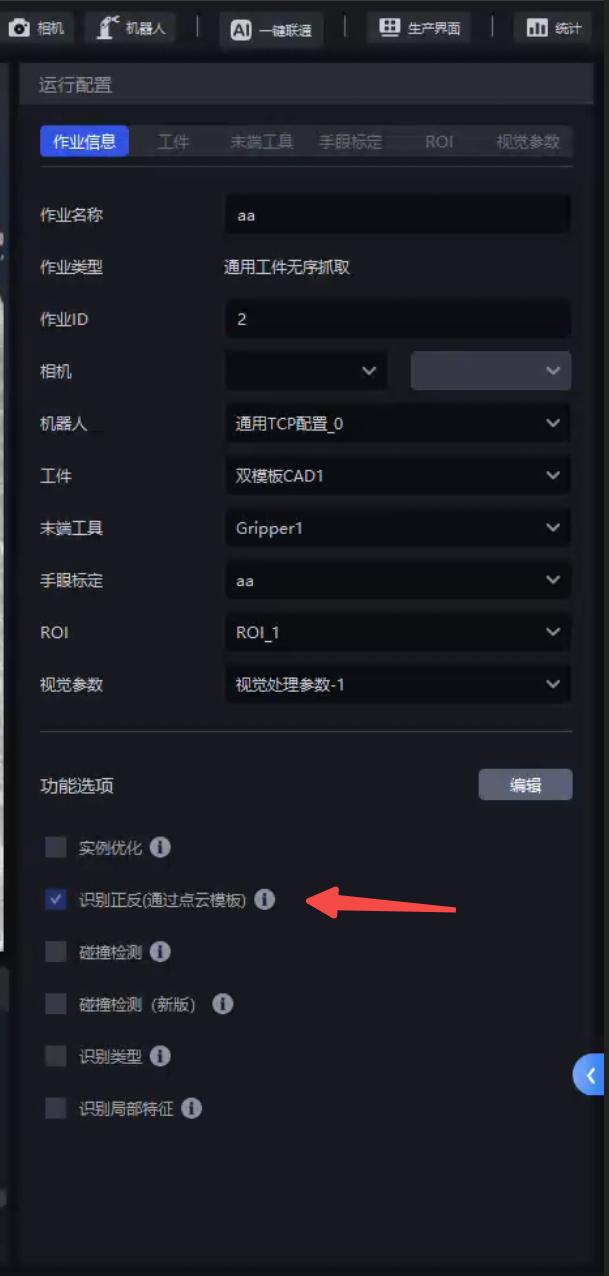
- When the difference between the front and back sides of the Target Object in the actual scene is significant, select the Front/Back Recognition (Using Point Cloud Templates) feature when creating a new Project; if it was not selected when creating the new Project, go to the Task Information page, click Edit in the lower-right corner, then select Front/Back Recognition (Using Point Cloud Templates) and save.
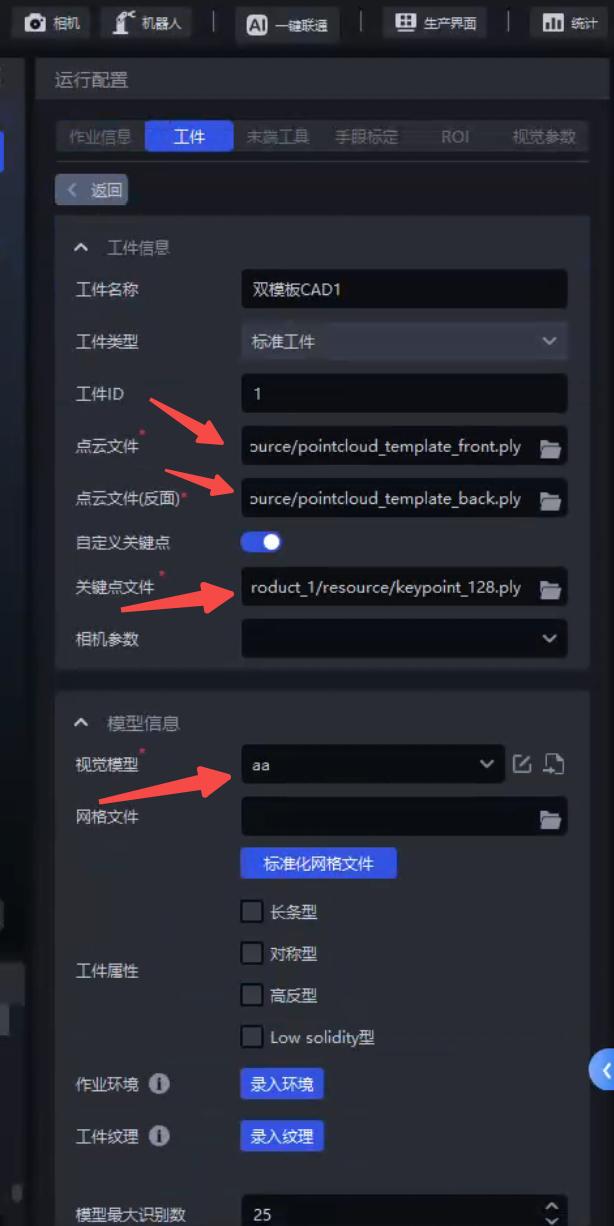
On the Target Object page, configure dual-template CAD and upload the Target Object's Point Cloud File, Point Cloud File (Back Side), Vision Model, and Custom Keypoints
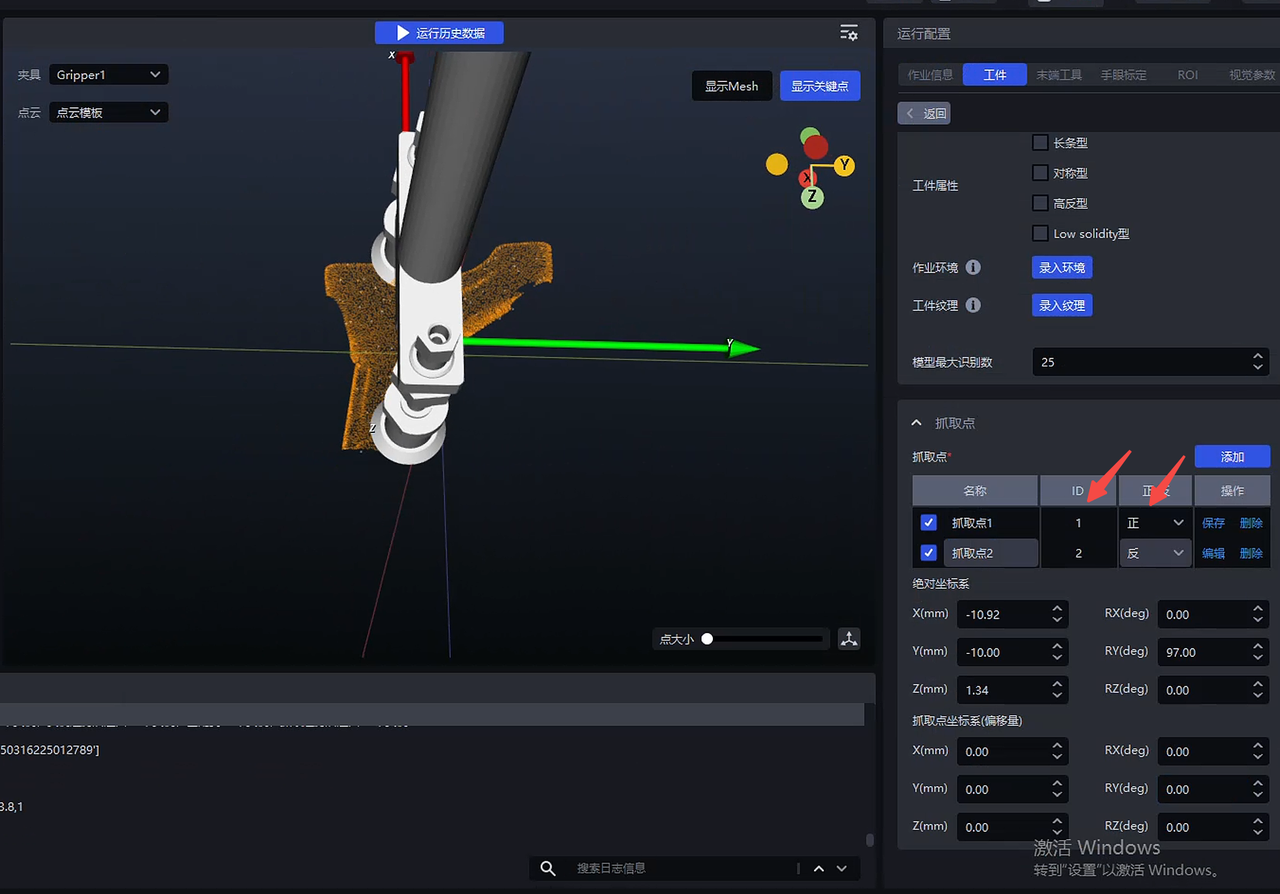
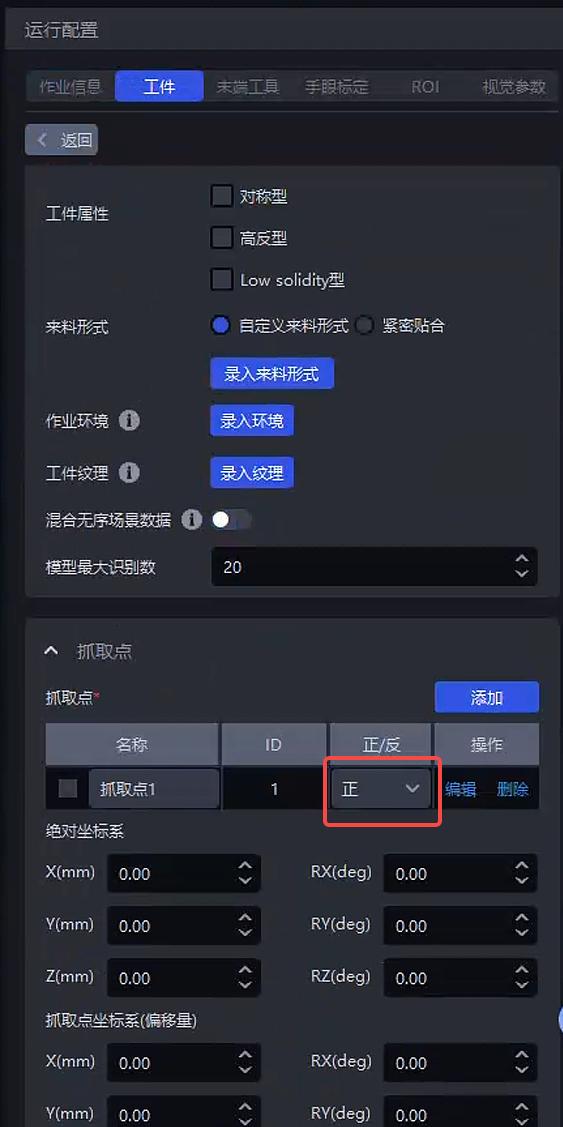
Click Add to set the Pick Points of the front and back templates, select the Front/Back attribute, and adjust the Pick Point positions of the front and back template point clouds according to the visualization window
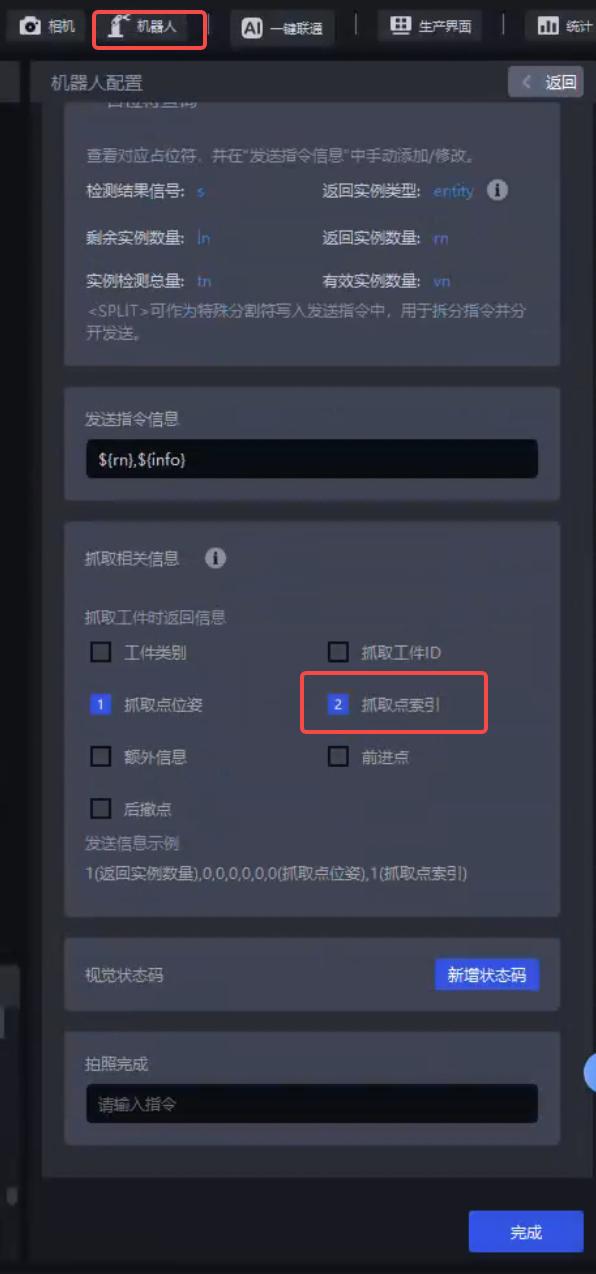
In Robot Configuration, select Pick Point Index under pick-related information
Note
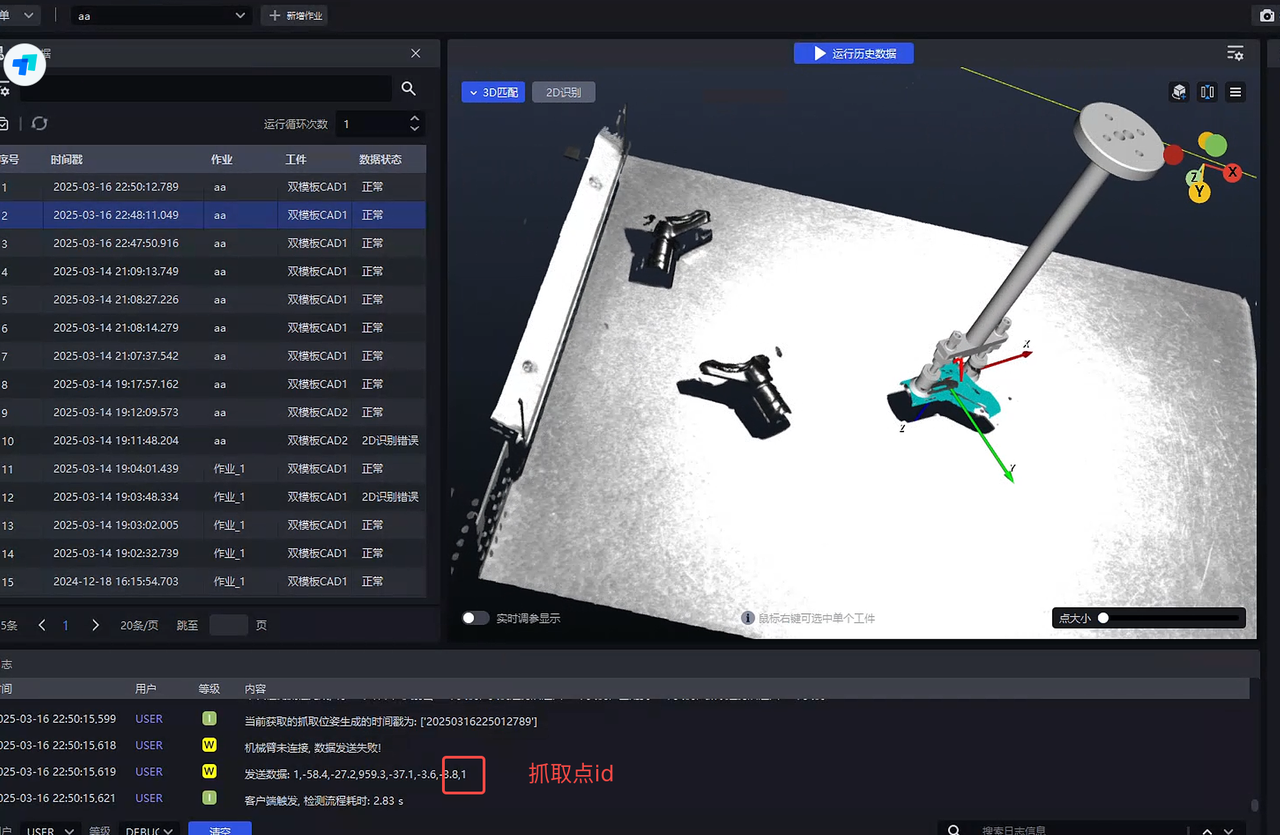
The Pick Point id returned by the robot should correctly correspond to the front/back templates