How to Use KINGFISHER Shadow Mode
1. Feature Overview
In Deep Learning models, Shadow Mode is a data augmentation method that reuses real data accumulated during model operation in actual scenarios for model training, increasing data diversity and improving the model's generalization capability.
2. Applicable Scenarios
When the imaging model currently used by the camera provides good imaging in 70%~90% of the area (but there is local collapse in the Point Cloud of the workpiece/bin frame), and the Point Cloud imaging effect needs to be continuously improved, real-scenario shadow data can be used for training to obtain a fine-tuned model with better performance (good imaging in 95%+ of the area).
3. Procedure
(1)Check whether Shadow Mode is enabled.
Ensure that the total amount of Shadow Mode data meets the requirement: at least 20 shadow data samples 【only data saved when triggered by the robot arm】
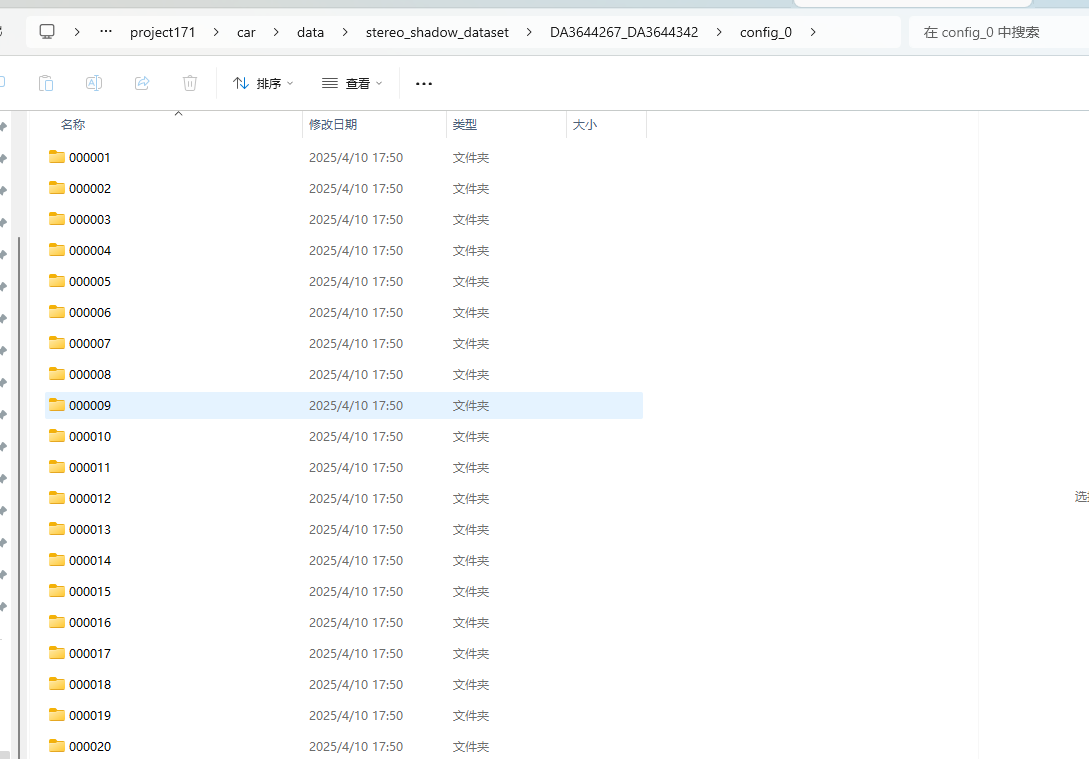
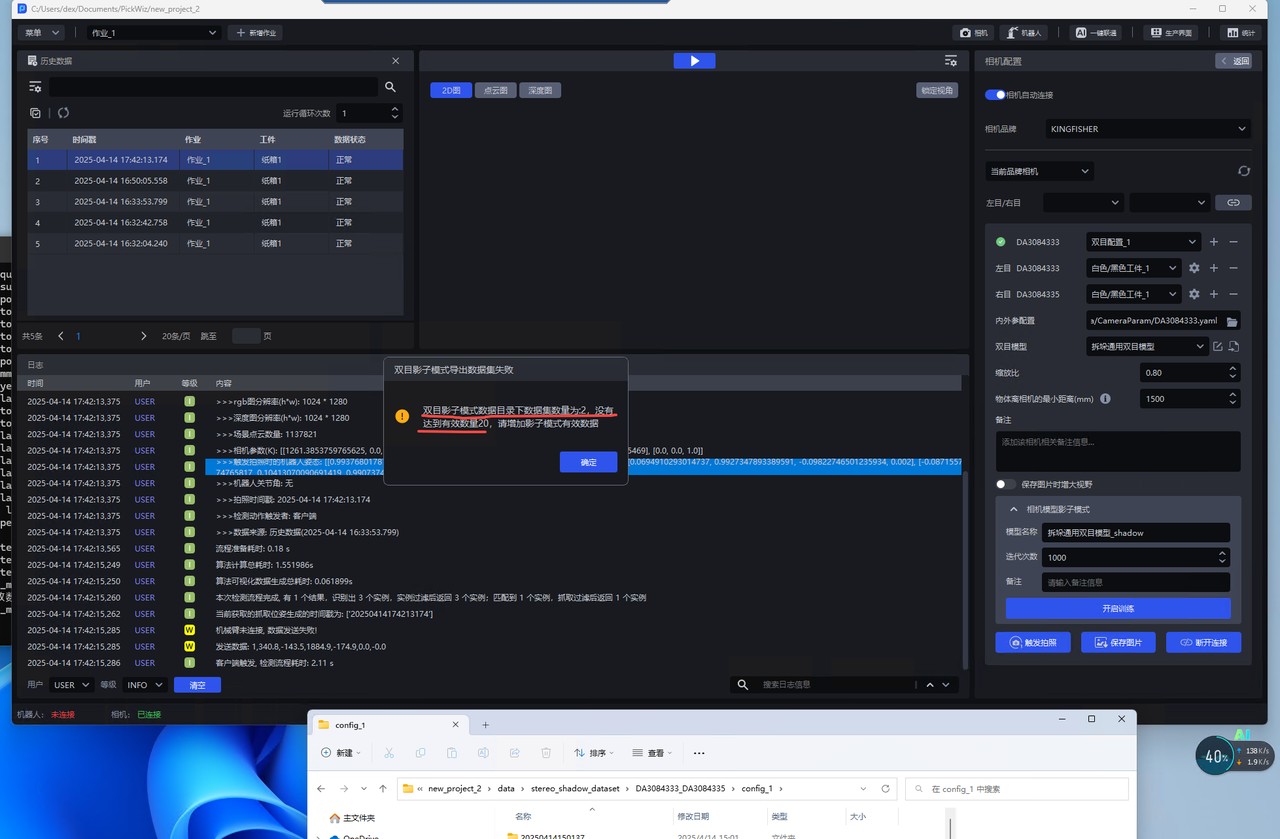
On the main interface, click Camera to enter the camera configuration interface and connect the binocular camera. Scroll down to Shadow Mode
Keep the number of iterations at the default value
Set the model name
Set remarks (optional)
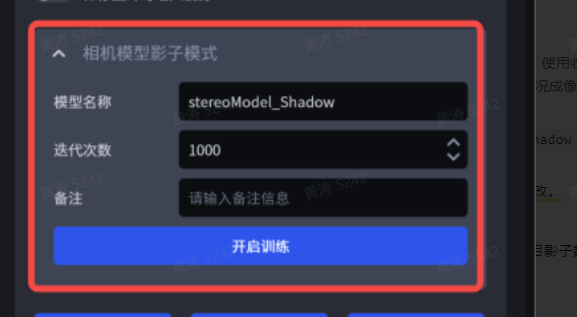
Click
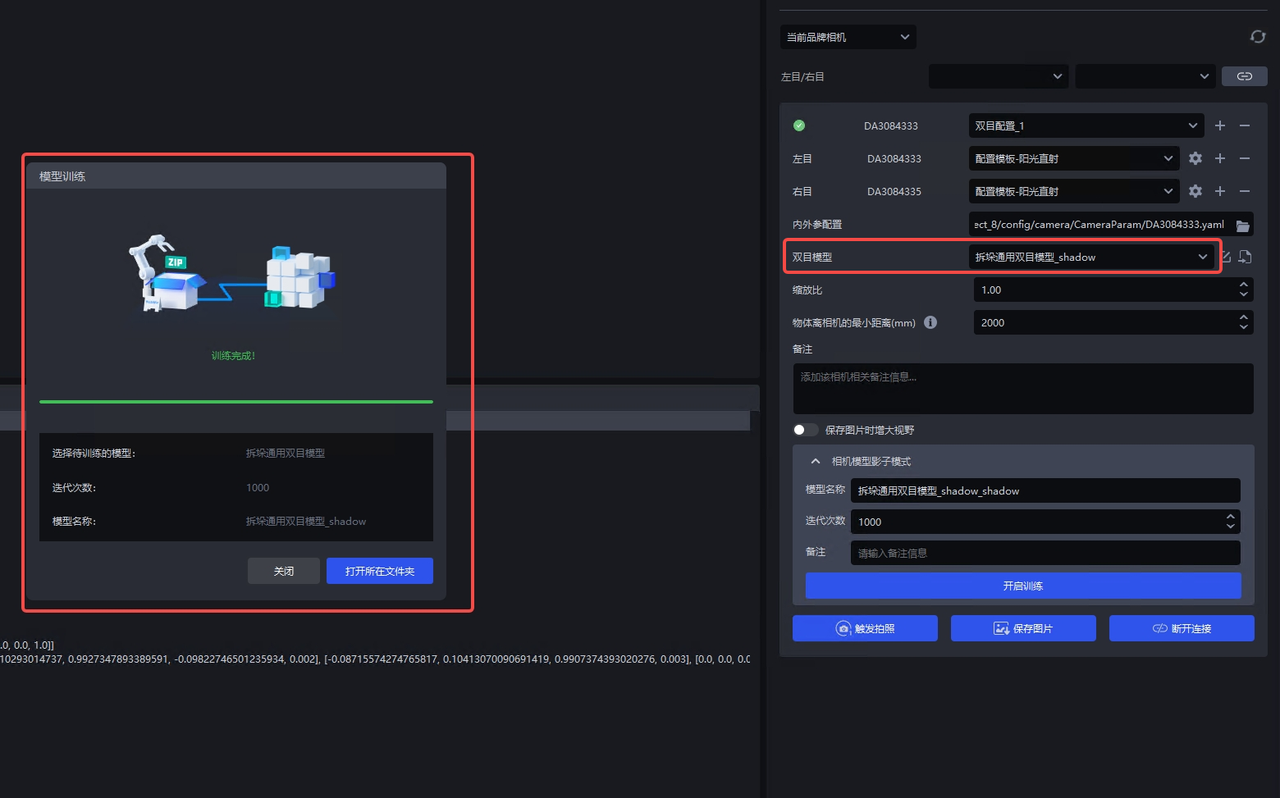
Start Trainingand wait for the model training to completeAfter training is complete, you can select the corresponding new model in the model configuration and click
Trigger Captureto view the effect.