Instance Optimization Guide
Instance Optimization is mainly used to optimize the instance Masks inferred by the vision model. It corrects issues such as incomplete Masks or Masks that deviate from the actual Target Object in the initial inference results of generic models or models trained through One-click Integration, so that the instance Masks are closer to the complete contour of the actual Target Object and the problem of poor vision model inference results is resolved.
1. Operation Guide
- When the instance Mask inferred by the vision model is incomplete or deviates from the actual Target Object, click
Editin the feature options module on the main interface, selectInstance Optimization, and then clickSave.
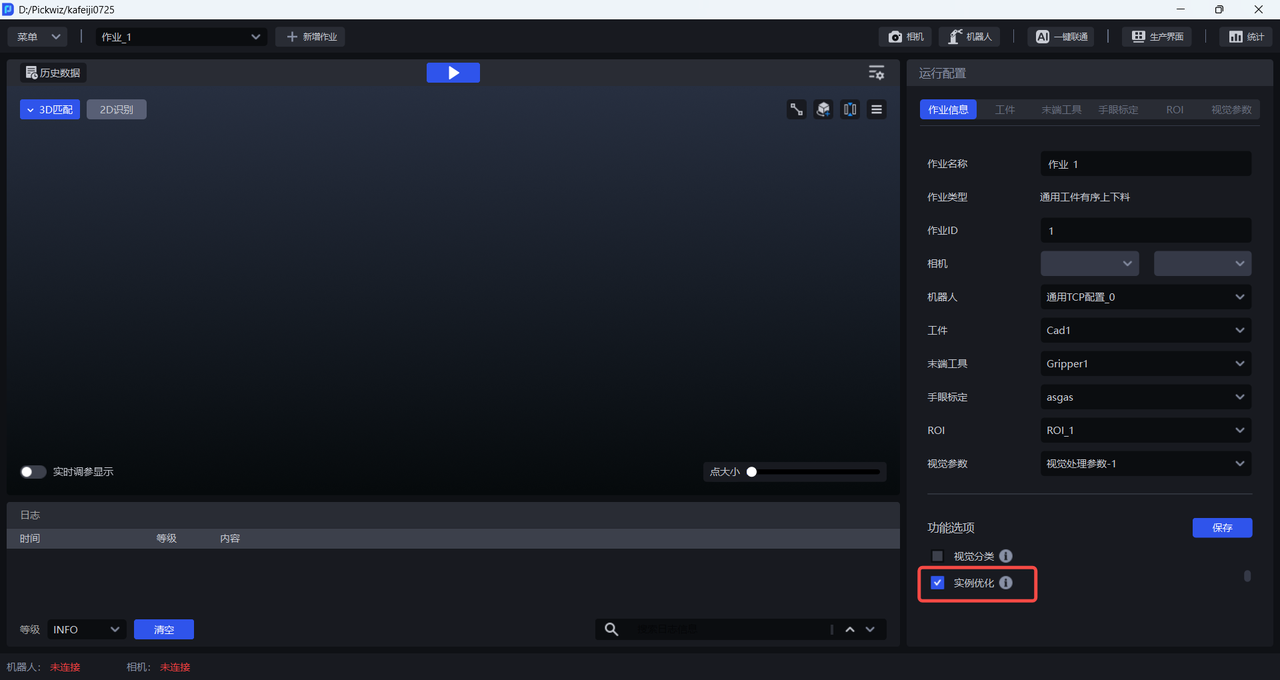
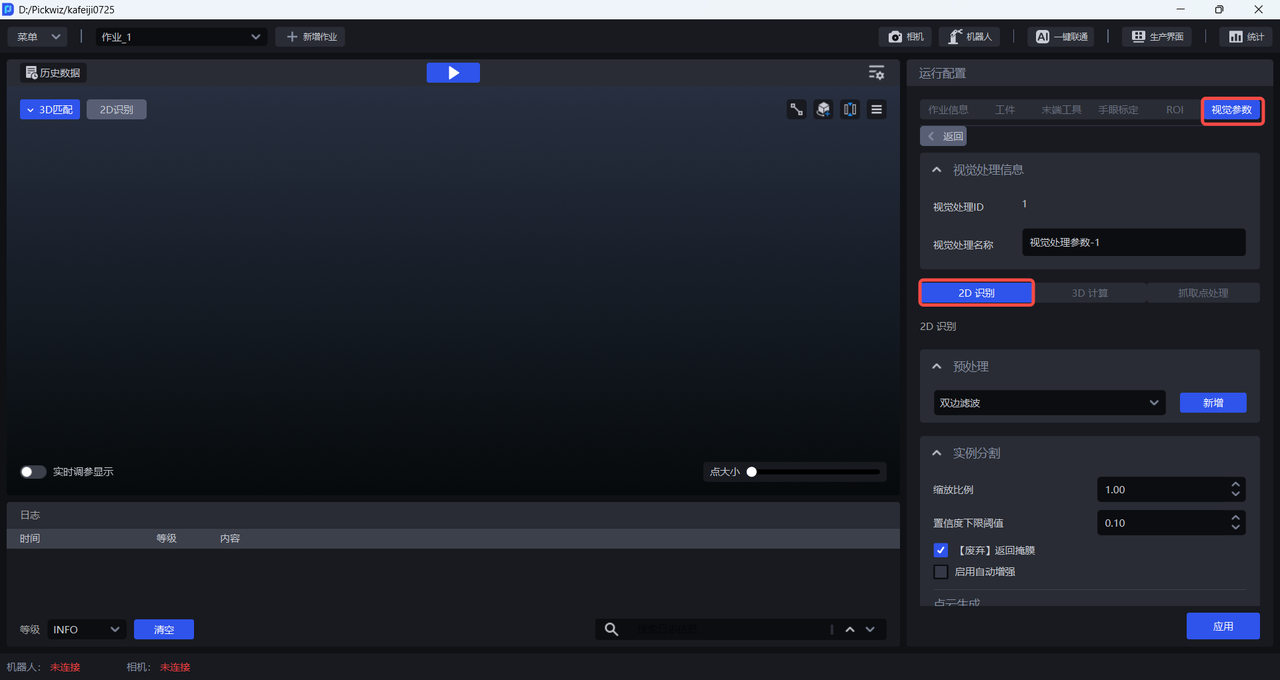
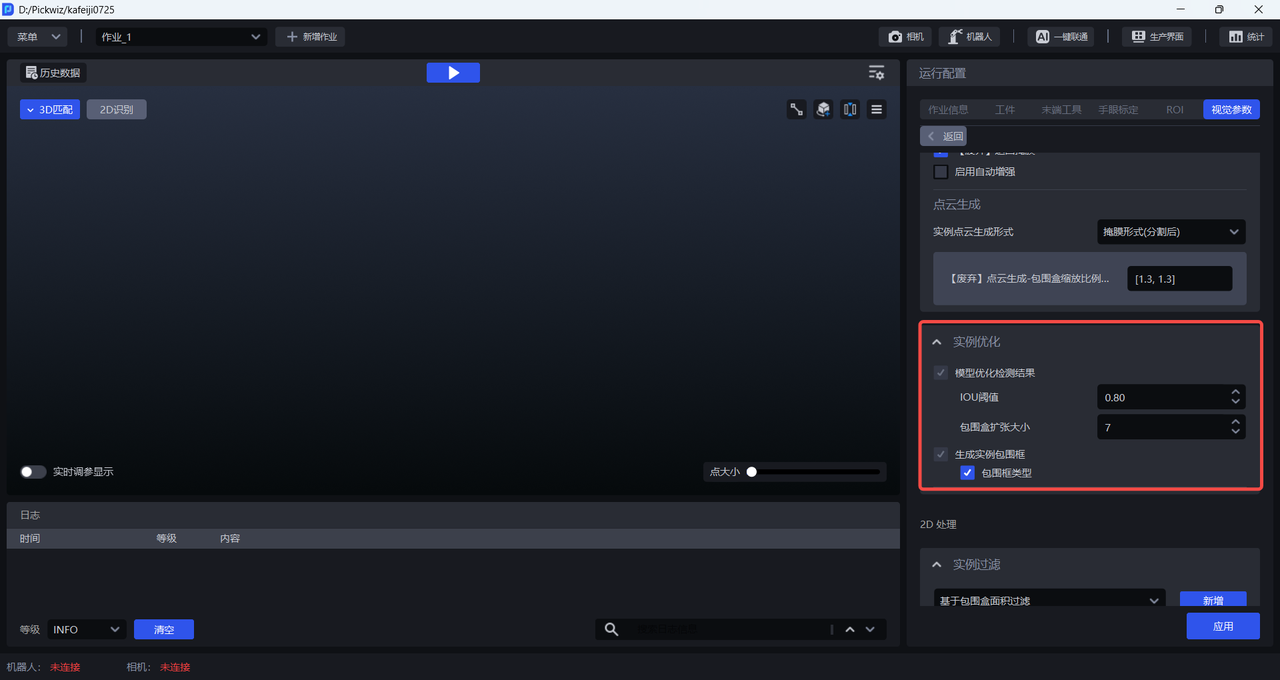
- After selecting
Instance Optimization, instance-optimization-related parameters appear under Vision Parameters - 2D Recognition, as shown below.
2. Parameter Tuning Guide
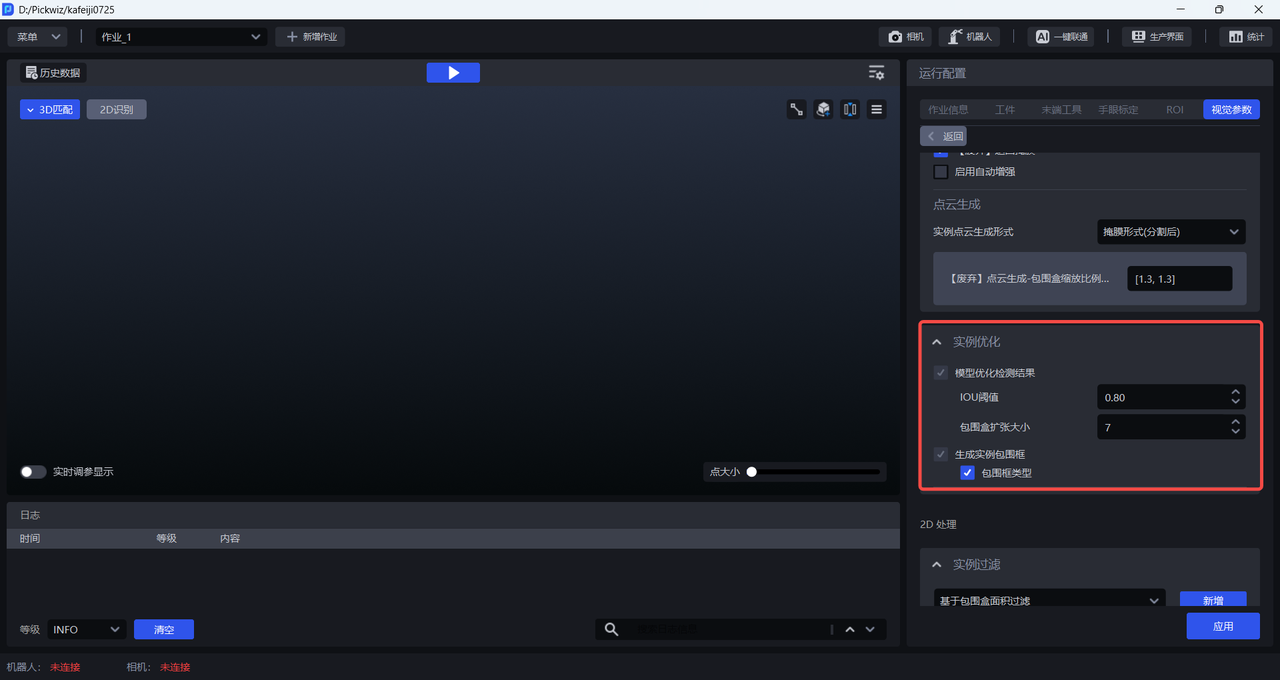
Adjust the instance-optimization-related parameters based on the current detection results.
| Function | Parameter | Description | Default Value | Range | Tuning Recommendation |
|---|---|---|---|---|---|
| Optimize Model Detection Results | IOU Threshold | When the vision model detects a Target Object, it generates a bounding box—the initial bounding box. The SAM model segments an instance Mask within this initial bounding box, and then generates a minimum bounding box based on the instance Mask. If the overlap between the two bounding boxes is greater than the IOU Threshold, the instance Mask segmentation is considered good and should be retained; if the overlap between the two bounding boxes is smaller than the IOU Threshold, the instance Mask segmentation is considered poor and should be discarded. | 0.8 | [0, 1.0] | If the complex shape of the Target Object causes Masks to be generated for some instances but not for others, this threshold can be reduced appropriately; if the instance Mask segmentation quality is poor (for example, deviating from the actual Target Object or incorrectly recognizing the Background), this threshold can be increased appropriately. |
| Bounding Box Expansion Size | Expands or shrinks the bounding box generated when the vision model detects the Target Object—the initial bounding box. A positive value expands the length and width of the initial bounding box by a certain number of pixels; a negative value shrinks the length and width of the initial bounding box by a certain number of pixels. | 7 | [-100, 100] | If the instance Mask exceeds the Target Object range, reduce this Parameter to shrink the size of the initial bounding box; if the instance Mask segmentation is incomplete, increase this Parameter to enlarge the size of the initial bounding box. | |
| Generate Instance Bounding Box | Bounding Box Type | The SAM model segments an instance Mask within the initial bounding box, and then generates a minimum bounding box based on the instance Mask. This minimum bounding box can be of two types—AABB (axis-aligned bounding box) and OBB (oriented bounding box). If the Bounding Box Type is selected, an AABB bounding box is generated; if it is not selected, an OBB bounding box is generated. | Selected | / | AABB (axis-aligned bounding box) is a rectangle whose sides are parallel to the X-axis and Y-axis of the image, and is suitable for scenarios where the Target Object is placed horizontally/vertically; OBB (oriented bounding box) is a rectangle whose sides fit the contour of the Target Object more closely, and is suitable for scenarios where the Target Object is placed at an angle. |