Collision Detection Guide
The Collision Detection feature is used to detect collisions between the Tool and the bin, filtering out Picking Poses that may cause collisions. This document mainly describes how to configure Scene Objects and adjust related vision parameters after enabling Collision Detection.
1. Operation Guide
1.1 Bin Detection
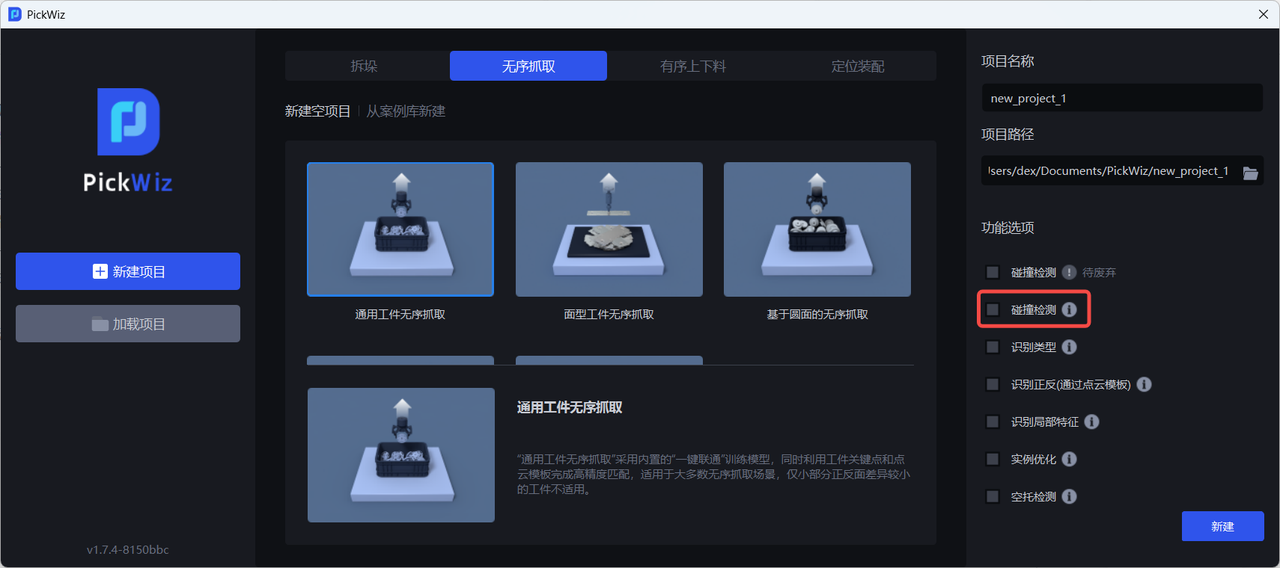
When there is a bin in the actual scene, select the Collision Detection feature when creating a new Project; if it was not selected when creating the new Project, go to the Task Information page, click Edit in the lower-right corner, then select Collision Detection and save
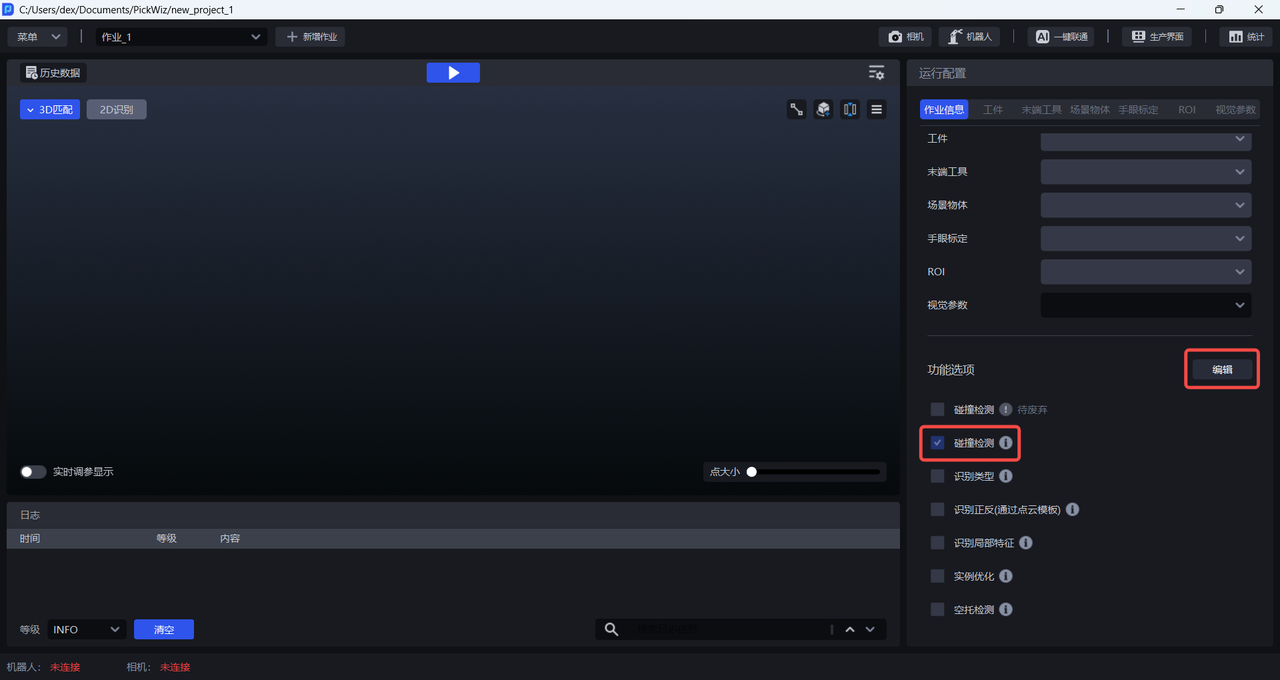
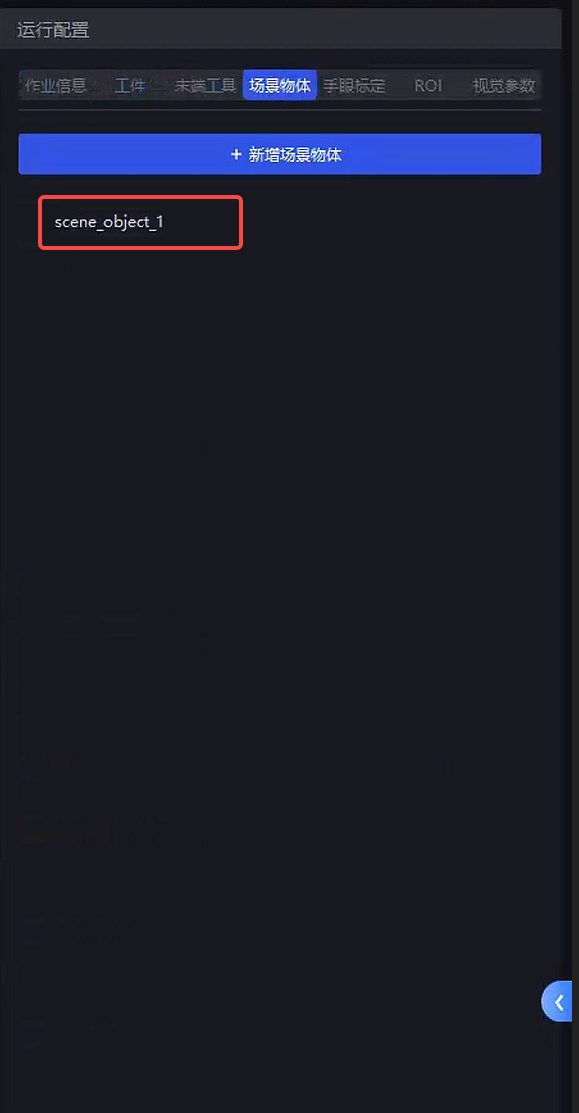
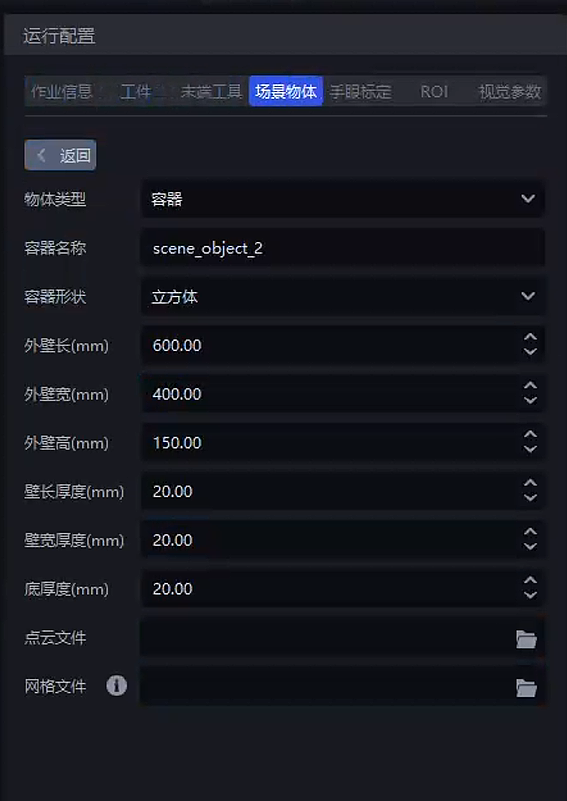
After selecting Collision Detection, Scene Object is added to the runtime configuration panel. On the Scene Object page, enter the outer wall length, width, height, and thickness of the bin
Adjust the bin-detection-related parameters under Vision Parameters - 3D Calculation - Collision Detection. For details, refer to 2.1 Bin Detection.
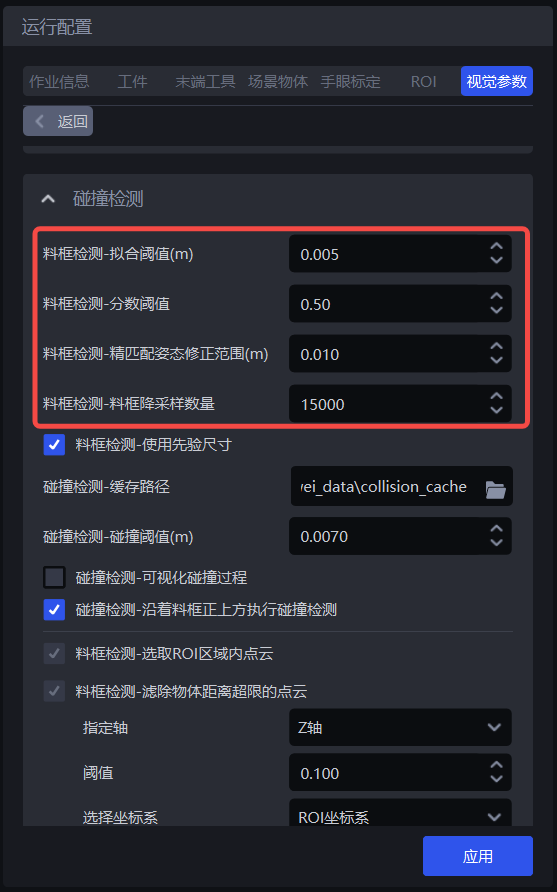
1.2 Collision Detection Between the Tool and the Bin
In 3D Calculation - Collision Detection, you can adjust the following parameters. For details, refer to 2.2 Collision Detection Between the Tool and the Bin.
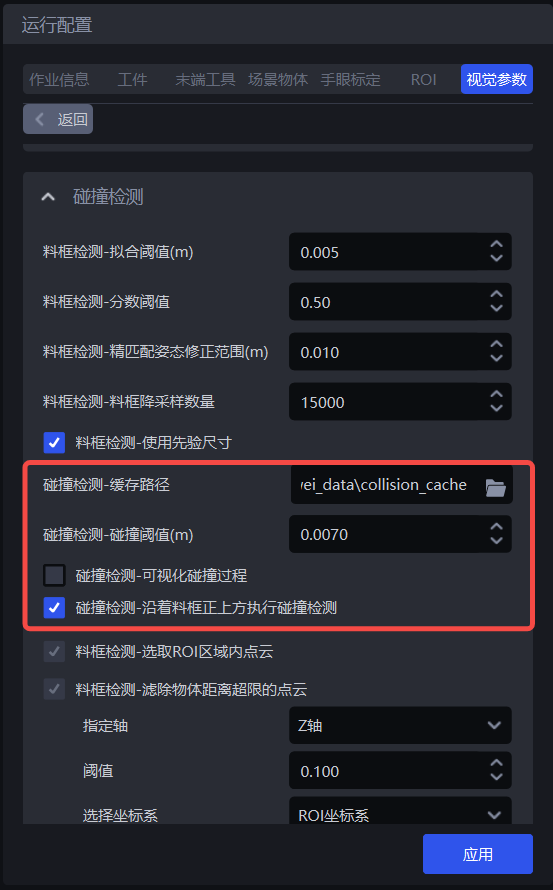
2. Parameter Tuning Guide
2.1 Bin Detection
Bin extraction process:
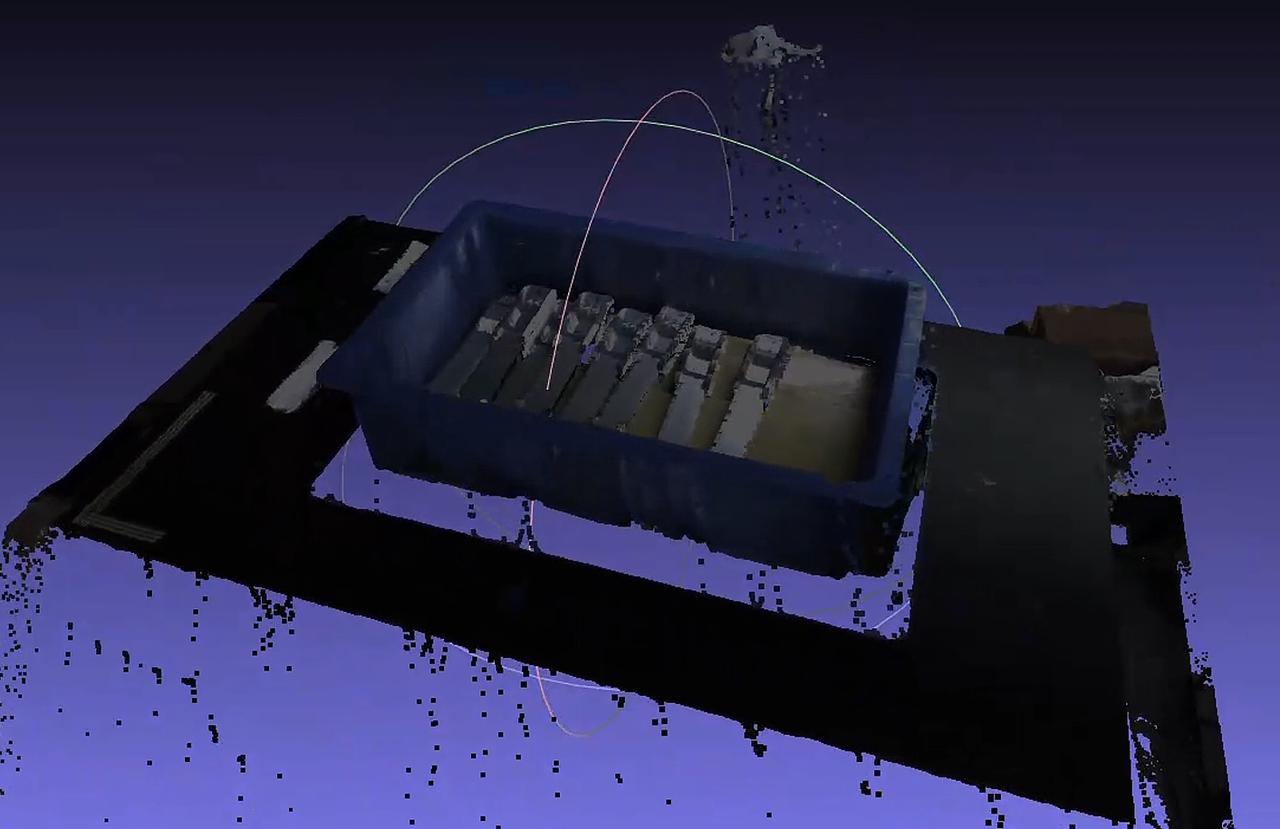
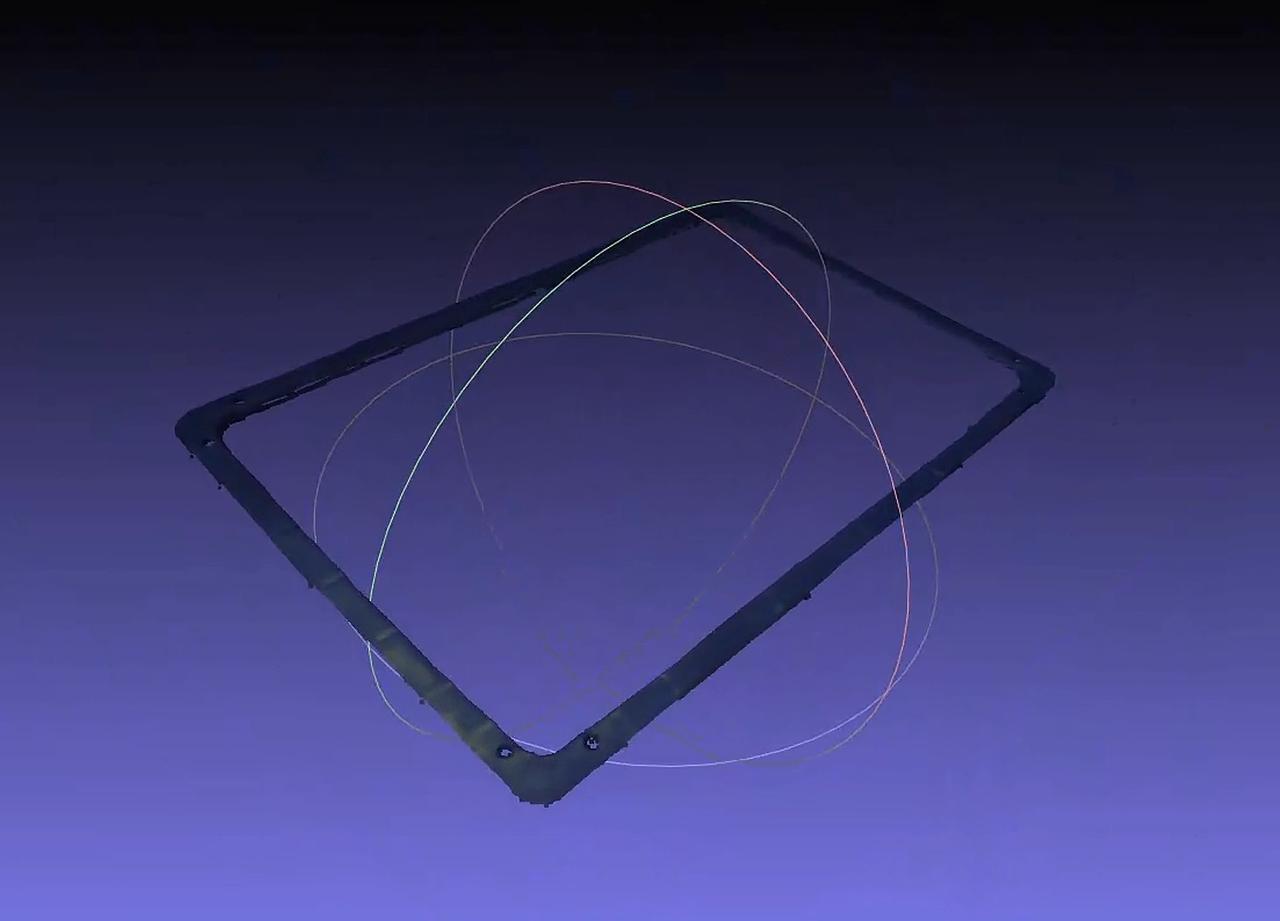
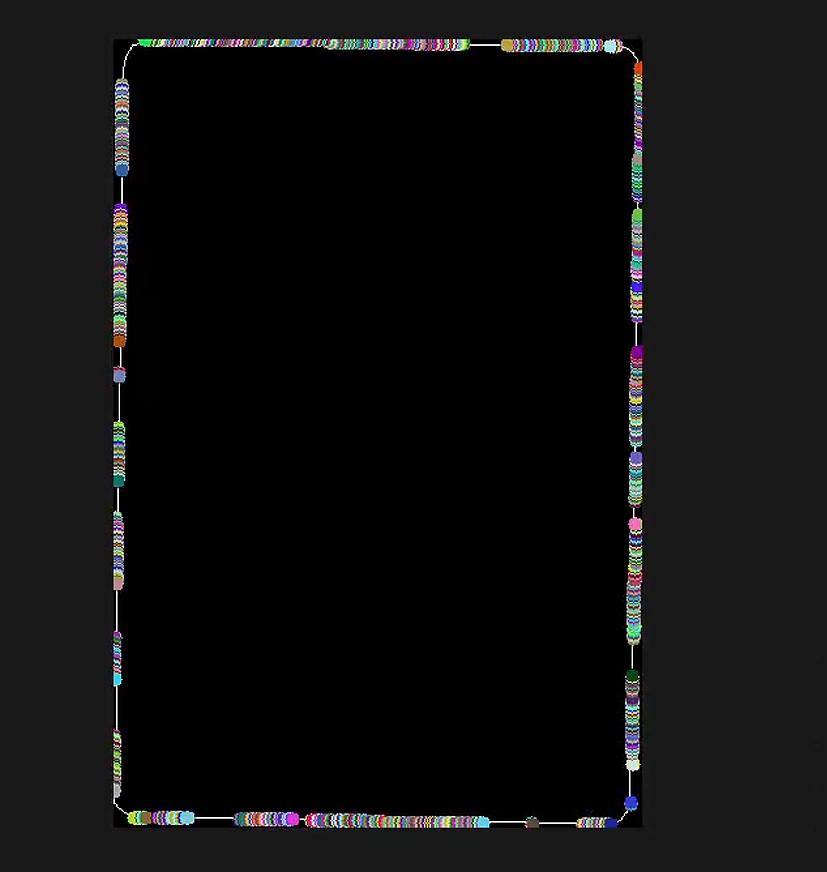
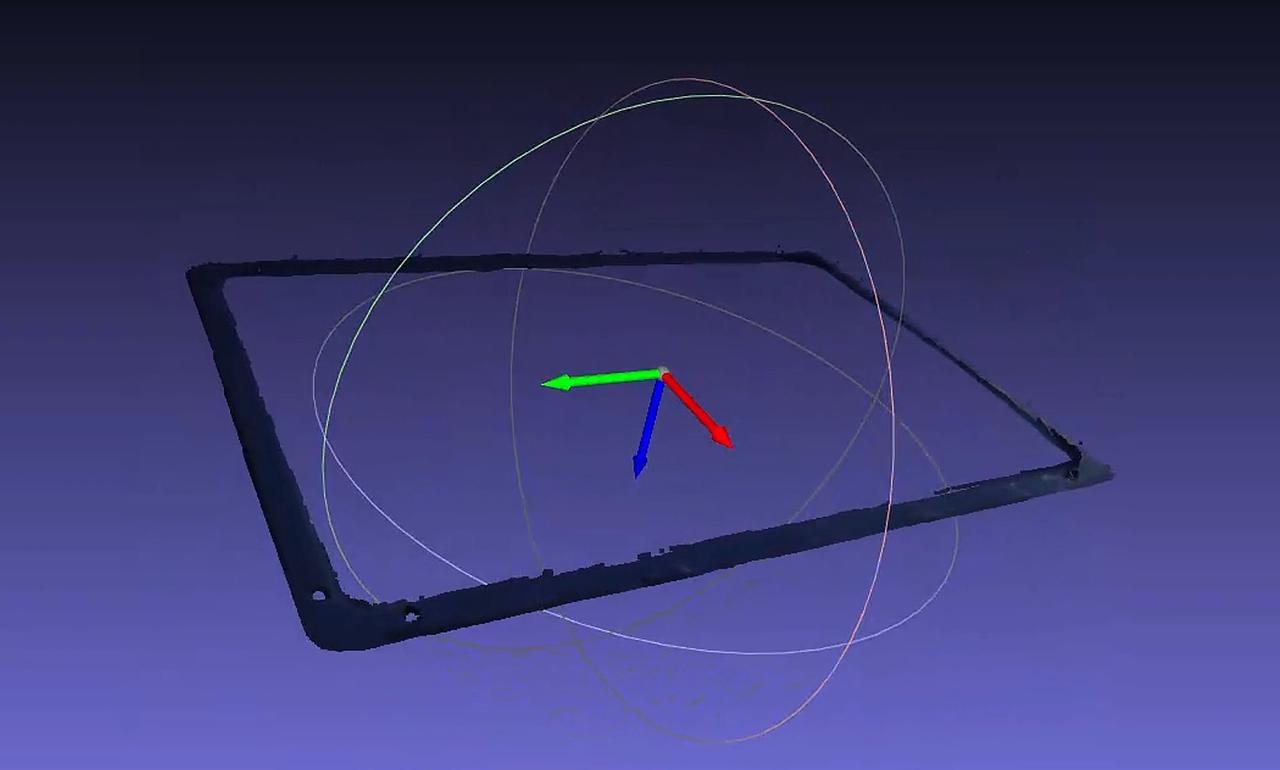
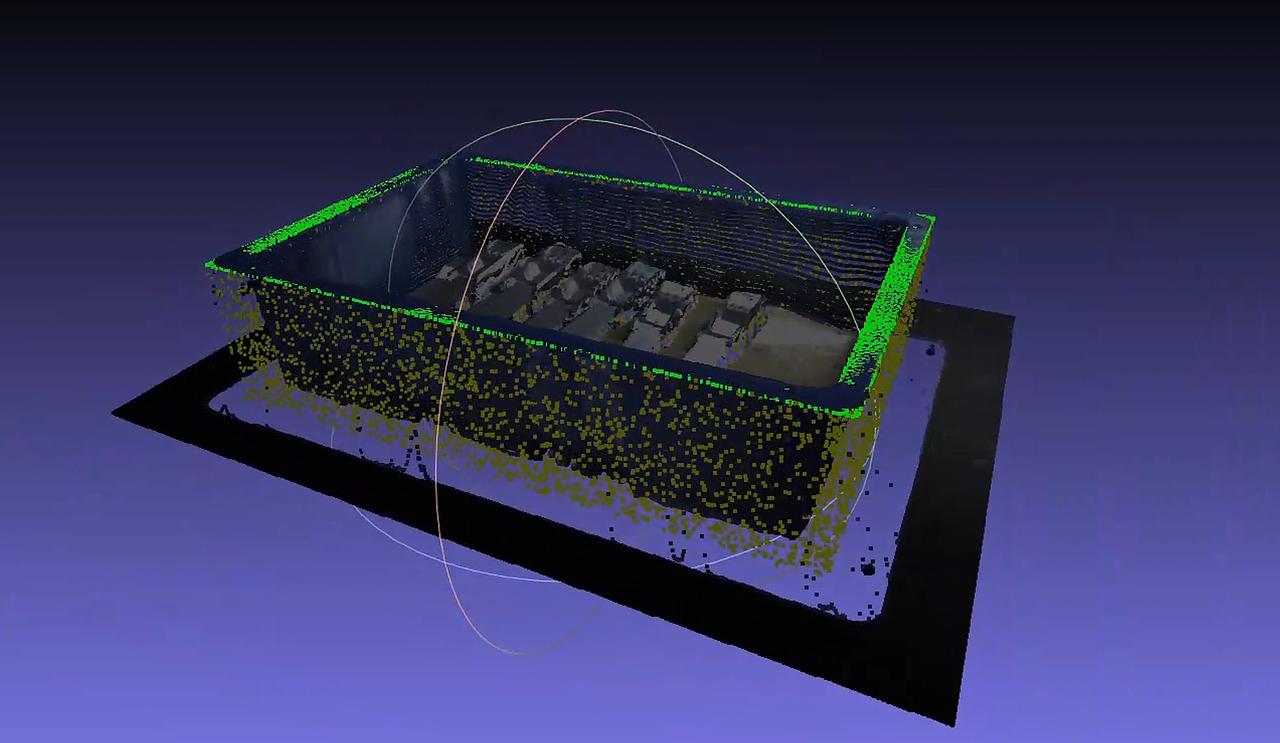
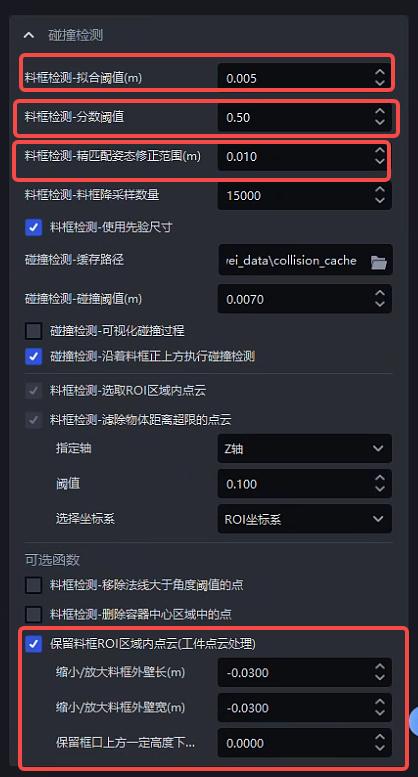
| Function | Parameter | Description | Default Value | Range | Tuning Recommendation |
|---|---|---|---|---|---|
| Bin Detection - Fitting Threshold (m) | The fitting threshold. Based on the bin size, it determines whether the calculated bin dimensions are within the fitting threshold | 0.005 | [0.001, 0.05] | Between 0.003 and 0.01 | |
| Bin Detection - Score Threshold | The minimum score threshold required for bin detection. If the score is higher than the threshold, bin detection is considered successful; otherwise, it fails | 0.5 | [0.1, 1.0] | 0.5 is recommended | |
| Bin Detection - Fine Matching Pose Correction Range (m) | During fine matching of the bin, this is the threshold for the point cloud search radius and also the distance threshold used to judge correct point pairs. The larger the value, the larger the search radius and the looser the criteria for judging correct point pairs. The default value is 0.01, and it generally does not need to be changed. | 0.01 | [0.001, 0.1] | Usually no adjustment is needed | |
| Bin Detection - Bin Downsampling Count | The downsampled point count used for fine matching of the bin. The larger the point count, the faster the speed and the lower the accuracy. | 15000 | [5000, 30000] | Select according to accuracy requirements. The higher the accuracy requirement, the larger the point count | |
| Bin Detection - Use Prior Dimensions | Whether to calculate the bin based on prior dimensions. If selected, the bin must satisfy the prior dimensions and fitting threshold; otherwise, the largest rectangle will be found as the bin | Selected | / | Usually no adjustment is needed | |
| Bin Detection - Select Point Cloud Inside ROI | Selects the point cloud inside the ROI 3D region from the actual point cloud | Selected | / | Usually no adjustment is needed | |
| Bin Detection - Filter Out Point Clouds Beyond Object Distance Limit - Threshold | Specified Axis | Along the specified axis, using 95% of the height of the bin point cloud as the reference (100% to 0% from top to bottom), remove point clouds whose distance from top to bottom along the specified axis exceeds the threshold | Z-axis | X/Y/Z-axis | Usually no adjustment is needed |
| Threshold | Removes point clouds whose distance from top to bottom along the specified axis exceeds the threshold | 0.1 | [0.001, 1.0] | Between 0.005 and 0.2 is recommended | |
| Select Coordinate System | The coordinate system of the specified axis | ROI Coordinate System | Camera Coordinate System ROI Coordinate System Object Coordinate System | Usually no adjustment is needed | |
| Bin Detection - Remove Point Clouds with Normals Greater Than the Angle Threshold | Angle Threshold | If the angle between the direction of the point cloud normal vector and the reference axis exceeds the angle threshold, the point is removed | 15 | [0, 360] | If the target plane is flat, the angle threshold is generally 5° to 15°; if the target plane is curved, the angle threshold is generally 15° to 30° |
| Standard Normal Axis | The reference axis (default is the Z-axis, i.e., the vertical direction), which is an axis of the Camera Coordinate System. | Z-axis | X/Y/Z-axis | Usually no adjustment is needed | |
| Use ROI Coordinate System | If selected, the ROI Coordinate System is used; otherwise, the Camera Coordinate System is used | Not selected | / | If the bin is tilted, select Use ROI Coordinate System | |
| Bin Detection - Delete Points in the Container Center Region | Removal Ratio | The ratio of the center-region area to the container area. The point cloud in the center region is removed, and the point cloud in the edge region is retained | 25 | [0, 100] | Adjust according to the object area in the center region of the bin |
| Whether X-axis Is the Long Side | If selected, the center region is calculated based on the length in the X-axis direction; otherwise, the lengths in the X-axis and Y-axis directions are compared, and the center region is calculated based on the longer side | Selected | / | If the length in the X-axis direction is the long side, select it; otherwise, do not select it | |
| Retain Point Clouds Inside the Bin ROI Region (Target Object Point Cloud Processing) After point clouds inside the bin ROI region are retained, the data can currently only be accessed through historical data, and front-end display will be added in a later version | Shrink/Expand Bin Outer Wall Length (m) | If there is an error in the bin dimensions and this causes some bin wall point clouds to be retained, this Parameter needs to be reduced; if some Target Object point clouds are filtered out, this Parameter needs to be increased. Negative values indicate shrinking, and positive values indicate expanding. | 0.0 | [-1.0, 1.0] | Usually no adjustment is needed |
| Shrink/Expand Bin Outer Wall Width (m) | If there is an error in the bin dimensions and this causes some bin wall point clouds to be retained, this Parameter needs to be reduced; if some Target Object point clouds are filtered out, this Parameter needs to be increased. Negative values indicate shrinking, and positive values indicate expanding. | 0.0 | [-1.0, 1.0] | Usually no adjustment is needed | |
| Retain Point Clouds Below a Certain Height Above the Bin Opening (m) | You can set a space below a certain height above the bin opening, and the point cloud in this space can be retained to avoid cases where the bin overflows above the opening | 0.0 | [0.0, 1.0] | Usually no adjustment is needed | |
Example: Retaining point clouds inside the bin ROI region (Target Object point cloud processing) is used to remove some reflective instances.
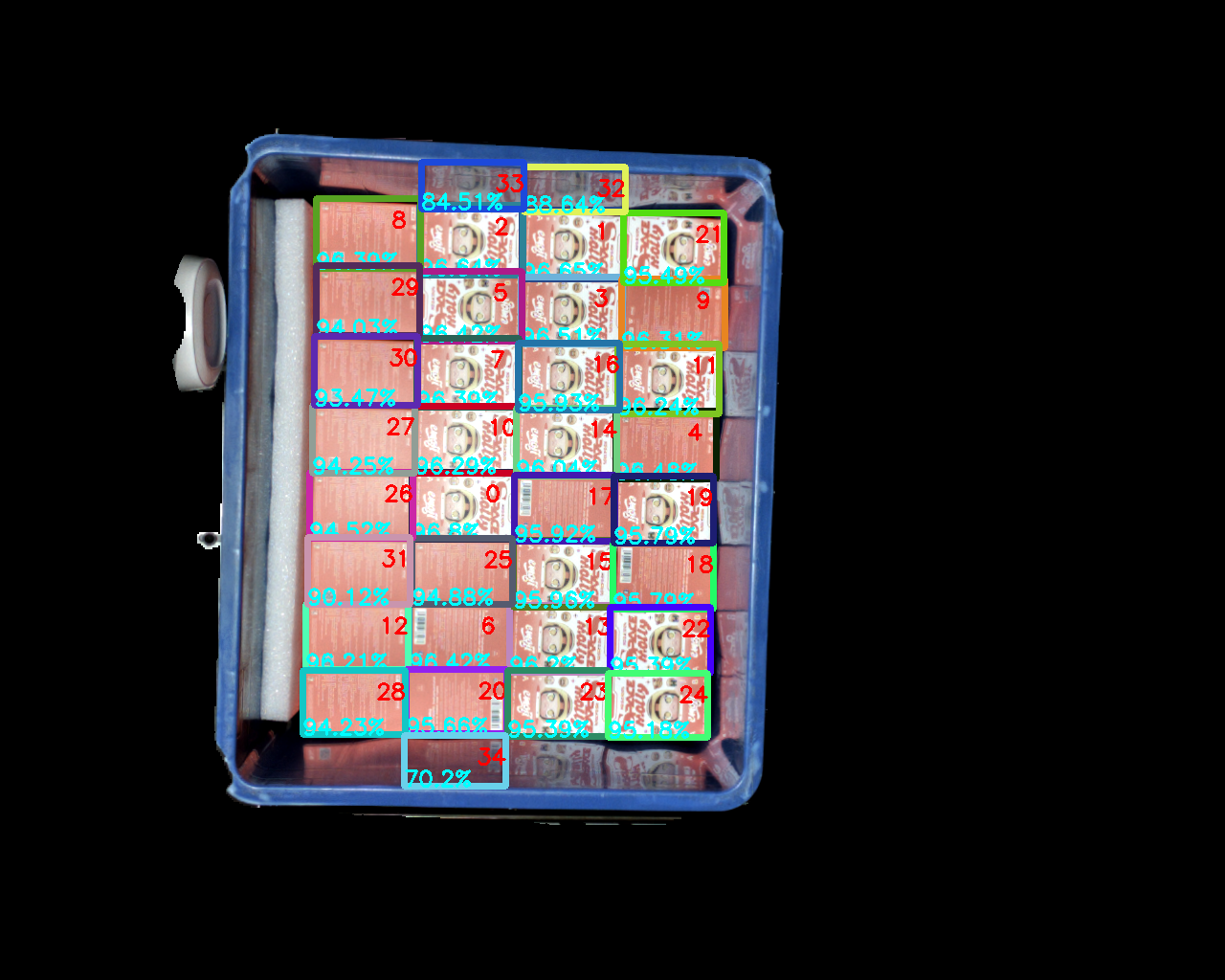
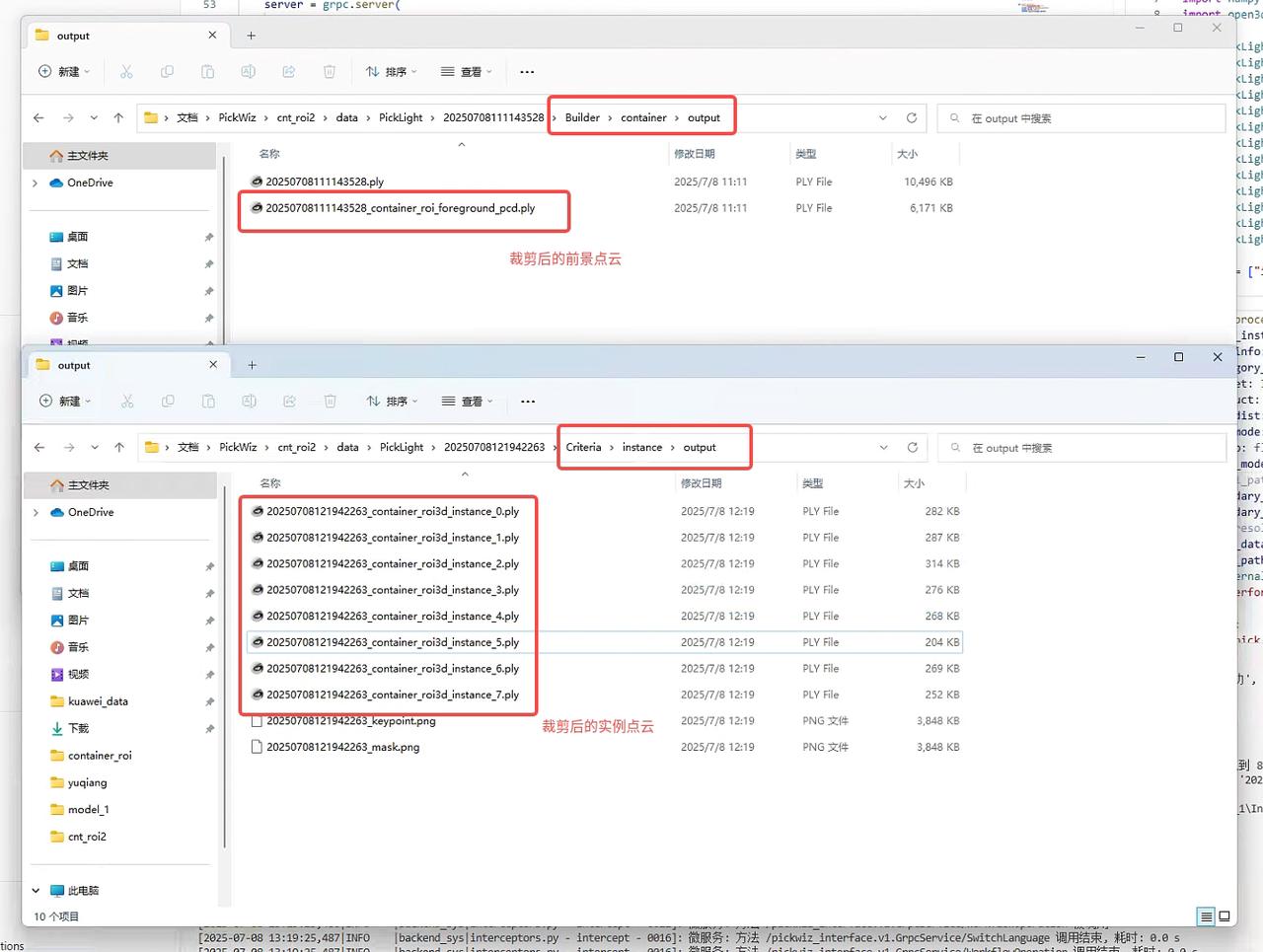
Exception Description:
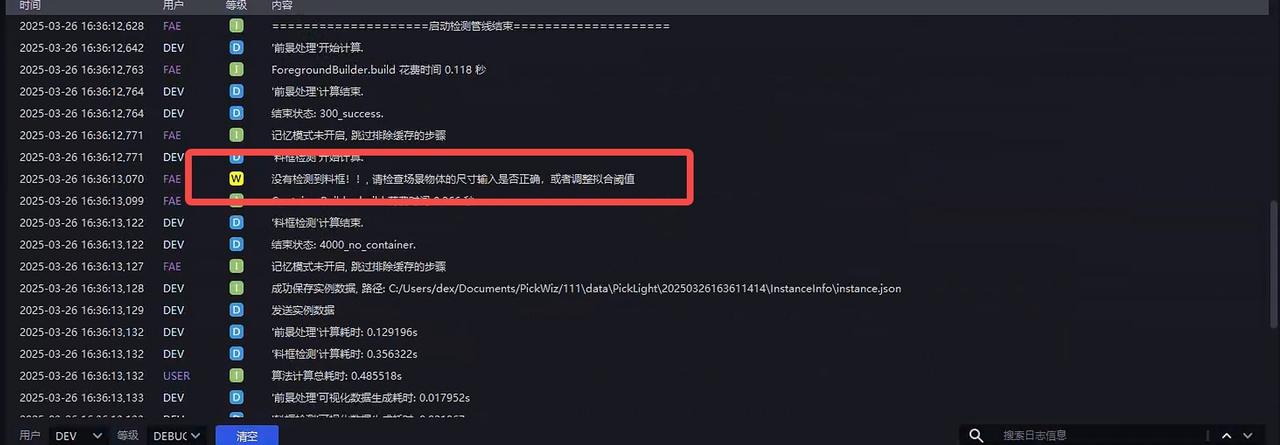
Bin not detected
If the bin is not detected, first check whether the entered bin dimensions are correct, and then adjust Bin Detection - Fitting Threshold (m)
- Bin detection score is too low
The bin can be recognized correctly, but the score is too low. You can relax Bin Detection - Fine Matching Pose Correction Range (m)
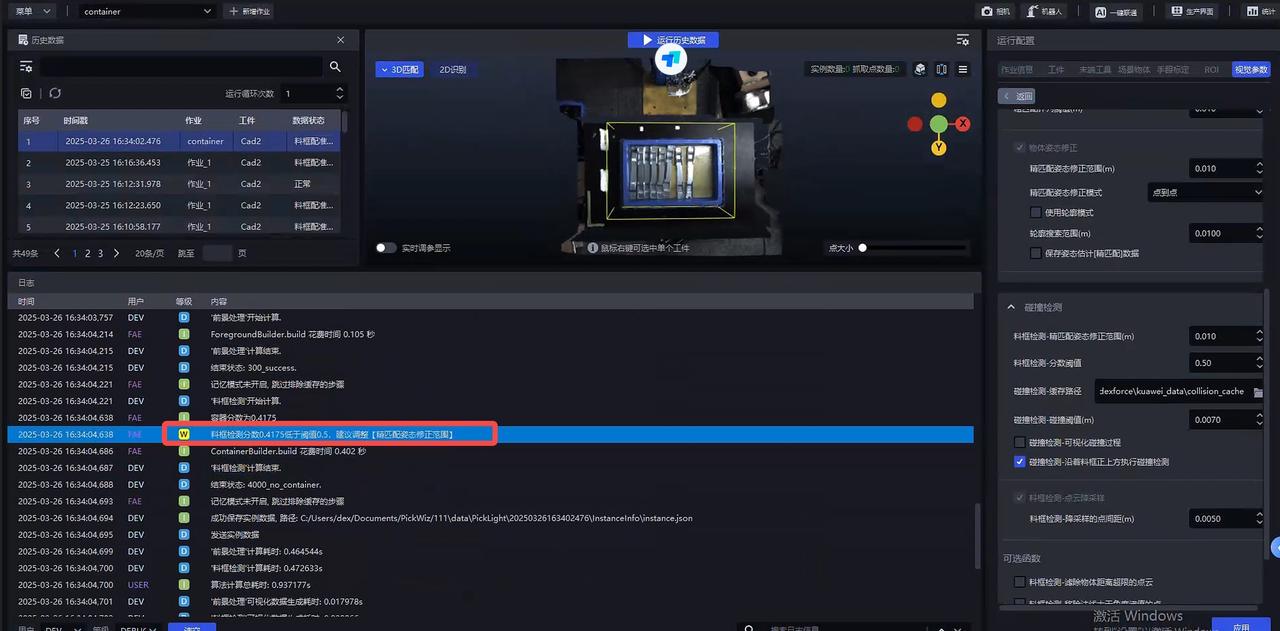
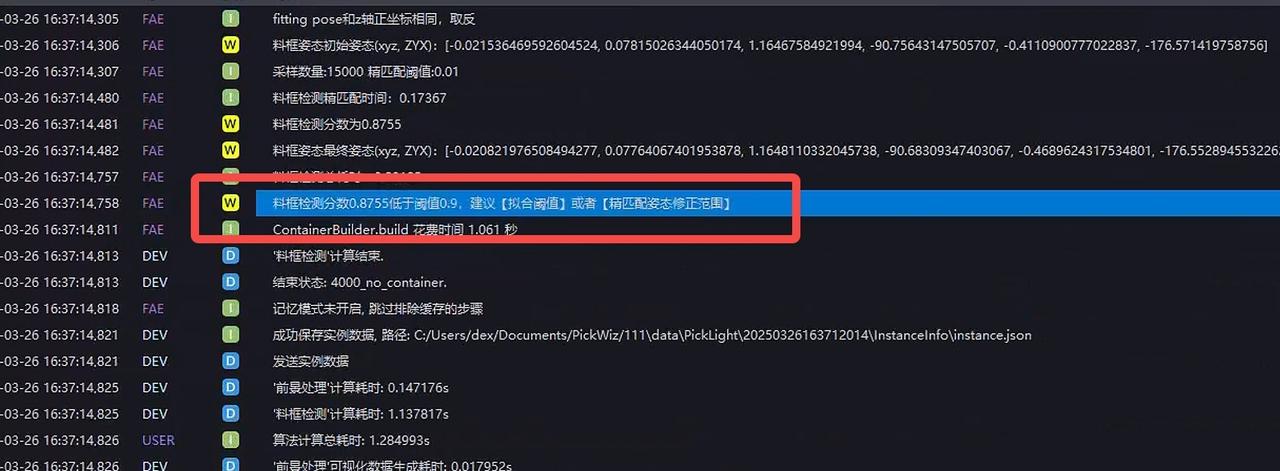
- Bin score is below the threshold
The bin score is too low. If it is recognized normally, modify Bin Detection - Score Threshold; otherwise, modify Bin Detection - Fine Matching Pose Correction Range (m)
2.2 Collision Detection Between the Tool and the Bin
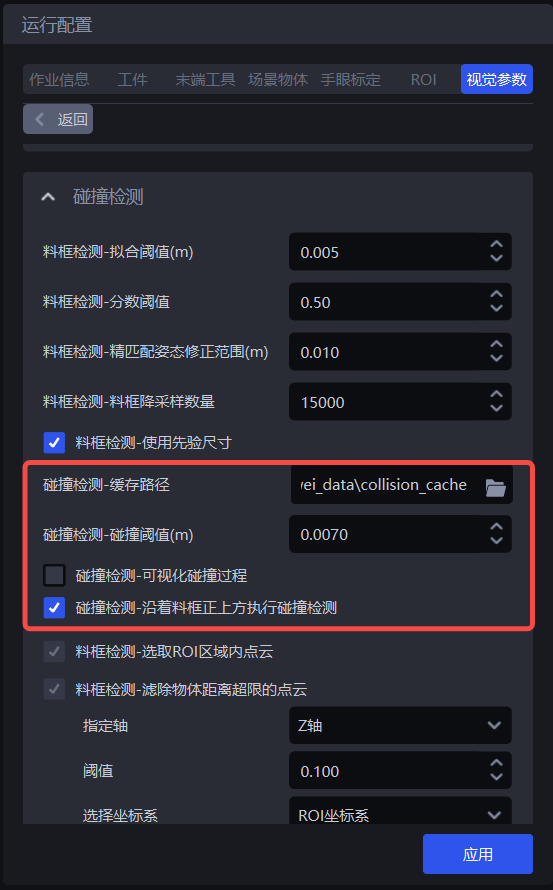
| Parameter | Description | Default Value | Range | Tuning Recommendation |
|---|---|---|---|---|
| Collision Detection - Cache Path | Save path for collision detection Visualized Output | / | / | |
| Collision Detection - Collision Threshold (m) | The collision distance threshold. If the distance between the scene and the gripper surface is smaller than this threshold, a collision is considered to have occurred | 0.007 | 0.001 - 1.0 | |
| Collision Detection - Visualize Collision Process | Visualizes the process data of collision detection | Not selected | / | |
| Collision Detection - Perform Collision Along the Direction Directly Above the Bin | Whether to perform collision detection directly above the bin. If not selected, collision detection is performed along the negative Z-axis direction of the Pick Point, meaning the gripper may move diagonally upward at an angle | Selected | / |