Point Cloud Noise Filtering Guide
The Point Cloud Noise Filtering feature is used to filter Point Cloud noise from instances, providing more accurate instance bounding boxes and instance depth to facilitate instance Z-value sorting. This article mainly describes how to adjust the relevant parameters after enabling Point Cloud Noise Filtering.
1. Operation Guide
Applicable scenarios: ordered loading and unloading of general workpieces, ordered loading and unloading of planar workpieces, ordered loading and unloading of planar workpieces (parallelized), ordered loading and unloading of planar workpieces (image matching), ordered loading and unloading based on circular surfaces, ordered loading and unloading based on cylinders, and ordered loading and unloading based on quadrilaterals
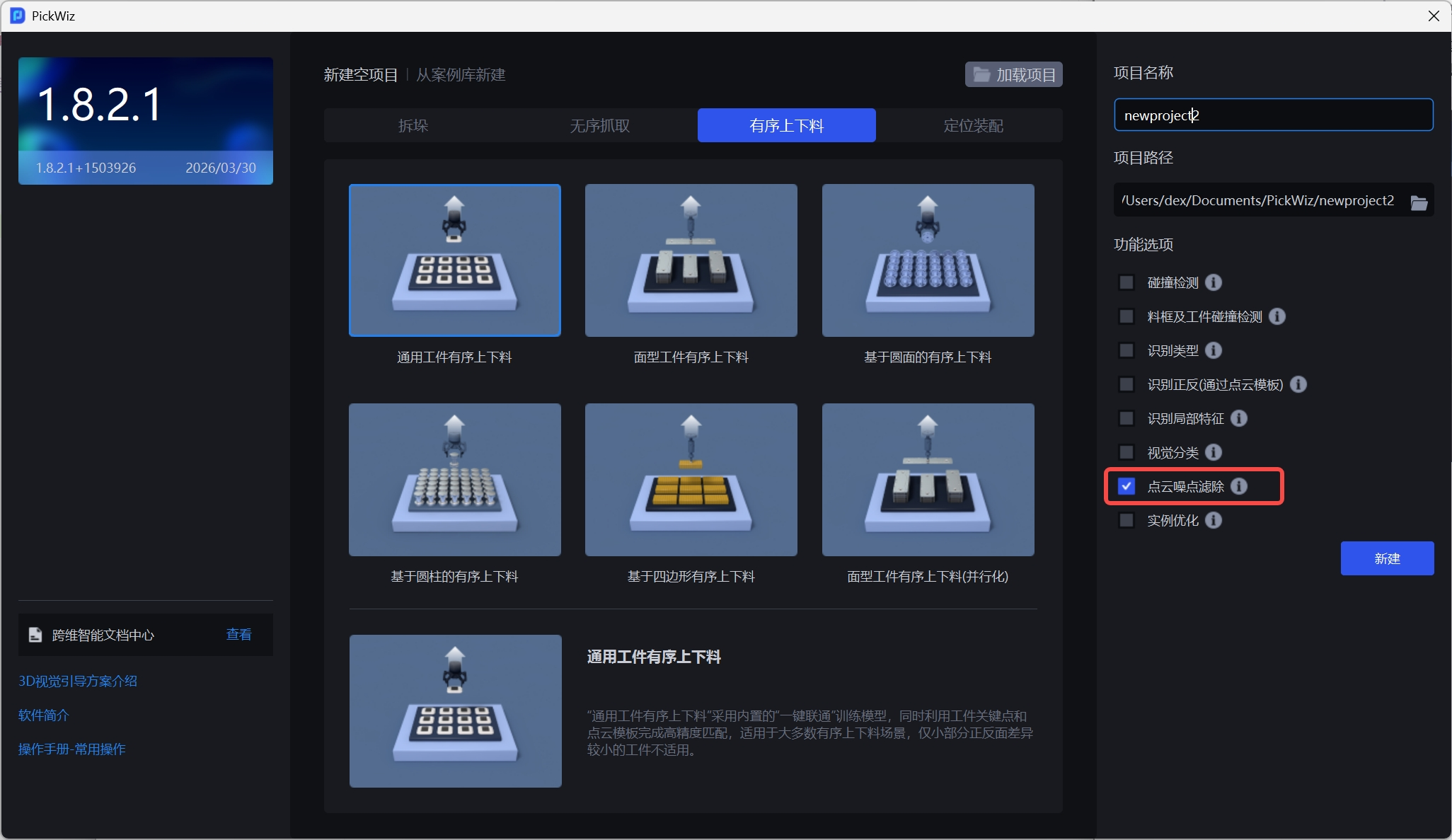
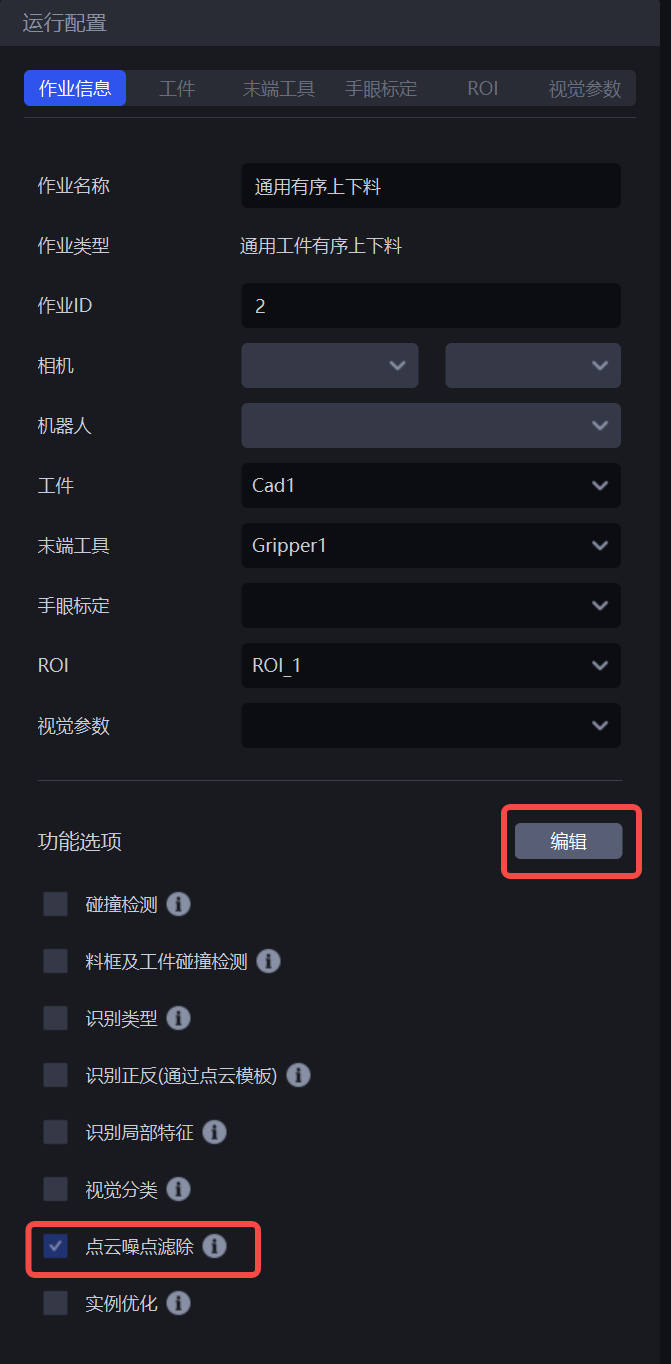
- When creating a new Project, select the Point Cloud Noise Filtering feature in the feature options on the right; if it was not selected when the Project was created, go to the task information interface, click Edit, select Point Cloud Noise Filtering, and save.
2. Parameter Tuning Guide
In the vision parameter interface, the configuration items for Point Cloud Noise Filtering will appear.
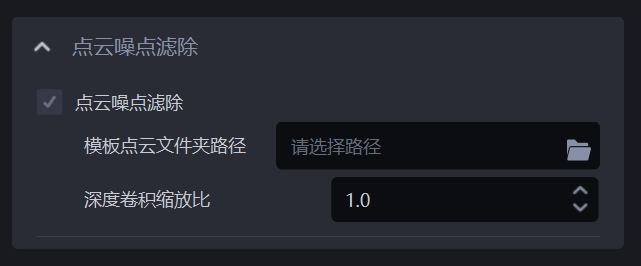
Template Point Cloud Folder Path
- You need to specify the path of the Template Point Cloud. The Template Point Cloud is generally obtained from the Scene Point Cloud. For details, refer to Point Cloud Template Creation Guide and Key Elements, Principles, and Cases for Point Cloud Template Creation
Depth Convolution Scaling Ratio
- Used to adjust the resolution of the image and template. In most cases, no adjustment is needed, and the default value of 1.0 can be used. For the Depth Convolution Scaling Ratio parameter, the smaller the value, the fewer the Point Clouds after downsampling, and the faster the vision computation speed, but the accuracy may decrease; the opposite is true as the value increases. Valid range:[0.1,1.0].