How to Use Mask Mode
1. Feature Introduction
When training Deep Learning models, data enhancement techniques can be used to increase data diversity and robustness. Mask Mode is a special data enhancement method that adds real textures to the surface of real data/synthetic data and then uses them to train the model, so as to simulate different scenes and interference conditions and enable the model to better adapt to various actual scenes.
Note
Sacks are trained using real data, while cartons are trained using synthetic data.
2. Applicable Scenarios
In depalletizing scenes, incoming materials are relatively orderly, but textures are complex or diverse, which can easily lead to situations where the objects cannot be recognized, one bbox covers multiple instances, or one box does not fully cover a single instance (for example, medicine boxes).
Currently, only depalletizing scenes support Mask Mode training on the edge side (IPC) through PickWiz. Other scenes are not yet supported.
3. Operating Instructions
- In the workpiece interface, click
Enter Texture
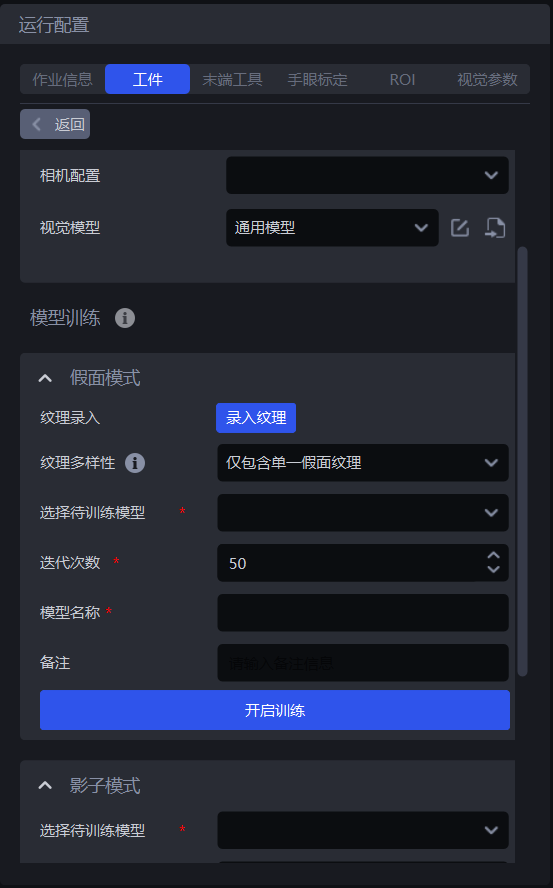
- Add images of the object to be picked. You can choose
Capture ImageorImport Image
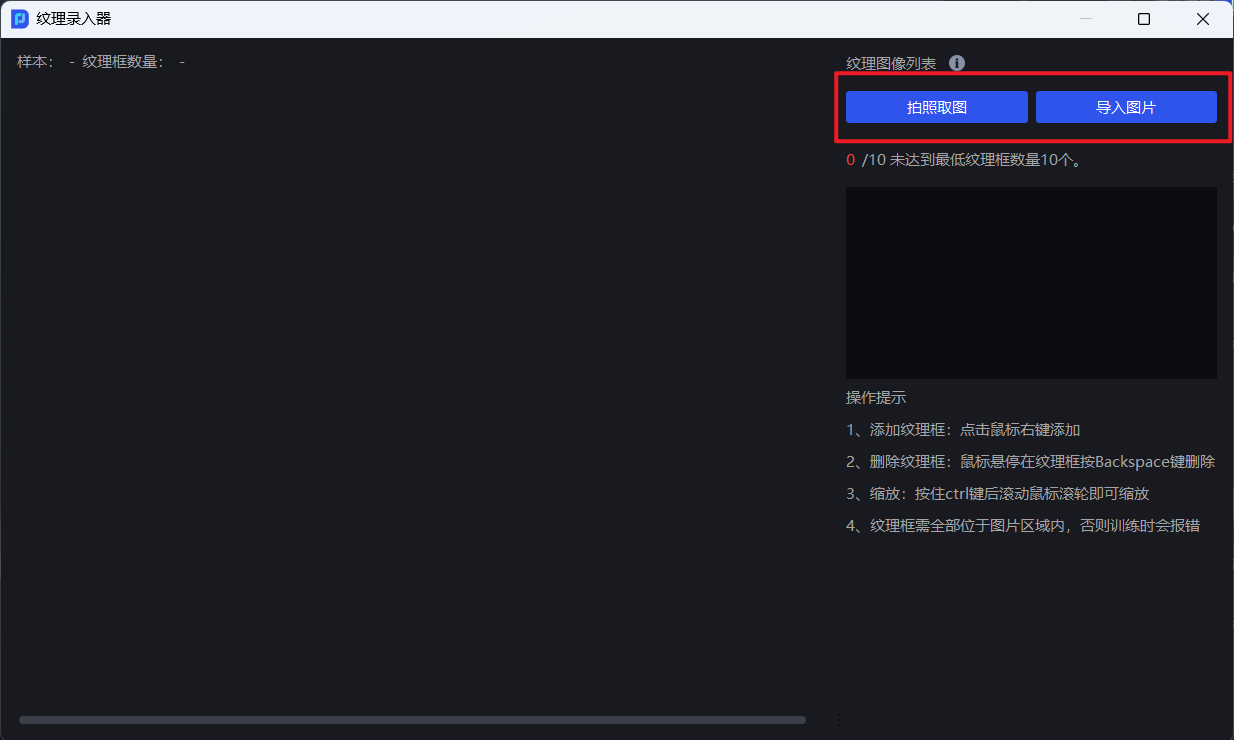
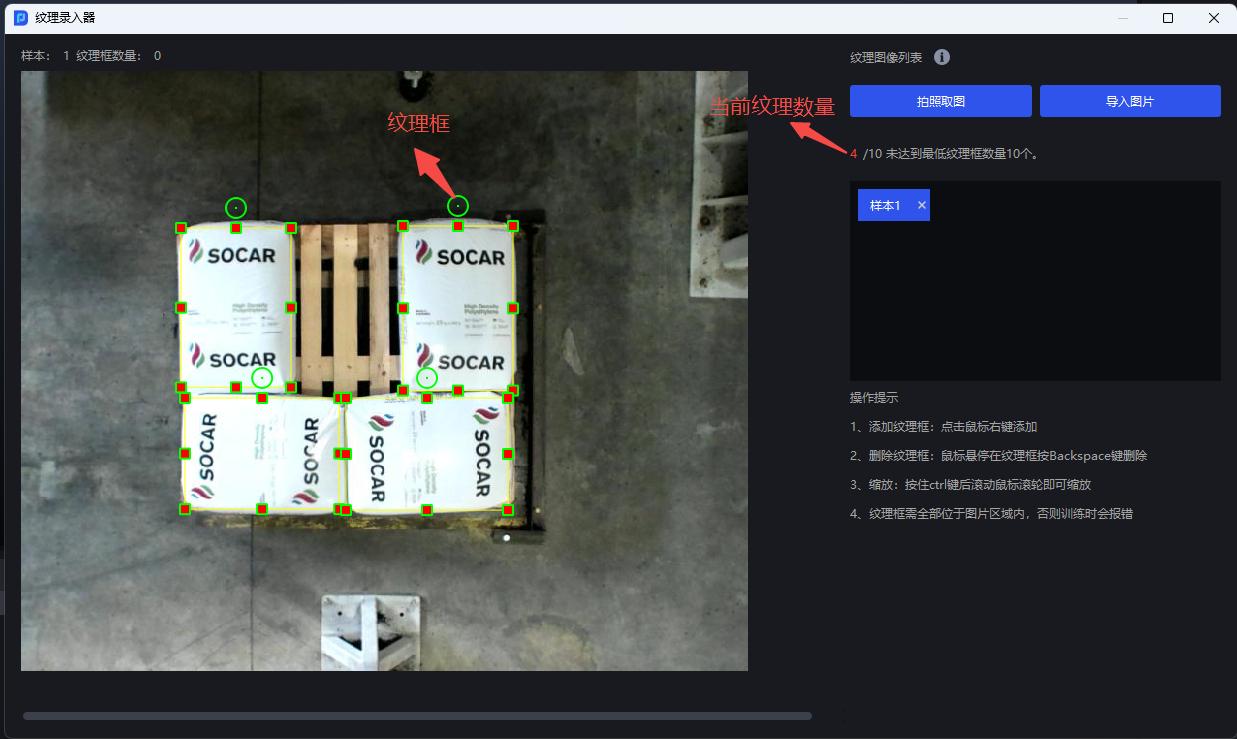
- Right-click on the image of the object to be picked to add texture boxes and frame the object's textures. The number of textures must not be less than 10, and multiple texture boxes can be drawn on each image
It is recommended to add 2-3 or more samples for each texture type in each image to help ensure the training effect of Mask Mode
- After entering the textures of the object to be picked and the quantity is greater than or equal to 10, close the texture recorder
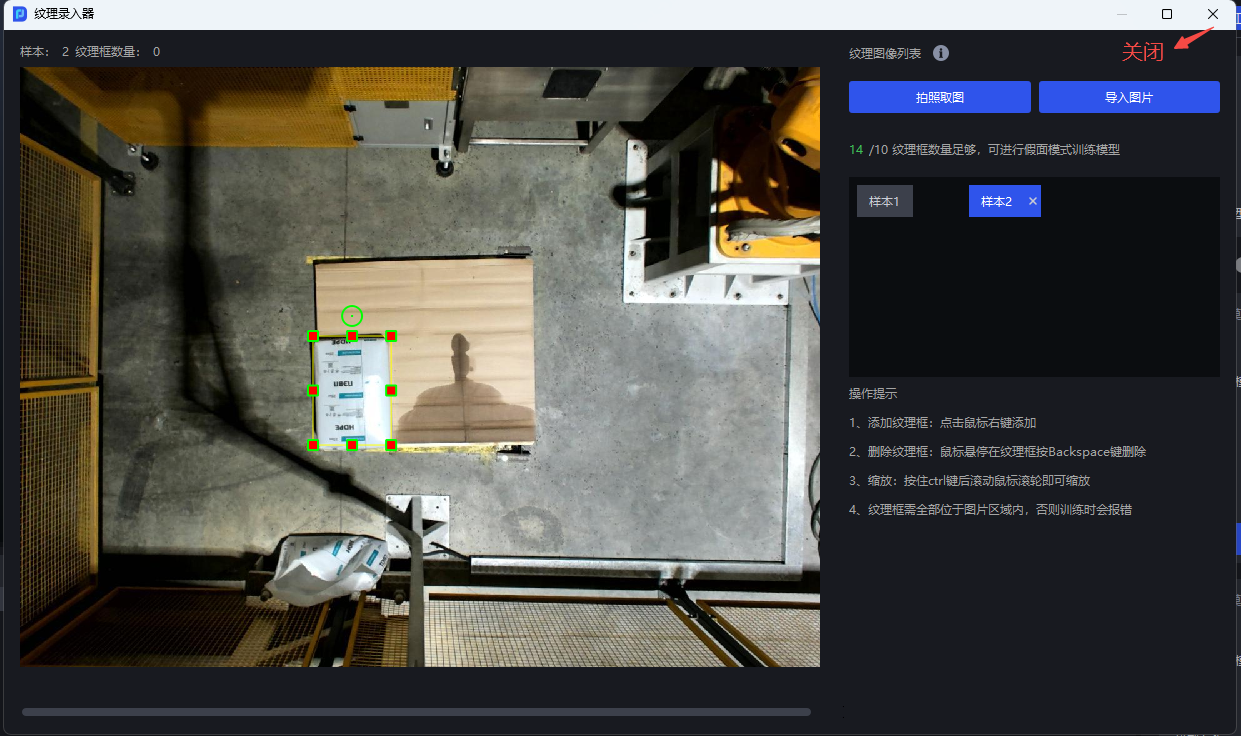
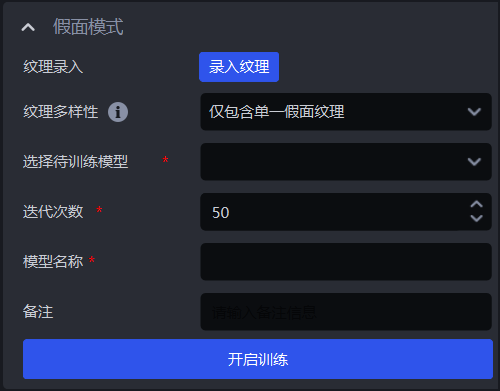
Texture Diversity can be set to
Include Only One Mask TextureorInclude Multiple Mask Textures. If there is only one framed texture, selectInclude Only One Mask Texture; if there are multiple framed textures, selectInclude Multiple Mask Textures.Select
Select Model to Train, keepIterationsat the default value, setModel Name, and finally clickStart Training
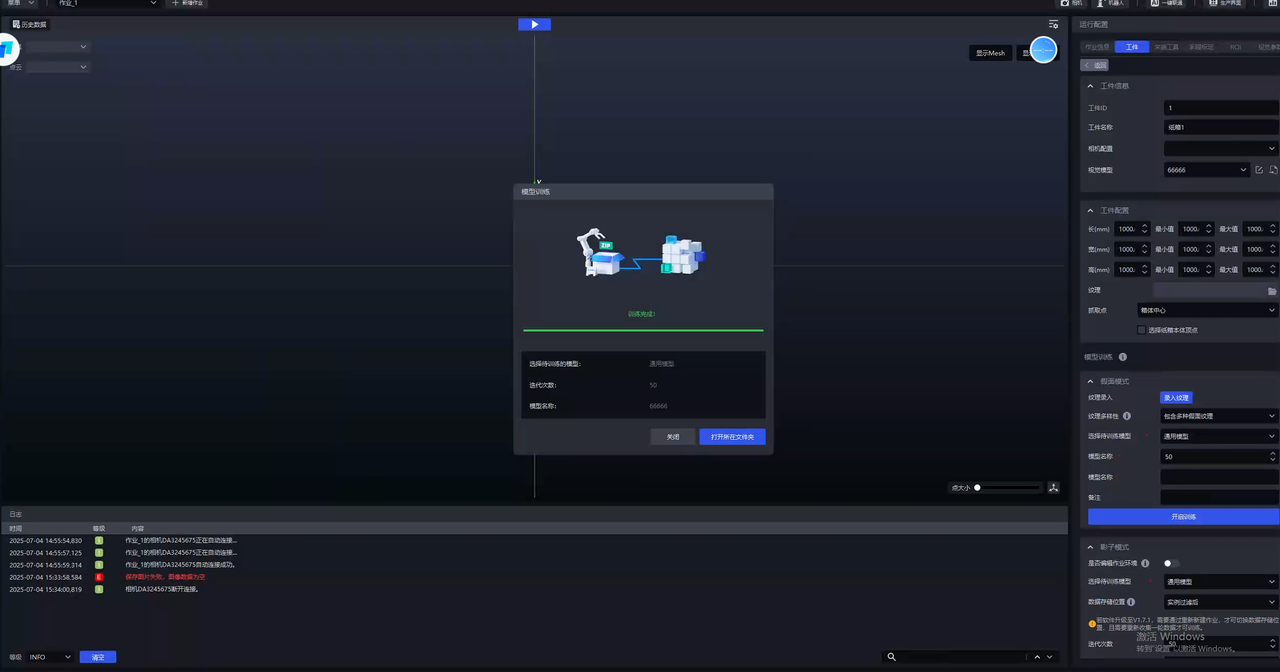
- After training is completed, click
Open Containing Folderand replaceWorkpiece Info - Vision Modelwith the newly trained model.
4. Frequently Asked Questions
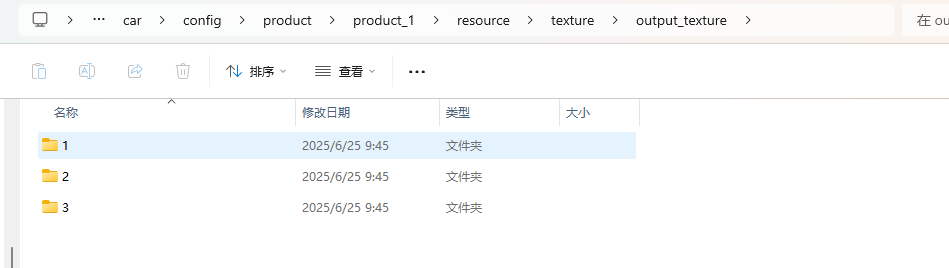
- Where can I view the texture data saved for each training session?
The texture dataset is saved under the corresponding Project configuration, and the texture boxes on each image are separately saved in one directory
However, please note that every time a new Mask Mode training session is initiated, the texture data exported in the previous training session will be cleared
- The captured image of the object to be picked is distorted. Can this image be used for Mask Mode training?
Slight distortion does not affect use, but when shooting, the mobile phone should be kept as parallel as possible to the Target Object
- How large should the texture box be?
You need to fully frame a single object and avoid including other interfering objects
- If new textures are added, does the model support iteration? Do the textures previously used for training need to be deleted
Model iteration is supported. The textures previously used for training need to be deleted, and the initial model selected for training should be the model trained with Mask Mode
If all textures can be obtained at one time, it is recommended to use all textures together for training
- The trained model performs poorly. How should this be handled?
Check whether the detected material and the material used during Mask Mode training belong to the same category
In the workpiece interface, check whether Vision Model has been replaced with the latest trained Deep Learning model
In the workpiece interface, click Record Texture and check in the texture recorder whether the framed textures include all situations, such as the front and back of a medicine box
In the vision Parameter interface, try adjusting Scaling Ratio in 2D recognition-Instance Segmentation
When a single scaling ratio cannot meet the actual scene requirements (for example, the optimal scaling ratio of objects on the top layer and bottom layer in a depalletizing scene may be different), select the Auto Enhance function in the vision Parameter interface and set multiple Auto Enhance-Scaling Ratios. For details, see Depalletizing Vision Parameter Adjustment Guide
- After Mask Mode training, the error "Failed to train the Mask model" is reported. How can this be resolved?
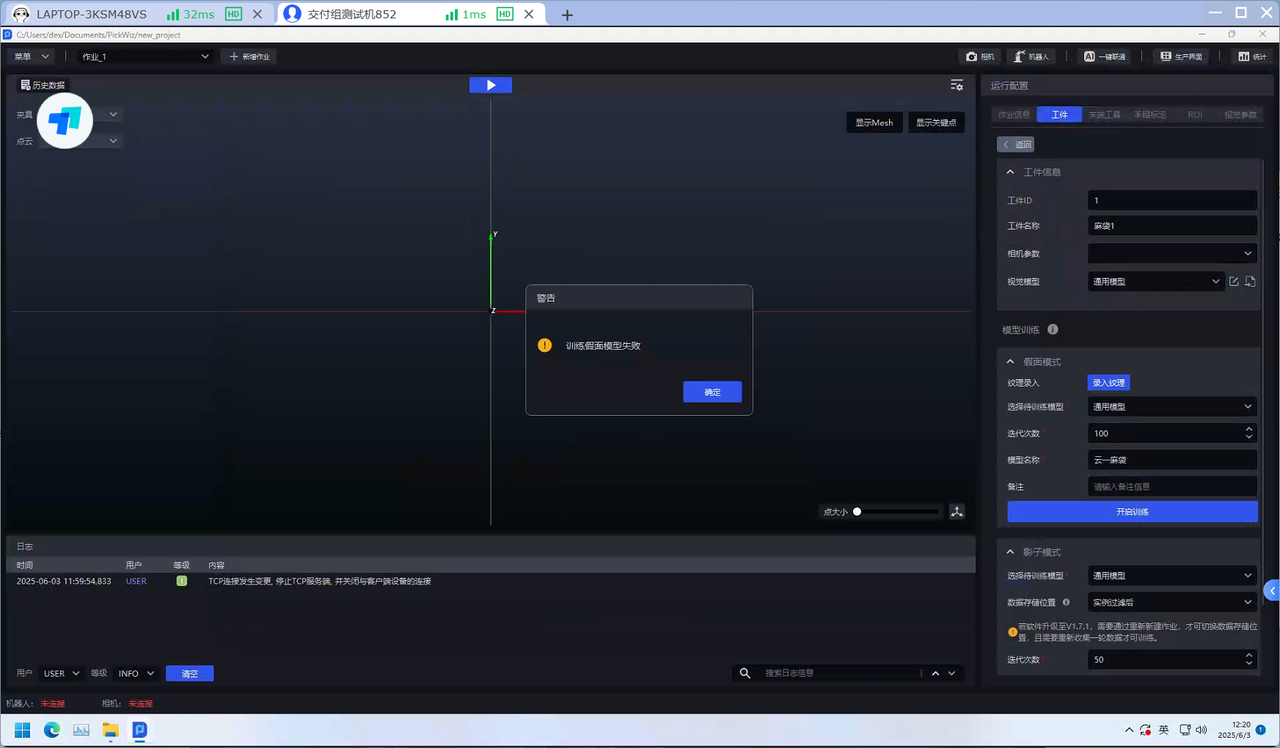
The minimum graphics card requirement for the IPC is GTX 3050. Otherwise, Mask Mode training may fail. If the error "Failed to train the Mask model" is reported, the graphics card needs to be replaced