Robot Configuration and Communication Guide
Robot configuration and communication refers to establishing communication between the vision software PickWiz and the Robot/PLC (Programmable Logic Controller) through communication protocols, ensuring real-time and stable data transmission between the Robot/PLC and the PickWiz software.
PickWiz supports five communication methods: TCP server, TCP client, ModBus, Mitsubishi MC, and Siemens Snap7.
TCP server means that PickWiz acts as the TCP server and the Robot acts as the TCP client. When PickWiz communicates with the Robot, it does not actively control the Robot side. Instead, the Robot side sends TCP instructions to PickWiz, and PickWiz returns response data after receiving the instructions. Therefore, when using TCP communication, users need to write a program on the Robot side to implement communication with PickWiz.
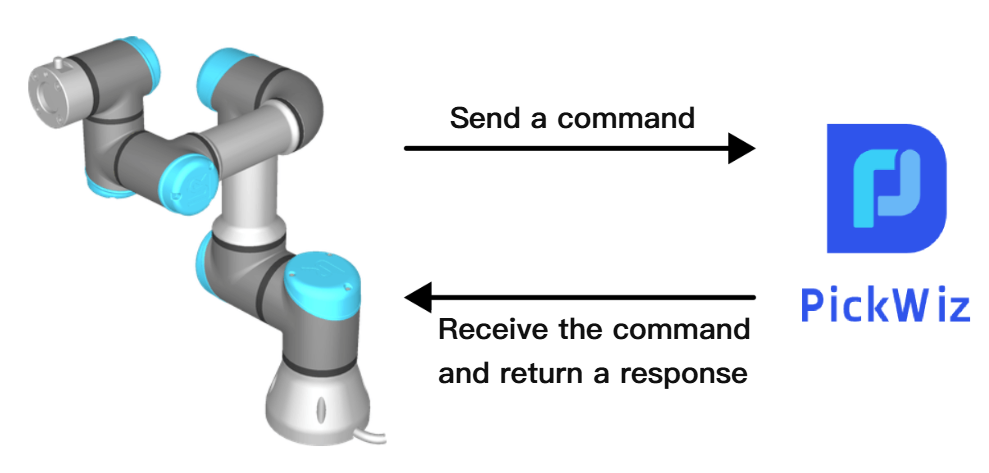
For details, refer to: TCP Server Communication Configuration
TCP client, ModBus, Mitsubishi MC, and Siemens Snap7 are communication methods in which PickWiz acts as the client and the Robot acts as the server. When PickWiz communicates with the Robot, PickWiz actively controls the Robot, sends instructions to the Robot, and the Robot executes the instructions and returns data after receiving them.
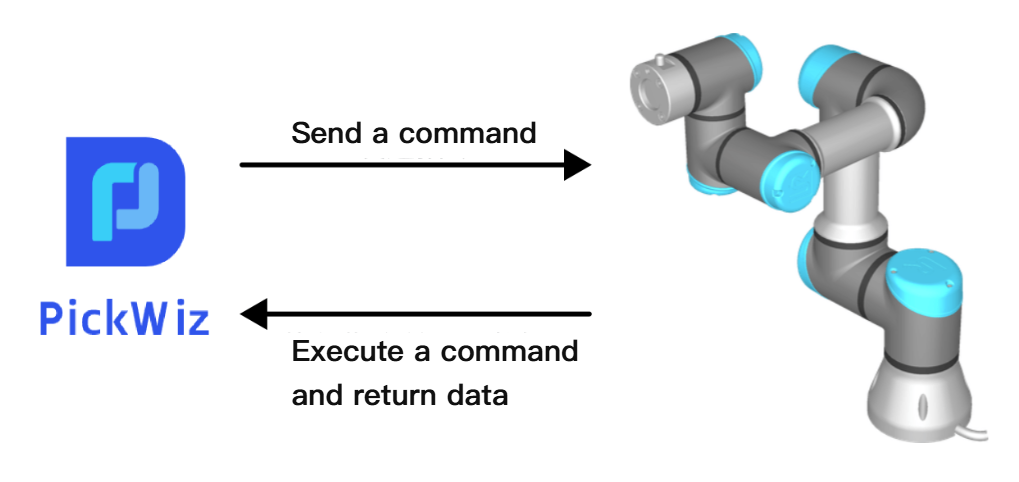
For details, refer to:
TCP Client Communication Configuration
ModBus Communication Configuration
Before configuring Robot communication, first import the Robot communication program and related configuration files into the Robot/PLC system, then use a network cable to connect the industrial PC and the Robot/PLC, and confirm that the Robot/PLC and the industrial PC are on the same IP subnet.
For the Robot/PLC brands currently supported by PickWiz, please refer to: Robot Standard Program Documentation